> ## Documentation Index
> Fetch the complete documentation index at: https://www.mintlify.com/docs/llms.txt
> Use this file to discover all available pages before exploring further.

# Vercel

> Configure Vercel rewrites to serve your Mintlify documentation at a subpath on your main domain with step-by-step vercel.json setup.

export const VercelJsonGenerator = () => {
  const [subdomain, setSubdomain] = useState('[SUBDOMAIN]');
  const [subpath, setSubpath] = useState('[SUBPATH]');
  const vercelConfig = {
    rewrites: [{
      source: "/_mintlify/:path*",
      destination: `https://${subdomain}.mintlify.app/_mintlify/:path*`
    }, {
      source: "/api/request",
      destination: `https://${subdomain}.mintlify.app/_mintlify/api/request`
    }, {
      source: `/${subpath}`,
      destination: `https://${subdomain}.mintlify.app/${subpath}`
    }, {
      source: `/${subpath}/llms.txt`,
      destination: `https://${subdomain}.mintlify.app/llms.txt`
    }, {
      source: `/${subpath}/llms-full.txt`,
      destination: `https://${subdomain}.mintlify.app/llms-full.txt`
    }, {
      source: `/${subpath}/sitemap.xml`,
      destination: `https://${subdomain}.mintlify.app/sitemap.xml`
    }, {
      source: `/${subpath}/robots.txt`,
      destination: `https://${subdomain}.mintlify.app/robots.txt`
    }, {
      source: `/${subpath}/mcp`,
      destination: `https://${subdomain}.mintlify.app/mcp`
    }, {
      source: `/${subpath}/:path*`,
      destination: `https://${subdomain}.mintlify.app/${subpath}/:path*`
    }, {
      source: "/mintlify-assets/:path+",
      destination: `https://${subdomain}.mintlify.app/mintlify-assets/:path+`
    }]
  };
  const copyToClipboard = () => {
    navigator.clipboard.writeText(JSON.stringify(vercelConfig, null, 2)).then(() => {
      console.log('Copied config to clipboard!');
    }).catch(err => {
      console.error("Failed to copy: ", err);
    });
  };
  return <div className="p-4 border dark:border-white/10 rounded-2xl not-prose space-y-4">
      <div className="space-y-4">
        <div>
          <label className="block text-sm text-zinc-950/70 dark:text-white/70 mb-1">
            Subdomain
          </label>
          <input type="text" value={subdomain} onChange={e => setSubdomain(e.target.value)} placeholder="your-subdomain" className="w-full p-1 text-sm rounded border dark:border-white/10 bg-transparent" />
        </div>
        <div>
          <label className="block text-sm text-zinc-950/70 dark:text-white/70 mb-1">
            Subpath
          </label>
          <input type="text" value={subpath} onChange={e => setSubpath(e.target.value)} placeholder="docs" className="w-full p-1 text-sm rounded border dark:border-white/10 bg-transparent" />
        </div>
      </div>
      <div className="relative">
        <button onClick={copyToClipboard} className="absolute top-2 right-2 p-2 rounded-lg transition-all duration-200 group">
          <svg width="18" height="18" viewBox="0 0 18 18" fill="none" xmlns="http://www.w3.org/2000/svg" className="w-4 h-4 dark:text-white/60 text-gray-400 group-hover:text-gray-500 dark:group-hover:text-white/60 transition-colors">
            <path d="M14.25 5.25H7.25C6.14543 5.25 5.25 6.14543 5.25 7.25V14.25C5.25 15.3546 6.14543 16.25 7.25 16.25H14.25C15.3546 16.25 16.25 15.3546 16.25 14.25V7.25C16.25 6.14543 15.3546 5.25 14.25 5.25Z" stroke="currentColor" strokeWidth="1.5" strokeLinecap="round" strokeLinejoin="round"></path>
            <path d="M2.80103 11.998L1.77203 5.07397C1.61003 3.98097 2.36403 2.96397 3.45603 2.80197L10.38 1.77297C11.313 1.63397 12.19 2.16297 12.528 3.00097" stroke="currentColor" strokeWidth="1.5" strokeLinecap="round" strokeLinejoin="round"></path>
          </svg>
          <span className="absolute top-9 left-1/2 transform -translate-x-1/2 bg-primary text-white text-xs px-1.5 py-0.5 rounded-lg opacity-0 group-hover:opacity-100 transition-opacity duration-200 whitespace-nowrap">
            Copy
          </span>
        </button>
        <pre className="p-4 rounded-lg overflow-auto text-xs border dark:border-white/10">
          <code>{JSON.stringify(vercelConfig, null, 2)}</code>
        </pre>
      </div>
    </div>;
};

Configure your `vercel.json` file to proxy requests from your main domain to your documentation at a subpath.

## vercel.json file

The `vercel.json` file configures how your project builds and deploys. It sits in your project's root directory and controls various aspects of your deployment, including routing, redirects, headers, and build settings.

We use the `rewrites` configuration in your `vercel.json` file to proxy requests from your main domain to your documentation.

Rewrites map incoming requests to different destinations without changing the URL in the browser. When someone visits `yoursite.com/docs`, Vercel internally fetches content from `your-subdomain.mintlify.dev/docs`, but the user still sees `yoursite.com/docs` in their browser. This is different from redirects, which send users to another URL entirely.

## Configuration

### Host at `/docs` subpath

1. Navigate to [Custom domain setup](https://dashboard.mintlify.com/settings/deployment/custom-domain) in your dashboard.
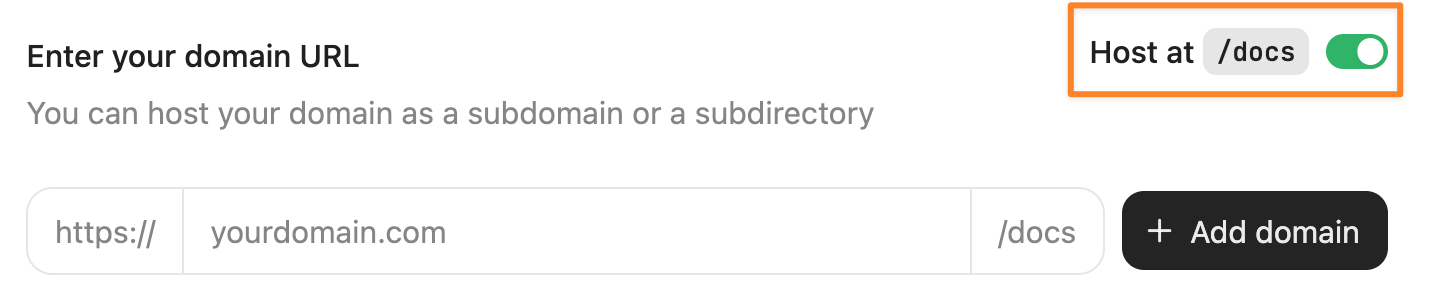
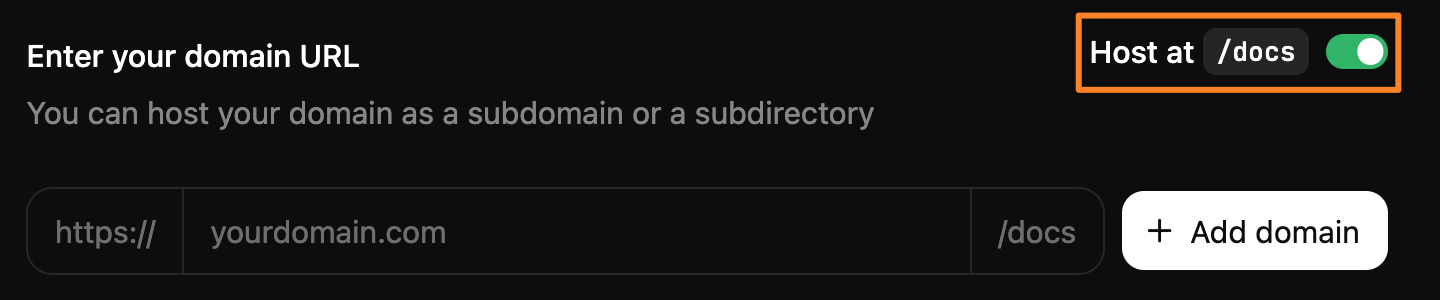
2. Set the **Host at `/docs`** toggle to on.

   <Frame>
     <img alt="Screenshot of the Custom domain setup page. The Host at `/docs` toggle is on and highlighted by an orange rectangle." src="https://mintcdn.com/mintlify/y0I2fgo5Rzv873ju/images/subpath/toggle-light.png?fit=max&auto=format&n=y0I2fgo5Rzv873ju&q=85&s=7e32943b9dd517e21030678381a60b40" className="block dark:hidden" width="1438" height="298" data-path="images/subpath/toggle-light.png" />

     <img alt="Screenshot of the Custom domain setup page. The Host at `/docs` toggle is on and highlighted by an orange rectangle." src="https://mintcdn.com/mintlify/y0I2fgo5Rzv873ju/images/subpath/toggle-dark.png?fit=max&auto=format&n=y0I2fgo5Rzv873ju&q=85&s=9e0fd7047a7937d5a6d9cfc2c55acb09" className="hidden dark:block" width="1440" height="300" data-path="images/subpath/toggle-dark.png" />
   </Frame>
3. Enter your domain.
4. Click **Add domain**.
5. Add the following rewrites to your `vercel.json` file. Replace `[subdomain]` with your subdomain, which appears at the end of your dashboard URL. For example, `dashboard.mintlify.com/your-organization/your-subdomain` has a domain identifier of `your-subdomain`.

   ```json theme={null}
   {
     "rewrites": [
       {
         "source": "/docs",
         "destination": "https://[subdomain].mintlify.dev/docs"
       },
       {
         "source": "/docs/:match*",
         "destination": "https://[subdomain].mintlify.dev/docs/:match*"
       }
     ]
   }
   ```

The `rewrites` configuration maps the `/docs` subpath on your domain to the `/docs` subpath on your documentation.

* **`source`**: The path pattern on your domain that triggers the rewrite.
* **`destination`**: Where the request should be proxied to.
* **`:match*`**: A wildcard that captures any path segments after your subpath.

For more information, see [Configuring projects with vercel.json: Rewrites](https://vercel.com/docs/projects/project-configuration#rewrites) in the Vercel documentation.

### Host at custom subpath

To use a custom subpath (any path other than `/docs`), you must organize your documentation files within your repository to match your subpath structure. For example, if you host your documentation at `yoursite.com/help`, your documentation files must be in a `help/` directory.

Use the generator below to create your rewrites configuration. Add the rewrites to your `vercel.json` file.

<VercelJsonGenerator />


## Related topics

- [Cloudflare](/docs/deploy/cloudflare.md)
- [Overview](/docs/deploy/docs-subpath.md)
- [External proxies with Vercel](/docs/deploy/vercel-external-proxies.md)