> ## Documentation Index
> Fetch the complete documentation index at: https://www.mintlify.com/docs/llms.txt
> Use this file to discover all available pages before exploring further.
# 将分析导出为 CSV
> 将分析类别导出为 CSV,并解读流量和助手导出字段。
分析功能需要 [Pro 或 Enterprise 套餐](https://mintlify.com/pricing?ref=analytics)。
将分析类别导出为 CSV,以便进行更深入的分析、报告或归档。导出使用[分析](https://app.mintlify.com/analytics)页面上所选的时间范围。
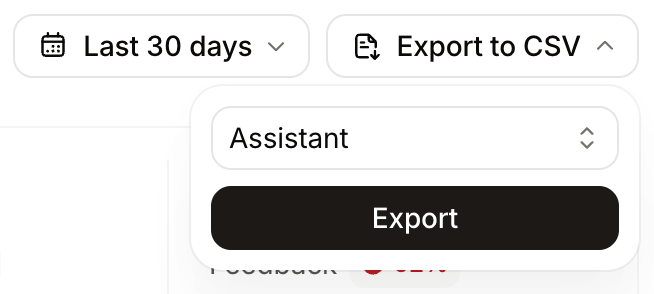
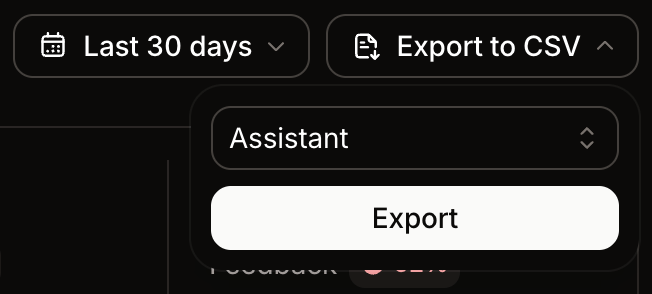
1. 选择 **Export to CSV**。
2. 选择要导出的类别:流量、引荐、助手对话、搜索或反馈。
3. 等待 Mintlify 通过电子邮件向您发送下载链接。
## 解读流量导出数据
流量导出按访客类别分解页面浏览量,便于您对比来自人类、agent、搜索爬虫和其他 bot 的流量。
| 列 | 描述 |
| ------------------ | --------------------------------------------------------------------------- |
| `humanViews` | 来自非 bot 流量的 HTML 页面浏览量。 |
| `aiViews` | 来自 AI agent(例如 ChatGPT、Claude 和 Cursor)的浏览量,以及来自未被识别为爬虫的客户端的 Markdown 页面获取。 |
| `searchIndexViews` | 来自搜索和索引爬虫(例如 Googlebot、Bingbot 和 OAI-SearchBot)的浏览量。 |
| `trainingViews` | 来自收集内容用于 AI 模型训练的爬虫(例如 GPTBot、ClaudeBot 和 CCBot)的浏览量。 |
| `otherAiViews` | 来自不属于上述类别的其他 AI 相关 bot 的浏览量。 |
| `totalViews` | `humanViews` 与 `aiViews` 的总和。 |
Mintlify 使用已知的 user-agent 模式对搜索爬虫、训练爬虫和 AI 助手进行分类。各类别相互排斥,因此每次浏览恰好计入一列。
`searchIndexViews`、`trainingViews` 和 `otherAiViews` 不计入 `totalViews`。
## 解读助手导出数据
助手导出包含查询、响应、来源以及 `resolutionStatus` 列。该列表示助手是否成功回答了每个问题,其值为 `answered` 或 `unanswered`。可利用它识别助手无法解决的问题所暴露出的文档缺口。
助手导出的示例分析提示词:
* 列出没有引用任何来源的查询。
* 找出未成功交互中的模式。
* 按主题对未回答的查询进行分组,以确定内容更新的优先级。
## Related topics
- [分析概览](/docs/zh/analytics/index.md)
- [收集来自用户和 AI 智能体的页面反馈](/docs/zh/optimize/feedback.md)
- [Fathom](/docs/zh/integrations/analytics/fathom.md)