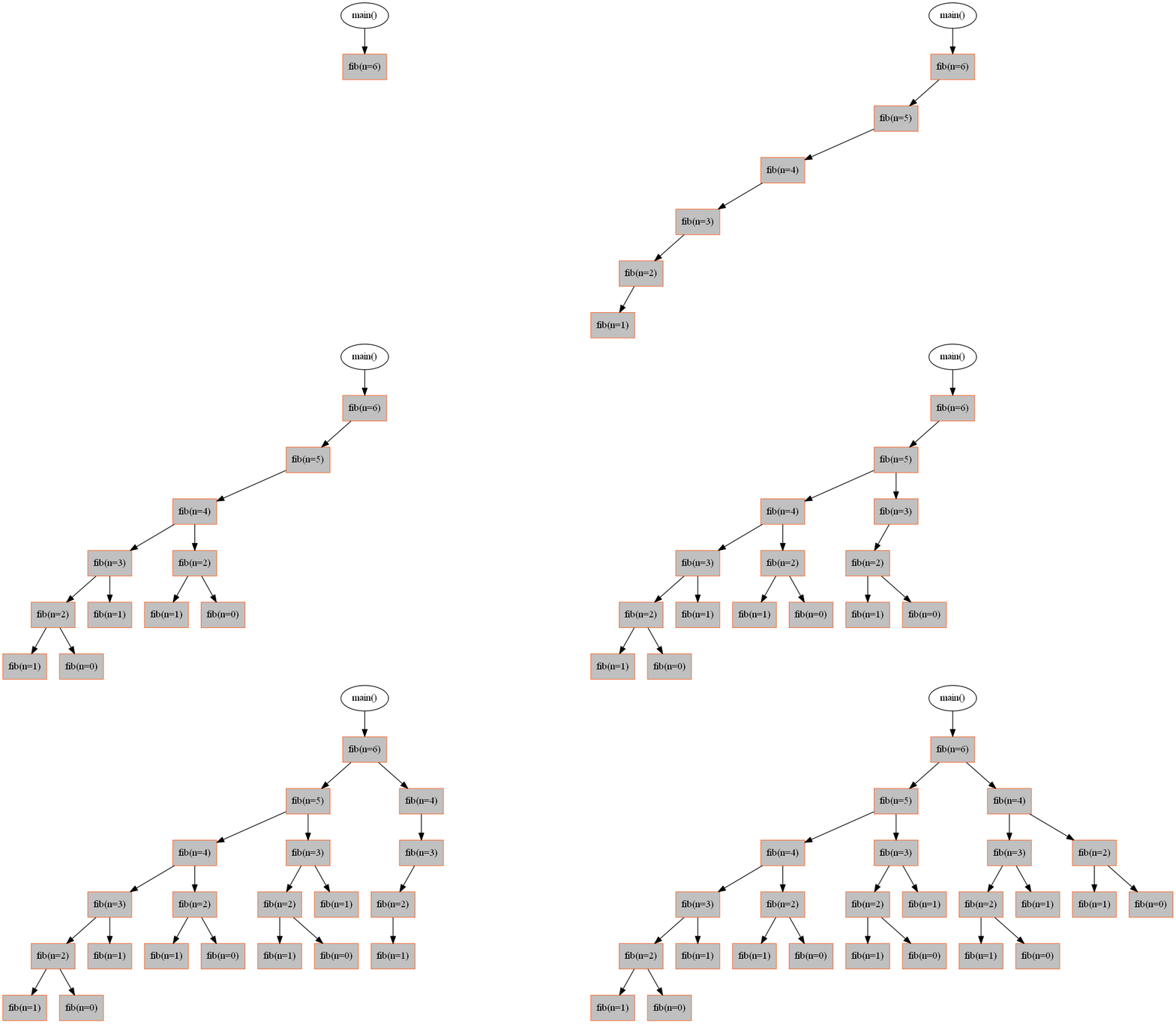
Overview
Recursion Tree Visualiser is a Python decorator library that automatically generates visual representations of recursive function calls. Simply add the@Visualiser decorator to your recursive function and watch your recursion tree come to life with animations.
The library works with almost any type of recursive function, from simple examples like Fibonacci and factorial to complex algorithms like dynamic programming solutions.
Key features
Zero-code visualization
Add a single decorator to your function - no code changes required
Animated recursion trees
Generate GIF animations showing how recursion unfolds step-by-step
Highly customizable
Control node colors, shapes, labels, and return value display
Works everywhere
Compatible with any recursive function - Fibonacci, factorial, dynamic programming, and more
Quick example
Here’s how easy it is to visualize a Fibonacci function:Get started
Installation
Install graphviz and the recursion-visualiser package
Quickstart
Create your first recursion tree in under 5 minutes
Examples
Explore visualization examples for different recursive algorithms
API reference
Complete reference for all decorator options and methods
What you’ll learn
This documentation will guide you through:- Installing graphviz and the Python package on different platforms
- Adding the visualizer decorator to your recursive functions
- Customizing node appearance with colors, shapes, and styles
- Generating static images and animated GIFs
- Controlling what information appears in the tree (arguments, return values)
- Troubleshooting common issues