 A production-ready, open source tool for real-time GPU memory profiling, leak detection, and optimization in PyTorch and TensorFlow deep learning workflows.
Why GPU Memory Profiler?
Training deep learning models often leads to out-of-memory crashes and inefficient resource usage. GPU Memory Profiler helps you understand exactly where your memory is going and how to optimize it.Prevent OOM crashes
Catch memory leaks and inefficiencies before they crash your training jobs
Optimize performance
Get actionable insights and recommendations for memory usage patterns
Unified interface
Works seamlessly with both PyTorch and TensorFlow frameworks
Beautiful visualizations
Timeline plots, heatmaps, and interactive dashboards for deep insights
Key features
Real-time monitoring
Real-time monitoring
Track GPU memory usage in real-time with live dashboards and CLI tools. Monitor allocated memory, reserved memory, and memory fragmentation as your model trains.
Memory leak detection
Memory leak detection
Automatic detection of memory leaks with configurable warning and critical thresholds. Get alerts when memory usage exceeds expected patterns.
Context-aware profiling
Context-aware profiling
Profile specific functions and code blocks using decorators and context managers. Understand memory usage at a granular level.
Interactive visualizations
Interactive visualizations
Generate timeline plots, heatmaps, and interactive dashboards. Export data to CSV, JSON, PNG (Matplotlib), or HTML (Plotly) formats.
CLI automation
CLI automation
Powerful command-line interface for profiling, monitoring, and diagnostics. Integrate into CI/CD pipelines and automated workflows.
CPU compatibility mode
CPU compatibility mode
Works on laptops and CI agents without CUDA. Falls back to psutil-powered CPU memory tracking when GPU is not available.
Framework support
Requirements
- Python 3.10 or later
- PyTorch 1.8+ (for PyTorch profiling)
- TensorFlow 2.4+ (for TensorFlow profiling)
- CUDA-capable GPU (optional - falls back to CPU mode)
Get started
Installation
Install via pip or from source with optional dependencies
Quick start
Get up and running with your first memory profile in 5 minutes
CLI usage
Learn about command-line tools and automation
Terminal UI
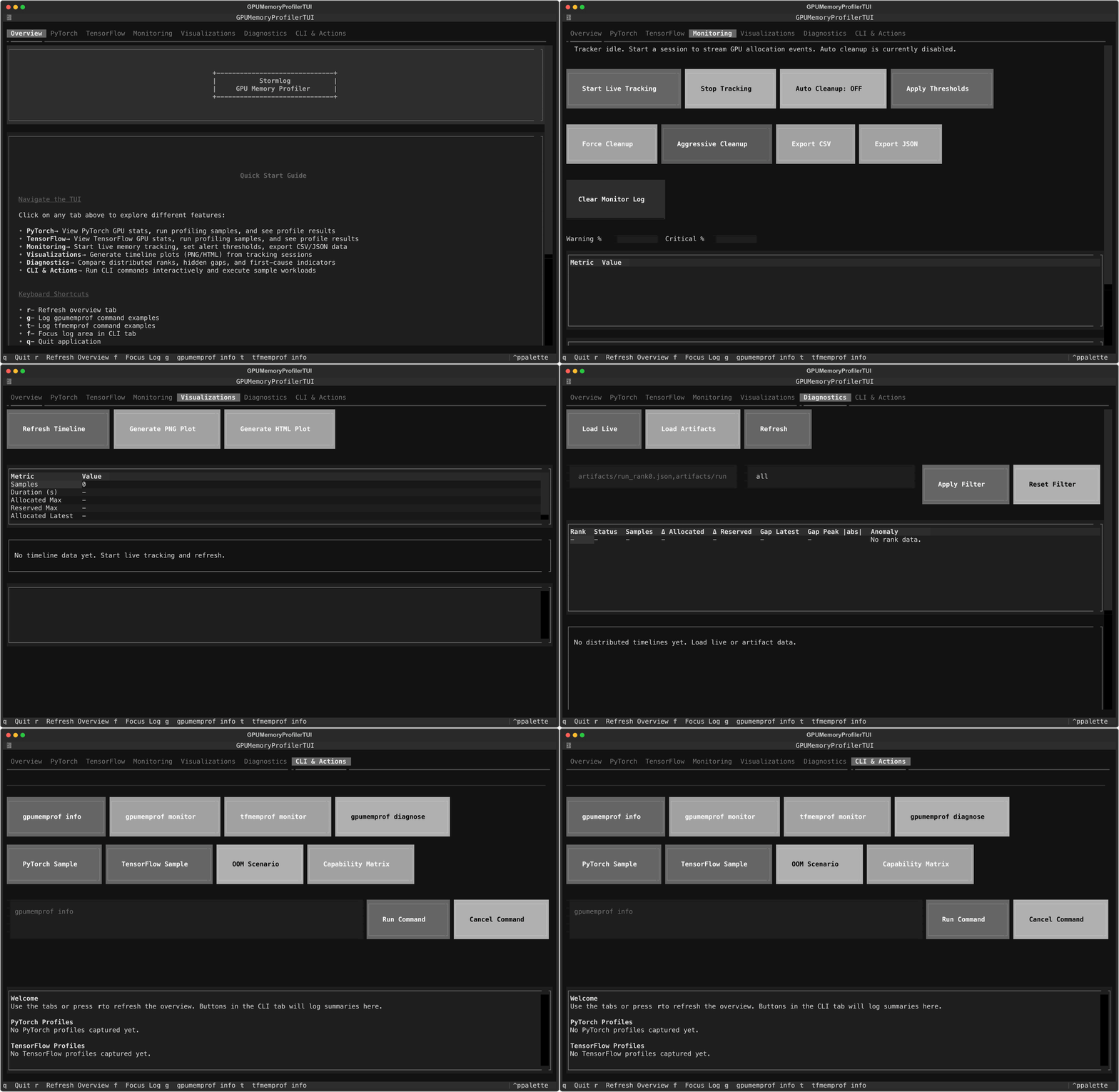
Prefer an interactive dashboard? Install the optional TUI dependencies and launch the Textual interface:The TUI surfaces system info, PyTorch/TensorFlow quick actions, live monitoring with real-time charts, and CLI automation tools.
Use cases
Training optimization
Profile your training loops to identify memory bottlenecks and optimize batch sizes
Leak detection
Find memory leaks in long-running training jobs before they cause crashes
Model debugging
Debug out-of-memory errors with detailed snapshots and stack traces
Production monitoring
Monitor GPU memory usage in production deployments and inference services
Community
GitHub
View source code, report issues, and contribute
PyPI
Latest releases and package information
Current version: 0.2.0 (launch candidate)License: MIT