Multi-agent communication for Claude, Gemini, Codex, and OpenCode
Agents running in separate terminals are isolated from each other. Context doesn’t transfer, decisions get repeated, file edits collide. hcom connects your existing AI tools. When one agent edits a file, runs a command, or sends a message, other agents find out immediately.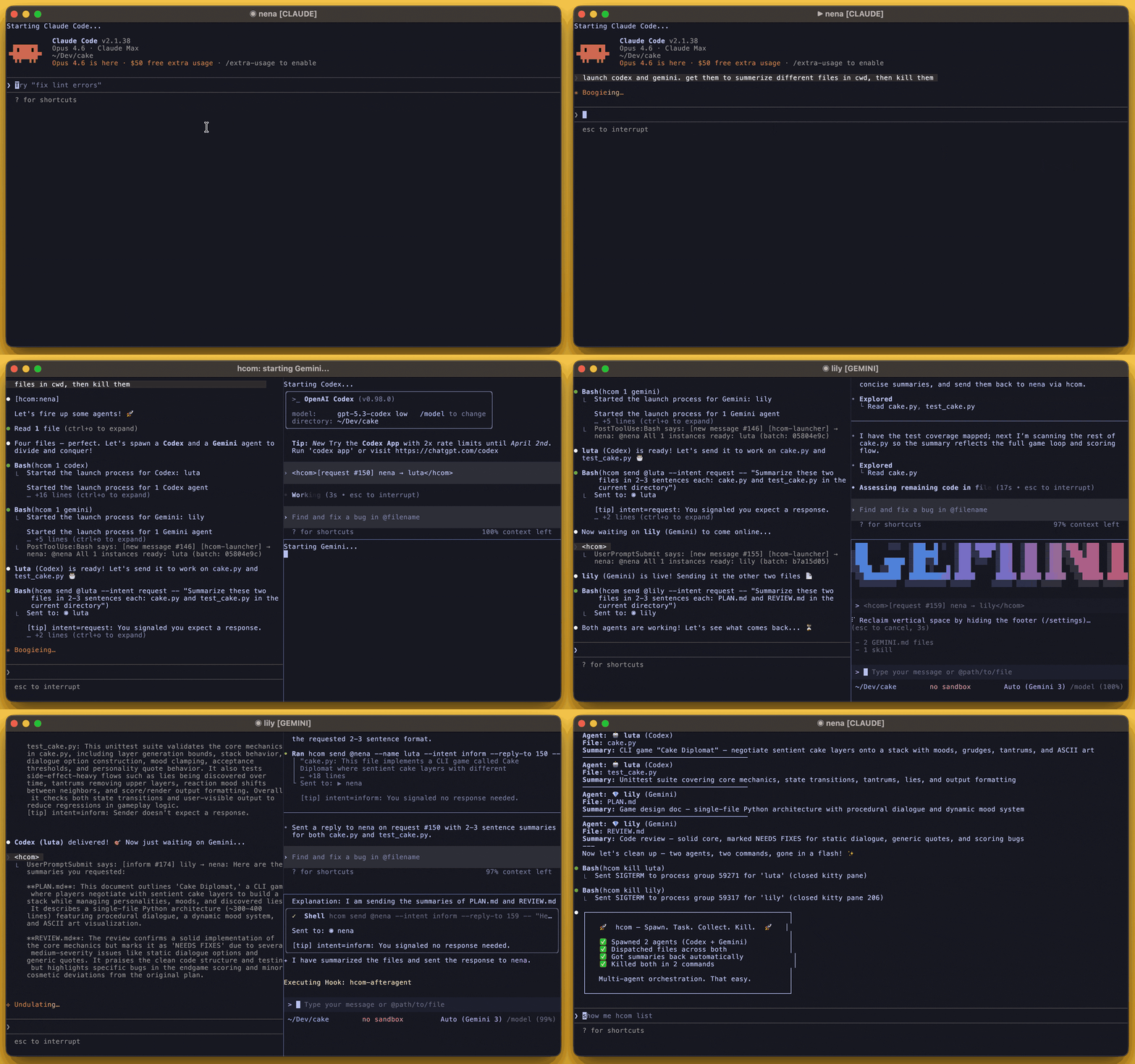
Why hcom?
Real-time messaging
Agents message each other with @mentions, intents, threads, and broadcast. Messages arrive mid-turn or wake idle agents immediately.
Collision detection
If 2 agents edit the same file within 30 seconds, both get collision notifications automatically.
Event tracking
Query event history for file edits, commands, status changes, and lifecycle events. Subscribe to react to activity.
Cross-terminal spawning
Spawn, fork, resume, or kill agents in new terminal panes. Works with kitty, wezterm, tmux, and more.
Transcript sharing
Read another agent’s conversation history with configurable detail levels and range selection.
Cross-device sync
Connect agents across machines via MQTT relay for distributed workflows.
How it works
Messages arrive mid-turn or wake idle agents immediately. Hooks record activity and deliver messages:What you can do
Tell any agent:“send a message to claude”
“when codex goes idle send it the next task”
“watch gemini’s file edits, review each and send feedback if any bugs”
“fork yourself to investigate the bug and report back”
“find which agent worked on terminal_id code, resume them and ask why it sucks”
Agent capabilities
Agents can:- Message each other with intents, threads, broadcast, and @mentions (
hcom send) - Read transcripts from other agents with ranges and detail levels (
hcom transcript) - View terminal screens and inject text/enter for approvals (
hcom term) - Query event history for file edits, commands, status, and lifecycle (
hcom events) - Subscribe and react to each other’s activity (
hcom events sub) - Spawn, fork, resume agents in new terminal panes (
hcom N claude|gemini|codex|opencode,hcom r,hcom f) - Kill agents and close their terminal panes (
hcom kill) - Build context bundles with files, transcript, and events for handoffs (
hcom bundle)
Multi-agent workflows
Included workflow scripts:hcom run confess
hcom run confess
An agent (or background clone) writes an honesty self-eval. A spawned calibrator reads the target’s transcript independently. A judge compares both reports and sends back a verdict via hcom message.
hcom run debate
hcom run debate
A judge spawns and sets up a debate with existing agents. It coordinates rounds in a shared thread where all agents see each other’s arguments, with shared context of workspace files and transcripts.
hcom run fatcow
hcom run fatcow
Headless agent reads every file in a path, subscribes to file edit events to stay current, and answers other agents on demand.
Supported AI tools
Claude Code, Gemini CLI, Codex, OpenCode — messages are delivered automatically, events are tracked. Any AI tool that can run shell commands — send and receive messages manually withhcom start.
Any process — fire and forget: hcom send <message> --from botname
Terminal support
Spawning works with any terminal emulator. Runhcom config terminal --info to set up a custom one.
Closing/killing works with kitty, wezterm (auto open/close panes), and tmux (background).
Next steps
Installation
Install hcom with curl, pip, or uv
Quickstart
Launch your first agents and send messages