Welcome to angr Management
A powerful, cross-platform GUI for binary analysis. Disassemble, decompile, and debug executables with an intuitive interface powered by the angr framework.
Quick start
Get up and running with angr Management in minutes
Install angr Management
Load a binary
Open a binary for analysis using File → Load Binary or drag and drop a file into the window.
angr Management supports multiple architectures including x86, x64, ARM, MIPS, and more.
Explore by topic
Comprehensive guides to help you master binary analysis
User Guide
Learn the interface, views, and core workflows
Analysis Capabilities
Explore symbolic execution, CFG recovery, and more
Decompilation
Work with the interactive decompiler
Plugins
Extend functionality with the plugin system
Collaborative Analysis
Share and sync analysis with your team
Configuration
Customize settings and preferences
Key features
What makes angr Management powerful
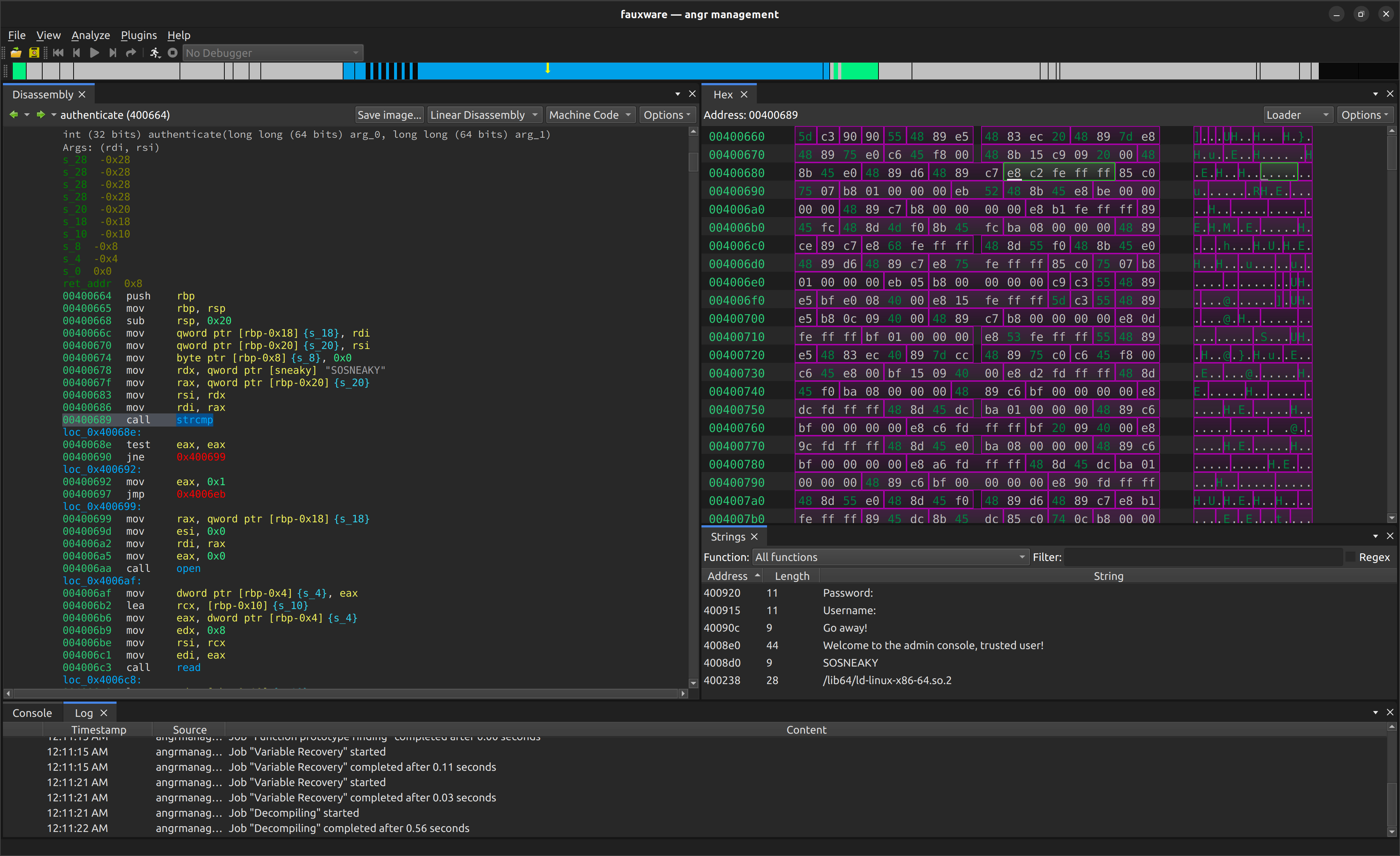
Multiple Views
Switch between disassembly, decompilation, hex editor, function list, strings, and more
Interactive Decompilation
High-quality decompilation with type inference and variable renaming
IPython Console
Script custom analyses with full access to the angr API
Collaborative Analysis
Share analysis sessions with binsync integration
For developers
Build plugins and extend angr Management
Plugin Development
Create custom plugins to extend functionality
Architecture Overview
Understand the core architecture and components
UI Components
Work with views, widgets, and dialogs
API Reference
Explore the complete API documentation
Ready to start analyzing?
Install angr Management and start exploring binaries with powerful analysis capabilities