
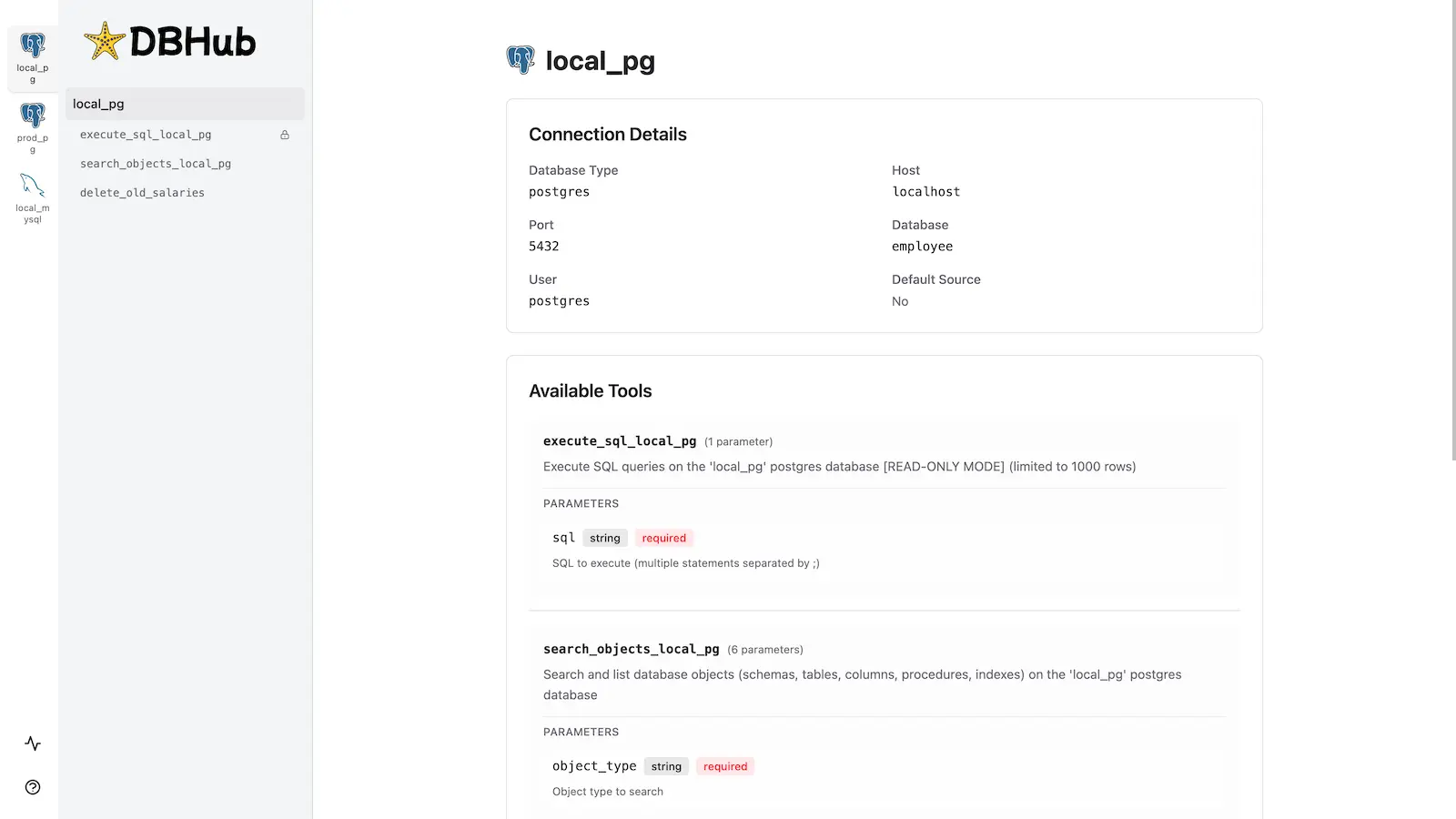
What is the Workbench?
The workbench is a single-page application (SPA) that communicates with DBHub’s HTTP transport endpoint via JSON-RPC. When you start DBHub with--transport http, it serves both:
- MCP endpoint:
/mcp- The JSON-RPC endpoint for MCP protocol communication - Workbench UI: Browser-based interface served at the root URL
- SQL query editor with syntax highlighting
- Interactive parameter forms for custom tools
- Tabbed result viewer with execution timing
- Request trace history across all data sources
- Multi-database support with source switching
When to Use the Workbench
Testing Tools Without an MCP Client If you’re developing custom tools or need to test database queries before integrating with an AI assistant, the workbench provides immediate feedback without switching to Claude Desktop or another MCP client. Debugging Issues When troubleshooting query errors or connection issues, the workbench shows detailed error messages and execution traces. The request history view displays all recent operations with timing information and success/failure status. Team Demonstrations Share your screen to demonstrate database tools to team members who may not have MCP clients installed. The workbench runs in any modern browser and requires no additional setup. Multi-Database Management When working with multiple databases configured via TOML, the workbench provides easy navigation between sources and their associated tools. Each data source displays its connection details, SSH tunnel configuration, and available MCP tools.How to Access
Start DBHub with HTTP transport enabled:Key Features
Execute SQL Queries
The workbench provides a full-featured SQL editor with:- Syntax highlighting for SQL statements
- Multi-line editing with CodeMirror
- Keyboard shortcuts (
Cmd+Enter/Ctrl+Enterto execute) - Support for executing selected text or entire query
- Automatic URL state persistence (queries saved in browser history)
Test Custom Tools
Custom tools defined in yourdbhub.toml appear with interactive parameter forms:
- Type-aware input fields (string, number, boolean)
- Required vs optional parameter indicators
- Real-time SQL preview showing parameter substitution
- Parameter values saved in URL for easy sharing
View Request Traces
The Recent Requests page tracks up to 100 requests per data source, showing:- Timestamp and execution duration
- Tool name and source ID
- Full SQL statement (truncated with hover tooltip)
- Success/failure status with error details
- Client user-agent (browser, Claude Desktop, etc.)
Explore Database Schema
You can explore your database schema using SQL queries in the execute_sql tool:search_objects tool which provides progressive disclosure with detail levels.
Architecture
HTTP Transport
The workbench uses DBHub’s StreamableHTTPServerTransport implementation, configured for stateless operation:- Endpoint:
POST /mcpfor JSON-RPC requests - No SSE support: Runs in stateless mode without Server-Sent Events
- GET requests disabled: Returns
405 Method Not Allowedto indicate SSE is unsupported - Session management: New transport instance per request for concurrency isolation
src/server.ts:154-217.
JSON-RPC Protocol
All tool executions use JSON-RPC 2.0 over HTTP:Stateless Mode
Unlike stateful MCP connections (stdio transport), the HTTP workbench creates a new server instance for each request:Testing
The HTTP transport and JSON-RPC integration are tested in:- JSON-RPC protocol compliance
- Query execution over HTTP
- Error handling and response formatting
- Multi-statement execution
- SQLite-specific features (PRAGMA, transactions)
Related
- Workbench Usage Guide - Detailed UI walkthrough and workflows
- HTTP Transport Configuration - Command-line options
- Multi-Database Setup - TOML configuration for multiple data sources
- Custom Tools - Define reusable SQL operations