 The
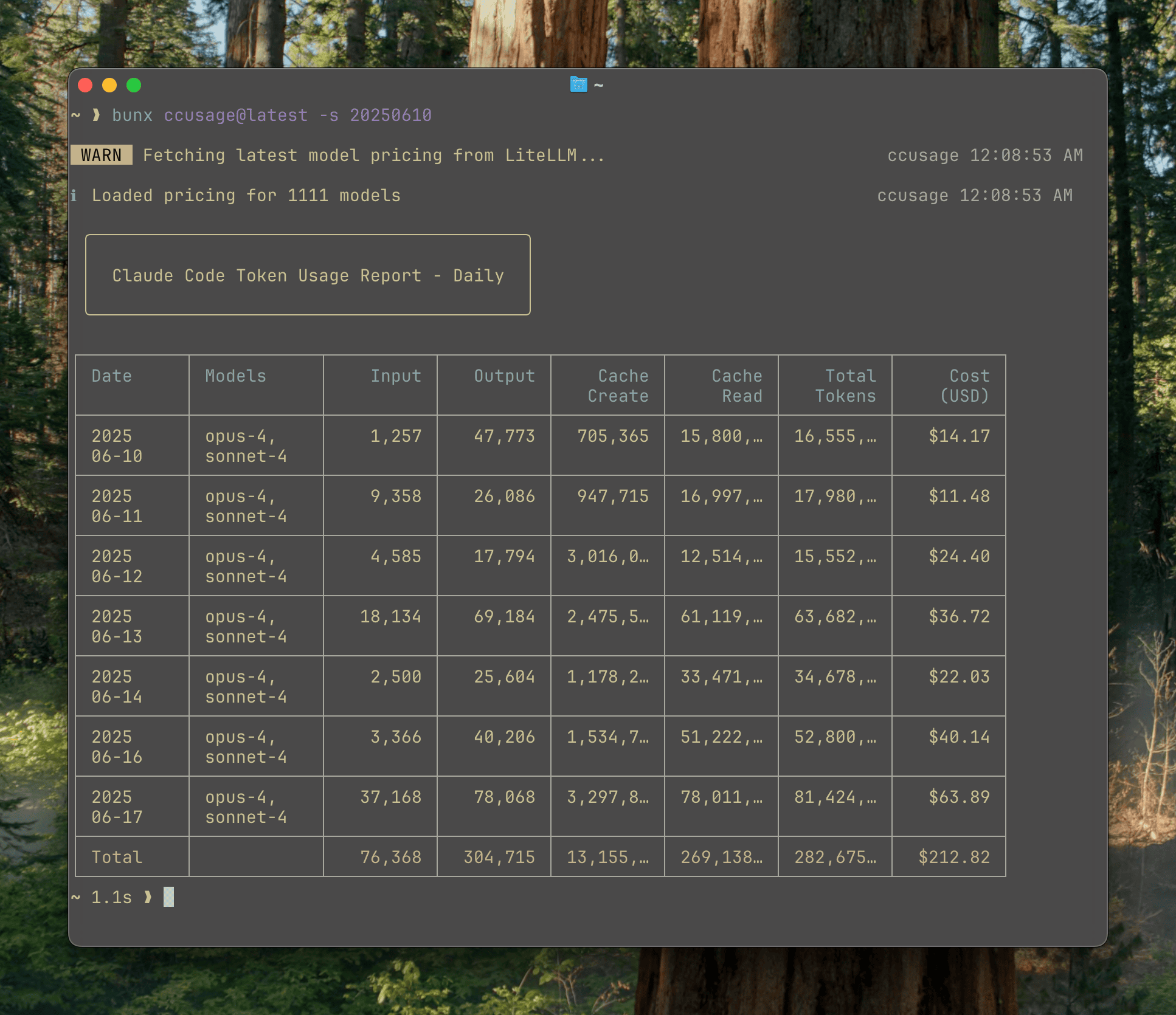
The daily command groups your Claude Code usage by date, providing a comprehensive view of your token consumption and costs over time.
Basic Usage
- Input and output tokens
- Cache creation and read tokens
- Total tokens consumed
- Total cost in USD
- Models used
Command Options
Filter by Date Range
Use--since and --until to filter results to a specific date range:
Dates must be in
YYYYMMDD format (e.g., 20250315 for March 15, 2025).Project-Level Breakdown
View usage broken down by project with the--instances flag:
Filter by Project
Focus on a specific project:Model Breakdown
See per-model costs within each day:JSON Output
Export data in JSON format for programmatic processing:jq Integration
Process JSON output with jq for advanced filtering:Common Flags
Filter from date (YYYYMMDD format)
Filter until date (YYYYMMDD format)
Show usage breakdown by project/instance (default: false)
Filter to specific project name
Show per-model cost breakdown (default: false)
Output in JSON format (default: false)
Process JSON output with jq command (requires jq binary, implies —json)
Cost calculation mode:
auto (use pre-calculated if available), calculate (always calculate from tokens), display (always use pre-calculated)Timezone for date grouping (e.g., UTC, America/New_York, Asia/Tokyo). Default: system timezone
Locale for date/time formatting (e.g., en-US, ja-JP, de-DE). Default: en-US
Force compact mode for narrow displays (better for screenshots)
Use cached pricing data instead of fetching from API (default: false)
Show pricing mismatch information for debugging (default: false)
Examples
Last Week’s Usage
March 2025 by Project
Export Costs Above Threshold
Detailed Model Analysis
Understanding the Output
Token Types
- Input Tokens: Tokens sent to Claude (prompts, code, context)
- Output Tokens: Tokens generated by Claude (responses)
- Cache Creation Tokens: Tokens used to create prompt cache entries
- Cache Read Tokens: Tokens read from prompt cache (cheaper than input)
Cost Calculation
By default (--mode auto), ccusage uses pre-calculated costs from Claude Code when available, falling back to calculating from token counts using LiteLLM pricing data.
Compact Mode
When terminal width is limited, ccusage automatically switches to compact mode, hiding cache metrics and total tokens. You can force this mode with--compact: