Welcome to Surge
Surge is designed for power users who prefer a keyboard-driven workflow. It features a beautiful Terminal User Interface (TUI), as well as a background Headless Server and a CLI tool for automation.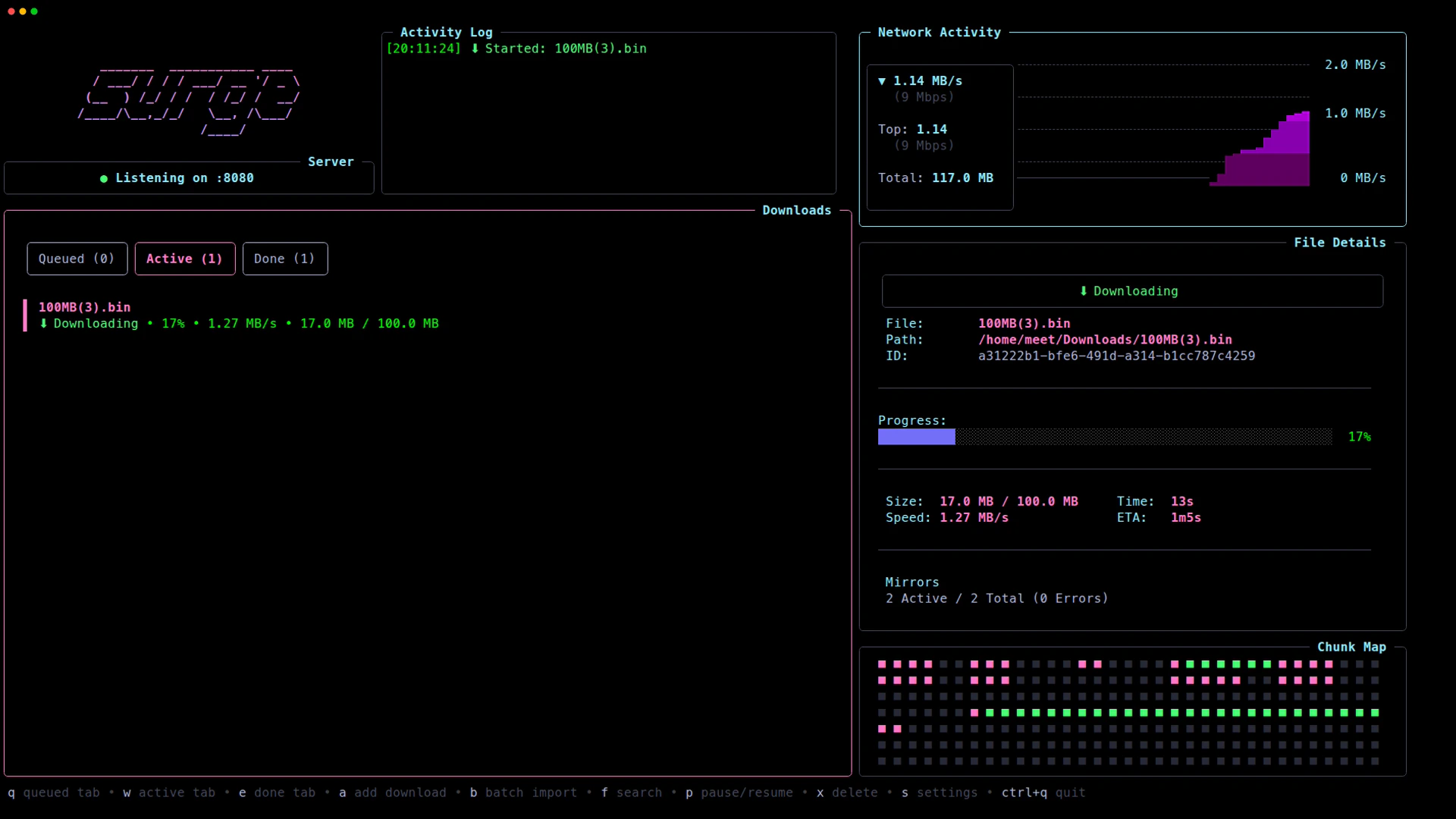
Why Surge is Faster
Most browsers open a single connection for a download. Surge opens multiple connections (up to 32), splits the file, and downloads chunks in parallel. But we take it a step further:Blazing Fast
Designed to maximize your bandwidth utilization and download files as quickly as possible through parallel connections and intelligent chunk distribution.
Multiple Mirrors
Download from multiple sources simultaneously. Surge distributes workers across all available mirrors and automatically handles failover.
Sequential Download
Option to download files in strict order (Streaming Mode). Ideal for media files that you want to preview while downloading.
Daemon Architecture
Surge runs a single background “engine.” You can open 10 different terminal tabs and queue downloads—they all funnel into one efficient manager.
Benchmark Results
We tested Surge against standard tools. Because of our connection optimization logic, Surge significantly outperforms single-connection tools.| Tool | Time | Speed | Comparison |
|---|---|---|---|
| Surge | 28.93s | 35.40 MB/s | — |
| aria2c | 40.04s | 25.57 MB/s | 1.38× slower |
| curl | 57.57s | 17.79 MB/s | 1.99× slower |
| wget | 61.81s | 16.57 MB/s | 2.14× slower |
Test details: 1GB file, Windows 11, Ryzen 5 5600X, 360 Mbps Network. Results averaged over 5 runs.
Key Features
- Beautiful TUI: Built with Bubble Tea & Lipgloss, it looks good while it works
- Work Stealing: Advanced optimization that redistributes work from slow workers to fast ones
- Resume Support: Automatically resume interrupted downloads
- Browser Extension: Intercept browser downloads and send them to Surge
- API & CLI: Full REST API and command-line interface for automation
- Token-Protected: Secure API access with bearer token authentication
Get Started
Installation
Install Surge on macOS, Linux, or Windows using your preferred package manager.
Quickstart
Get downloading your first file in under 5 minutes.
CLI Reference
Complete reference for all Surge commands and flags.
API Reference
REST API documentation for headless automation and remote control.
System Requirements
- Go 1.24.4+ (if building from source)
- Linux, macOS, or Windows
- Terminal with ANSI color support (for best TUI experience)
Community & Support
Surge is open source and built by two CS students. We love community contributions!- GitHub: surge-downloader/surge
- Discussions: Share ideas and ask questions
- Contributing: PRs are always welcome
- Twitter/X: @SurgeDownloader