Welcome to Namida
Namida is a beautiful and feature-rich music and video player with YouTube support, built in Flutter. It combines powerful local music playback with seamless YouTube integration, offering everything you might expect from a modern music player and more.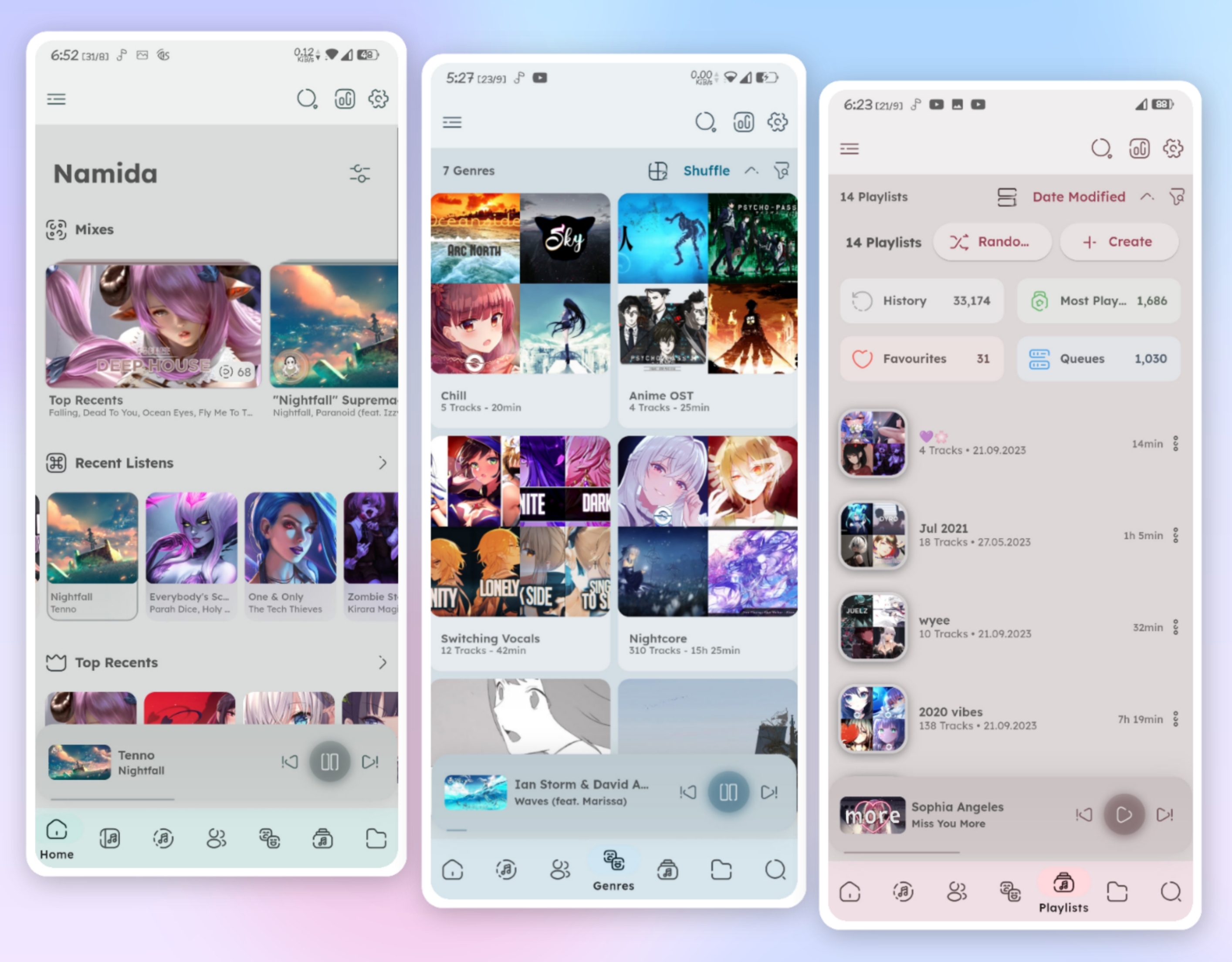
What Makes Namida Special?
Namida goes beyond traditional music players by offering a comprehensive suite of features that cater to both casual listeners and audiophiles:Local Library
Powerful indexer with tag editor, smart organization, and folders-based library system
YouTube Integration
Stream, download, and cache YouTube content with the best quality available
Beautiful UI
Material3-like theme with dynamic coloring based on album artwork
Advanced Features
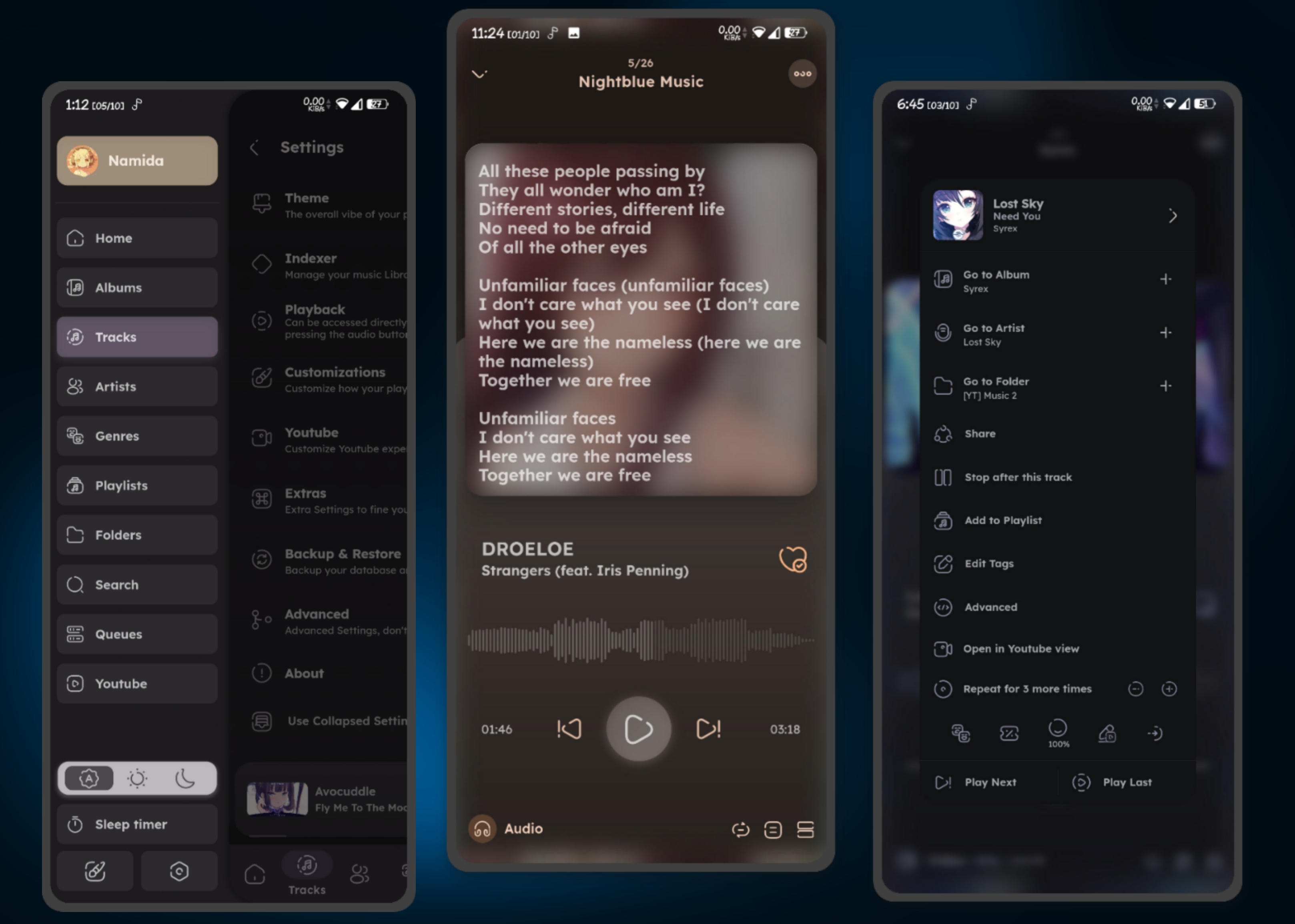
Waveform seekbar, lyrics support, equalizer, and extensive customization
Key Features
Library & Indexing
- Powerful Indexer & Tag Editor powered by jaudiotagger
- Artists and Genres Separators for better organization
- Prevent Duplicated Tracks automatically
- Folders-based Library System with exclusion support
- Sort by almost any property of the track, album, artist, or genre
Look & Feel
- Material3-like Theme for modern aesthetics
- Dynamic Theming - player colors adapt to album artwork
- Multiple Views: Home, Tracks, Albums, Artists, Genres, Playlists, Queues, and Folders
- Waveform Seekbar for visual playback navigation
- Extensive Customization options
Streaming & YouTube
Namida’s YouTube integration is one of its standout features, offering functionality typically found in dedicated YouTube apps.
- Best video & audio quality streaming
- Audio-only & data saver modes
- Download, cache & offline playback support
- SponsorBlock integration to skip sponsored segments
- Return YouTube Dislike integration
- Video view with gesture support (swipe to control volume, double tap to seek, etc.)
- Multi-library support (Local/YouTube/Subsonic/WebDAV)
Playback Features
- Lyrics Support - auto-fetch synced, plain, and word-synced lyrics
- Sleep Timer - set by tracks or minutes
- Crossfade and play/pause fade effects
- Skip Silence functionality
- Replay Gain (normalize audio)
- Equalizer with custom presets
- Control pause scenarios (calls, notifications, volume 0, etc.)
Smart Features
Smart Track Generation
Smart Track Generation
Generate related tracks based on listening history using an advanced algorithm. Create playlists from:
- Tracks you often listened to in the same period
- Tracks released around the same time
- Specific time ranges
- Available moods
- Random selection
History & Statistics
History & Statistics
- Reliable history system with customizable thresholds
- Most played playlists based on history
- Lost memories - rediscover tracks from years past
- Import YouTube and Last.fm history
Video Integration
Video Integration
Namida can play videos related to music, either:
- From local files (automatically matched)
- Fetched from YouTube
- Full video library indexing (since v4.0.0)
Platform Support
Namida is available on multiple platforms:Android
Stable & BetaFull feature support with optimized performance
Windows
BetaDesktop experience with keyboard shortcuts
Linux
BetaNative Linux support with system integration
Android is the primary platform with stable releases, while Windows and Linux are in beta with active development.
Community & Support
Join the Namida community for updates, tips, and discussion:- Telegram Channel - Official updates
- Telegram Chat - Community discussion
- Discord - Discord community
- GitHub - Source code and issues
Ready to Get Started?
Installation
Download and install Namida on your device
Quick Start
Get up and running with your first tracks