Template Gallery
GitFolio currently offers 8 free templates, each with unique design aesthetics and layouts. All templates are fully responsive and optimized for performance.Free Templates
Black & White
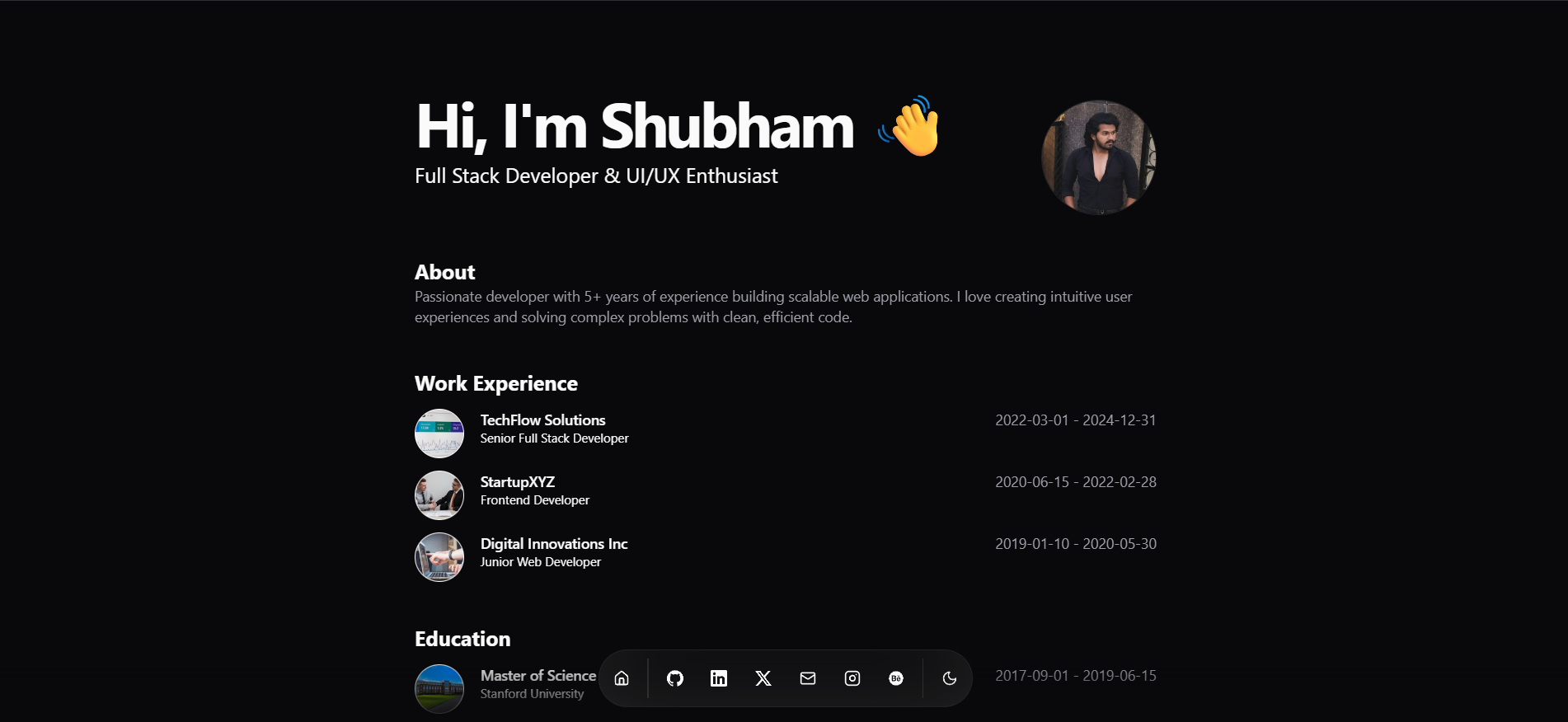
- Dual theme support (dark/light)
- Bottom dock navigation
- Blur fade animations
- Magic UI components
- Clean typography
packages/templates/src/Templates/Black & White/
Clean Slate
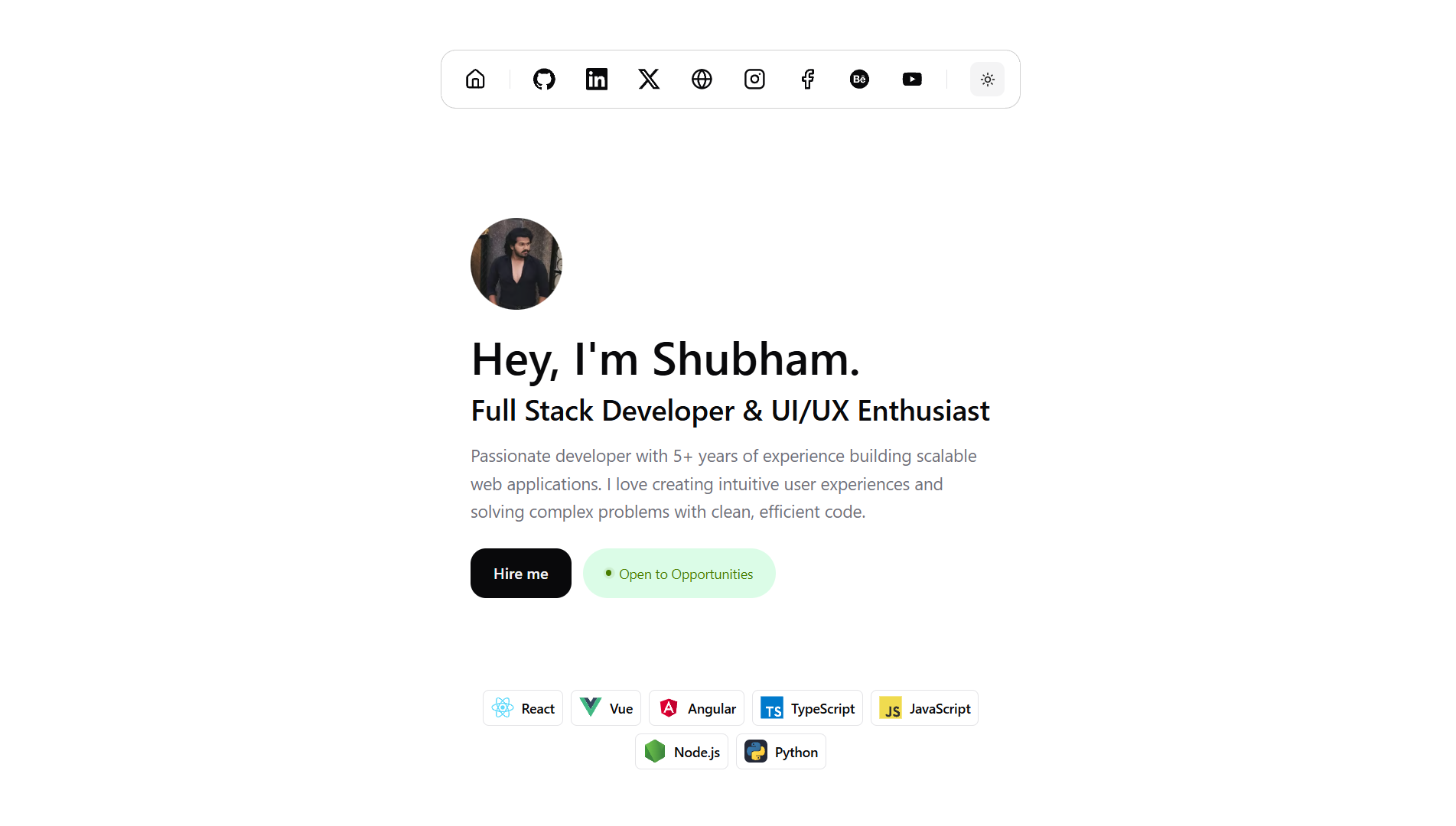
- Both theme support
- Bold typography
- Skills showcase section
- Projects grid layout
- Contact section
packages/templates/src/Templates/Clean Slate/
DevPro
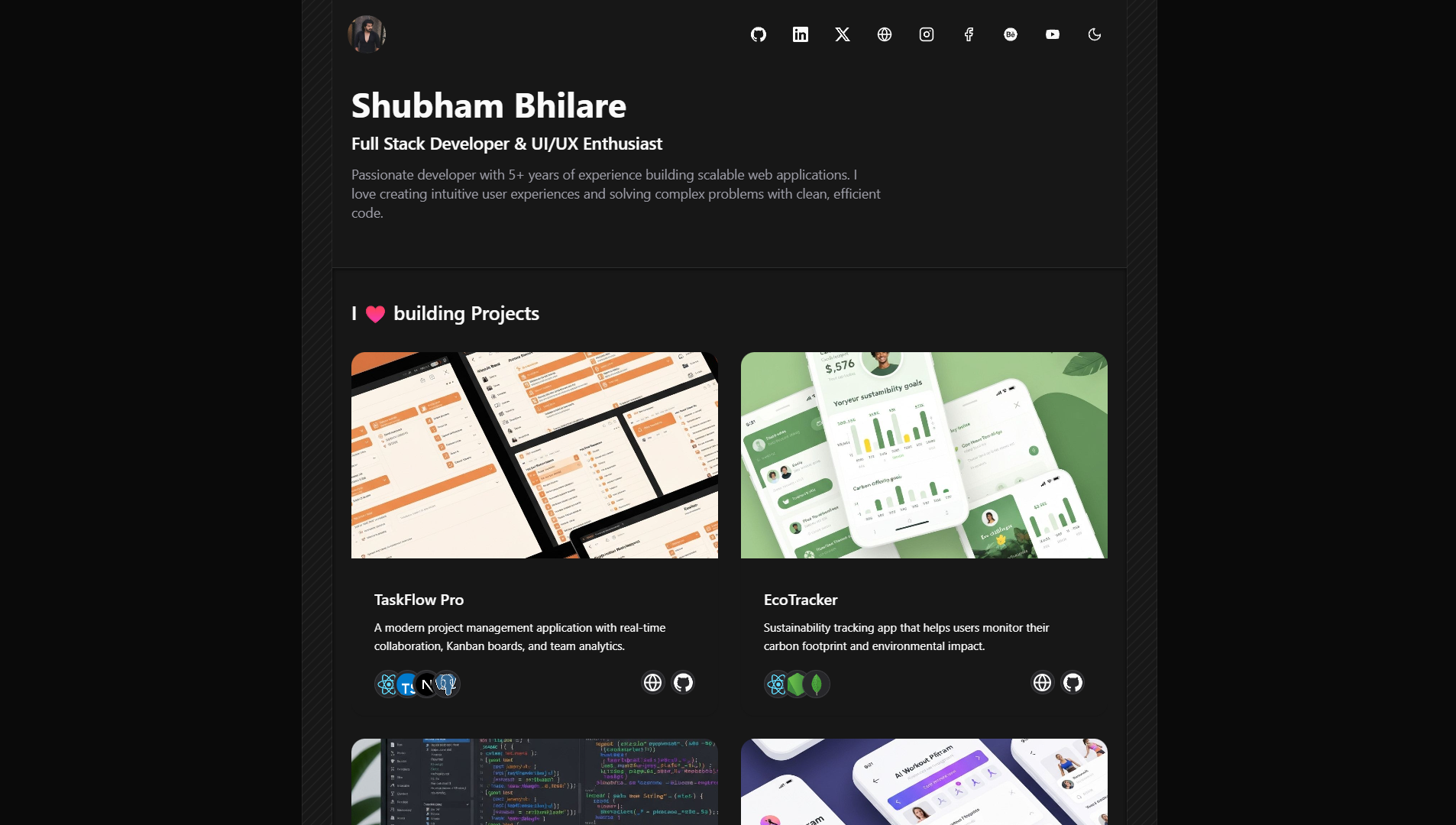
- Centered layout design
- Decorative border elements
- Both theme support
- Professional styling
- Optimized for readability
packages/templates/src/Templates/DevPro/
Key Component:
packages/templates/src/Templates/DevPro/template.tsx
Persona
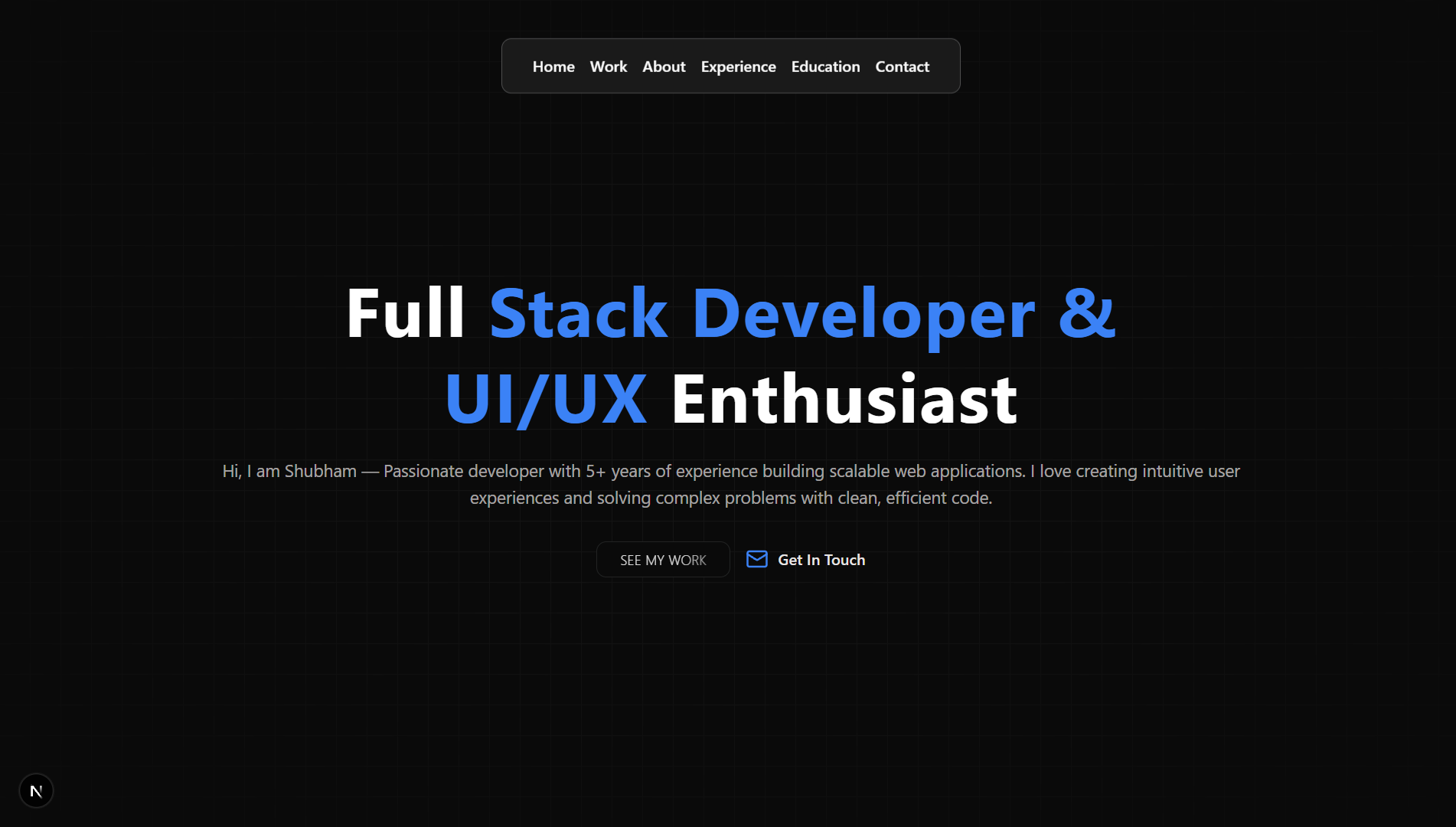
- Dark theme optimized
- Text generation effects
- Smooth section navigation
- Education section support
- Dynamic navbar
packages/templates/src/Templates/Persona/
Navigation Items:
White Space
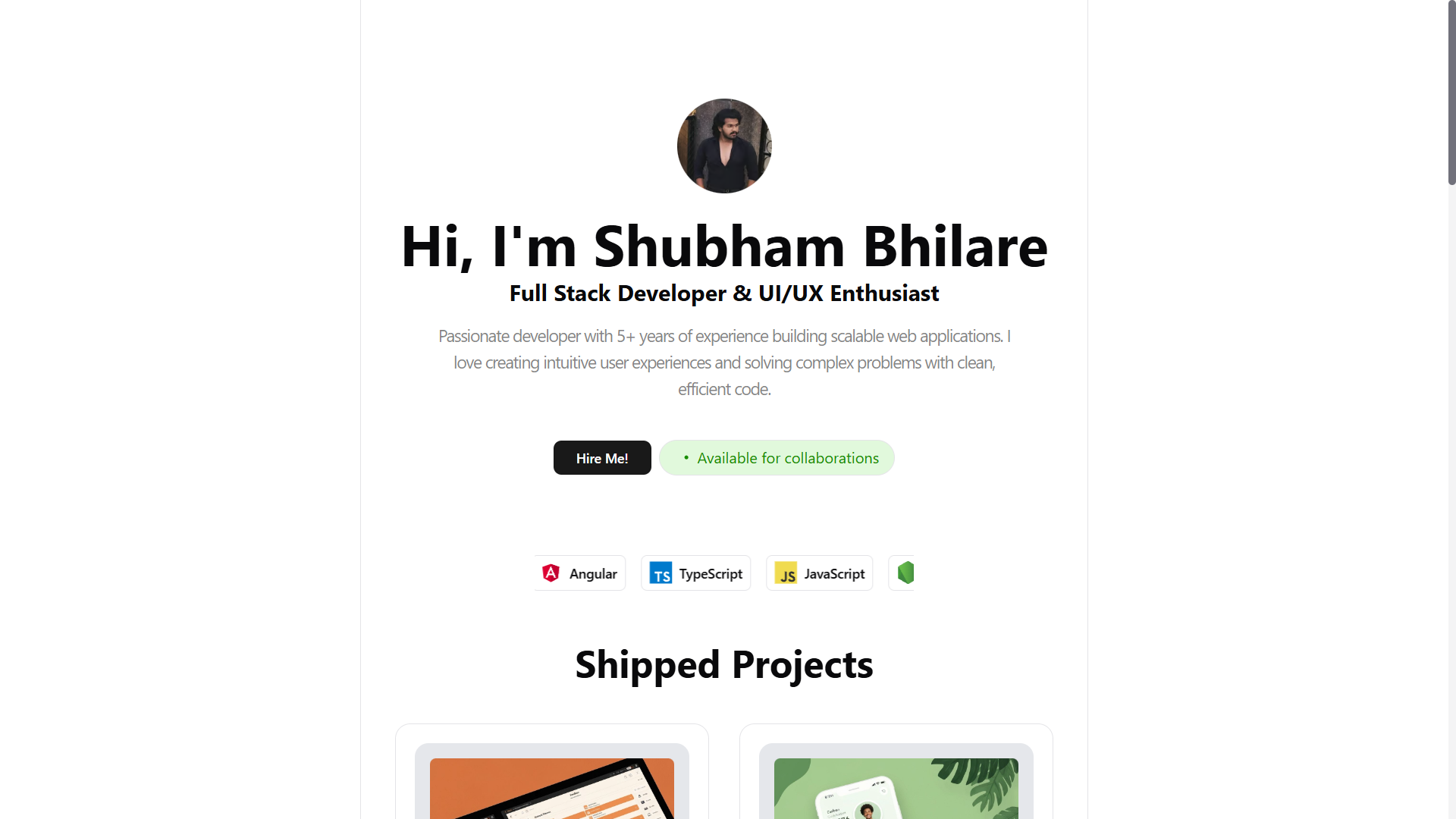
- Light theme optimized
- Abundant white space
- Centered profile design
- Tech stack highlights
- Availability status
packages/templates/src/Templates/White Space/
Pixel Perfect
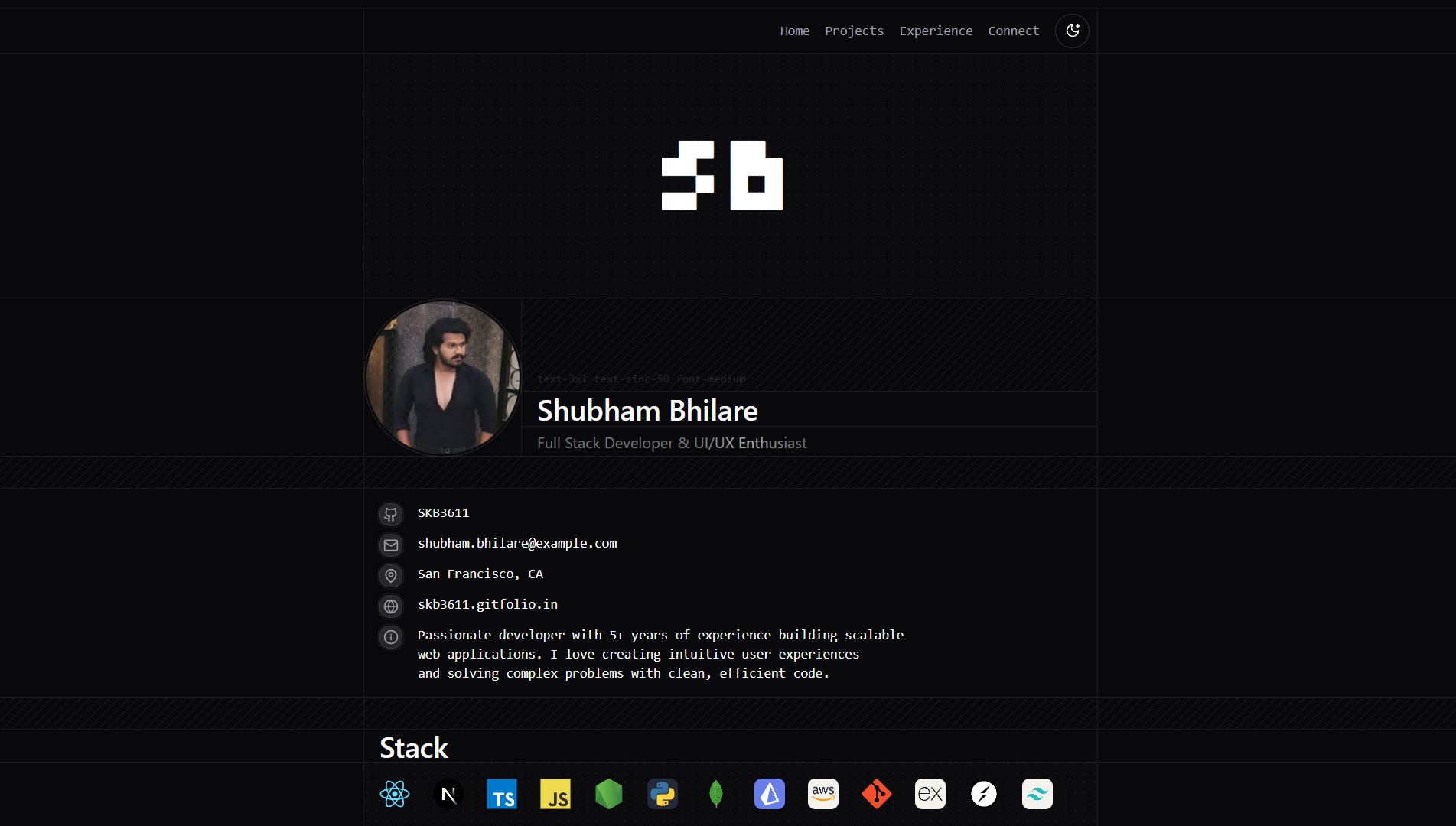
- Both theme support
- GitHub contributions graph
- Panel-based layout
- Profile cover section
- Social links integration
packages/templates/src/Templates/Pixel Perfect/
Special Components:
GitHubContributions.tsx- Displays contribution graphProfileCover.tsx- Hero cover sectionTechStack.tsx- Technology showcase
Obsidian
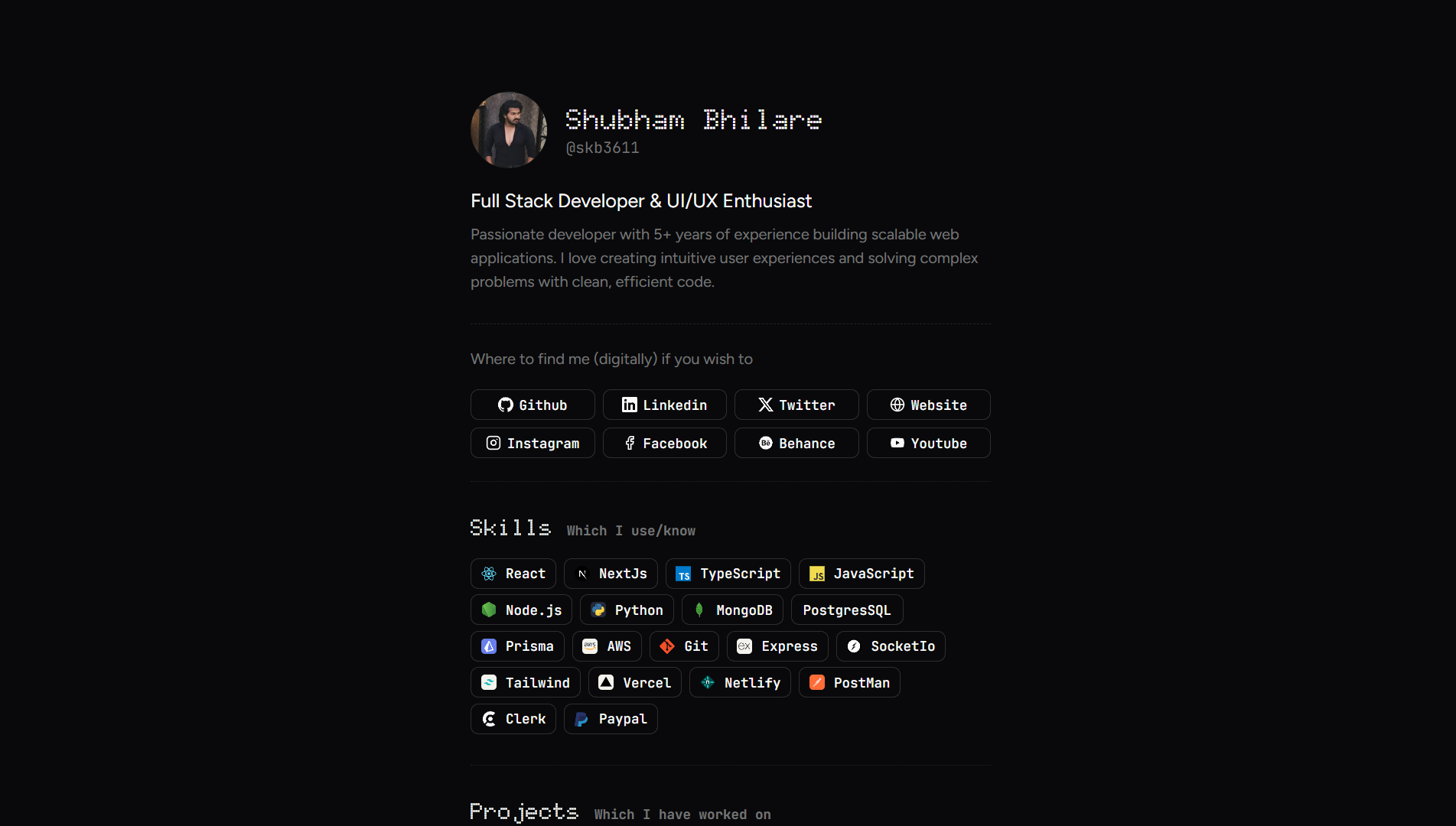
- Dark theme exclusive
- Crisp contrast design
- Center-aligned content
- Social buttons
- Skills section
packages/templates/src/Templates/Obsidian/
Template Structure:
packages/templates/src/Templates/Obsidian/template.tsx
Notion Theme
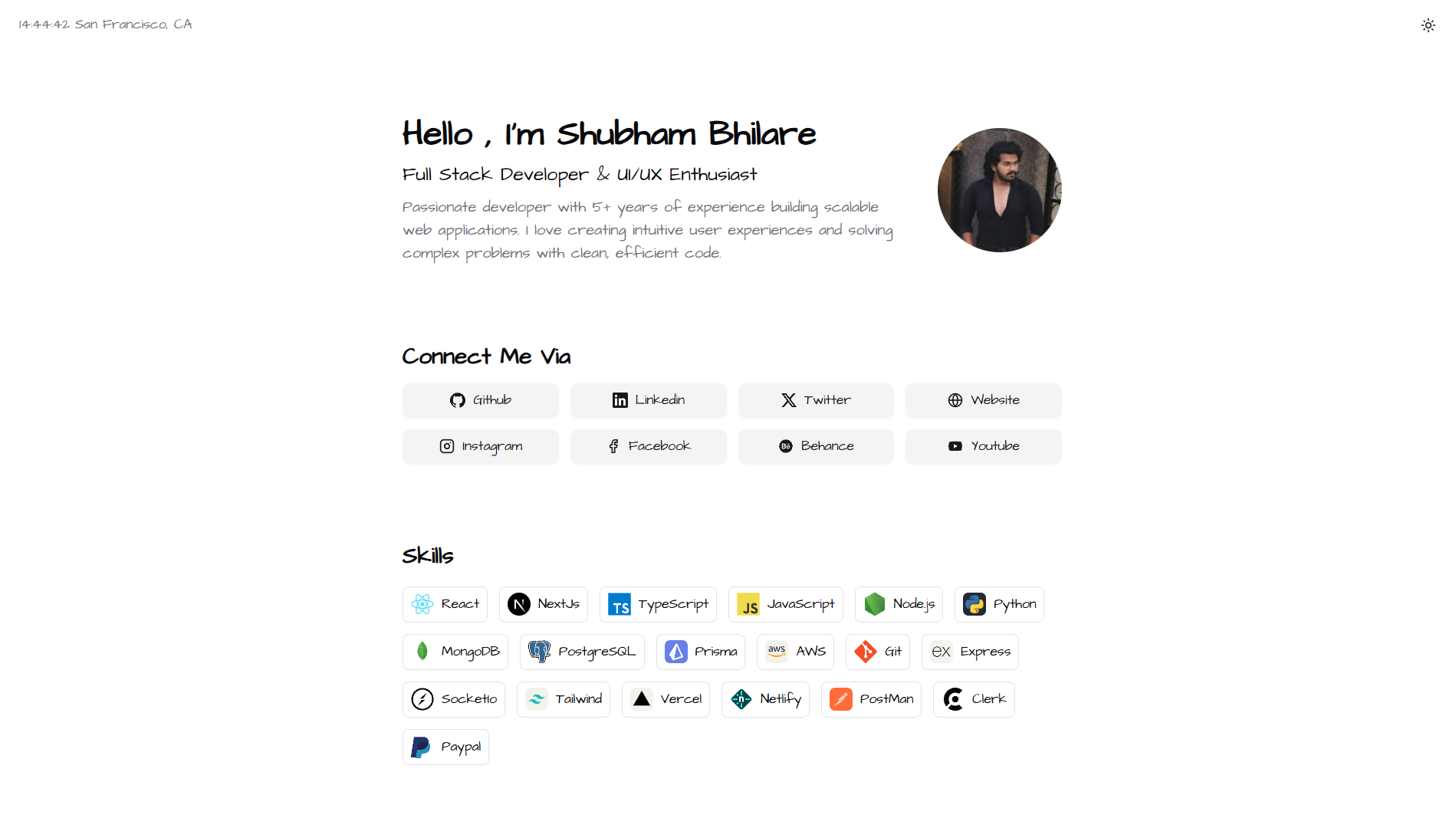
- Both theme support
- Notion-style aesthetics
- Profile section
- Skills grid
- Social integration
packages/templates/src/Templates/Notion Theme/
Template Comparison
| Template | Theme Support | Best For | Complexity | Unique Features |
|---|---|---|---|---|
| Black & White | Both | Minimalists | Medium | Bottom dock, blur animations |
| Clean Slate | Both | Modern designers | Low | Bold typography |
| DevPro | Both | Professionals | Low | Centered layout, borders |
| Persona | Dark only | Creative professionals | Medium | Text generation, personality |
| White Space | Light only | Clean aesthetics | Low | Abundant white space |
| Pixel Perfect | Both | Data-driven devs | High | GitHub graph, panels |
| Obsidian | Dark only | Dark theme lovers | Low | Minimalist dark |
| Notion Theme | Both | Notion users | Medium | Notion aesthetics |
Choosing Your Template
I want a minimalist design
I want a minimalist design
Consider Black & White, Obsidian, or Clean Slate. These templates focus on simplicity and readability.
I need both dark and light themes
I need both dark and light themes
Choose Black & White, Clean Slate, DevPro, Pixel Perfect, or Notion Theme - all support theme switching.
I want to showcase my GitHub activity
I want to showcase my GitHub activity
Pixel Perfect includes a GitHub contributions graph component, making it ideal for displaying your coding activity.
I prefer a professional, formal look
I prefer a professional, formal look
DevPro and White Space offer clean, professional designs perfect for job applications.
Switching Templates
You can switch between templates anytime in your GitFolio dashboard:- Navigate to the Templates tab
- Preview available templates
- Click “Apply” on your chosen template
- Your portfolio updates instantly
All templates use the same data structure, so switching preserves all your information.
Next Steps
Create Your Own
Learn how to build custom templates
Contribute
Add your template to GitFolio