

Overview
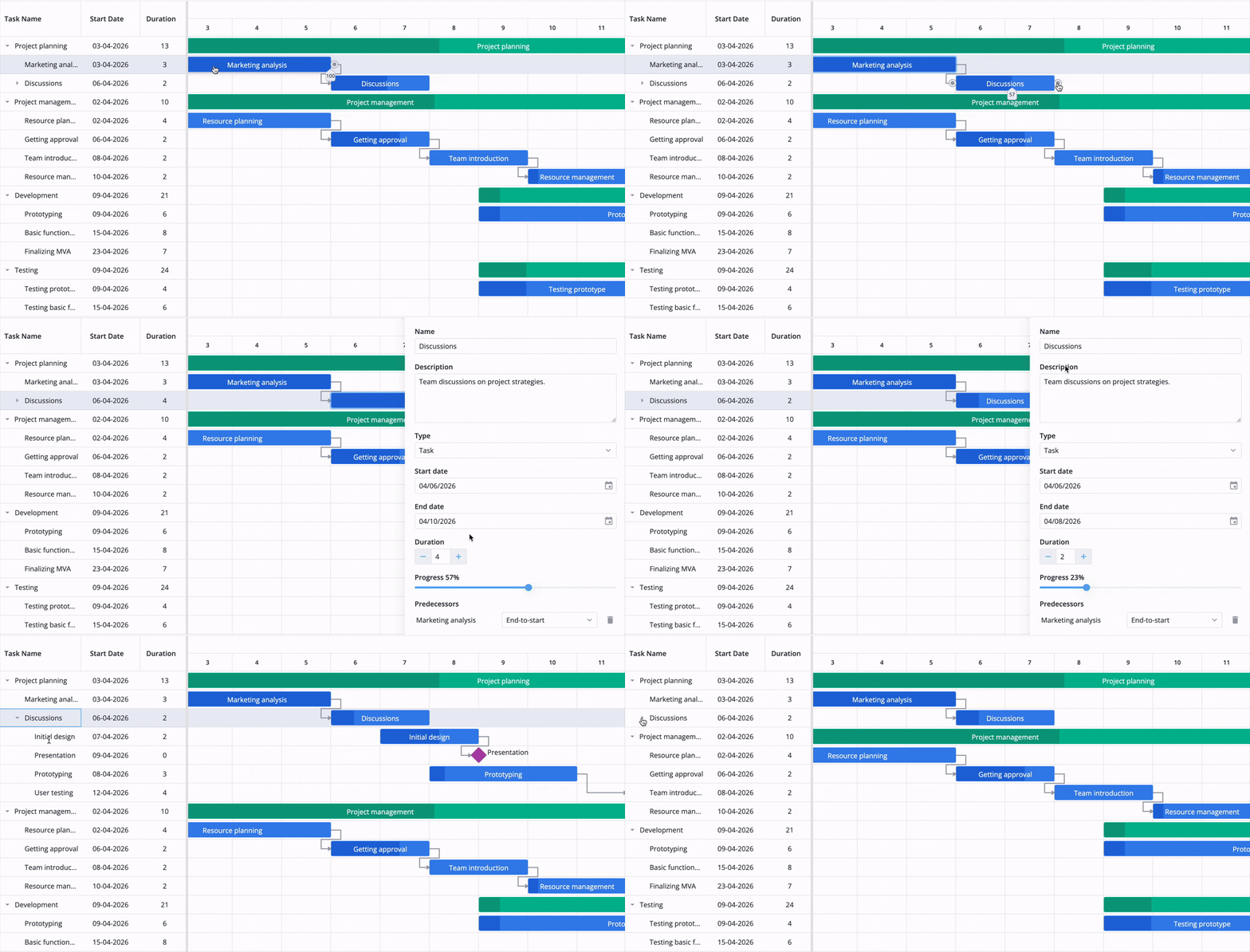
SVAR React Gantt is a production-ready Gantt chart component for React applications. It provides an interactive timeline with drag-and-drop editing, task dependencies, hierarchical subtasks, and flexible time scales — all with full TypeScript support and React 19 compatibility. The component is designed to handle thousands of tasks efficiently and ships with multiple built-in themes, localization support, and a rich set of UI components including toolbar, context menu, and task editor.Quickstart
Get a working Gantt chart running in under 5 minutes
Installation
Install the package and set up CSS
Configuration
Configure tasks, links, scales, and columns
API Reference
Full component props and programmatic API
Key features
Interactive timeline
Drag and drop to move, resize, and reorder tasks directly on the timeline
Task dependencies
Create and visualize finish-to-start, start-to-start, and other link types
Hierarchical tasks
Group tasks into summary tasks with automatic rollup of dates and progress
Flexible time scales
Configure hours, days, weeks, months, or custom scale units with zoom support
Customizable grid
Add, remove, and reorder grid columns with inline editors and sorting
Full TypeScript
Complete type definitions for all props, events, and API methods
Free vs. PRO
SVAR React Gantt is available as a free, MIT-licensed community edition and a PRO edition with advanced features.| Feature | Free | PRO |
|---|---|---|
| Interactive drag-and-drop | ✓ | ✓ |
| Task dependencies | ✓ | ✓ |
| Hierarchical tasks | ✓ | ✓ |
| Configurable time scales | ✓ | ✓ |
| Toolbar, context menu, editor | ✓ | ✓ |
| Tooltips and zoom | ✓ | ✓ |
| TypeScript support | ✓ | ✓ |
| Auto-scheduling | — | ✓ |
| Critical path | — | ✓ |
| Baselines | — | ✓ |
| Split tasks | — | ✓ |
| Work calendar | — | ✓ |
| Undo / redo | — | ✓ |
| Vertical markers | — | ✓ |
| Export to PNG, PDF, Excel | — | ✓ |
| MS Project import/export | — | ✓ |
Visit the SVAR pricing page for a full feature comparison and to start a free PRO trial.
Quick example
Support
- GitHub Issues — bug reports and feature requests
- Community Forum — questions and discussions