What are Channels?
Simply defined, a channel is a communications pipe between goroutines. Things go in one end and come out another in the same order until the channel is closed.
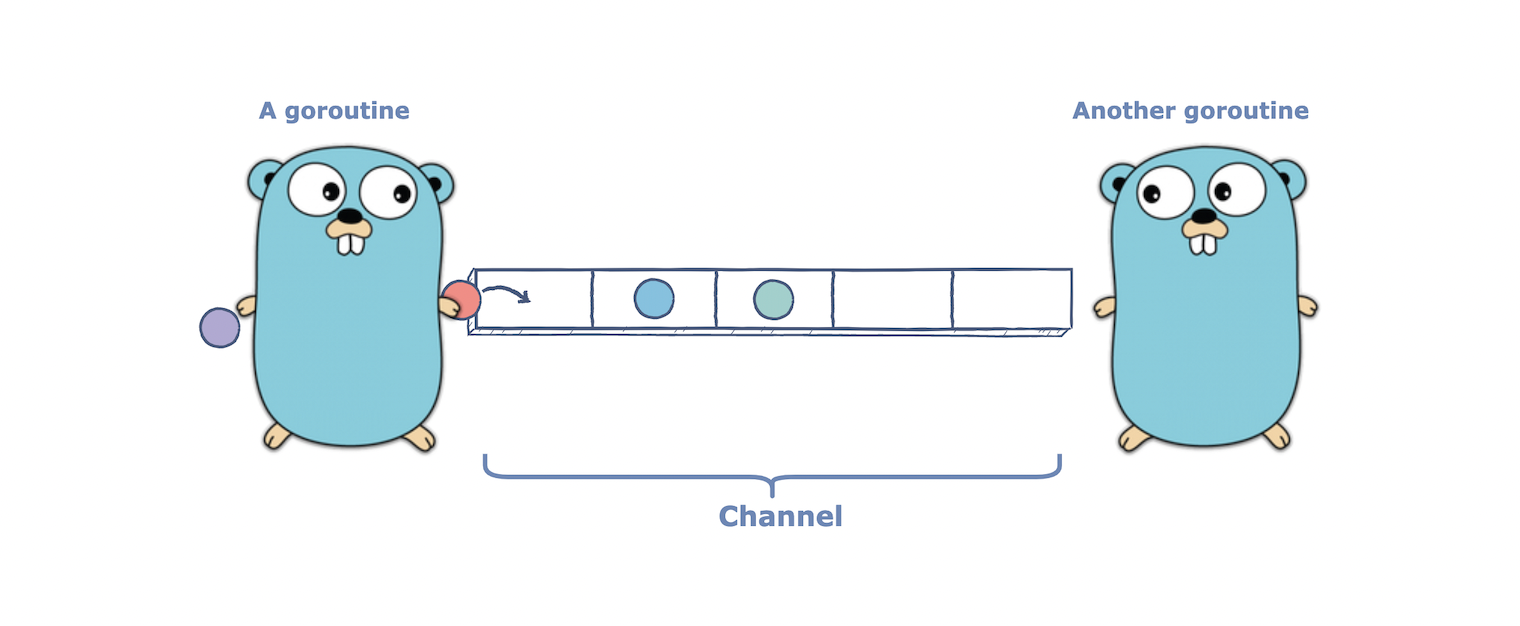 As we learned earlier, channels in Go are based on Communicating Sequential Processes (CSP).
Creating a Channel
Now that we understand what channels are, let’s see how we can declare them:
Here, we prefix our type T (the data type of the value we want to send and receive) with the keyword chan which stands for a channel.
Let’s try printing the value of our channel ch of type string:
func main() {
	var ch chan string

	fmt.Println(ch)
}
As we can see, the zero value of a channel is nil and if we try to send data over the channel our program will panic.
make function:
func main() {
	ch := make(chan string)

	fmt.Println(ch)
}
$ go run main.go
0x1400010e060
Sending and Receiving Data
Now that we have a basic understanding of channels, let us implement our earlier goroutine example using channels to learn how we can use them to communicate between our goroutines.
package main

import "fmt"

func speak(arg string, ch chan string) {
	ch <- arg // Send
}

func main() {
	ch := make(chan string)

	go speak("Hello World", ch)

	data := <-ch // Receive
	fmt.Println(data)
}
channel <- data syntax and receive data using the data := <- channel syntax.
$ go run main.go
Hello World
This works because sends and receives block until both the sender and receiver are ready. This property allowed us to wait until the next value is sent.
Buffered Channels
We also have buffered channels that accept a limited number of values without a corresponding receiver for those values.
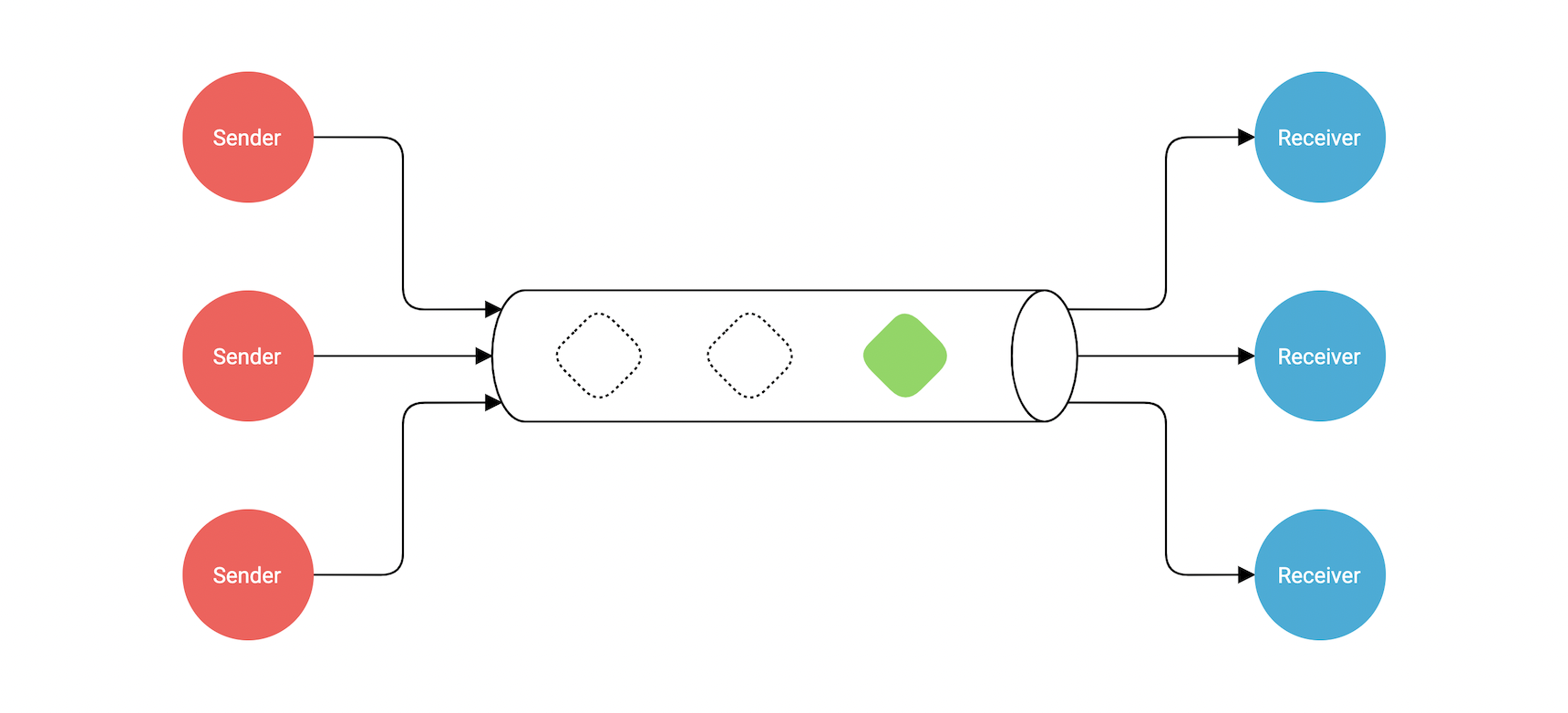 This buffer length or capacity can be specified using the second argument to the
 make function:
func main() {
	ch := make(chan string, 2)

	go speak("Hello World", ch)
	go speak("Hi again", ch)

	data1 := <-ch
	fmt.Println(data1)

	data2 := <-ch
	fmt.Println(data2)
}
Because this channel is buffered, we can send these values into the channel without a corresponding concurrent receive. This means sends to a buffered channel block only when the buffer is full and receives block when the buffer is empty.
make function.
Directional Channels
When using channels as function parameters, we can specify if a channel is meant to only send or receive values. This increases the type-safety of our program as by default a channel can both send and receive values.
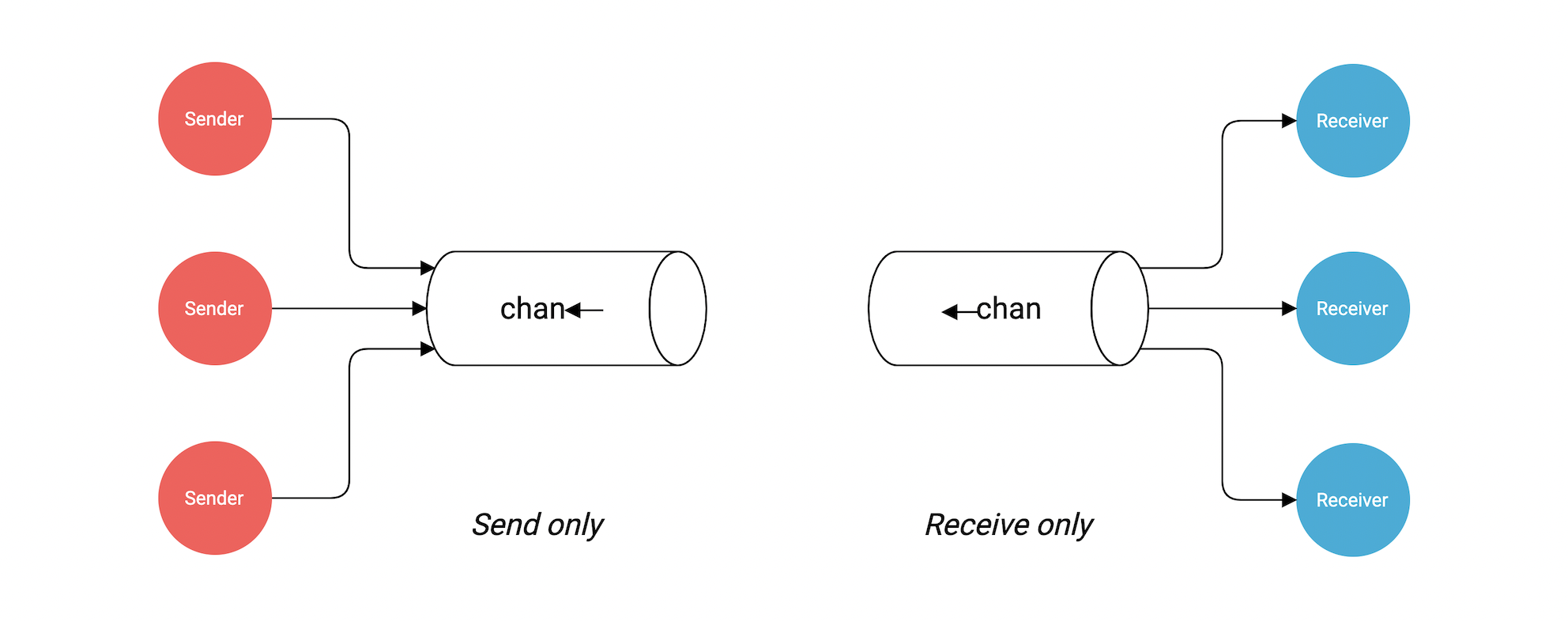 In our example, we can update our
 speak function’s second argument such that it can only send a value:
func speak(arg string, ch chan<- string) {
	ch <- arg // Send Only
}
chan<- can only be used for sending values and will panic if we try to receive values.
Similarly, we can create a receive-only channel using <-chan:
func listen(ch <-chan string) {
	data := <-ch // Receive Only
	fmt.Println(data)
}
Closing Channels
Also, just like any other resource, once we’re done with our channel, we need to close it. This can be achieved using the built-in close function:
func main() {
	ch := make(chan string, 2)

	go speak("Hello World", ch)
	go speak("Hi again", ch)

	data1 := <-ch
	fmt.Println(data1)

	data2 := <-ch
	fmt.Println(data2)

	close(ch)
}
ok is false then there are no more values to receive and the channel is closed.
This is similar to how we check if a key exists in a map.
Range over Channels
We can also use for and range to iterate over values received from a channel:
package main

import "fmt"

func main() {
	ch := make(chan string, 2)

	ch <- "Hello"
	ch <- "World"

	close(ch)

	for data := range ch {
		fmt.Println(data)
	}
}
$ go run main.go
Hello
World
Channel Properties
Lastly, let’s discuss some important properties of channels:
A send to a nil channel blocks forever
var c chan string
c <- "Hello, World!" // Panic: all goroutines are asleep - deadlock!
A receive from a nil channel blocks forever
var c chan string
fmt.Println(<-c) // Panic: all goroutines are asleep - deadlock!
A send to a closed channel causes panic
var c = make(chan string, 1)
c <- "Hello, World!"
close(c)
c <- "Hello, Panic!" // Panic: send on closed channel
var c = make(chan int, 2)
c <- 5
c <- 4
close(c)
for i := 0; i < 4; i++ {
    fmt.Printf("%d ", <-c) // Output: 5 4 0 0
}
Always be careful when working with channels to avoid panics and deadlocks. Make sure to close channels when done and handle closed channels appropriately.