
Overview
RouteLLM Chat is an intelligent AI chat application that automatically routes queries between cost-effective and high-performance models using RouteLLM. Experience cost-optimized conversations with automatic model selection that balances performance and cost.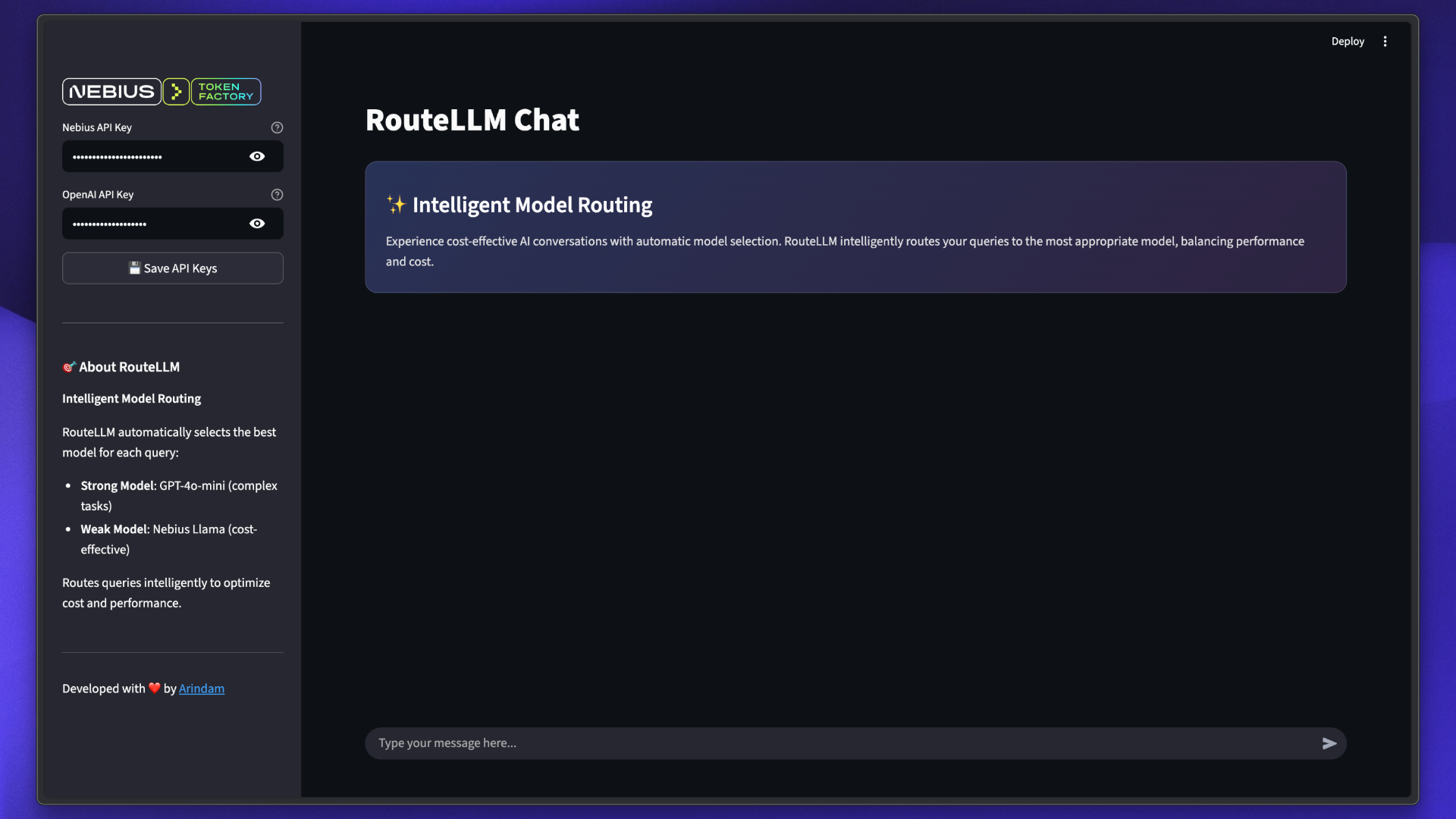
Features
Intelligent Routing
Automatically selects the most appropriate model for each query
Cost Optimization
Routes simple queries to cheaper models, saving costs
Performance Balance
Complex queries use high-performance models for quality
Transparent
See which model handled each query with color-coded badges
Modern UI
Beautiful Streamlit interface with gradient styling
Chat History
Maintains conversation context across messages
How RouteLLM Works
RouteLLM uses a Model Forwarding (MF) router that intelligently distributes queries:Model Selection
Routes simple queries to the weak model (cost-effective) and complex queries to the strong model (high-performance)
Tech Stack
RouteLLM
Intelligent model routing library
Streamlit
Modern web interface framework
GPT-4o-mini
OpenAI’s strong model for complex tasks
Llama 3.1 70B
Meta’s model via Nebius for cost-effective responses
Prerequisites
Installation
Implementation
RouteLLM Controller Setup
The core of the application uses RouteLLM’s Controller:Streamlit Interface
The application uses Streamlit for the user interface:Usage
View Responses
See responses with model badges indicating which model handled the query:
- Blue Badge: GPT-4o-mini (strong model)
- Purple Badge: Nebius Llama (weak model)
Example Queries
Try these queries to see RouteLLM in action:- Simple Queries
- Complex Queries
These are likely routed to the Nebius Llama (cost-effective):
Model Configuration
The application uses two models with different capabilities:Strong Model: GPT-4o-mini
OpenAI GPT-4o-mini
Purpose: Complex reasoning and nuanced tasksCharacteristics:
- High accuracy and quality
- Better at complex reasoning
- Higher cost per token
- Used for complex queries
Weak Model: Meta Llama 3.1 70B
Meta Llama 3.1 70B Instruct
Purpose: Cost-effective responses for simple queriesCharacteristics:
- Fast inference
- Lower cost per token
- Good for straightforward tasks
- Accessed via Nebius Token Factory
Router Configuration
RouteLLM supports multiple routing strategies:| Router | Description | Use Case |
|---|---|---|
mf | Model Forwarding | Automatically routes based on complexity |
sw-ranking | Sliding Window Ranking | Routes based on historical performance |
causal-llm | Causal LLM Router | Uses smaller LLM to predict best model |
random | Random Router | For testing and comparison |
This implementation uses the
mf (Model Forwarding) router with model ID router-mf-0.11593.Customization
Change Models
Modify the models inmain.py:
Adjust Router
Experiment with different routing strategies:Custom Styling
Update model badge colors in the Streamlit code:Architecture
Cost Optimization
RouteLLM helps optimize costs by intelligently routing queries:Simple Queries
Routed to: Weak Model (Nebius Llama)Cost: Lower per tokenExamples: Facts, definitions, simple Q&A
Complex Queries
Routed to: Strong Model (GPT-4o-mini)Cost: Higher per tokenExamples: Analysis, reasoning, creative tasks
Typical cost savings of 30-50% compared to always using the strong model, while maintaining quality for complex queries.
Troubleshooting
API Key Errors
API Key Errors
Error: “Please configure your API keys”Solution:
- Enter API keys in the sidebar
- Click “Save API Keys” button
- Verify keys are valid and have credits
RouteLLM Initialization Failed
RouteLLM Initialization Failed
Possible Causes:
- Invalid API keys
- Missing dependencies
- Network issues
- Verify both API keys are set
- Ensure all packages are installed:
uv sync - Check internet connection
Unexpected Routing
Unexpected Routing
Issue: Query routed to unexpected modelNote: This is normal behavior. RouteLLM makes dynamic decisions based on query analysis. Even simple queries may go to the strong model if RouteLLM determines it’s necessary.
Import Errors
Import Errors
Error: Module not foundSolution:Ensure Python 3.11+ is installed.
Best Practices
Monitor Usage
Track API usage and costs across both providers
Test Queries
Test with various query types to understand routing behavior
Review Routing
Monitor which model handles different query types
Adjust Models
Experiment with different model combinations for your use case
Next Steps
RouteLLM Docs
Explore advanced RouteLLM features
Nebius Models
Browse available models on Nebius
OpenAI Platform
Explore OpenAI model options
Custom Routers
Build custom routing logic for your needs