Platform Support
Patrol supports:- macOS 10.14 (Mojave) and newer
- Flutter widget testing on macOS apps
- Custom finders and test infrastructure
While you can run Patrol tests on macOS, platform automation features are limited. Focus on Flutter widget testing rather than native macOS UI automation.
Setup Requirements
Before testing on macOS, ensure you have:macOS with Xcode
Patrol macOS testing requires:
- macOS 10.14 or newer
- Xcode 13.0 or newer
Native Integration
To enable Patrol on macOS, configure your app’s test infrastructure:Create UI Test Target
If you don’t have a UI test target:
- Select File > New > Target…
- Choose UI Testing Bundle
- Set Product Name to
RunnerUITests - Set Target to be Tested to
Runner - Set Language to
Objective-C - Click Finish
Delete Unnecessary Files
Delete
RunnerUITestsLaunchTests.m through Xcode (right-click > Move to Trash).Set Deployment Target
Ensure 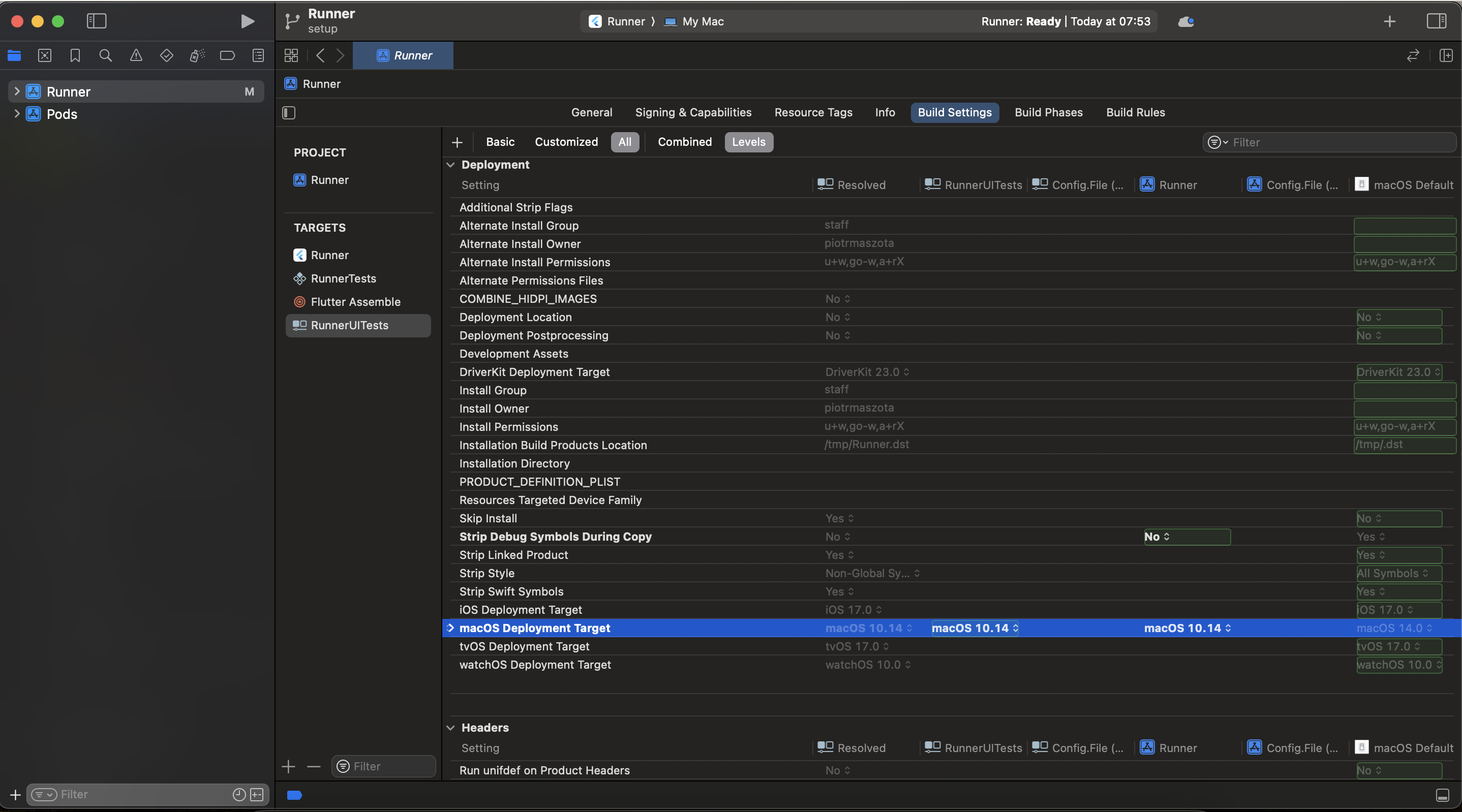
RunnerUITests deployment target matches Runner:- Select
RunnerUITeststarget - Go to Build Settings
- Search for macOS Deployment Target
- Set to same version as
Runner(minimum macOS 10.14)
Configure RunnerUITests.m
Replace the contents of
macos/RunnerUITests/RunnerUITests.m:macos/RunnerUITests/RunnerUITests.m
Configure Build Phases
In Xcode, select 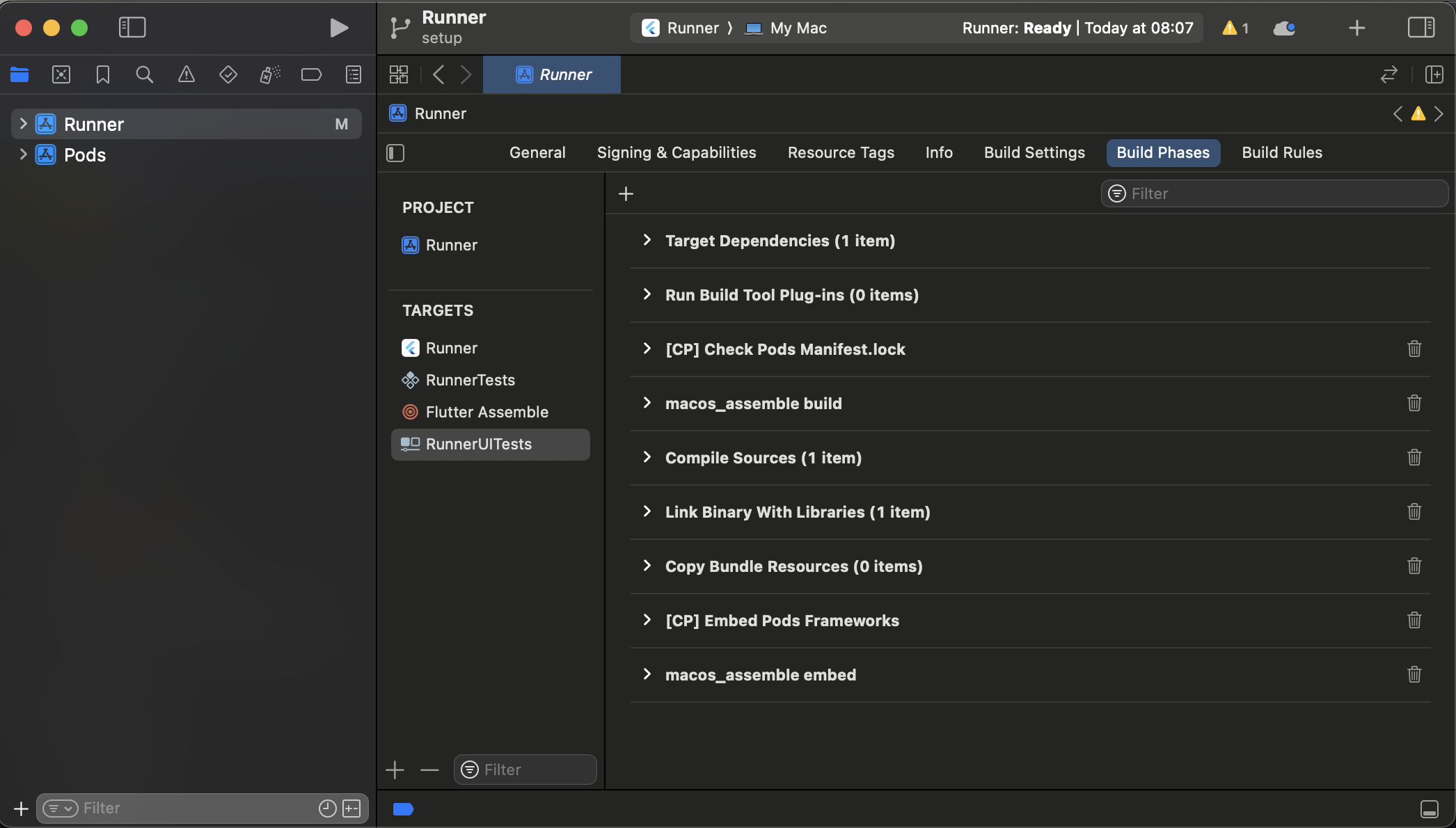
RunnerUITests target:- Go to Build Phases
- Click + > New Run Script Phase (add 2 phases)
- Double-click to rename them:
macos_assemble buildmacos_assemble embed
- Arrange in this order:
- Dependencies
- macos_assemble build
- Compile Sources
- macos_assemble embed
- Link Binary With Libraries
Disable Parallel Execution
Disable parallel execution in Xcode:
- Select Product > Scheme > Edit Scheme…
- Go to Test tab
- Uncheck Execute in parallel
- Repeat for all schemes if you have multiple
Disable User Script Sandboxing
- Select
RunnerUITeststarget - Go to Build Settings
- Search for User Script Sandboxing
- Set to No
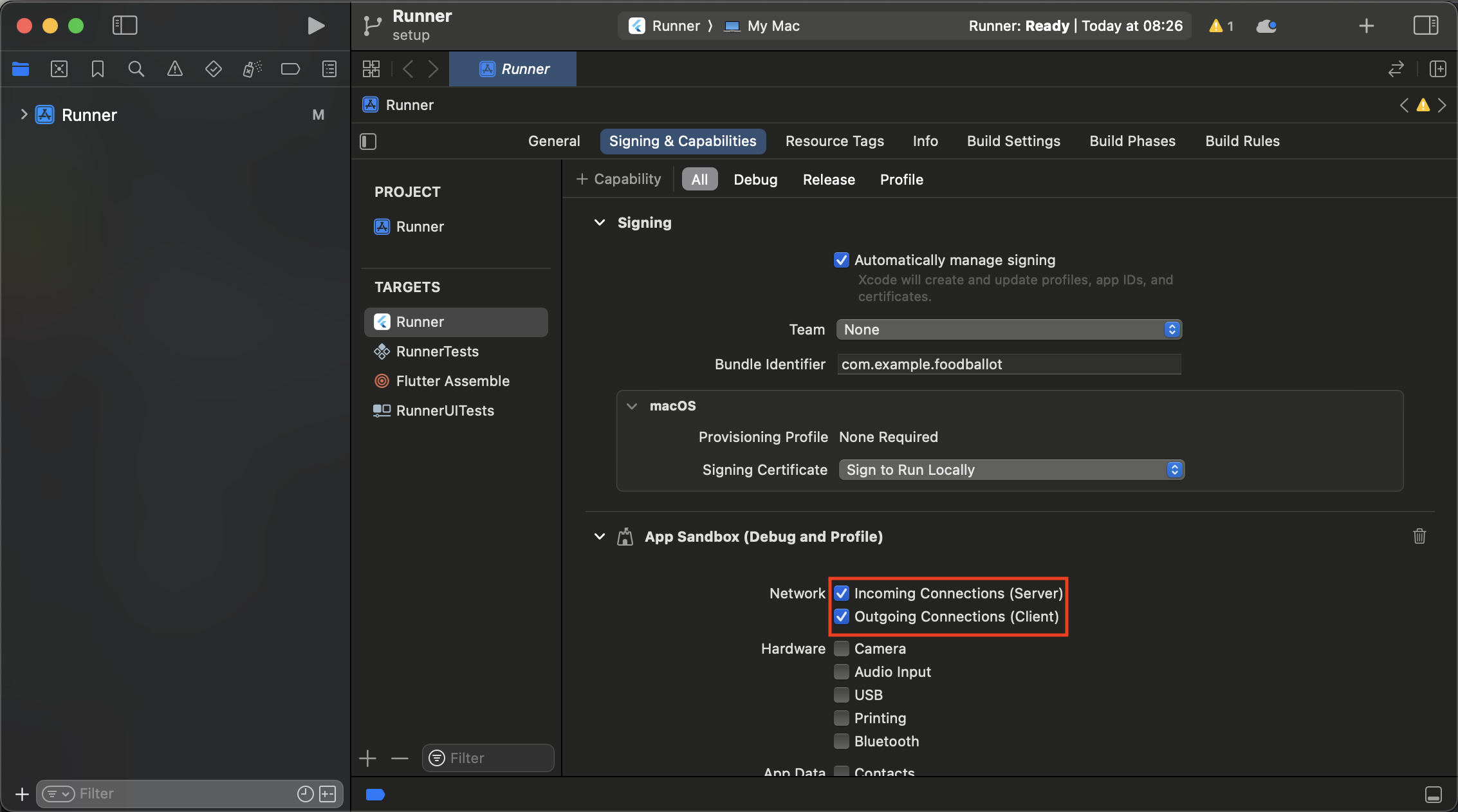
Configure Network Entitlements
- Select
Runnertarget - Go to Signing & Capabilities
- In App Sandbox, check:
- Incoming Connections (Server)
- Outgoing Connections (Client)
Copy Entitlements to RunnerUITests
Copy entitlements files from
macos/Runner to macos/RunnerUITests: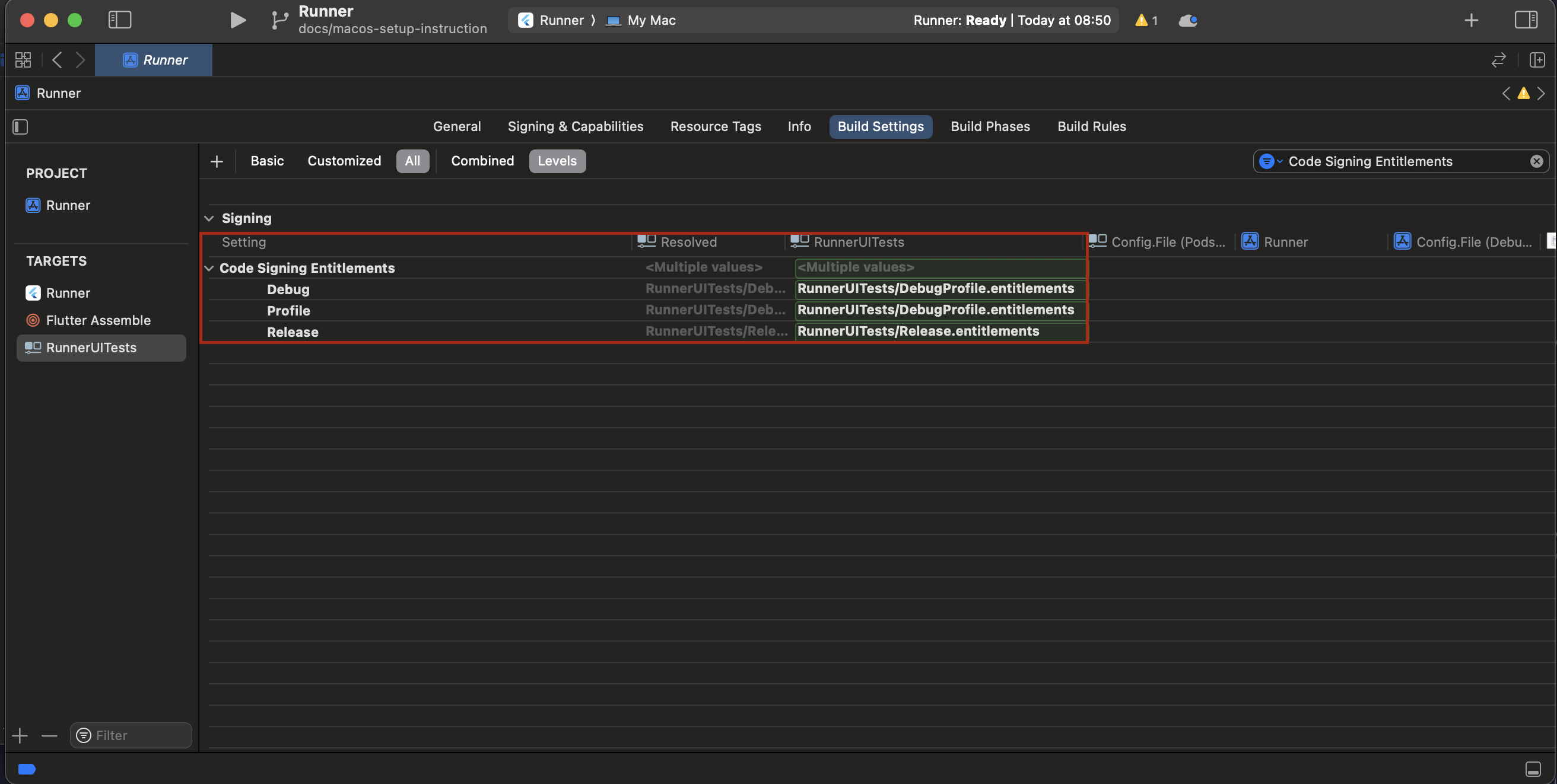
Running Tests
Run your Patrol tests on macOS:macOS tests run on your local machine. No simulator or device selection is needed.
Writing macOS Tests
When writing tests for macOS, avoid using mobile platform automation:Capabilities
macOS support in Patrol is currently limited:| Feature | Status |
|---|---|
| Flutter widget testing | ✅ |
| Custom finders | ✅ |
| Test infrastructure | ✅ |
| Platform automation | ❌ Not yet implemented |
| Native macOS UI interaction | ❌ Not yet implemented |
| Keyboard shortcuts | ❌ Not yet implemented |
| Menu interactions | ❌ Not yet implemented |
| System dialogs | ❌ Not yet implemented |
Limitations
No Platform Automation
The following are not supported on macOS:$.platform.mobile.*methods (press home, open notifications, etc.)- Native macOS UI automation
- System preferences interaction
- Menu bar automation
- Keyboard shortcuts simulation
- System dialogs handling
Focus on Widget Testing
For now, use Patrol on macOS primarily for: ✅ Flutter widget testing with custom finders✅ UI state verification
✅ Navigation flows
✅ Business logic testing with UI ❌ Native macOS automation
❌ System-level interactions
Future Development
The Patrol team is working on improving macOS support. Native automation features will be added in future releases. Follow the GitHub repository for updates.
Troubleshooting
Build Fails with Code Signing
Ensure bothRunner and RunnerUITests targets are properly signed:
- Select each target in Xcode
- Go to Signing & Capabilities
- Select your development team
- Ensure “Automatically manage signing” is checked
Network Connection Issues
If tests fail to connect:- Verify Incoming Connections and Outgoing Connections are enabled in entitlements
- Check that entitlements are properly set for
RunnerUITests - Ensure firewall isn’t blocking connections
Pod Install Fails
Next Steps
iOS Platform
Full iOS testing support with native automation
Custom Finders
Learn about Patrol’s powerful finder system
Write Your First Test
Start writing Patrol tests
Feature Parity
See platform feature availability