

ITSM Installer
ITSM (IT Service Management) is a structured approach to designing, implementing, managing and optimizing information technology services within an organization. This package includes two open source web applications designed for ITSM: iTop and GLPI.Overview
iTop
All-in-one, open-source ITSM platform with customizable CMDB, incident management, and ITIL-compliant workflows
GLPI
Comprehensive ITSM solution combining inventory management, help desk, and IT asset management with extensible plugins
Supported Versions
ITSM Solutions
- GLPI - Version 11.x or later
- iTop - Version 3.2.x or later
Supported Stacks
The installer supports these web server stacks:- WampServer
- XAMPP
- Uniform Server
Dependencies
The installer includes all required dependencies:- Microsoft Visual C++ Redistributable Runtimes
- Graphviz v14 x64
- APCu v8.3 x64 ts
Download
| File | OS | Size |
|---|---|---|
| itsm.exe (.zip) | Windows 10/11 x64 | 158.2 MB |
Installation
Prepare System
- Disable Antivirus, Antimalware, and SmartScreen temporarily
- Close all applications
- Verify system date and time are correct
- Stop any running Apache/MySQL services
Extract and Run
- Unzip
itsm.exe (.zip)to your desktop - Double-click the executable
- Accept privileged execution when prompted
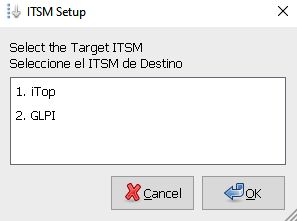
Select Stack
Choose your installed stack (WampServer, XAMPP, or UniServerZ)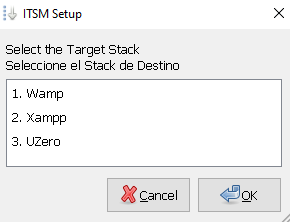 The installer will automatically detect the stack at the standard installation path.
The installer will automatically detect the stack at the standard installation path.Wait for Installation
The installer will deploy your selected ITSM solution with all dependencies and configurations.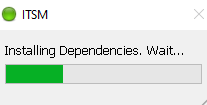
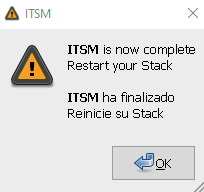
Post-Installation
Desktop Shortcuts
The installer creates desktop shortcuts for easy access: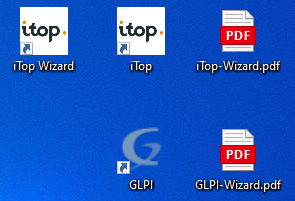
- iTop
- GLPI
First Launch:
- Double-click
iTop Wizard.urlto start the setup wizard - Complete the iTop configuration wizard
- Delete the
iTop Wizard.urlshortcut after setup
- Use
iTop.urlto access the login page - Enter credentials configured during setup
If shortcuts don’t open in your browser, close the browser completely and try again.
Configuration Wizards
Detailed setup guides are available on your desktop:Access Configuration
iTop IP/Port Access
To access iTop via IP address or custom port, download and run the configuration script:GLPI IP/Port Access
GLPI works without additional configuration. Access examples:Port changes must be configured in the Apache vhost configuration.
Troubleshooting
Installation Messages
Installation Messages
| Message | Meaning |
|---|---|
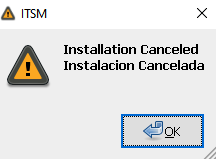 | Installation was canceled or an error occurred |
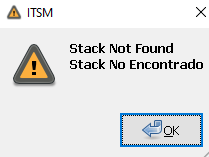 | No supported stack detected |
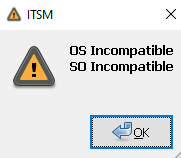 | Incompatible operating system |
Browser Proxy Issues
Browser Proxy Issues
If you cannot access the startup or configuration URL, check browser proxy settings or run:
Service Issues
Service Issues
Remember to:
- Stop Apache/MySQL services before installation
- Start Apache/MySQL services after installation
System Requirements
- OS: Windows 10/11 x64
- RAM: Minimum 4GB recommended
- Disk Space: At least 2GB free space
- Prerequisites: One of the supported stacks installed
Telemetry
The installer sends anonymous installation completion data for statistical purposes only. No personal data is collected. Example telemetry:License Information
| Software | License |
|---|---|
| iTop |  |
| GLPI |  |
Additional Resources
iTop Requirements
Official iTop installation requirements
GLPI Prerequisites
Official GLPI prerequisites guide
Disclaimer: Maravento Studio has no relationship with iTop or GLPI developers. This installer is an open source project sponsored by Uniopos SAS. Only the sponsor may use it for commercial purposes.