

Trek
Trek is a SQL database rescue tool designed for situations where database damage prevents export using traditional methods. It provides both SQL dump and raw database file backup/restore capabilities.Overview
Trek offers two approaches to database backup and recovery:DUMP Mode
Export/import MySQL databases in
.sql format using mysqldumpRAW Mode
Copy raw database files from
\mysql\data folders using RobocopyDownload
| File | OS | Size |
|---|---|---|
| trek.exe (.zip) | Windows 7/10 x86 x64 | 3.6 MB |
Installation
Prepare System
- Disable Antivirus, Antimalware, and SmartScreen temporarily
- Close all applications
- Verify system date and time are correct
Extract and Run
- Unzip
trek.exe (.zip)to your desktop - Double-click the executable
- Accept privileged execution when prompted
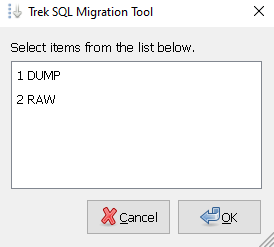
DUMP Mode
- Backup
- Restore
Backup Database
Export a database to.sql format.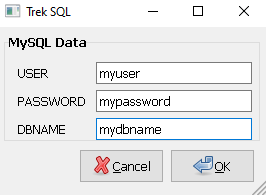 Steps:
- Click BACKUP button
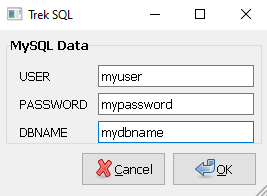
- Enter MySQL connection details:
- Username
- Password
- Database name
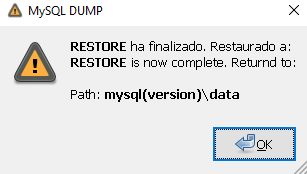
- Wait for export to complete
- Check
error.txtfor any issues
c:\TrekDump\dbname_YYYY_MM_DD_HH_MM_SS.sql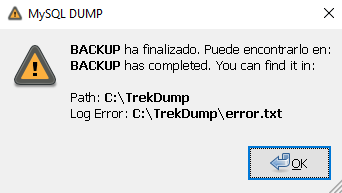
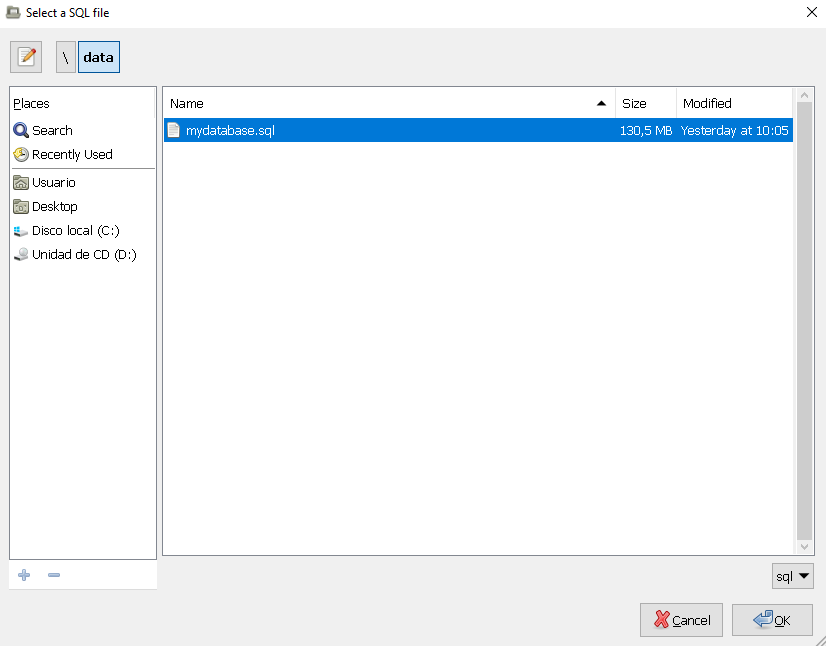
DUMP Mode Requirements
User Permissions
User Permissions
Create a MySQL user with maximum privileges. Do not use the
root user.File Size Limits
File Size Limits
If importing large Solution: Increase the
.sql files, you may encounter:max_allowed_packet parameter in my.cnf or my.ini:File Naming
File Naming
- The
.sqlfile must not contain spaces or special characters - Use underscores instead:
my_database_backup.sql
Database Creation
Database Creation
Trek handles database creation intelligently:
- If
.sqlfile containsCREATE DATABASE, existing database is preserved - Otherwise, Trek creates the database automatically
Password Warning
Password Warning
MySQL displays a warning because the password is entered on the command line: This is expected behavior and can be safely ignored.
This is expected behavior and can be safely ignored.RAW Mode
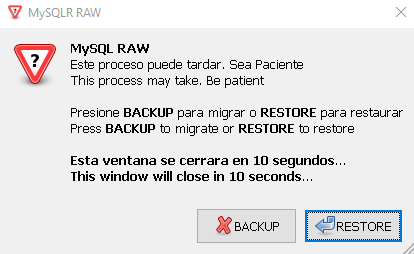
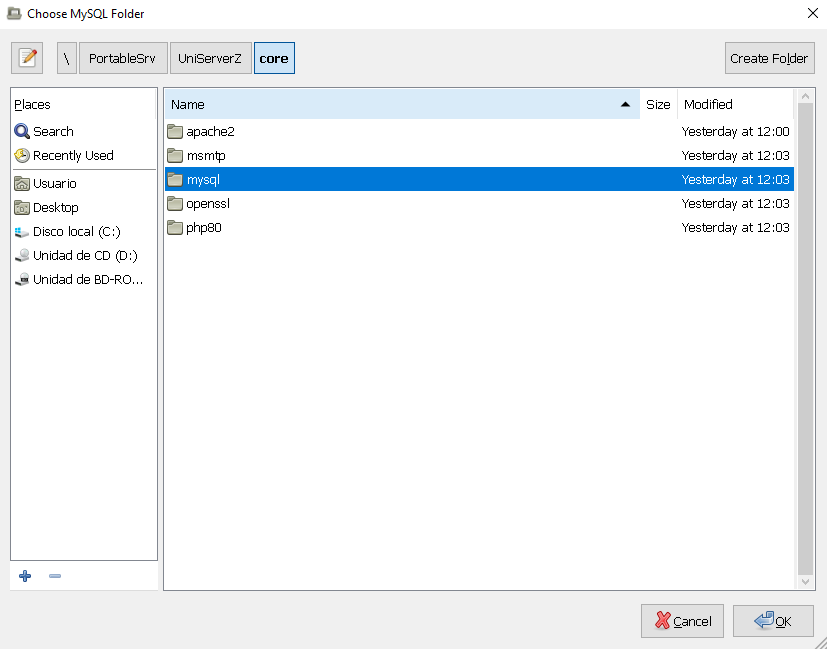
Copies raw MySQL database files from\mysql\data to %HOMEDRIVE%\TrekRAW using Windows Robocopy.
RAW Mode Process
Run Backup or Restore
- BACKUP: Copies from MySQL data folder to
c:\TrekRAW - RESTORE: Copies from
c:\TrekRAWto MySQL data folder
RAW Mode Important Notes
SSL Certificate Warning:RAW mode excludes SSL certificate files (.pem) because they are unique to each installation. After RESTORE, you may have issues accessing encrypted content.More information
TrekRAW Folder
TheTrekRAW folder is automatically created at:
Supported Stacks
Trek works with all major Windows-based MySQL stacks:WampServer
Full WAMP stack support
XAMPP
Complete XAMPP compatibility
Uniform Server
UniServerZ support
- MySQL Server (no-install .zip package)
- MySQL Community Server
Tools Used
Trek leverages proven Windows and MySQL tools:- MySQL Dump - Official MySQL backup utility
- Robocopy - Windows robust file copy utility
- WinZenity - GUI dialog interface
- 7zSFX Builder - Self-extracting archive creation
Use Cases
Database Corruption Recovery
Database Corruption Recovery
When MySQL databases are corrupted and standard tools fail, Trek’s RAW mode can copy the underlying data files for recovery attempts.
Quick Migration
Quick Migration
RAW mode provides fast database migration between identical MySQL versions without going through dump/restore.
Emergency Backup
Emergency Backup
When normal backup tools are unavailable or failing, Trek provides an alternative backup method.
Offline Database Transfer
Offline Database Transfer
Copy databases without requiring MySQL to be running (RAW mode only).
Troubleshooting
DUMP Mode Issues
| Problem | Solution |
|---|---|
| Server gone away | Increase max_allowed_packet in my.cnf/my.ini |
| Permission denied | Create user with full privileges |
| Database not found | Check database name spelling |
| Connection failed | Verify MySQL service is running |
RAW Mode Issues
| Problem | Solution |
|---|---|
| Files locked | Stop MySQL service before operation |
| Permission denied | Run Trek with administrator privileges |
| Incomplete copy | Check disk space and permissions |
| SSL errors after restore | Regenerate SSL certificates or disable SSL |
Best Practices
Always Test
Test backups on a separate system before relying on them for production recovery
Verify Backups
Always verify backup integrity by testing restoration
Document Versions
Keep track of MySQL versions for RAW mode compatibility
Regular Backups
Don’t wait for emergencies - establish regular backup schedules