Dashboard Overview
The Memori Cloud dashboard at app.memorilabs.ai is where you manage API keys, test memory in real-time, and monitor usage.Dashboard Sections
API Keys
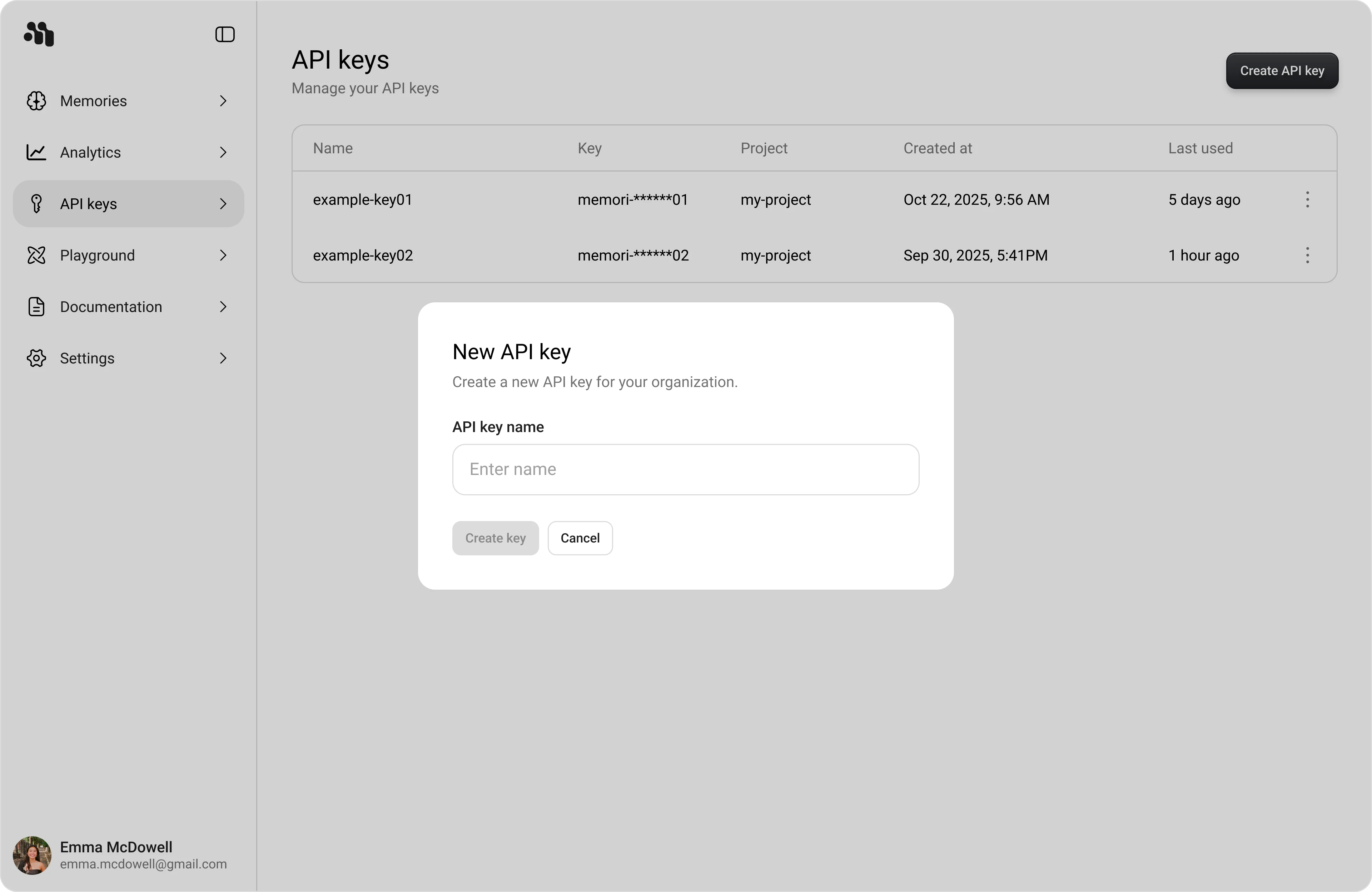
Create and manage your Memori API keys. The free plan unlocks 5,000 memories created and 15,000 recalled per month.Create a New API Key
- Open API keys in the dashboard sidebar
- Click Create API key
- Enter a descriptive name
- Click Create key
Copy the Key
The full key value is shown only once. Copy it and store it securely before clicking Continue.
Never commit API keys to version control. Treat API keys like passwords.
Playground
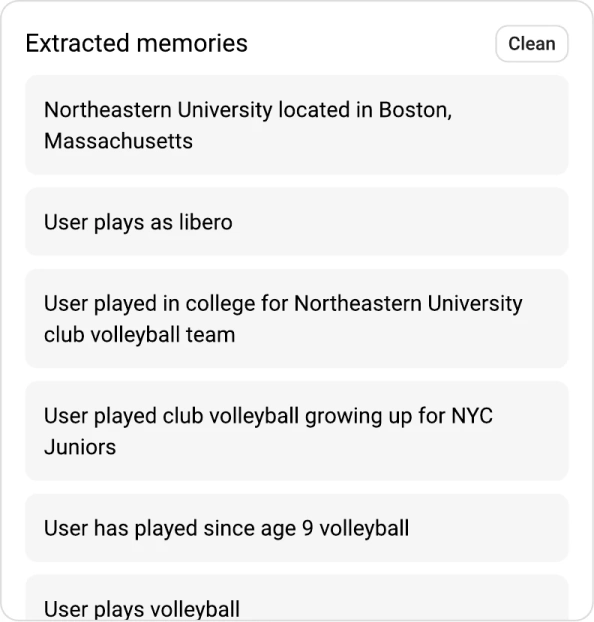
Chat with an AI and watch memories get extracted in real-time. The fastest way to understand how Memori works. Playground Layout:- Left navigation: Memories, API keys, Playground, Documentation, Settings
- Center panel: Playground conversation and composer
- Right column: Memory usage, Extracted memories, Memory graph with expand
 Core Workflow:
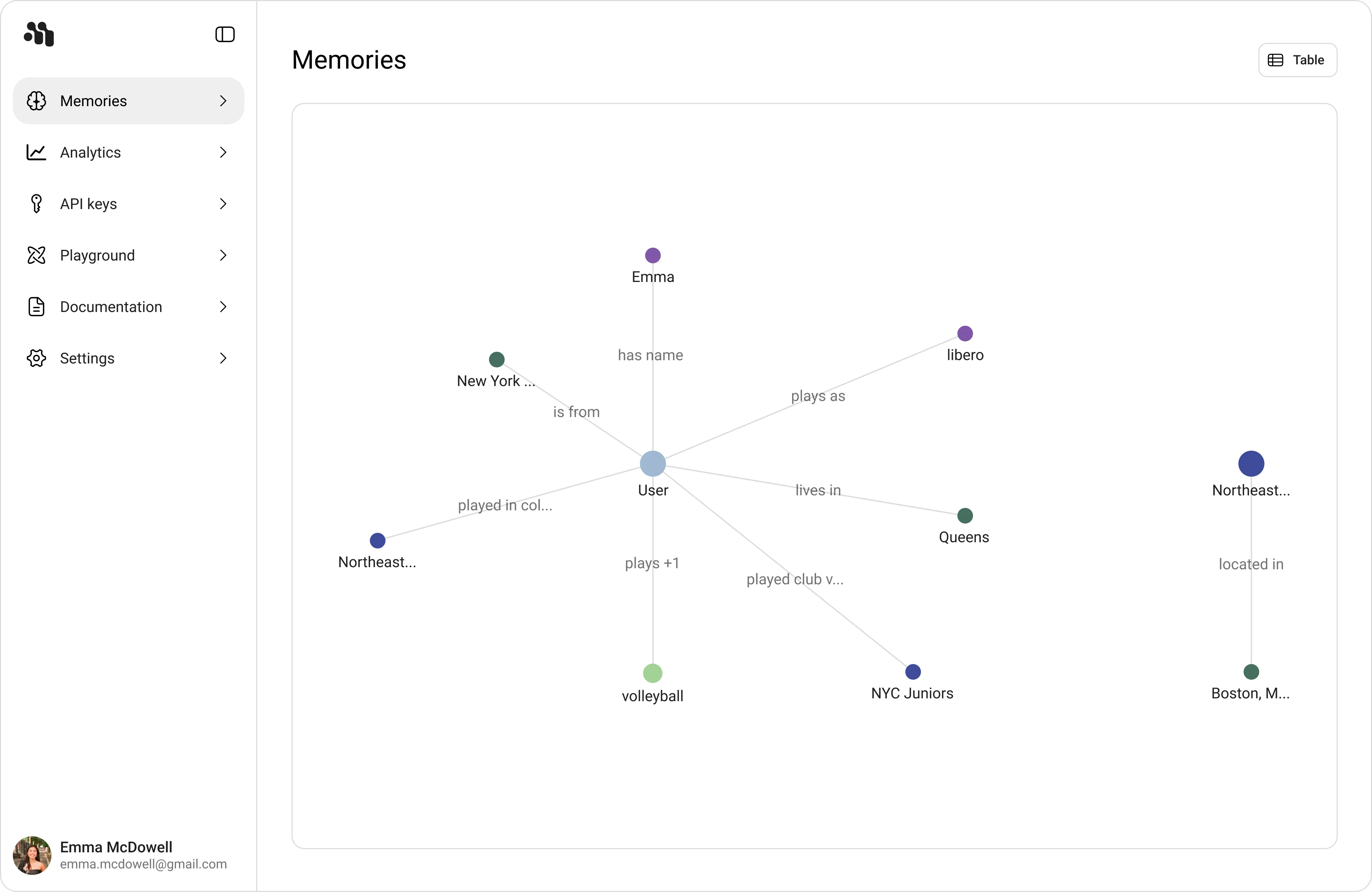
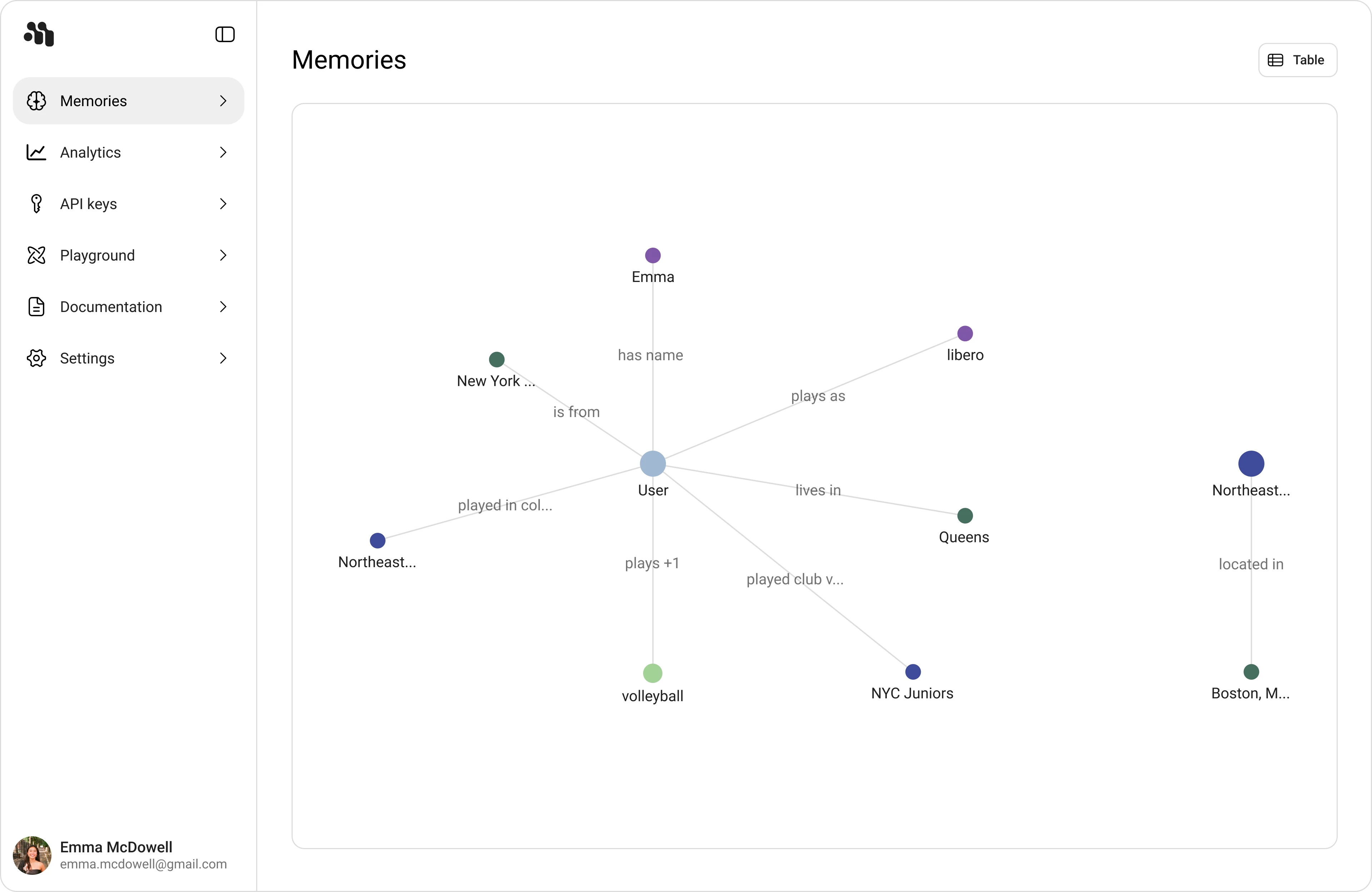
Memory Graph Features:
- Nodes represent subjects and entities (e.g.,
User,Emma,Queens,NYC Juniors) - Edges show relation text (e.g.,
has name,lives in,plays as) - Expand icon opens a larger graph canvas for detailed exploration
Memories
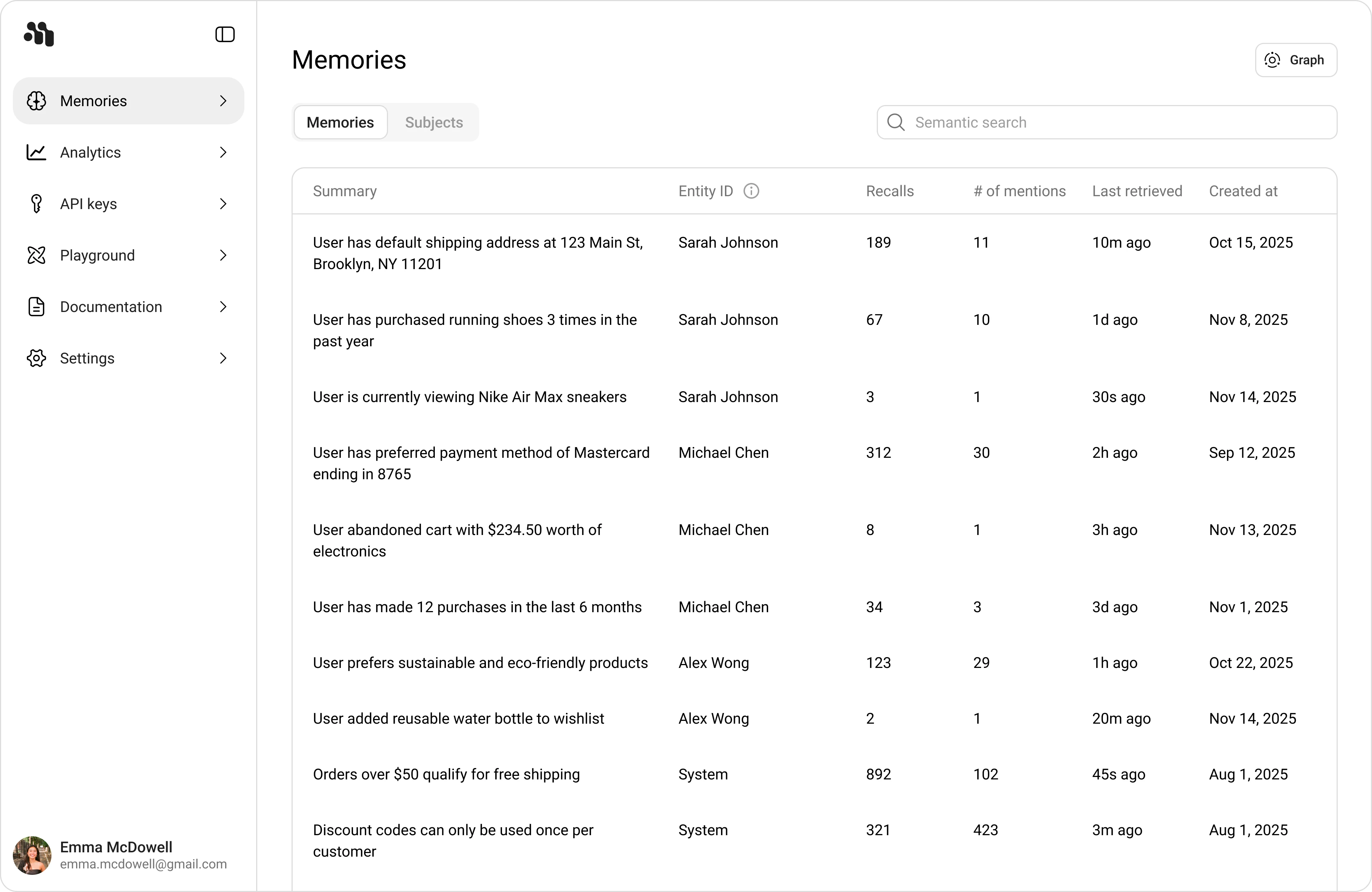
Explore all memories created by your applications and agents with two view modes: Table View:- Memories tab: Individual memory rows with summary, entity ID, recalls, mentions, and timestamps
- Subjects tab: Extracted entities/subjects with type filters and memory counts
- Semantic search: Find relevant rows quickly
 Knowledge Graph View:
- Entities tab: Explore nodes and relationships visually
- Search and filter: By time range and semantic queries
- Associated memories: Trace back from entities to source memories
 Memory Details Panel:
Click any memory row to see:
Memory Details Panel:
Click any memory row to see:
- Memory ID
- Entity ID
- Importance score
- Created at
- Last retrieved
- Recalls count
- Number of mentions
- Associated subjects graph
Analytics
Monitor memory creation, recall activity, traffic trends, and quota usage. Key Metrics:| Metric | Description |
|---|---|
| Total memories created | Total number of memory records created in the selected time range |
| Total entities | Number of unique extracted entities attached to memories |
| Total memories recalled | Number of memory retrieval events served |
| Cache hit rate | Percentage of recall requests served from cache |
| Total conversations | Number of conversation threads processed by Memori |
| Total sessions | Number of distinct sessions in the selected range |
| Total users | Number of distinct end users represented by tracked entities/sessions |
| Monthly quota | Current month usage vs monthly plan limit for created and recalled memories |
| Top subjects | Ranked subjects/entities by memory volume with entity type tags |
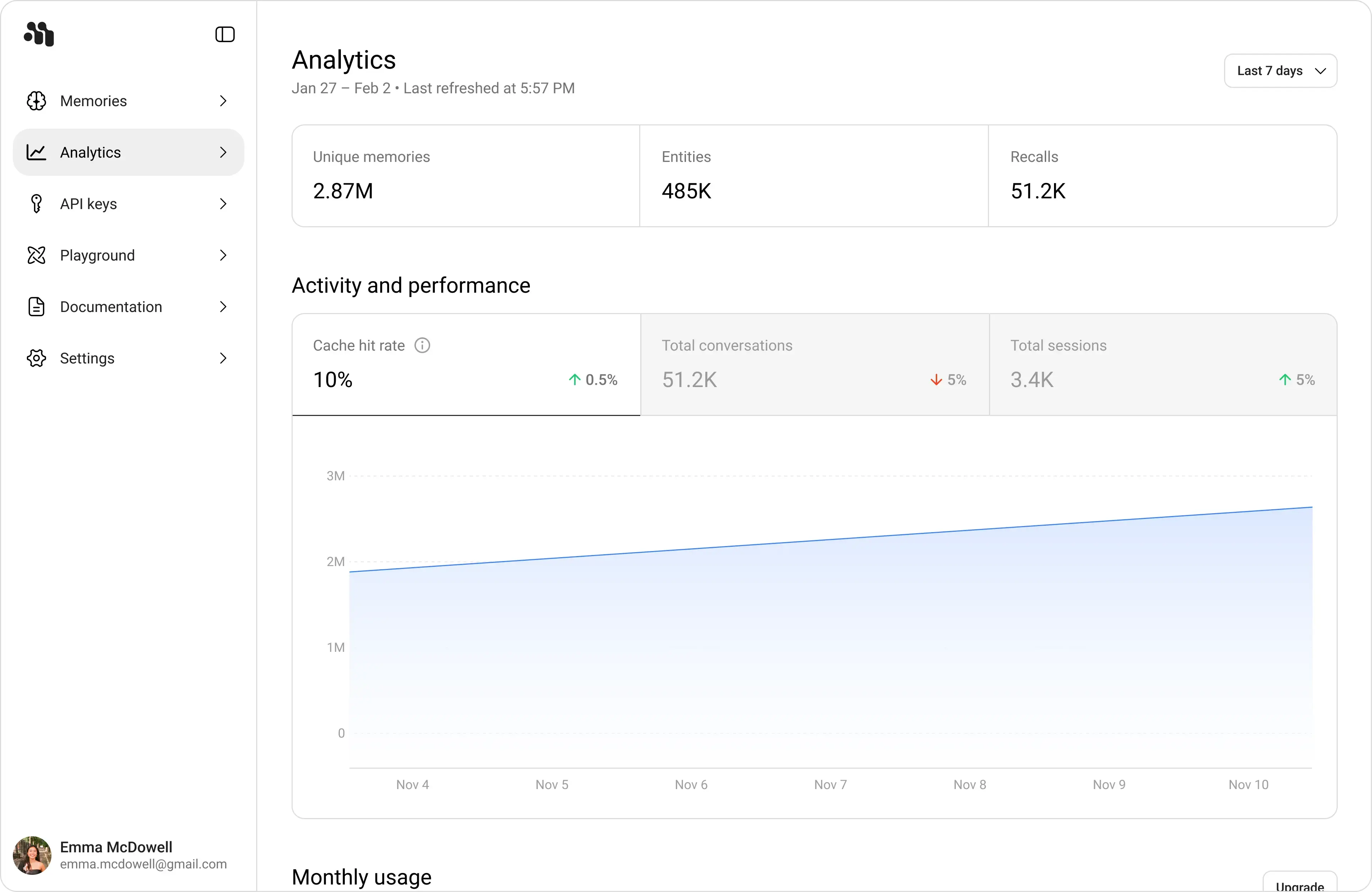 How to Read Analytics:
Review Activity Trends
Check Activity and performance for traffic trends and directional changes (up/down percentages).
Memory Usage Plans
| Plan | Memories Created / month | Memories Recalled / month | Requirements |
|---|---|---|---|
| Free (with API key) | 5,000 | 15,000 | Sign up and create an API key at app.memorilabs.ai |
| Starter | 25,000 | 100,000 | Sign up and subscribe |
| Pro | 150,000 | 500,000 | Sign up and subscribe |
| Enterprise | Custom | Custom | Contact sales |
Getting Started with the Dashboard
Sign Up
Go to app.memorilabs.ai and create an account.
Security Best Practices
Never commit API keys to version control. Treat API keys like passwords.
- Store keys in environment variables or a secure secrets manager
- Rotate keys immediately if you suspect exposure
- Use separate keys for development, staging, and production
- Monitor the Last used column to detect unauthorized usage