Inside our effort to improve the Mintlify assistant
3 minutes read
Patrick Foster
Software Engineer
Share this article
Patrick Foster
Software Engineer
Share this article
This blog walks through how we analyzed and improved the Mintlify assistant by rebuilding our feedback pipeline, moving conversation data into ClickHouse, and categorizing negative interactions at scale. The analysis surfaced that search quality was the assistant's biggest weakness, while most other responses were strong.
Our AI-powered assistant helps your end users get answers from your docs with clear citations and useful code examples.
This feature has real potential to enhance customer experience, but it wasn’t performing the way we wanted, so we carved out a week to figure out where it fell short and how to improve it.
Looking into the data
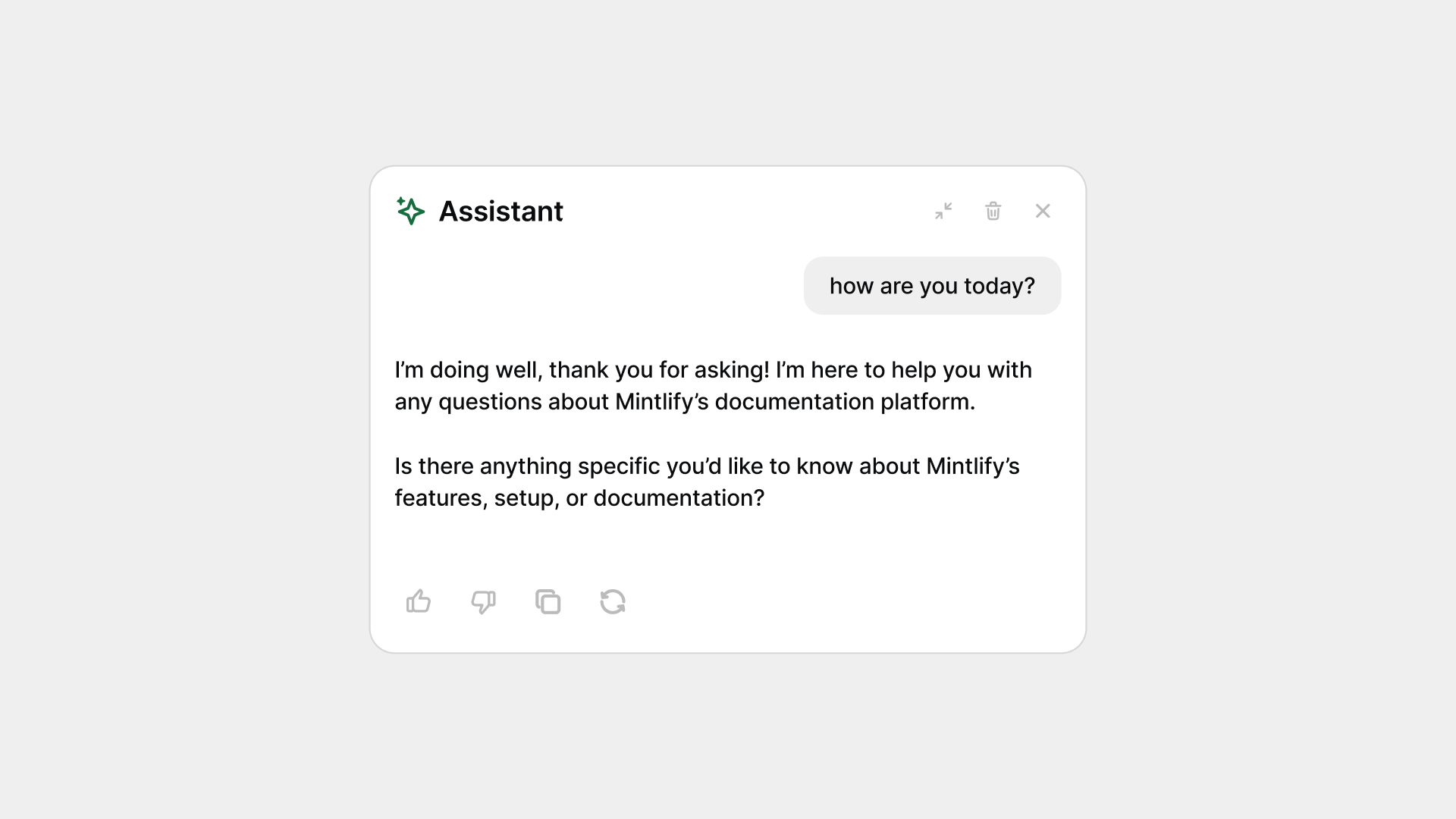
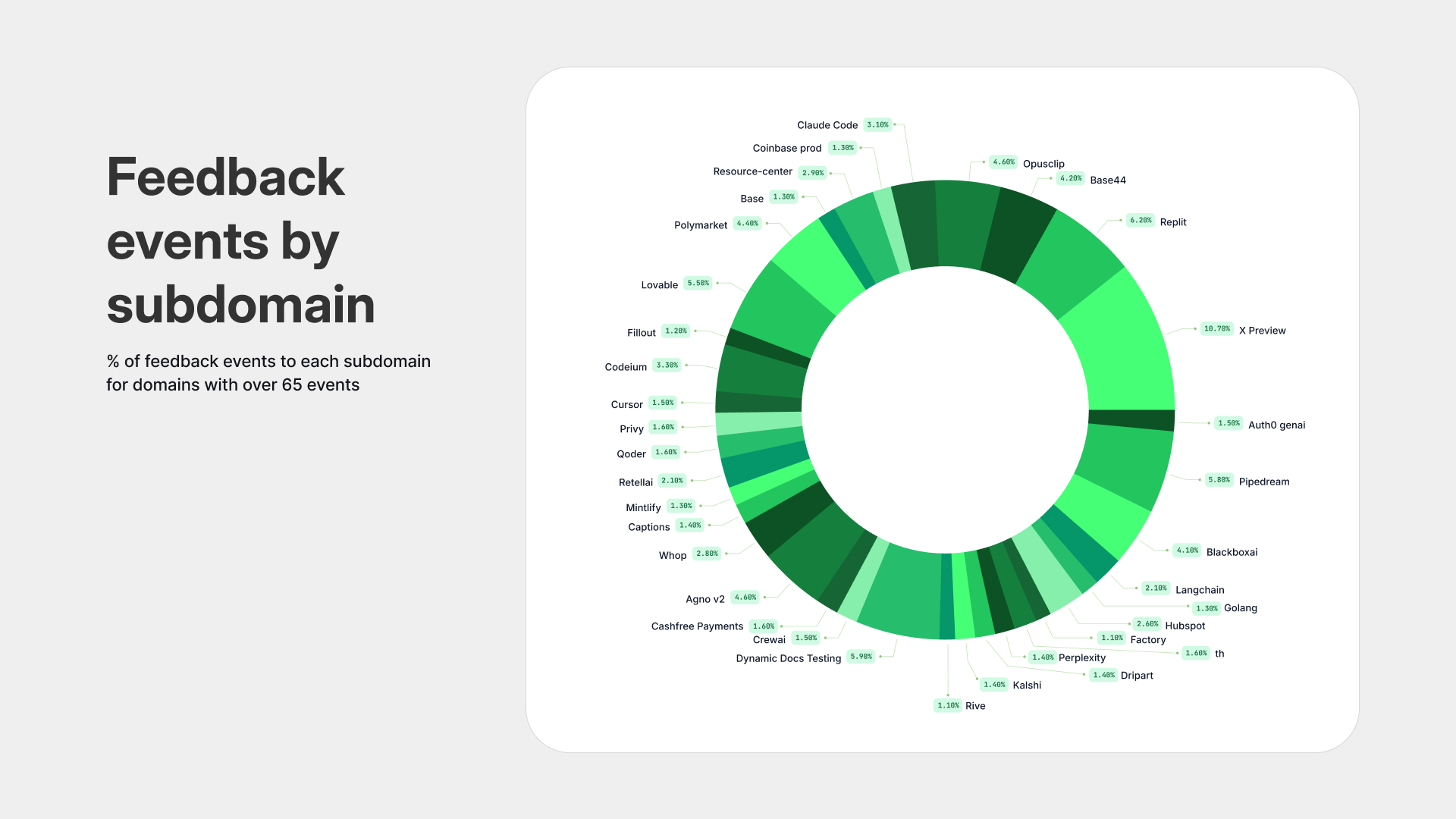
We wanted to start by looking into trends on thumbs down events on assistant messages to understand where the experience was breaking down.
Setting up pipelines
Feedback events were being stored in ClickHouse, but there was no way to map them back to their original conversation thread. Our PSQL setup also stored threads in a way that made direct querying impossible.
To fix this, we updated the server so that when it receives a feedback event, it pushes the full conversation thread to ClickHouse. Previously, this was only happening on the client side. We then ran a backfill script to copy all messages with feedback from PSQL into ClickHouse.
With that in place, we could finally query conversations with negative feedback.
Exploring the dataset
We read through about 100 negative conversation threads and created eight categories for the different types of feedback. We then took a random sample of 1,000 conversations and used an LLM to classify each one into those eight buckets.
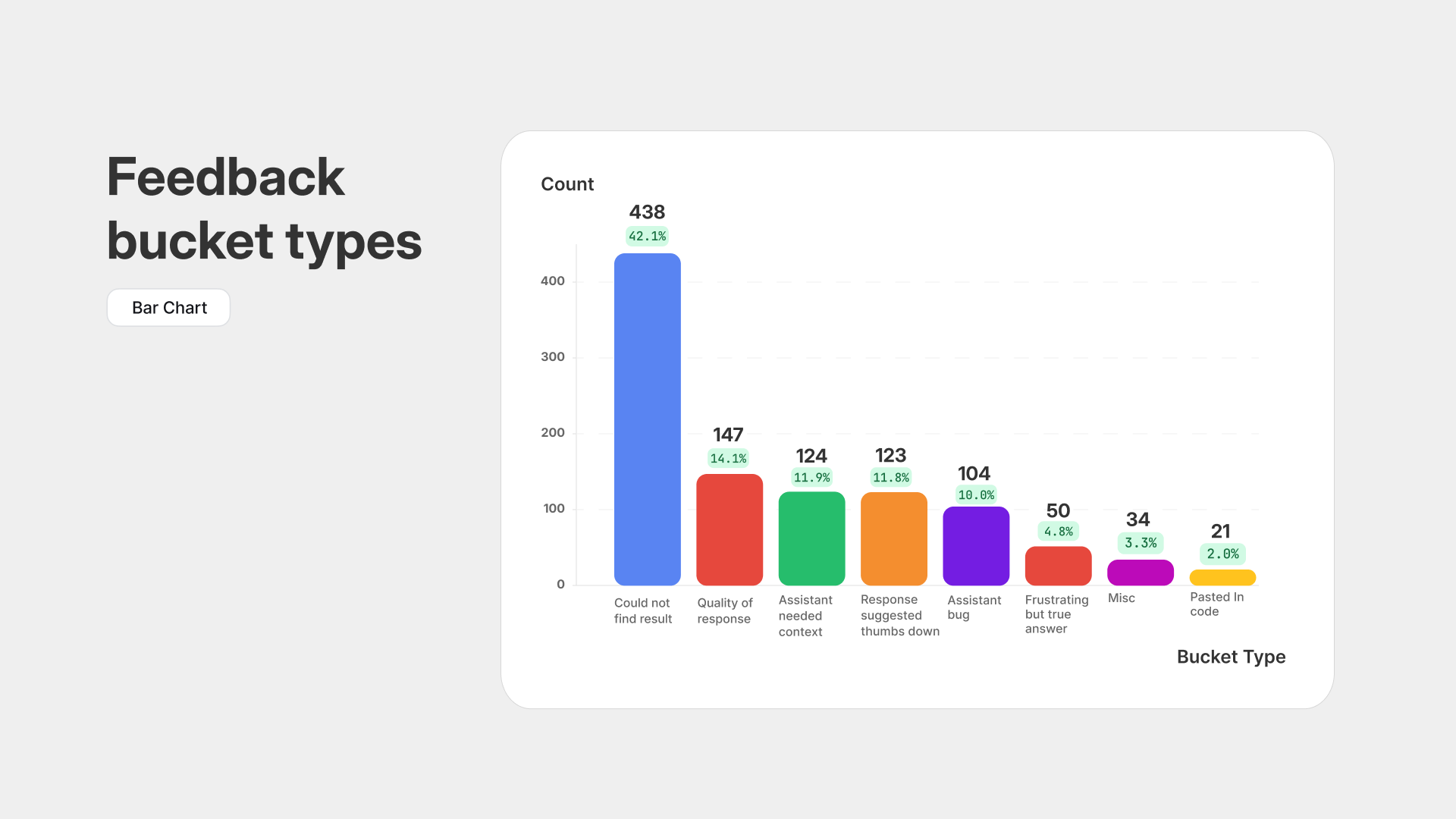
A thread can fall into more than one bucket. The distinction between couldNotFindResult and assistantNeededContext is that the first covers questions the assistant should reasonably be able to answer, while the second covers questions it could never answer based on the documentation (for example, “Can you send me a 2FA code to log in?”).
This highlights search across the docs as one of the assistant’s biggest weaknesses. Anecdotal feedback and our usage patterns point to the same conclusion.
Outside of search, we were impressed with the overall quality of the assistant’s responses.
Takeaways and improvements
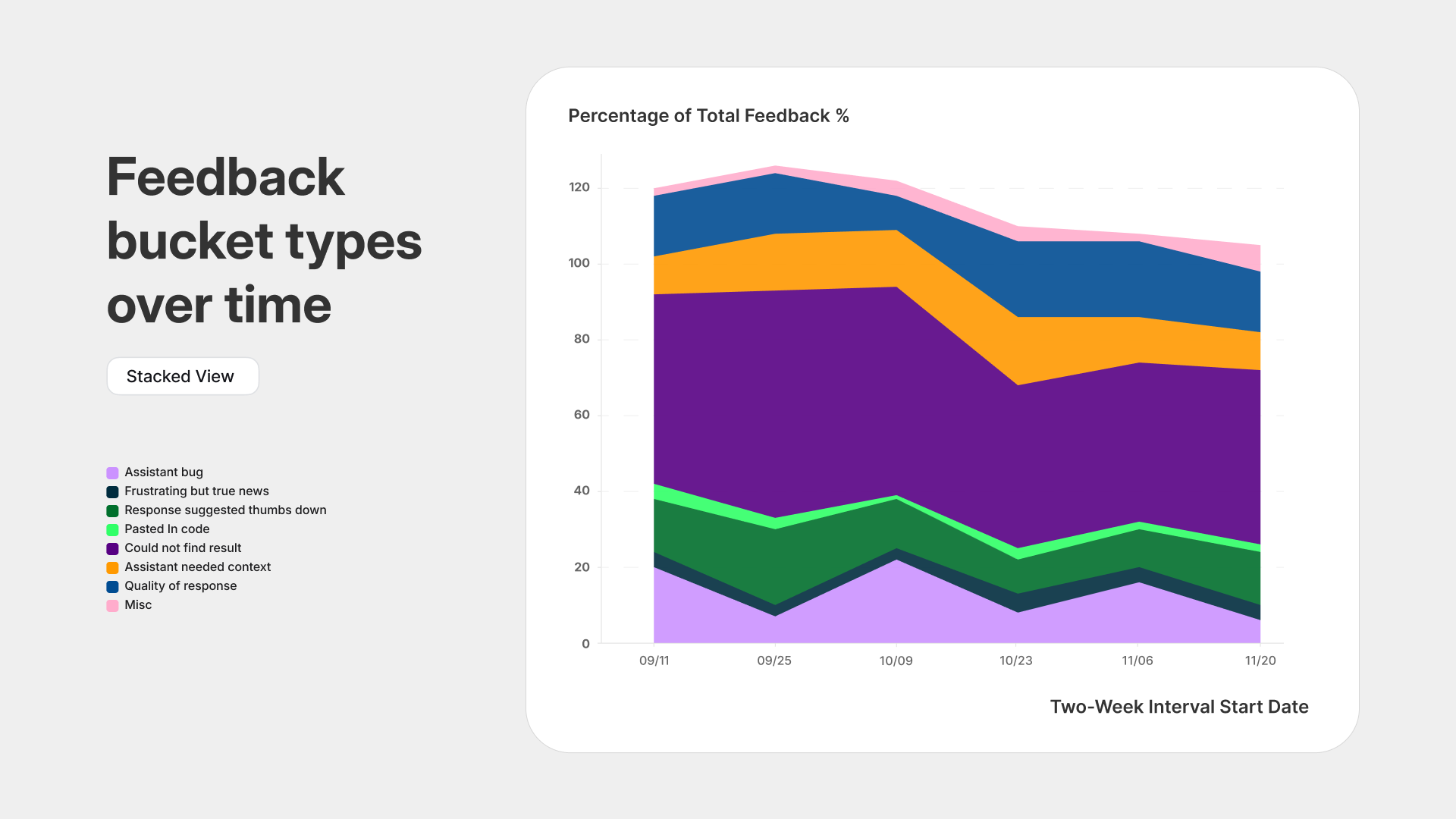
Looking at feedback types over time and assistant usage by subdomain did not reveal anything meaningful. This suggested that our model upgrade in mid October (to Sonnet 4.5) did not have a major impact and that feedback is fairly consistent across customers.
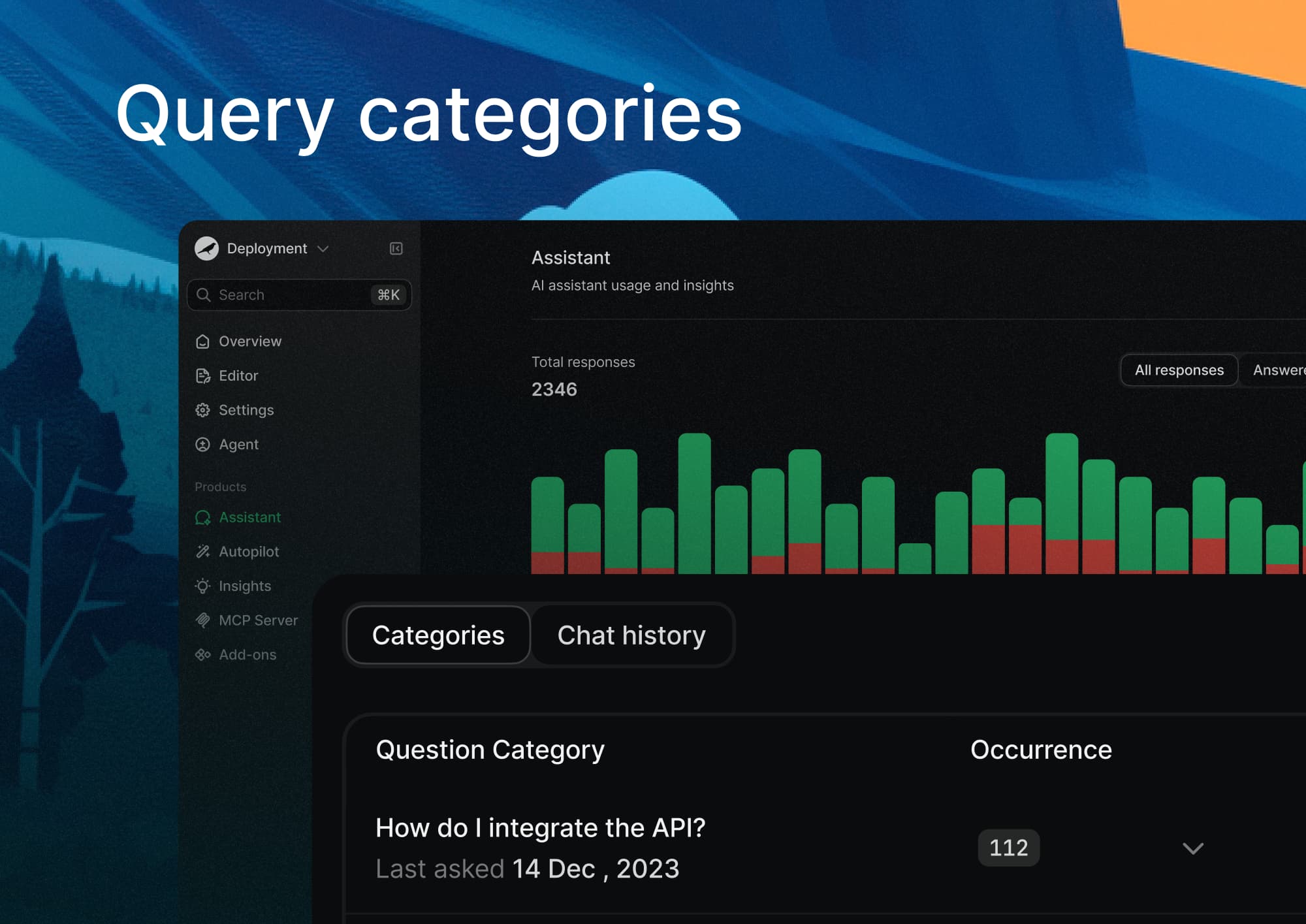
We expanded the assistant insights tab in the dashboard by surfacing conversations that LLMs automatically categorized. This gives doc owners a way to sift through conversations and get a clearer view of what customers are confused about and what they care about most.
We also shipped a handful of UI improvements and bug fixes that make the assistant feel more consistent and easier to use.
Users can now revisit previous conversation threads, which helps them pick up where they left off or review past answers. Links inside assistant responses no longer open in a new page, keeping users anchored in the docs. On mobile, the chat window now slides up from the bottom, creating a more natural interaction pattern. We also refined the spacing for tool calls while streaming, which makes responses feel cleaner and more stable as they load.
Help us improve the assistant
We're always looking for ways to improve the assistant. If you have any feedback, please let us know by submitting a feature request.
Additionally, if solving these promblems is interesting to you, join our team at Mintlify.
More blog posts to read

Self-updating external docs is an infinite market
Product surface areas are growing exponentially, agents are becoming the main users of docs, and external agents can't read your primary sources. Together, these make self-updating external docs an infinite market.
October 25, 2026Patrick Foster
Software Engineer
Bring your own skills to the Mintlify agent
You can now upload custom skills to the agent in the web editor. Give it your style guide, review checklist, or page templates once, and it uses them whenever a task calls for them.
October 23, 2026David Isquick
Product Marketing