How Claude Code's documentation team makes feedback actionable with Mintlify
6 minutes read
Ethan Palm
Technical Writing
Share this article
Ethan Palm
Technical Writing
Share this article
Your documentation is full of signals, but identifying what to act on and how is challenging. In our latest webinar, Anthropic's Sarah Deaton shares how she uses Mintlify and Claude to automate documentation improvements from user feedback.
Your documentation is full of signals that tell you what your users need and, increasingly, what their AI agents need too. Some are quantitative, like page views and thumbs up/down reactions. But just as many are qualitative, such as user feedback on pages, search terms, and AI assistant conversations. Demand often shows up as the absence of information, like when there are no results for a common search term, making it tricky to know what to do next.
Identifying which signals to pay attention to and act on before they disappear into the noise is critical. Doing this work by hand is usually slow and monotonous, sifting through every piece of user feedback to see what's actually relevant. Fortunately, AI is dramatically improving the process and reshaping the way documentation teams listen to their users.
In our latest webinar, I sat down with Sarah Deaton, Anthropic's Technical Content Engineer for Claude Code, to talk about how they harness Mintlify and Claude to automate documentation improvements from user feedback. Scroll down for some of the highlights. For the full conversation, including a live dashboard demo, watch the webinar on-demand.
Acknowledging the invisible and high-value proxies
Despite receiving so many signals, the metric that matters most to documentation teams is also the one they can almost never observe directly. Are people succeeding with your product? You can see someone landed on your docs, but it's difficult to have observability into whether the page actually unblocked them.
"The ultimate sign that your docs are working is that end users get the answers they need and get something working," Sarah explained. "And that's just invisible to someone working on the docs. Everything we have right now are proxies for, 'Did this actually work for the user?'"
Among all these proxies, one in particular stands out. "Most people read the docs, and if something isn't working, they'll just leave," Sarah said. "If something bothered someone enough to move them out of the inertia of just leaving the page and actually motivated them to write a comment, that's the highest signal I can really get."
The problem? This gold is usually buried in gravel. At a previous job of mine, we had a PM comb through user feedback by hand in a spreadsheet once a month: thousands of comments, most of them spam. The consequence, Sarah noted, was that teams often give up entirely: "We used to just ignore user feedback, even though it's the best signal you can get, because it was so hard to sift through and took too much time."
"With AI, that's been one of the biggest gifts," she said. She now runs scheduled jobs that pull in new feedback every few hours using the Mintlify analytics API—things like thumbs up/down votes on pages, broken code-sample reports, and user feedback. An agent triages these and other signals like Slack mentions and GitHub issues for the open source Claude Code repository to determine whether they're user error, support issues, or valid documentation gaps that need to be addressed.
Turning signals into action
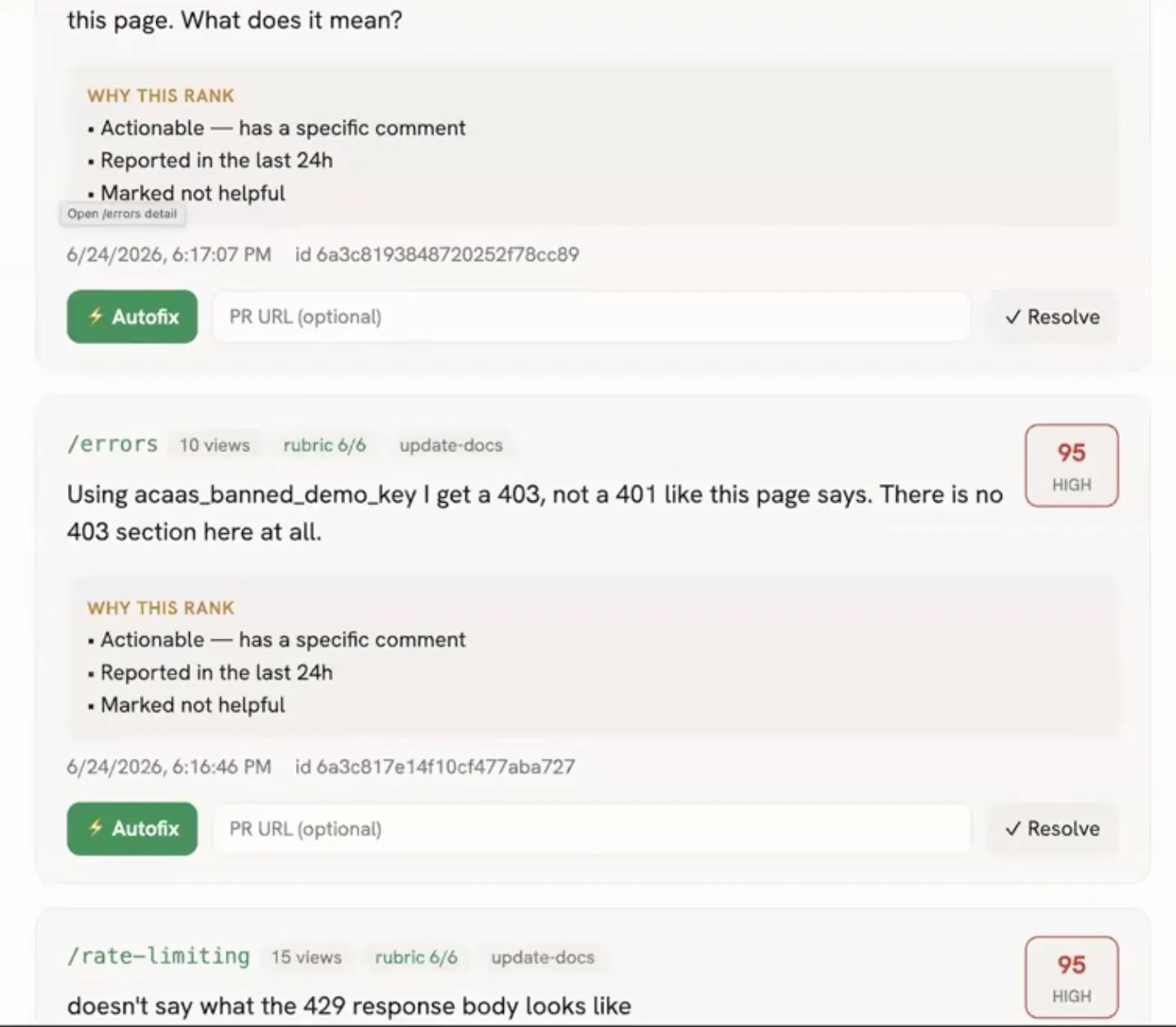
Collecting and triaging signals is only half the battle. To demonstrate how she analyzes, prioritizes, and takes action on this wealth of information, Sarah shared a demo version of the dashboard she's built with Claude Code where she's wired an autofix button to create PRs to update the docs based on this data.
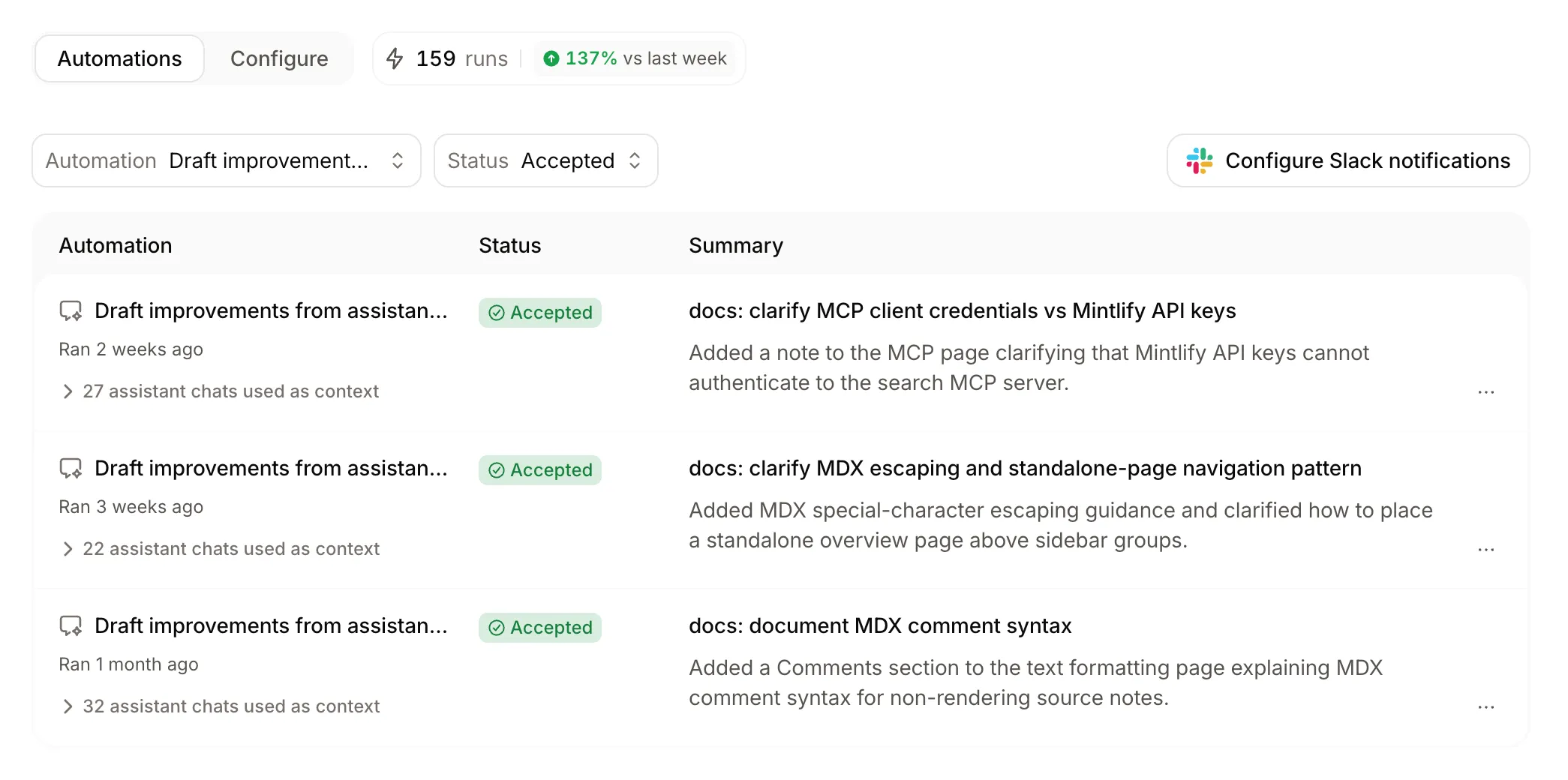
I use a similar workflow built off Mintlify automations. I have two running on our documentation that draft pull requests based on user feedback and frequent assistant conversations. Our agent validates user feedback with our source code as context and creates documentation PRs if needed.
It also buckets frequent assistant conversation topics together and makes documentation updates to address common questions. For example, "How do I get an API key?" was a recurring question, so the agent added clarifying information to API endpoint pages about which type of key to use and how to generate one in the dashboard.
While you could have the Mintlify agent or Claude automatically merge PRs without review, both Sarah and I prefer to keep a human in the loop. "A human's always looking at the feedback at the end," Sarah said. And to be honest, I just enjoy seeing the automation at work and watching a task that used to take hours get handled in seconds. It's fun to review and merge those PRs.
Optimizing for humans and AI agents
Documentation now has two audiences, and they don't read the same way. We're writing for humans and agents, which mostly means writing content that is well designed for people, but there are some differences. Writing for agents demands something we used to deliberately avoid: total completeness.
As an example, Sarah didn't always document every single Claude Code slash command. Users could see all the commands while using the product with help text attached. "But then I started seeing AI chats saying, well, that slash command doesn't exist—because I hadn't documented it," she recalled. "For AI agents, we need completeness, because if they go to the docs and don't see something, they often infer it doesn't exist at all."
However, that doesn't mean humans take a back seat. As long as the content is accessible to agents, which Mintlify handles behind the scenes, we can still focus on optimizing the experience for people. Humans need to have a pleasant experience with our documentation, while agents just need well structured, thorough information.
Translating docs feedback into product feedback
One of the most interesting takeaways from my conversation with Sarah is that the best response to a documentation problem is often to look beyond documentation. Sarah is sometimes able to take feedback from the Claude Code docs about something that's actually broken in the product and fix it at the source.
"I'm able to submit a PR to fix the actual product," she said. "That short-circuits the loop of needing to document around a paper cut. You just fix the issue. Make it so that people don't even need to go to the documentation."
That requires the right access and an engineering culture that welcomes it, and not every team will have it. But even when a writer can't fix the product directly, docs feedback is a rich, under-used source of product insight. Often, product and engineering teams aren't even aware of the data we get from our users, which means we have a chance to educate our team and evolve our products.
Watch the full conversation on-demand
These are just a few of the topics covered during the webinar. We also fielded questions from the webinar attendees and got into some fun conversations about deterministic tools, APIs versus MCPs, and more.
Catch the recording complete with live demos here. Have a question the audience didn't ask or our speakers didn't get to? We are always happy to chat.
More blog posts to read
Announcing narration for your docs
Narration lets readers listen to supported documentation pages while Mintlify highlights each sentence and keeps their place on screen.
September 22, 2026Brandon McConnell
Senior Frontend Engineer
Mintlify now supports WebMCP
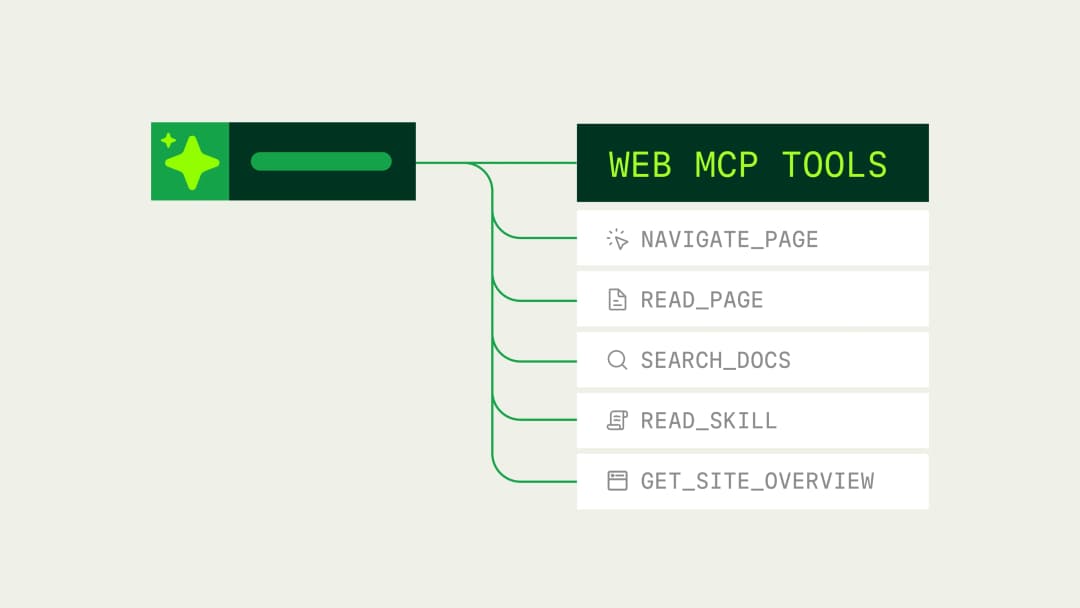
Mintlify documentation sites now expose typed WebMCP tools that browser agents can use to search, read, and navigate documentation directly.
September 21, 2026Kyle Finken
Engineering