Kyan Yang
Marketing
Share this article
Kyan Yang
Marketing
Share this article
The llms.txt file was introduced in 2024 to provide agents with a navigation map of a website’s content.
However, if an llms.txt file gets too large, agents will receive large amounts of irrelevant information that bloats their context window, leading to more token spend and slower task completions. When we added /llms.txt after its initial proposal in 2024, we dealt with this by adding a 100,000 character cut off. But over the past two years, as the docs sites we power have grown, the limits of this temporary solution have started to be much more noticeable.
To preserve coverage without expanding the root indefinitely, we rebuilt Mintlify's llms.txt generation architecture as a hierarchy of files, where the generator moves complete navigation sections into child files.
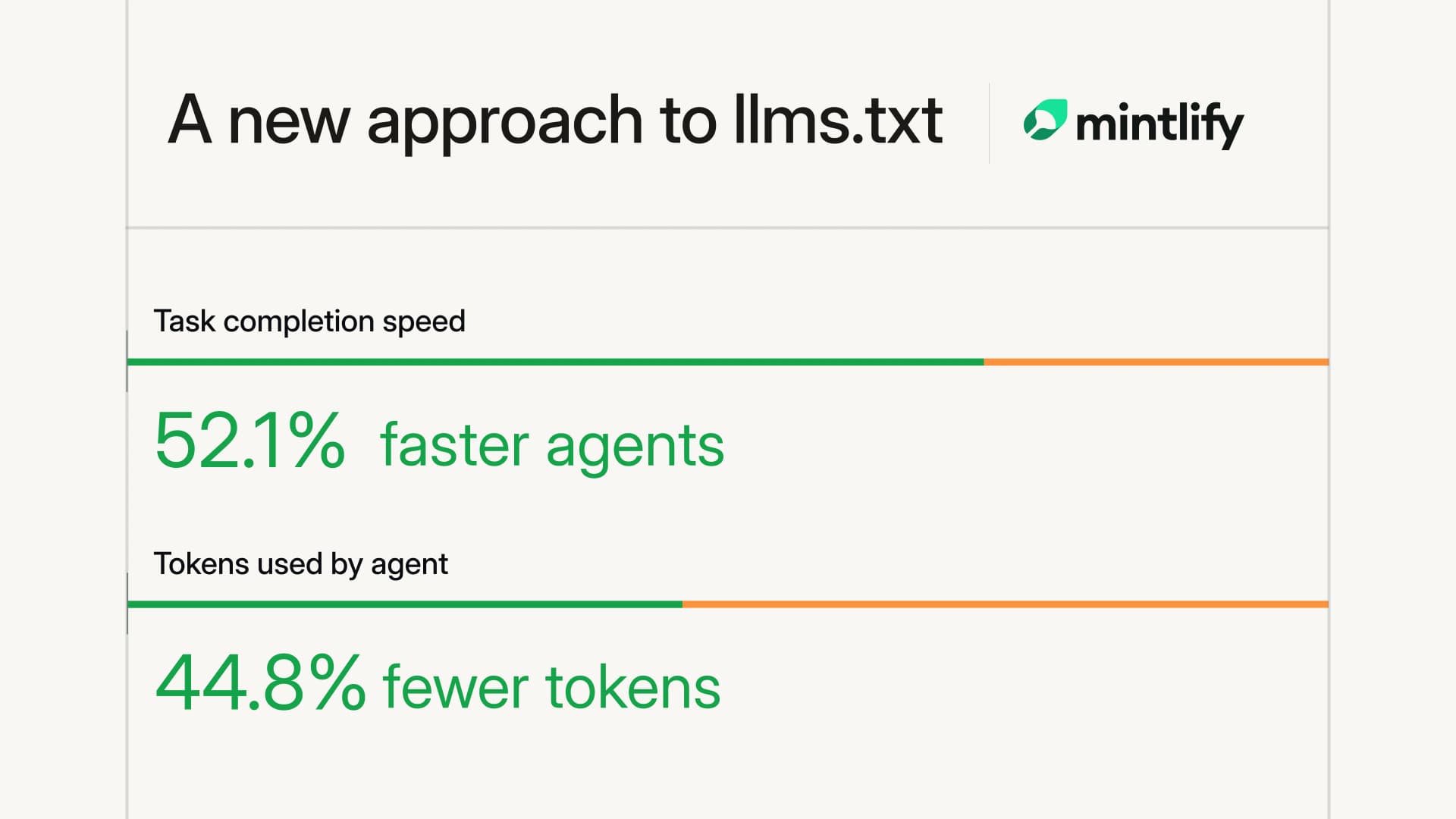
On 200 tasks across ten docs sites, our improved version of llms.txt enabled agents to complete tasks 52.1% faster (363.6s to 174.2s), with 44.8% less tokens (1.74m to 960k).
Grouping by navigation category
Each child file contains either direct page links or a link to a deeper child, so an agent can follow the relevant branch and load only the files along that path. And as documentation teams add pages, the generator adds only as many hierarchy levels as necessary to represent the site's navigation within the size limit.
/llms.txt
├── Guides → /_llms/guides.md
├── API reference → /_llms/api-reference.md
│   ├── Authentication → /_llms/api-reference/authentication.md
│   └── Endpoints → /_llms/api-reference/endpoints.md
└── Integrations → /_llms/integrations.md
For those branches to guide retrieval, each must indicate what it contains. Splitting by character count would prevent truncation, but it would create ambiguous files: llms-2.txt and llms-3.txt give no indication of their contents.
Our new generator instead uses each site's navigation structure in docs.json, Mintlify's docs configuration file, to identify index groupings. Each product, version, language, group, or API reference section therefore becomes a candidate for its own child file. When an index grows too large, the generator chooses among those candidates by how much space each would save, while the navigation category tells agents what the resulting child file contains.
Because navigation organizes pages around user intent, these boundaries can differ from the site's URL structure. Child files therefore live under /_llms/*.md, where their paths can reflect the navigation hierarchy without implying equivalent site routes.
The planner first renders every section in the root file. If the result is 100,000 characters or fewer, the root remains unchanged. Otherwise, the planner selects the child candidate that produces the largest size reduction and replaces that section with a link. The process then repeats if the the root is still over 100,000 characters.
render all sections inline

while the current file exceeds 100,000 characters:
    select the section with the largest size reduction
    replace the section with a child-file link

repeat these steps for each oversized child file
Evaluation
To compare the old and new llms.txt generation architectures, we froze snapshots of ten large Mintlify-powered docs sites, on which we generated two arms, one for each of the llms.txt generation methods.
We then constructed a task set of 10 questions per docs site. Each task described a concrete need from a real target page without revealing its title or any unique URL segments. We constructed eight tasks for pages omitted from the old generation and two for visible pages, with the visible tasks serving as compatibility controls.
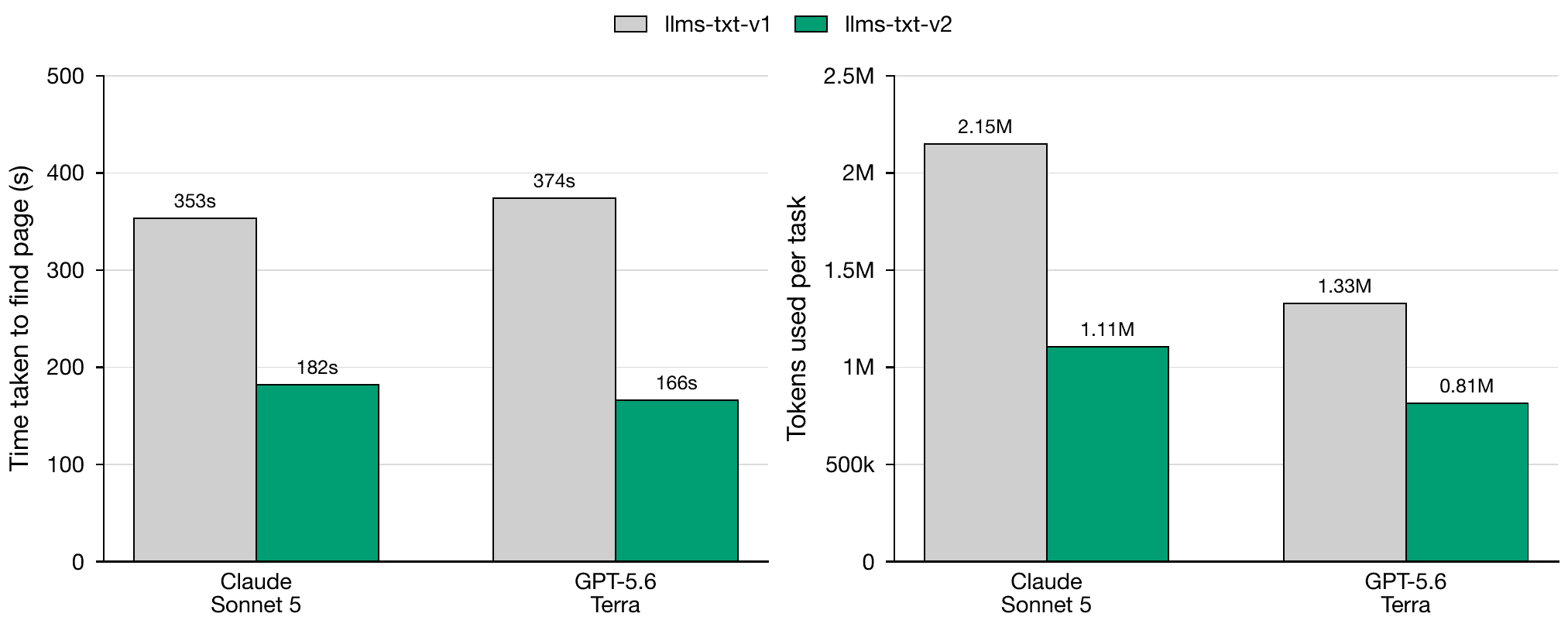
For each arm on each docs site, we ran Claude Code with Sonnet 5 and Codex with GPT-5.6 Terra to solve knowledge retrieval tasks. We ran three trials per task to account for the naturally noisy behavior of agents. Across those trials, we measured 404s hit per task, input tokens, and time to page, capped at the ten-minute per task limit.
| Agent | 404s hit per task | Input tokens | Time taken |
|---|---|---|---|
| Claude Sonnet 5 | 21.36 → 11.95 (−44.0%) | 2.15M → 1.11M (−48.6%) | 353.2s → 182.2s (−48.4%) |
| GPT-5.6 Terra | 342.25 → 31.19 (−90.9%) | 1.33M → 0.81M (−38.7%) | 373.9s → 166.2s (−55.5%) |
| Average | 181.80 → 21.57 (−88.1%) | 1.74M → 0.96M (−44.8%) | 363.6s → 174.2s (−52.1%) |
Our results showed that, with navigating the newer llms.txt architecture, agents were able to complete the retrieval tasks 52.1% faster with 44.8% less tokens.
Live for all Mintlify users
The new llms.txt generation architecture is now live for all Mintlify customers, auto-regenerated on each publish of your docs.
See the new llms.txt live here in Mintlify's documentation.
- Learn how generation and manual overrides work in the llms.txt docs.
- See why the file matters for agents in the docs URL benchmark.
- Not on Mintlify yet? Start for free and get llms.txt regenerated on every publish.
More blog posts to read

Mintlify saves your team time and money, and now we can show you how.
The new Savings section in Mintlify Analytics shows the time and money your team saves with automations and the assistant.
October 15, 2026Neha Halebeed
Product

Less is more: Improving editor performance
The Mintlify editor now opens, navigates, and edits very large pages up to 100x faster by doing less work.
October 14, 2026Hunter Chen
Engineering