Patrick Foster
Software Engineer
Share this article
Patrick Foster
Software Engineer
Share this article
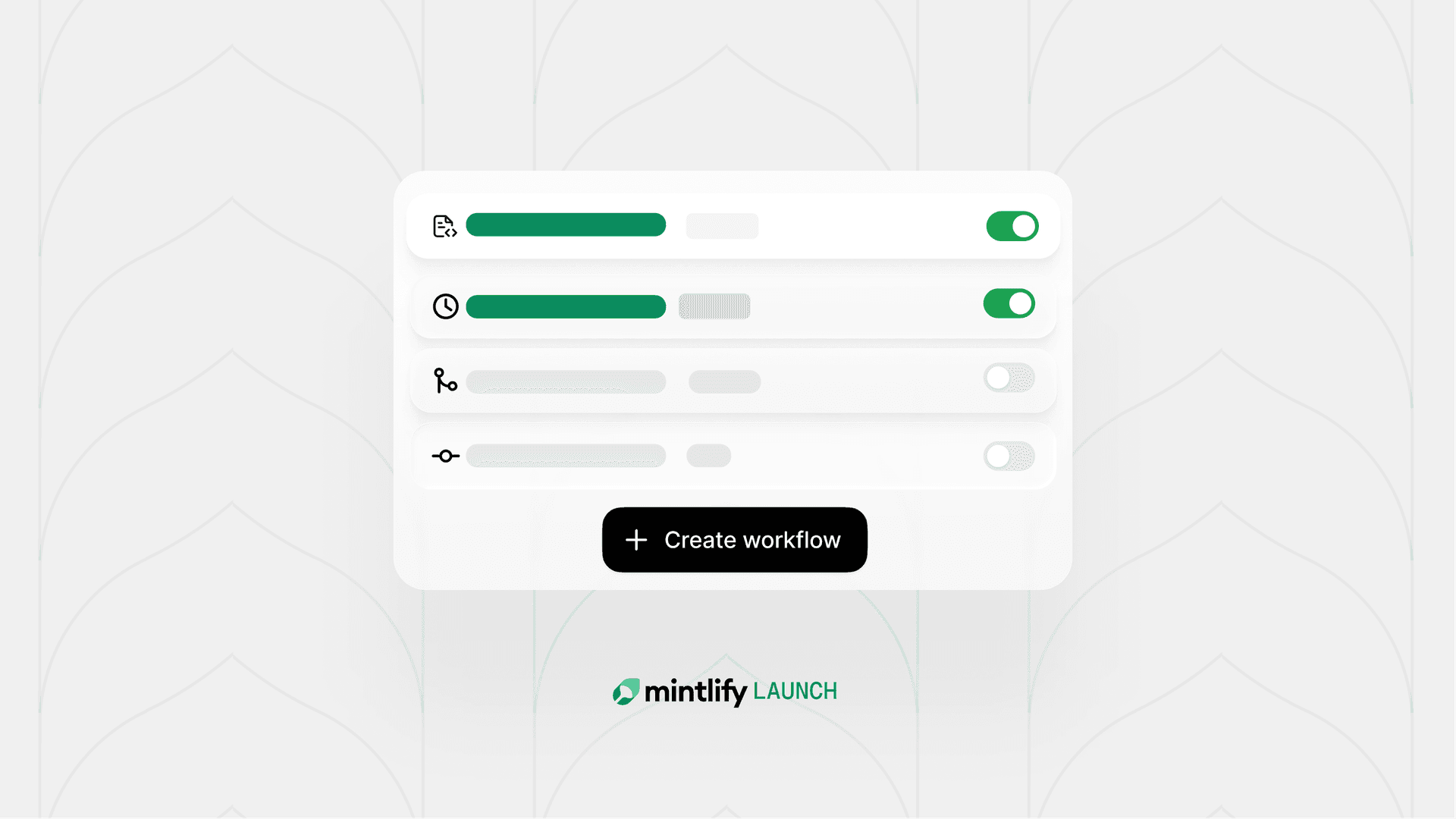
The updated workflows refine the pre-built automations with quicker set up and optimized prompts. We learned from early users what tasks benefit the most from automation: keeping content in sync with code, generating changelogs, maintaining translations, and more. Instead of asking you to write and maintain prompts, Mintlify owns the underlying logic and improves it over time. Enabling a workflow is two clicks.
When we launched workflows in March, we gave teams the ability to define automations as version-controlled Markdown files in their project repos. Write a prompt, set a trigger, and the agent handles the rest.
The idea was sound, but the execution left a lot to be desired. We learned from early users and today we're introducing the next version of workflows.
What we learned from the first version
The original design of workflows prioritized flexibility. You could write any prompt and set any YAML frontmatter. Starting with an empty file is the ultimate flexibility since you can take it any direction, but this was also the friction.
Writing a good workflow prompt that produces reliable output takes iteration. You need to test it, improve it, and measure the results. We are not trying to add another maintenace task. We want to save you time and automate away the tasks you're not excited about so that you can focus on other things.
So we looked at how teams were finding the most success with workflows. Two use cases came up over and over:
Keeping content in sync when code ships. When a PR merges in a product repo, something almost always needs updating. Teams were using workflows to close that loop automatically, so content didn't lag behind product changes.
Generating changelogs. The work of combing through merged PRs, filtering out info that's important to users, and writing a coherent summary is exactly the kind of task that's easy to skip and painful to catch up on. A recurring workflow that handles it once a week is valuable to anyone who doesn't find joy writing a changelog.
Beyond those two primary uses, we saw teams running grammar checks, fixing broken links, keeping translations in sync, and auditing SEO metadata. But there was a consistent pattern of teams trying to solve the same specific problems.
So we improved the templates for those common tasks and made them easier to setup.
The new version
Today we're launching a rebuilt workflows experience, and it's opinionated.
Instead of asking you to write and maintain prompts, we've built focused, tested workflows for the use cases that show up most. Toggle on a workflow, choose when it runs, and you're set.
Codebase workflows:
- Codebase updates — Updates content when PRs merge to your product repo.
- Changelog — Drafts a changelog entry from recent product updates on a recurring schedule.
Maintenance workflows:
- Translations — Keeps configured languages in sync.
- Broken links — Finds and fixes broken links.
- SEO — Audits titles, meta descriptions, headings, and canonical tags.
- Grammar — Catches typos, spelling mistakes, and grammar errors.
- Brand tone — Enforces your style guide's voice, tone, and rules.
Each workflow has sensible defaults built in. We recommend triggers we've seen teams have the best results with and update modes based on what the workflow automates. You can override any configuration if your setup calls for something different.
You can also still create custom workflows for anything specific to your project. We've just made the most common tasks easier to start automating right away. Any custom workflows that you've already created are still supported.
We want to reduce the maintenance burden
When you write a workflow prompt yourself, you've got to make sure it's giving you good results. Models improve, edge cases surface, and the prompt that worked six months (or six weeks) ago might not be the one you want today.
With built-in workflows, we own that work. As the underlying agent improves and we learn more from how these workflows run in production, the quality improves for everyone automatically.
Try it out
Open the Workflows tab in your app and toggle on whichever automations will improve your content.
The first time you enable a workflow, you'll be prompted to configure the trigger and how updates should be applied. After that, it runs on its own.
Go take something off your to-do list and let us know what you think.
More blog posts to read
Docs as an abstraction layer for coding agents
A large engineering org ran controlled experiments to measure how structured Mintlify docs affect agent performance on massive codebases. The results: 64% more precise, 39% more discoverable, half the tokens, 1.5x faster.
June 8, 2026Han Wang
Co-Founder
Your documentation is a demand channel
Documentation is often the highest-traffic, highest-intent surface in your entire funnel. It's the first place a buyer visits before trying your product. It's where agents surface and push your product to prospects.
June 4, 2026Lauren Volpi
Marketing