Quick start
This guide will walk you through logging in, configuring your first instruments, and running your first arbitrage scan.Login to Primary API
Launch ChuchoBot
Double-click 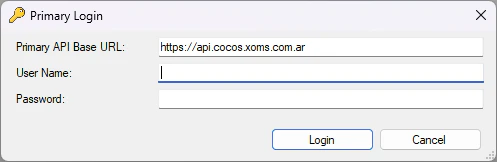
ChuchoBot.exe to start the application. The Primary Login window will appear.Enter your Primary API base URL
In the Primary API Base URL field, enter your broker’s API endpoint.Example for Bull Market Brokers:
See the installation guide for a complete list of broker URLs.
Enter your credentials
Use the same username and password you use to log in to the Matriz platform.
- Username: Your Matriz account username
- Password: Your Matriz account password
ChuchoBot will save your credentials locally for future sessions. You only need to enter them once.
Configure instruments to monitor
Before you can detect arbitrage opportunities, you need to tell ChuchoBot which instruments to monitor.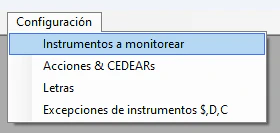
Add instrument tickers
In the dialog that appears, add one instrument ticker per line.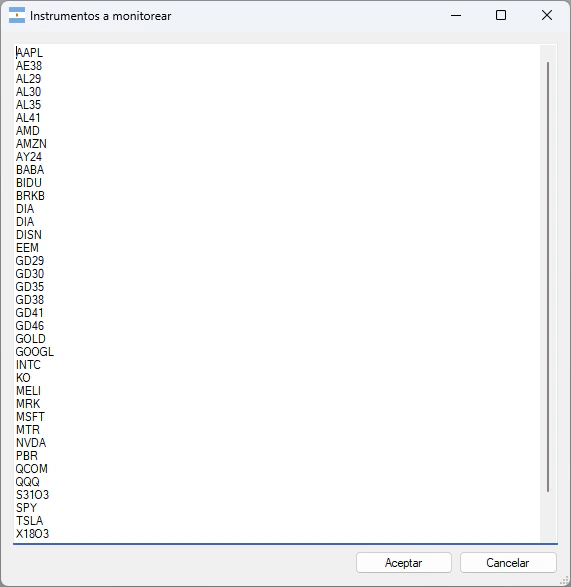
Add any combination of stocks, bonds, CEDEARs, or letters that you want to monitor for arbitrage opportunities.
Verify connection status
Check the connection status indicator in the main window:- Green WiFi icon + “CONNECTED”: Successfully receiving real-time data
- Red WiFi icon + “DISCONNECTED”: Connection lost or market is closed

The connection indicator will show “DISCONNECTED” before market open (10:30 AM) and after market close (5:00 PM). This is normal behavior.
Run your first arbitrage scan
Now that ChuchoBot is connected and monitoring instruments, you can start scanning for arbitrage opportunities.Settlement term arbitrage
The settlement term arbitrage scanner detects profit opportunities between different settlement terms (CI, 24hs, 48hs).View detected opportunities
The scanner displays all detected arbitrage opportunities in real-time: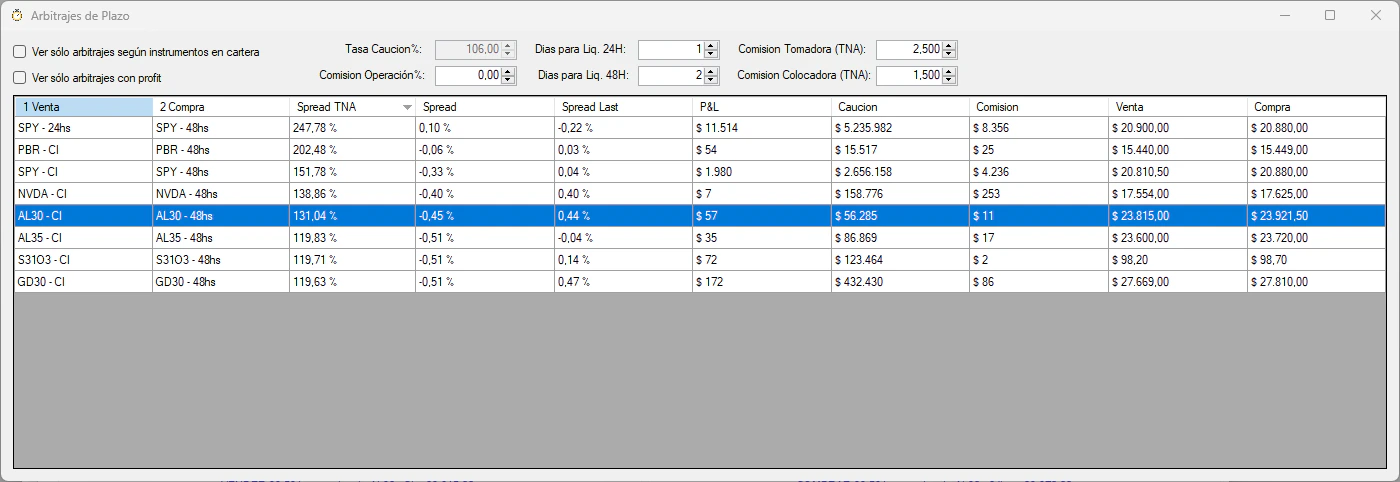
- Instrument: The ticker symbol
- 1 Venta: First leg settlement term (sell)
- 2 Compra: Second leg settlement term (buy)
- P&L: Estimated profit/loss including fees and commissions
- TNA: Annualized return rate
Filter results (optional)
Use the filter options:
- Ver sólo arbitrajes según instrumentos en cartera: Show only arbitrages for instruments you hold
- Ver sólo arbitrajes con profit: Show only profitable opportunities (P&L > 0)
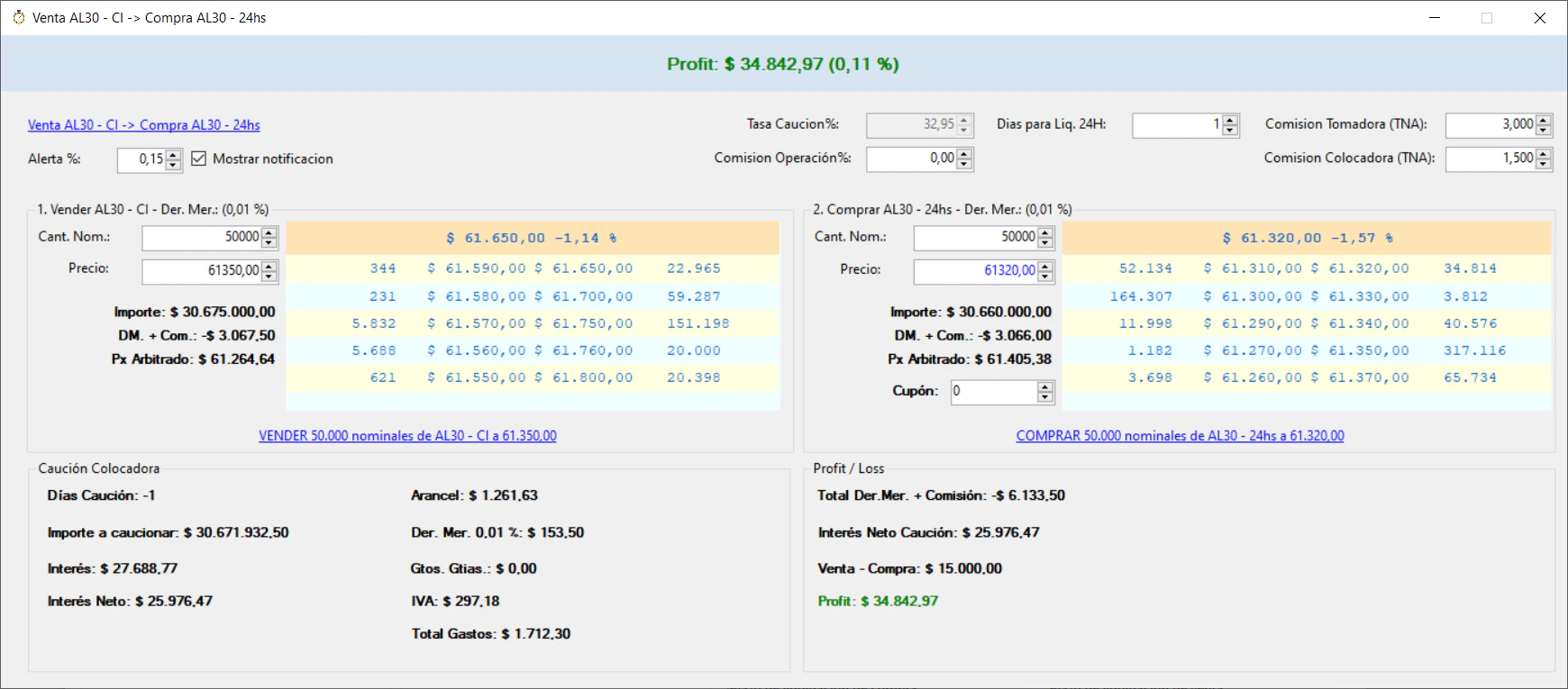
Understanding arbitrage operations
When sell settlement < buy settlement (requires holding the instrument): Example: Sell NVDA in CI, buy NVDA in 24hs- Sell the instrument in the shorter term (CI)
- Buy the instrument in the longer term (24hs)
- Place the proceeds from step 1 in caucion (short-term lending)
- Buy the instrument in the shorter term (CI)
- Sell the instrument in the longer term (24hs)
- Take caucion to cover the purchase in step 1
Configuration
Optimize ChuchoBot for your trading setup by configuring these settings:Market fees (Derechos de Mercado)
ChuchoBot has pre-configured market fees:- Stocks and CEDEARs: 0.08%
- Treasury letters: 0.001%
- Bonds: 0.01% (default for unlisted instruments)
- Commission per operation: 0.10% (default, configurable in arbitrage window)
Caucion commission rates
To get accurate P&L calculations for arbitrage operations:- Open the settlement term arbitrage scanner
- Configure Comisión Tomadora (TNA) - commission for taking caucion (borrowing)
- Configure Comisión Colocadora (TNA) - commission for placing caucion (lending)
Configure D/C ticker exceptions
Some instruments don’t follow the standard naming convention for dollar MEP (D) and CCL (C) variants. Example: For letterX20Y4, the MEP ticker is XY4D (not X20Y4D)
Calculate dollar MEP and CCL
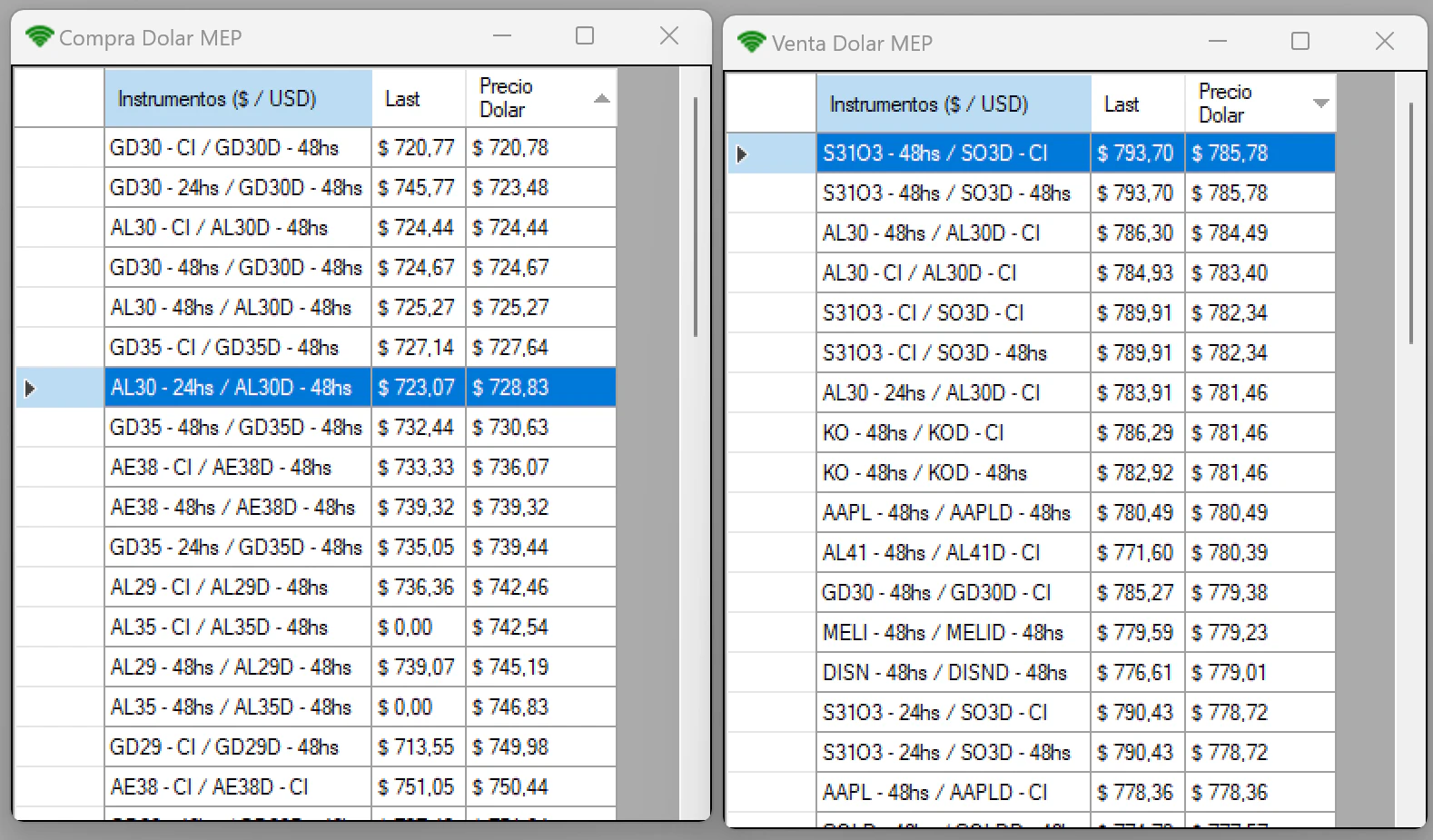
ChuchoBot can show you the best instruments for buying or selling dollars through MEP or CCL.Dollar MEP
- In the menu bar, click Dolar > MEP
- Choose Compra (buy) or Venta (sell)
- View instruments sorted by best exchange rate
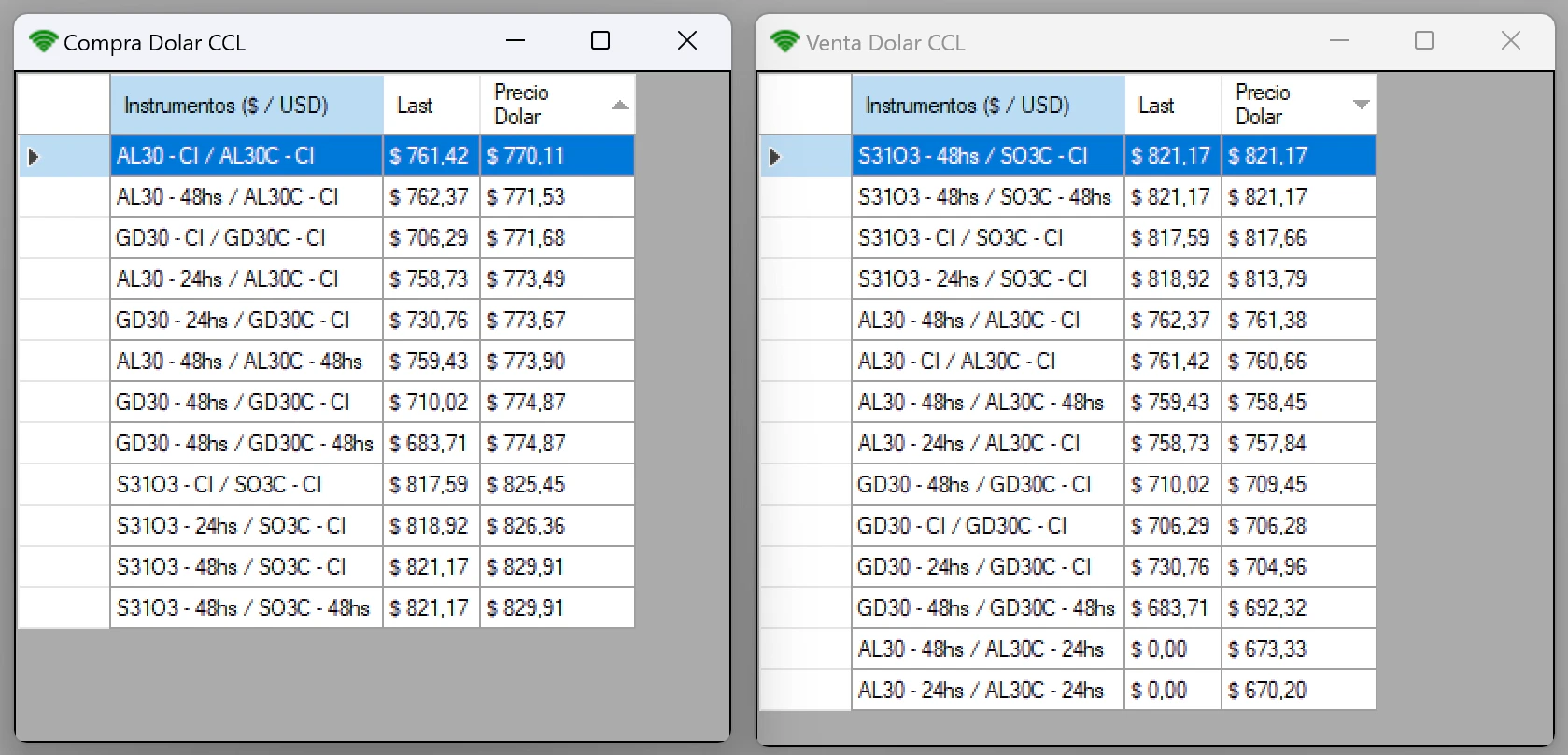
Dollar CCL
- In the menu bar, click Dolar > CCL
- Choose Compra (buy) or Venta (sell)
- View instruments sorted by best exchange rate
Analyze bond ratios
Use the ratio analyzer to identify bond rotation opportunities (e.g., GD30/AL30).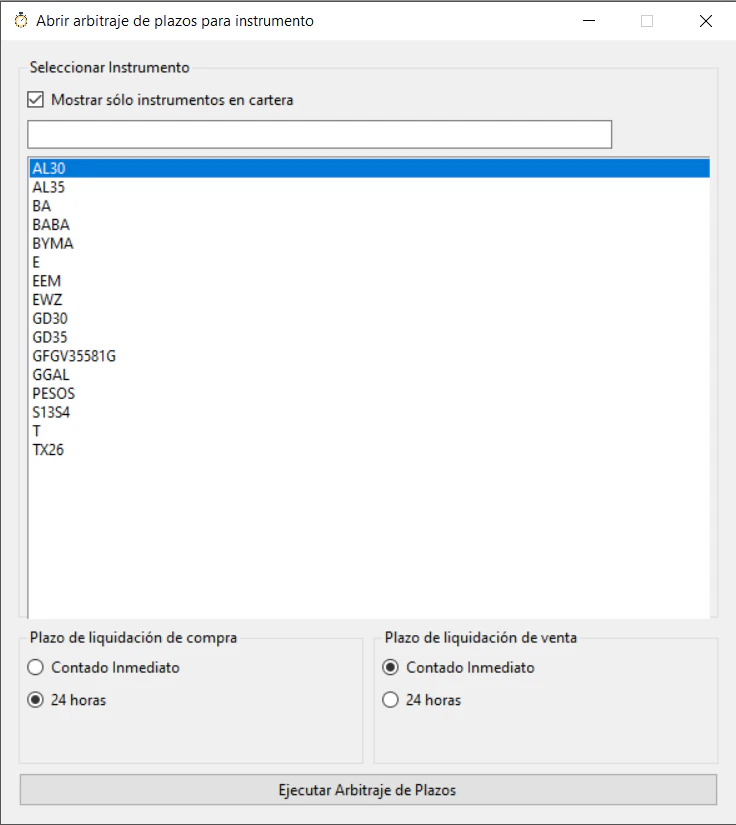
Select instruments
Choose:
- First instrument (e.g., GD30)
- Second instrument (e.g., AL30)
- Settlement term for both
Ratio trading strategy: When the ratio is historically high, sell the expensive instrument and buy the cheap one with equal monetary value. When the ratio reverts, close both positions for a profit.
Next steps
Now that you’re familiar with ChuchoBot’s basic features:- Monitor the arbitrage scanner during market hours to identify opportunities
- Configure market fees and caucion rates specific to your broker
- Experiment with different instrument combinations
- Review the P&L calculations to understand all costs involved
Remember: ChuchoBot is an analysis tool. Always verify opportunities and place orders manually through your broker’s platform.