Why more product managers are switching to Mintlify
4 minutes read
Peri Langlois
Head of Product Marketing
Share this article
Peri Langlois
Head of Product Marketing
Share this article

This article explores why product managers are increasingly turning to Mintlify to support org-wide goals, highlighting its ease of use, analytics, and ability to scale automated tasks.
Great product managers know that every touchpoint with users is an opportunity to drive conversion and retention. Documentation is one of those touchpoints. It’s often where prospects decide whether your product is worth trying and where customers go to figure out how to get value from new features.
Finding the time to maintain docs and identifying the most important improvements are the main challenges.
When you’re juggling roadmaps, stakeholder meetings, and sprint planning, documentation can easily slip down the list. Even when you do make time for it, clunky tools can turn a simple update into a frustrating project.
It’s no surprise that docs often end up under-optimized and reactive, instead of being treated like the growth lever they can be.
That's why more PMs are landing on Mintlify to solve the problems that have made documentation feel like a chore for years.
The real cost of bad documentation
Before getting into features, it's worth talking about what bad documentation actually costs your company.
- Support tickets increase because users cannot self-serve
- Sales cycles slow down when prospects need technical validation
- Engineers answer the same questions repeatedly
- Feature adoption is low when new features are not documented
- You customers can’t find answers and churn
Companies with strong docs see lower support volume, faster time-to-value for new users, and higher developer adoption rates. If you're a PM trying to make the case for investing in docs, the ROI story practically writes itself.
At Zapier for example, documentation saw a 20% increase in traffic and adoption with Mintlify, as developers found it easier to navigate and implement Zapier's vast integration ecosystem.
What makes good documentation
Good documentation is clear, accurate, and aligned with how customers actually use your product.
- Helps users get to value quickly
- Answers common questions before they reach support
- Stays up to date as the product evolves
- Is easy to discover and navigate through AI tools
What makes Mintlify a force multiplier for product managers
Analytics that tell you what to fix
Most documentation platforms give you page views and call it a day. Mintlify analytics go deeper:
- Which pages get the most traffic and what users are searching for
- What questions people are asking the AI assistant and how they rate the answers
- Which AI agents (ChatGPT, Claude, etc.) are hitting your docs and what queries they're running
- Content gaps based on searches that return no results
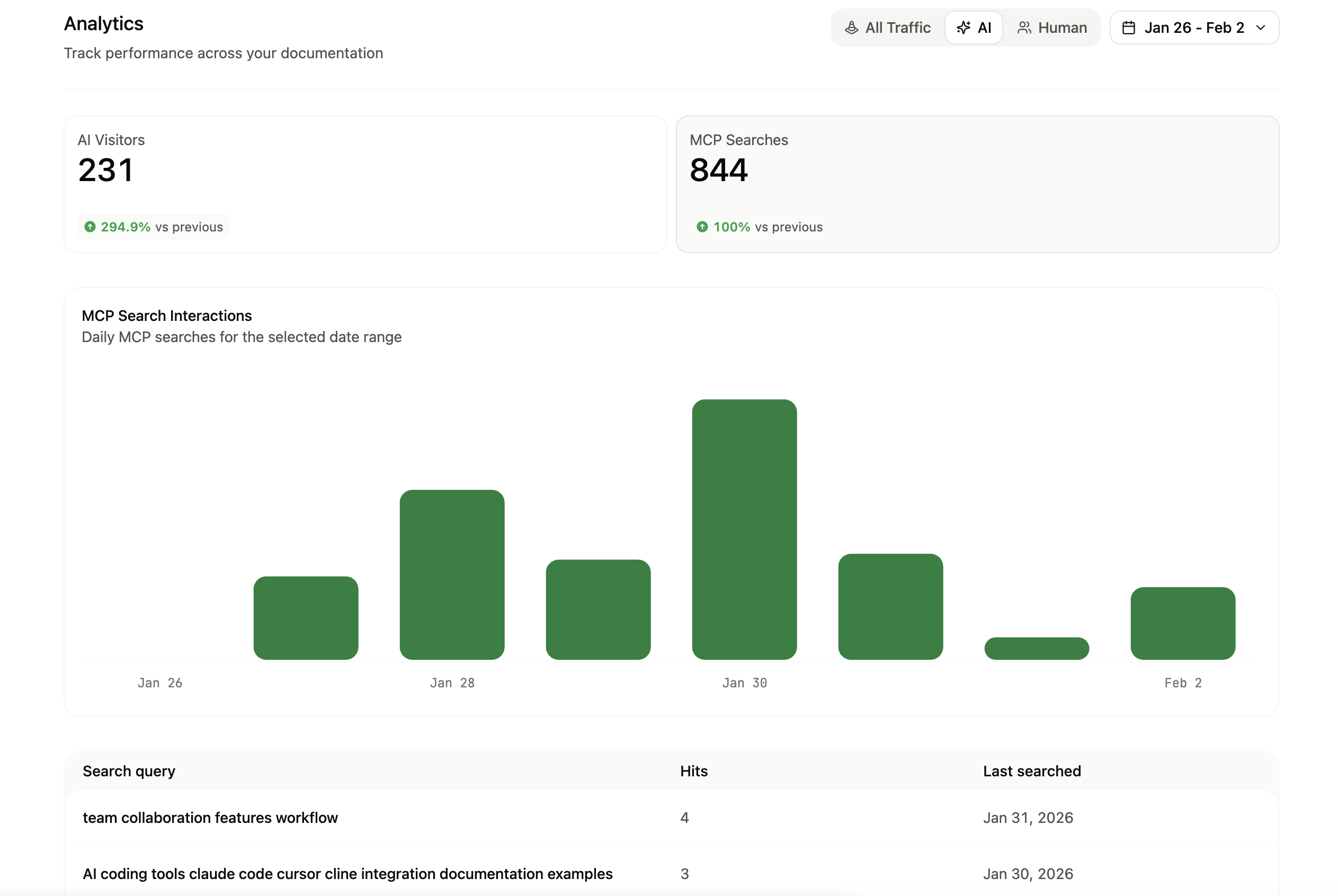
For a PM, this means you can prioritize doc improvements based on actual usage data rather than gut feeling. And you can tie documentation quality directly to support metrics, which gives you a real story to bring to leadership when you need resources.
Built-in support deflection
Mintlify’s assistant answers repeat questions directly from your documentation across docs, Slack, and Discord. Users get instant answers grounded in your source of truth, and you gain visibility into what still needs clarification.
If customers can’t self serve, it’s a huge burden on our team. Most customers go to the docs first and only reach out when they’re having a major pain. - Browserbase
The ability to make updates fast
Here's the part that changes the game for PMs who are already stretched thin: Mintlify's AI agent is already trained to write and update documentation for you. You give it a prompt, point it at a Slack thread, link it to a PR, or upload a file, and it creates a pull request with technical writing best practices and properly formatted interactive components.
You can make quick updates directly from Slack or in the no-code web editor, so small changes and clarifications never get stuck waiting on engineering.
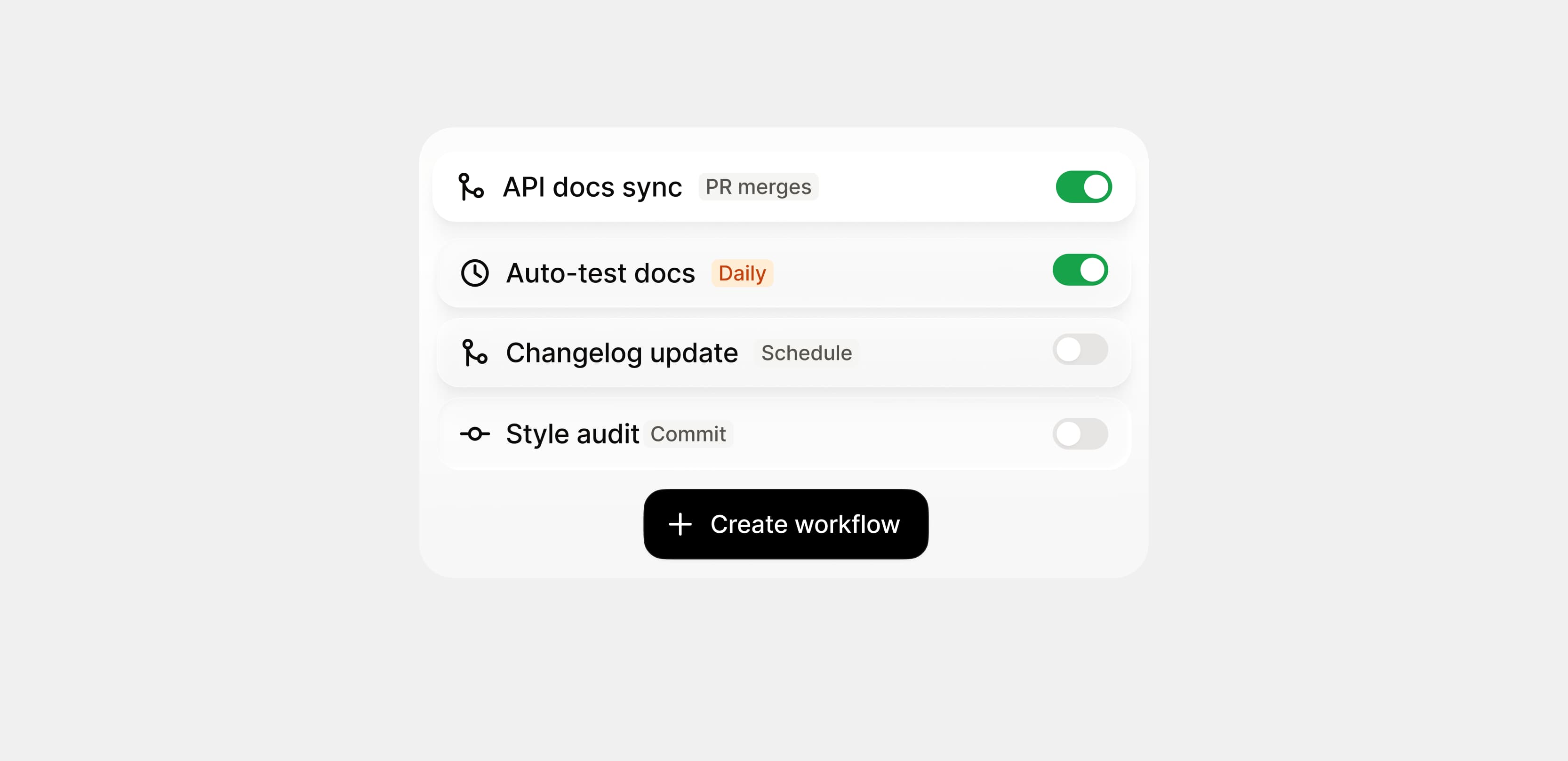
You can also define Automations to run the agent automatically on a schedule or on a push to a repository so you can do things like draft documentation for new features when they go live, automatically fix style guide violations, or publish changelogs.
Why this matters for the business
When you put all of this together, the picture gets pretty compelling for anyone thinking about docs from a business perspective.
- Docs ship faster because the editor doesn't require engineering support
- Content stays current because the agent catches changes and updates for you
- Support load drops because the assistant handles repeat questions across docs and community channels
- Analytics prove the impact with real usage data, not guesswork
If you're a product manager looking to improve documentation for your organization, try Mintlify today.
More blog posts to read

Less is more: Improving editor performance
The Mintlify editor now opens, navigates, and edits very large pages up to 100x faster by doing less work.
October 14, 2026Hunter Chen
Engineering

Inside Mentha, Mintlify's new design system
Mentha is Mintlify's new design system, built with constraints, baked-in patterns, a cooler mint palette, and agents in mind.
October 12, 2026Fay Dakrouri
Design