Cole Gottdank
GTME
Share this article
Cole Gottdank
GTME
Share this article
Teams choosing an API documentation platform now evaluate SDK generation alongside documentation quality because many developers work with typed client libraries and expect documentation to match the SDKs they use. This guide compares five tools that support both API documentation and SDK generation, whether through native functionality or connected workflows. Mintlify is the strongest option for teams seeking an API documentation platform with SDK references, SDK sample integrations, and AI-ready features.
Teams choosing an API documentation platform now evaluate SDK generation alongside documentation quality because many developers work with typed client libraries and expect documentation to match the SDKs they use. This guide compares five tools that support both API documentation and SDK generation, whether through native functionality or connected workflows. Mintlify is the strongest option for teams seeking an API documentation platform with SDK references, SDK sample integrations, and AI-ready features.
Why SDK Generation Belongs in API Docs
When a developer lands on your API reference, they often want to see how to call an endpoint through the Python SDK or TypeScript client they plan to use. A cURL snippet shows the request format, but an SDK example shows how the API appears inside real application code, including pagination, retries, and error handling.
Because many developers now start with generated client libraries rather than raw HTTP requests, API documentation must remain aligned with the SDK experience. Teams evaluating API tooling now need to consider documentation and SDK generation together, since mismatches between the docs and the generated clients create confusion, increase maintenance work, and slow adoption.
How We Evaluated These Tools
The six criteria below show the product requirements teams should examine when comparing API docs and SDK generation tools.
API reference quality from OpenAPI specs: Developers often form an immediate opinion of an API from the reference documentation, so reference quality directly affects adoption even for teams that also care about SDK generation. We evaluated how well each tool renders endpoints, parameters, and response schemas from OpenAPI or AsyncAPI specs, and whether the documentation includes an interactive playground that lets developers test requests without leaving the page.
SDK code sample integration: Raw HTTP snippets show the structure of an API call, but most production implementations rely on typed SDK clients. We evaluated whether each tool generates SDK-based code samples natively or cleanly integrates with SDK generators, and whether the published examples remain aligned with the SDKs as the OpenAPI spec changes.
Multi-language SDK coverage: Supporting only a small set of languages leaves part of the developer audience uncovered. We looked at how many languages each tool supports for SDK generation and whether the generated libraries follow language-specific conventions such as idiomatic naming, typed models, pagination helpers, and retry handling.
AI and agent readiness: Mintlify's internal data shows that nearly half of documentation traffic now comes from AI agents. We evaluated whether each tool supports llms.txt, MCP servers, Markdown serving to agents, and AI traffic analytics.
Docs-as-code workflow: Engineering teams usually expect documentation to live in Git, go through pull request reviews, and be deployed through the same delivery workflow as product changes. We assessed Git-based authoring, bidirectional sync where relevant, preview deployments, branch-based versioning, and teams' ability to maintain documentation through a workflow that fits modern engineering practices.
Pricing and lock-in risk: We compared entry-level pricing, how costs scale across teams and SDK needs, and whether documentation content is in portable formats such as Markdown or MDX rather than proprietary systems that make migration harder.
Best API Docs and SDK Tools for 2026
1. Mintlify
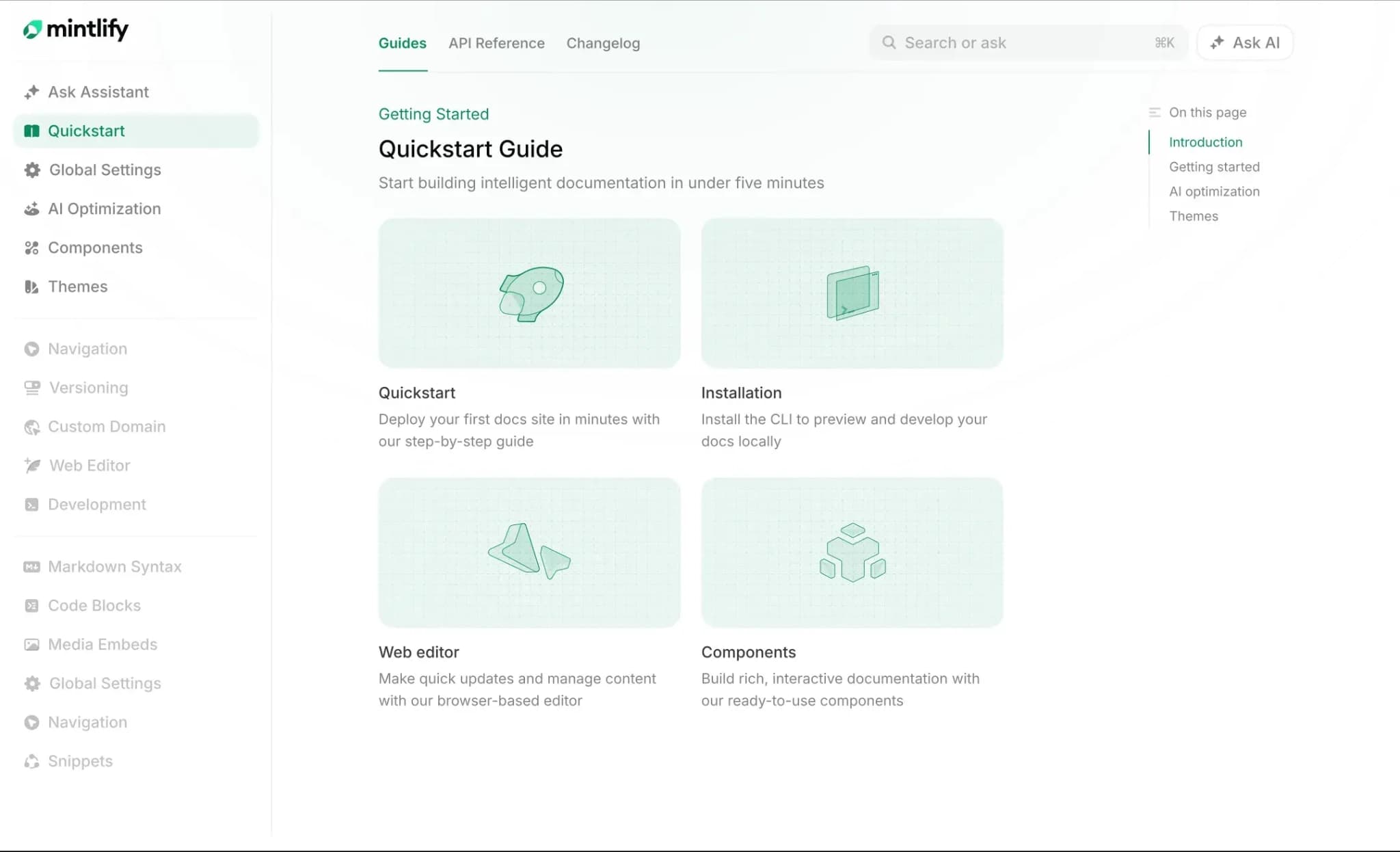
Best for: API-first teams that want API docs, SDK reference pages, SDK code samples, AI-ready documentation, and automated doc maintenance in one platform.
Mintlify ranks first in this guide because it brings API docs, SDK code sample support, AI-ready documentation, and doc maintenance into a single platform. Mintlify is built for API-first teams and used by companies like Anthropic, Cursor, and Perplexity.
API documentation and interactive references. Mintlify auto-generates interactive API references from OpenAPI and AsyncAPI specs, with endpoint pages that include parameter descriptions, response schemas, and multi-language code examples. The API playground lets developers test endpoints directly in the docs with live responses and configurable auth methods, including bearer, basic, and API key. The scraper CLI generates editable MDX files from your spec in seconds, giving teams full styling control over each reference page.
Beyond API references, Mintlify supports getting-started guides, tutorials, changelogs, and a rich MDX component library that includes Mermaid diagrams, code blocks, tabs, accordions, and reusable snippets. The docs-as-code workflow ties documentation to Git through bi-directional sync, PR-based reviews, and preview deployments on every branch.
SDK code samples in API docs. Mintlify integrates directly with Speakeasy and Stainless for SDK code samples. Once a generated SDK is connected to a Mintlify project, language-specific examples appear in the API playground alongside each endpoint reference. A developer reading the docs can see Python, TypeScript, Go, or Java examples generated from the SDK and test the corresponding calls live in the browser.
Setup happens at the configuration level. You add a combined spec URL to your docs.json file, and SDK samples sync automatically. When your OpenAPI spec changes and you regenerate SDKs, the documentation updates without manual edits. Mintlify also gives teams flexibility in how they generate SDKs. Speakeasy and Stainless both work, and the documentation layer stays portable regardless of which generator a team chooses.
Generated SDK reference pages. Mintlify also generates SDK reference documentation from TypeDoc, DocFX, Javadoc, Sphinx, and phpDocumentor artifacts. It creates pages for library symbols, with navigation, cross-links, and search indexing. Teams can add their own guidance above a single symbol's reference or generate an entire reference section. For example, a Python SDK guide can pair a generated class reference with a hand-written authentication example.
This generates documentation for an existing SDK; it does not generate the client library itself. Speakeasy and Stainless integrations serve a separate purpose: adding SDK call examples to endpoint documentation. Regenerate the reference artifacts when your SDK changes and deploy the docs to publish the updated reference.
AI-ready documentation. Every Mintlify site publishes llms.txt, llms-full.txt, and skill.md files automatically, and serves documentation to AI agents as Markdown rather than HTML to reduce token usage and improve parsing accuracy. MCP servers are also generated for each site, giving LLMs native access to documentation content.
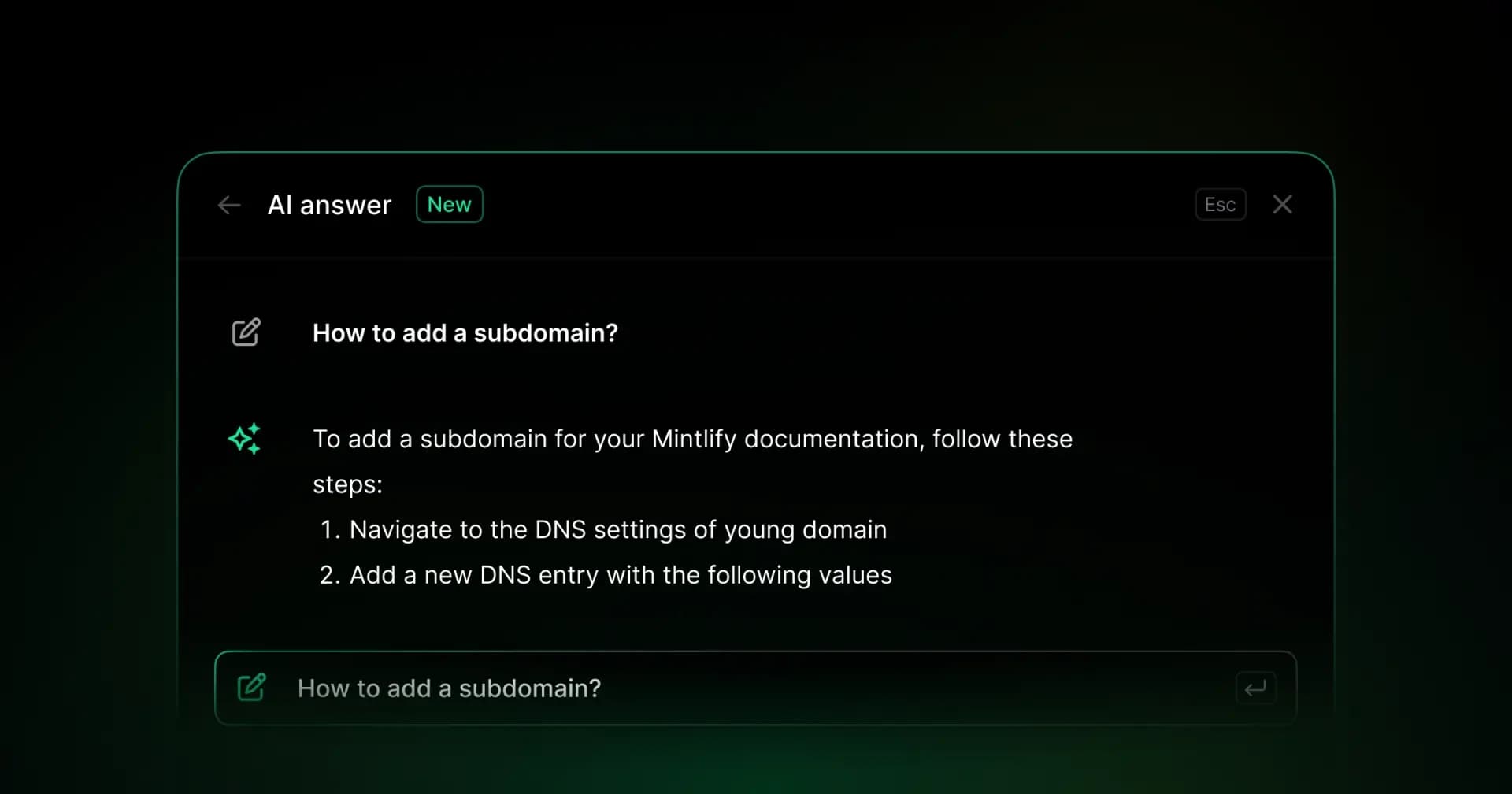
The built-in AI assistant uses agentic RAG with tool calling to search docs and return cited answers with copyable code examples. The AI traffic dashboard breaks out visits by agent type, including ChatGPT, Claude, and Perplexity, and flags where agents stop reading.
Automated doc maintenance. Automations run an autonomous agent that reads code changes and drafts documentation updates. With a code-change trigger, a merged PR in your source repository starts the agent, which reads the diff and submits a corresponding doc update using the configured review or automatic merge mode. Documentation becomes part of the shipping workflow instead of a separate manual task after release.
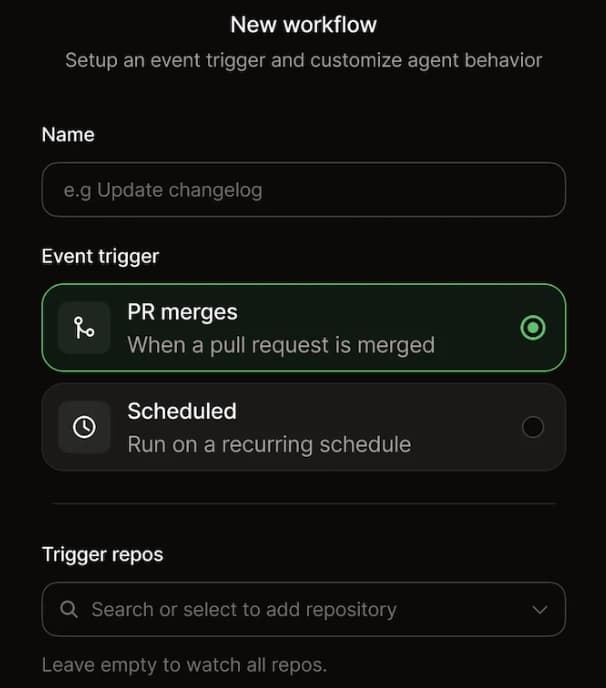
The docs-as-code workflow supports bi-directional Git sync with a web editor that includes comments, suggestions, and @mentions. AI coding agents like Cursor and Claude Code can read and update docs using the same PR workflow a human contributor would.
Pros
- Native integrations with Speakeasy and Stainless inject SDK code samples directly into the API playground, synced automatically with your OpenAPI spec
- Generates SDK reference pages from documentation artifacts, with custom guidance for individual symbols
- Auto-generates llms.txt, skill.md, and MCP servers for AI readiness
- Automations draft doc updates from code changes with configurable review and merge modes
- Interactive API playground with live endpoint testing and multi-language code examples
- AI traffic analytics showing which agents visit, which pages they read, and where they fail
- Bi-directional Git sync with web editor, comments, suggestions, and preview deployments
- No proprietary spec format; content is standard MDX files portable to any Markdown-based system
Cons
- Mintlify generates SDK reference documentation, but creating client libraries still requires a separate SDK generator or a hand-written SDK
Pricing: Starter is free, with 5 editor seats and a custom domain. Pro is $450/month billed annually or $540/month billed monthly, with a 14-day free trial and no credit card required. Enterprise uses custom pricing. See full pricing breakdown.
2. Fern
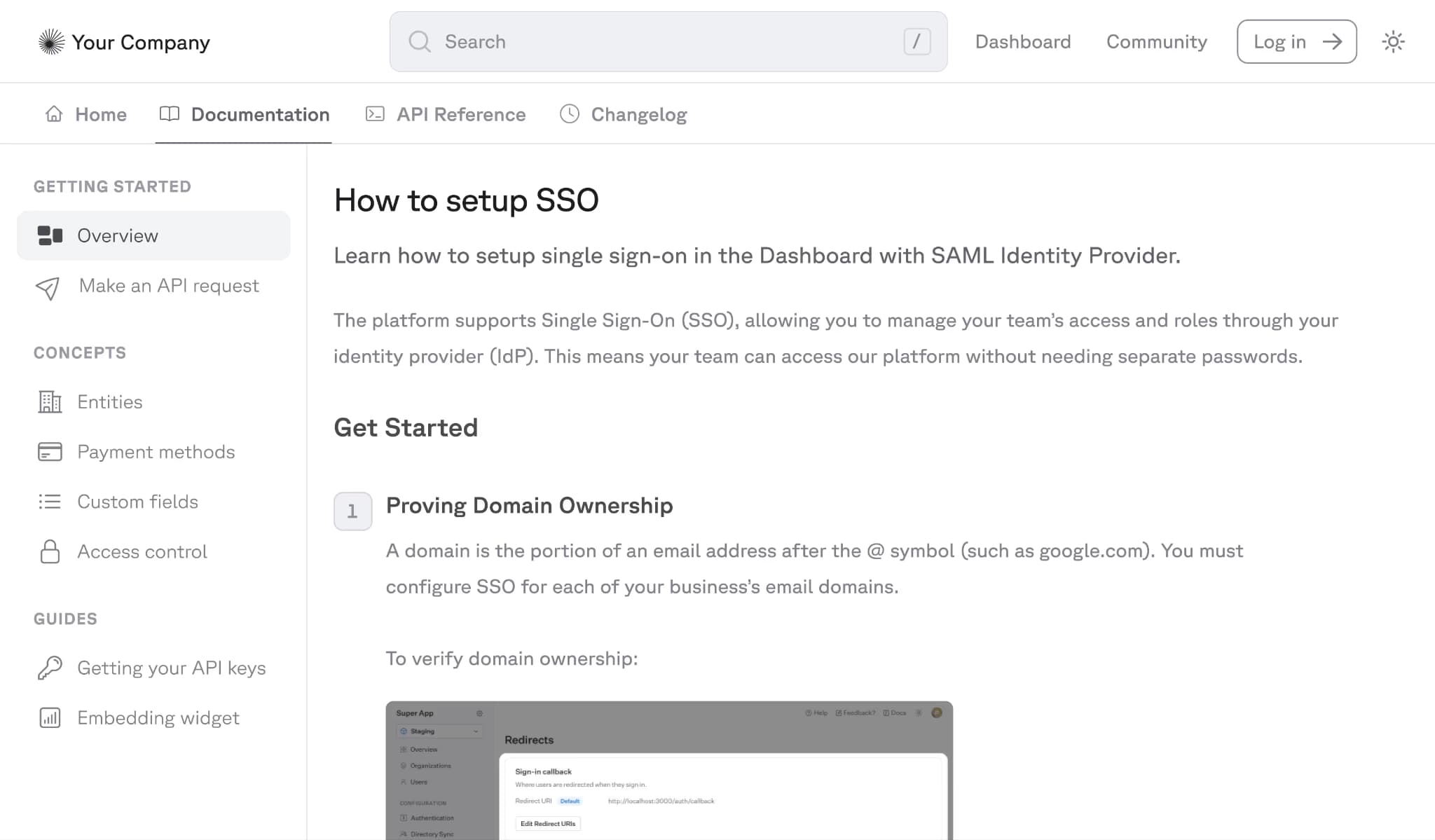
Best for: Teams that want one vendor for both SDK generation and documentation.
Fern generates SDKs and API documentation from the same API definition. Teams can use an OpenAPI spec, AsyncAPI spec, or Fern Definition file, and Fern generates client libraries in TypeScript, Python, Go, Java, C#, PHP, and Ruby, as well as a documentation site with an API playground and AI search. Because the SDKs and docs come from the same source, SDK code samples in the reference pages do not require a separate sync process.
Pros
- Generates SDKs and documentation from the same source
- Includes an API playground and AI search in the docs product
- Generated SDKs include OAuth, SSE, and auto-pagination support
Cons
- Fern Definition is proprietary, which increases migration difficulty for teams that adopt that format
- SDKs and docs are priced separately, which raises the total cost for teams that need both products
Pricing: Hobby at $0, Team at $150/month with free trial, and custom Enterprise pricing.
3. Stainless
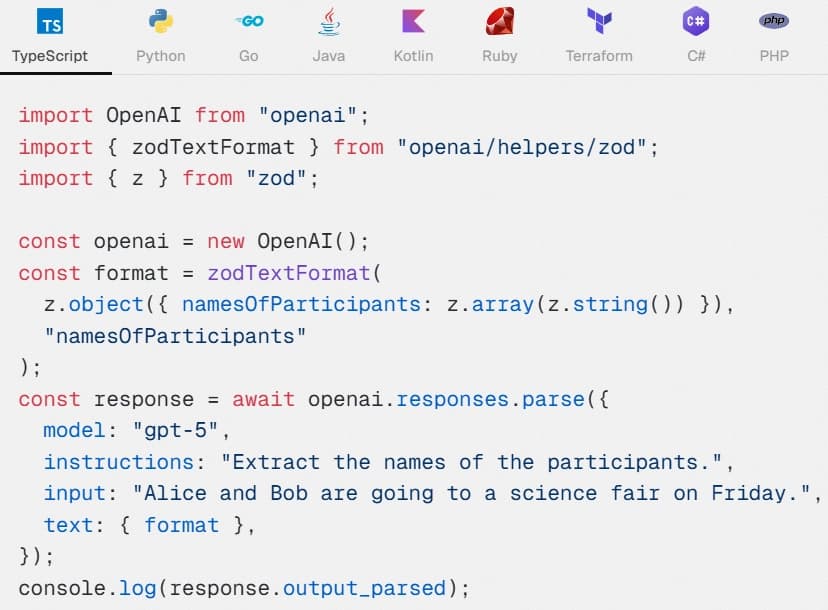
Best for: Teams that prioritize SDK generation and can use a separate documentation platform if needed.
Stainless covers nine languages and Terraform provider generation, producing SDKs in TypeScript, Python, Go, Java, Kotlin, Ruby, C#, and PHP. Stainless also offers an Astro-based docs platform that generates API reference pages from OpenAPI specs and includes SDK-based code examples. Teams that already use Mintlify or ReadMe can integrate directly with Stainless to add SDK code samples.
Pros
- Supports nine languages plus Terraform provider generation
- Can integrate with Mintlify and ReadMe for SDK code samples
- Includes a docs product in addition to SDK generation
Cons
- The workflow is dashboard-driven, which gives teams less CI/CD flexibility than CLI-first tools
- The docs product is newer and may not cover the same documentation needs as more established docs platforms, especially for teams with complex guide or tutorial content
Pricing: Free for up to 5 SDK generations. Paid plan starts at $99 per generator per month. Enterprise price is custom.
4. Speakeasy
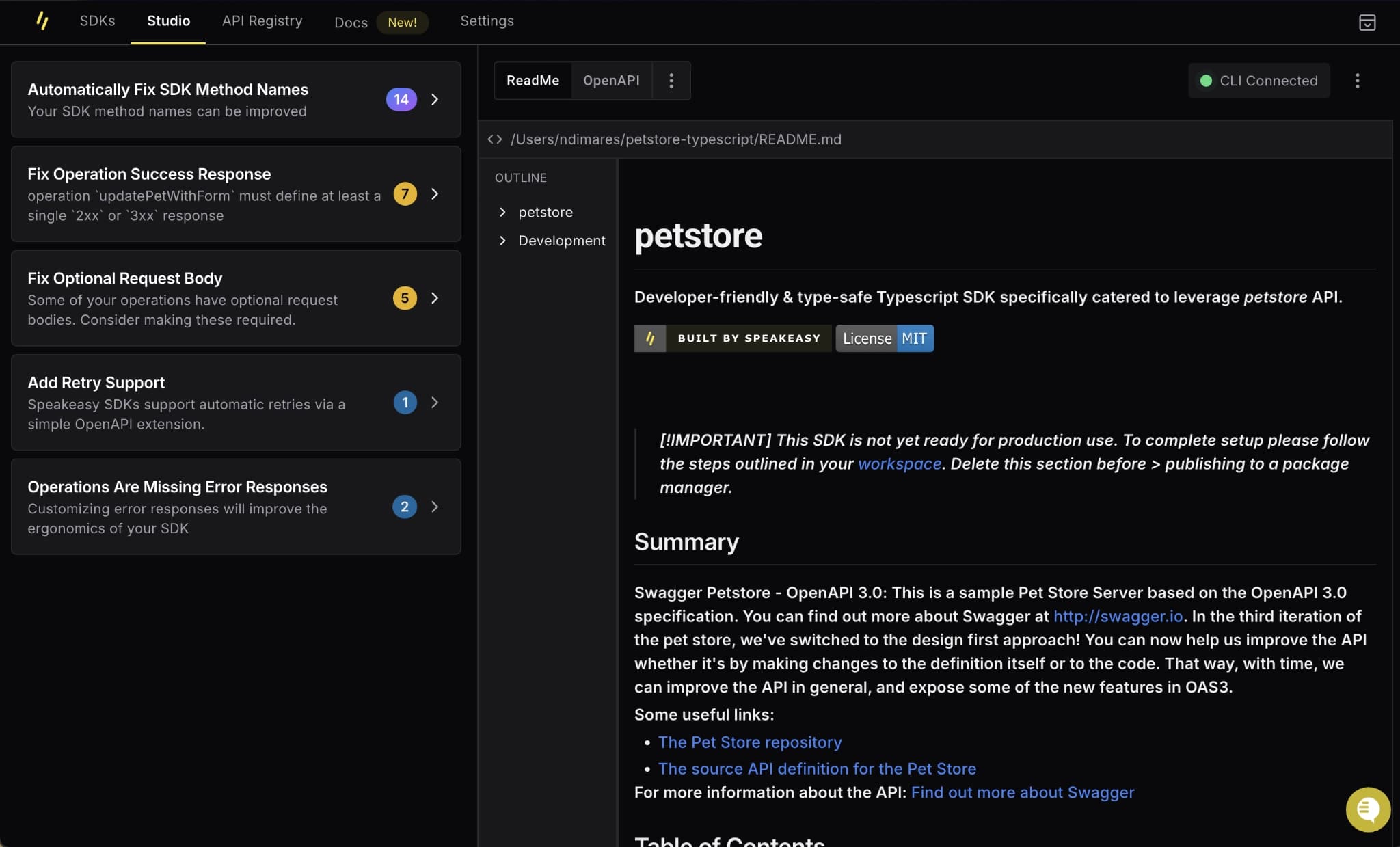
Best for: Teams that want a CLI-based SDK generator and plan to use a separate docs platform.
Speakeasy runs as a standalone CLI binary that produces SDKs from OpenAPI specs in TypeScript, Python, Go, Java, C#, PHP, Ruby, and Swift, allowing teams to use it in CI/CD pipelines, including on-prem and air-gapped environments. Speakeasy does not include a documentation product, but it integrates with Mintlify to add SDK code samples to documentation sites. Speakeasy also generates Terraform providers and MCP servers from OpenAPI specs.
Pros
- Standalone CLI supports CI/CD workflows, including on-prem and air-gapped environments
- Integrates with Mintlify for SDK code samples in docs
- Also generates Terraform providers and MCP servers
Cons
- Does not include a documentation product, so teams need a separate platform for docs
- Pricing scales by SDK and language, which can increase cost for teams supporting many languages
Pricing: Free plan with basic features and support for 1 language. Paid plan starts at $600 per language per month. Custom enterprise pricing.
5. ReadMe
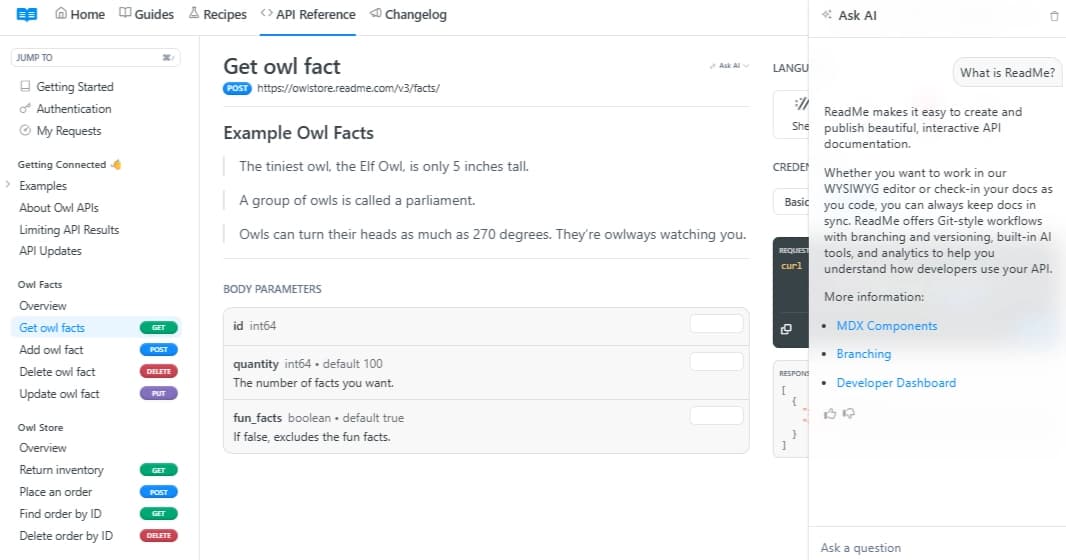
Best for: Teams that want a developer hub with community features and are comfortable adding SDK sample support through integrations.
ReadMe is a documentation platform that combines API references, guides, changelogs, discussion forums, and landing pages into a single developer hub. ReadMe generates API references from OpenAPI specs and includes an API explorer for live requests, with code snippets in multiple languages. Default snippets are HTTP-based, so teams that want SDK-based examples need an integration with a third-party SDK generator such as Stainless or APIMatic.
Pros
- Includes changelogs, forums, and other developer hub features alongside API docs
- API explorer supports live request testing
- Integrates with Stainless and APIMatic for SDK code samples
Cons
- Pricing increases significantly at higher tiers, and advanced AI features require a paid add-on
- Default code snippets are HTTP-based, so SDK-based samples require a separate integration and additional setup
Pricing: Free plan with limited features, Startup at $79/month, Business at $349/month, Enterprise at $3,000+/month.
API Docs and SDK Tools Compared
| Tool | Best For | SDK Approach | AI Readiness | Starting Price |
|---|---|---|---|---|
| Mintlify | API-first teams that want API docs, SDK reference pages, SDK code samples, AI-ready documentation, and automated doc maintenance in one platform | Speakeasy/Stainless code samples plus reference pages from SDK documentation artifacts | llms.txt, llms-full.txt, skill.md, MCP servers, AI assistant, and agent traffic analytics | Free to start |
| Fern | Teams that want one vendor for both SDK generation and documentation | Native SDK + docs generation from the same API definition | AI search | Free tier available |
| Stainless | Teams that prioritize SDK generation and can use a separate documentation platform if needed | Native SDK generation; astro-based doc platform | MCP servers | Free tier available |
| Speakeasy | Teams that want a CLI-based SDK generator and plan to use a separate docs platform | Native SDK generation; integrates with docs platforms for SDK samples | MCP servers | Free tier available |
| ReadMe | Teams that want a developer hub with community features and are comfortable adding SDK sample support through integrations | SDK samples via Stainless or APIMatic | Ask AI paid add-on | Free tier available |
Upgrade your API docs and SDK workflow with Mintlify. Start free today →
Why Mintlify Stands Out
Mintlify helps teams keep API documentation aligned with SDK adoption by bringing generated SDK code samples into the same place where developers read endpoint references. Through the Speakeasy and Stainless integrations, Mintlify displays SDK examples in the API playground, so developers can review endpoint details, copy Python or TypeScript code, and test live requests from a single page. When the OpenAPI spec changes, the reference pages and SDK samples stay aligned.
The same documentation can also be consumed by AI agents. Mintlify auto-generates LLM-readable outputs and MCP servers, making API references and SDK examples available to tools like ChatGPT, Claude, and Perplexity in an LLM-optimized format.
Zapier reported a 20% increase in traffic and adoption after switching to Mintlify. For teams that need API docs with SDK code samples and a maintenance model that can keep pace with API changes, Mintlify is the best fit.
Frequently Asked Questions
What's the Difference Between API Docs and SDK Generation?
API documentation explains endpoints, parameters, authentication, and response formats. SDK generation produces client libraries in languages such as Python, TypeScript, and Go, so developers can call the API through typed methods rather than raw HTTP requests. Developers increasingly expect API docs to include SDK-based examples, and Mintlify supports that expectation by displaying generated SDK code samples in API docs rather than limiting teams to HTTP-based snippets.
Do I Need a Separate SDK Generator?
Generating client libraries and documenting them are different tasks. Mintlify can build reference pages from an existing SDK’s documentation artifacts, including hand-written SDKs. It does not create the SDK implementation.
Most documentation platforms generate HTTP-based snippets such as cURL, fetch, or requests by default. HTTP snippets show the request structure, but they do not match the client libraries that developers use in production. A separate SDK generator creates typed libraries with language-specific methods, models, pagination helpers, retry logic, and error handling. Mintlify supports SDK-based examples by integrating with SDK generators such as Speakeasy and Stainless, enabling teams to show generated client code in the docs.
How Do I Choose the Right Tool?
Start by deciding whether your team wants a single vendor for both documentation and SDK generation, or a documentation platform connected to a separate SDK generator. Then compare SDK quality, supported languages, sync between generated SDKs and published docs, Git-based documentation workflows, and AI-ready capabilities such as MCP servers and AI-readable outputs. Mintlify is a strong choice for teams that want API docs to stay aligned with generated SDKs while keeping documentation in a portable MDX-based system.
Is Mintlify Better Than Fern?
Mintlify is a better fit for teams that want flexibility in SDK generation and portability in documentation. Fern generates SDKs and documentation from the same definition, which keeps code samples aligned but can create migration difficulty for teams that adopt the Fern Definition. Mintlify keeps the documentation layer separate from the SDK generator, supports SDK sample integrations with Speakeasy and Stainless, uses standard MDX files, and includes AI-ready documentation features such as AI-readable outputs, MCP servers, and agent analytics. Trophy migrated to Mintlify from Fern in roughly one week, citing vendor lock-in concerns with Fern’s proprietary syntax.
What Are the Best Alternatives to ReadMe?
Mintlify is one of the strongest alternatives to ReadMe for API-first teams. ReadMe focuses on the developer hub model, which includes guides, changelogs, forums, and branded pages. Mintlify is a better fit for teams that prioritize API references, SDK-based code samples, AI-ready documentation, and Git-based maintenance workflows.
More to read
API Developer Portals for Enterprise: What to Look for in 2026
This guide evaluates the best API developer portal providers across branding, governance, API reference quality, documentation maintenance, AI-agent readiness, analytics, and developer onboarding.
April 2, 2026Cole Gottdank
GTME
Best API Documentation Chat Tools in 2026
Developers expect to ask a question in their documentation and receive a grounded, cited answer in seconds. This guide compares five API documentation chat platforms.
March 30, 2026Cole Gottdank
GTME