Best Docusaurus Alternatives in 2026
Harkirat Chahal
Growth
Share this article
Harkirat Chahal
Growth
Share this article

Docusaurus is a strong open-source framework for engineering teams that want full control over a React-based documentation site. The challenge starts when a ...
Docusaurus is a strong open-source framework for engineering teams that want full control over a React-based documentation site. The challenge starts when a self-hosted docs stack needs managed hosting, polished design, API reference tooling, AI-readable outputs, web editing, analytics, and automated maintenance as part of the core workflow.
This guide compares seven Docusaurus alternatives across hosting, design, API documentation, AI readiness, collaboration, and docs maintenance. Mintlify is the strongest choice for software teams moving from a self-managed framework to a managed documentation platform because it brings docs-as-code, OpenAPI, and AsyncAPI references, AI-ready delivery, web editing, Git workflows, and automated doc updates into a single system.
Why teams look for Docusaurus alternatives
Docusaurus generates static sites from Markdown and MDX, runs on React, and includes versioning, internationalization, and a plugin ecosystem for search, analytics, and other documentation features. Teams with frontend capacity can customize layouts, extend components in JSX, and manage the full documentation stack without licensing costs.
Docusaurus gives engineering teams strong control over the documentation site, but that same control also leaves them responsible for the site's infrastructure and tooling. A production Docusaurus setup requires build configuration, hosting, search through Algolia or Typesense, analytics wiring, dependency updates, and plugin maintenance as the documentation grows. The work is manageable for a capable React team, but the value becomes harder to defend when documentation turns into a public product surface for prospects, customers, developers, and AI agents.
Customer-facing docs require polished design, reliable hosting, fast search, API documentation, AI-readable outputs, and review workflows that support engineers, product managers, and technical writers without adding frontend maintenance.
Three changes are accelerating the move toward managed documentation platforms in 2026:
AI agent traffic: AI agents now read documentation alongside humans, but most static-site setups do not serve agent-optimized content or report which agents read which pages.
Faster shipping cycles: AI-assisted coding and faster release cycles can widen the gap between product behavior and published documentation. Docusaurus does not include a built-in system to detect documentation drift, draft updates from code changes, or open pull requests for review.
Mixed contributor workflows: Engineers, product managers, and technical writers often need Git workflows and a web editor connected to the same source files. A static site generator alone does not provide the full writing, review, and publishing workflow needed across technical and non-technical contributors.
What a complete docs platform delivers
Managed documentation platforms add the hosting, design, AI, review, and maintenance layers that engineering teams usually assemble around Docusaurus.
Managed hosting and infrastructure: Documentation should build, deploy, and serve from managed infrastructure, with CDN delivery, SSL, search indexing, plugin updates, and production reliability handled inside the platform. Engineering teams can focus on content and review workflows without maintaining a separate docs deployment stack.
Polished design by default: Typography, navigation, mobile responsiveness, dark mode, accessibility, and reusable components should be part of the baseline experience. A new documentation site should look production-ready quickly, without requiring frontend customization before readers can use it.
AI-ready publishing: Software documentation now serves human readers and AI agents such as ChatGPT, Claude, and Cursor. A complete platform should serve clean Markdown to agents, generate llms.txt and skill.md, support MCP servers, and report which AI agents visit specific pages.
Fast setup and review workflows: Connecting a GitHub repo should be enough to deploy a working documentation site, run local previews through a CLI, and generate branch or pull request previews. Engineers, product managers, and technical writers should be able to review changes without manual pipeline configuration.
Automated docs maintenance: Fast shipping cycles make documentation drift a recurring risk. The strongest platforms can automatically compare code changes with published docs, draft updates, and open pull requests, while keeping humans in control of the final review.
The tools below are evaluated against these capabilities, with differences based on team structure and primary documentation use case.
7 best Docusaurus alternatives in 2026
1. Mintlify
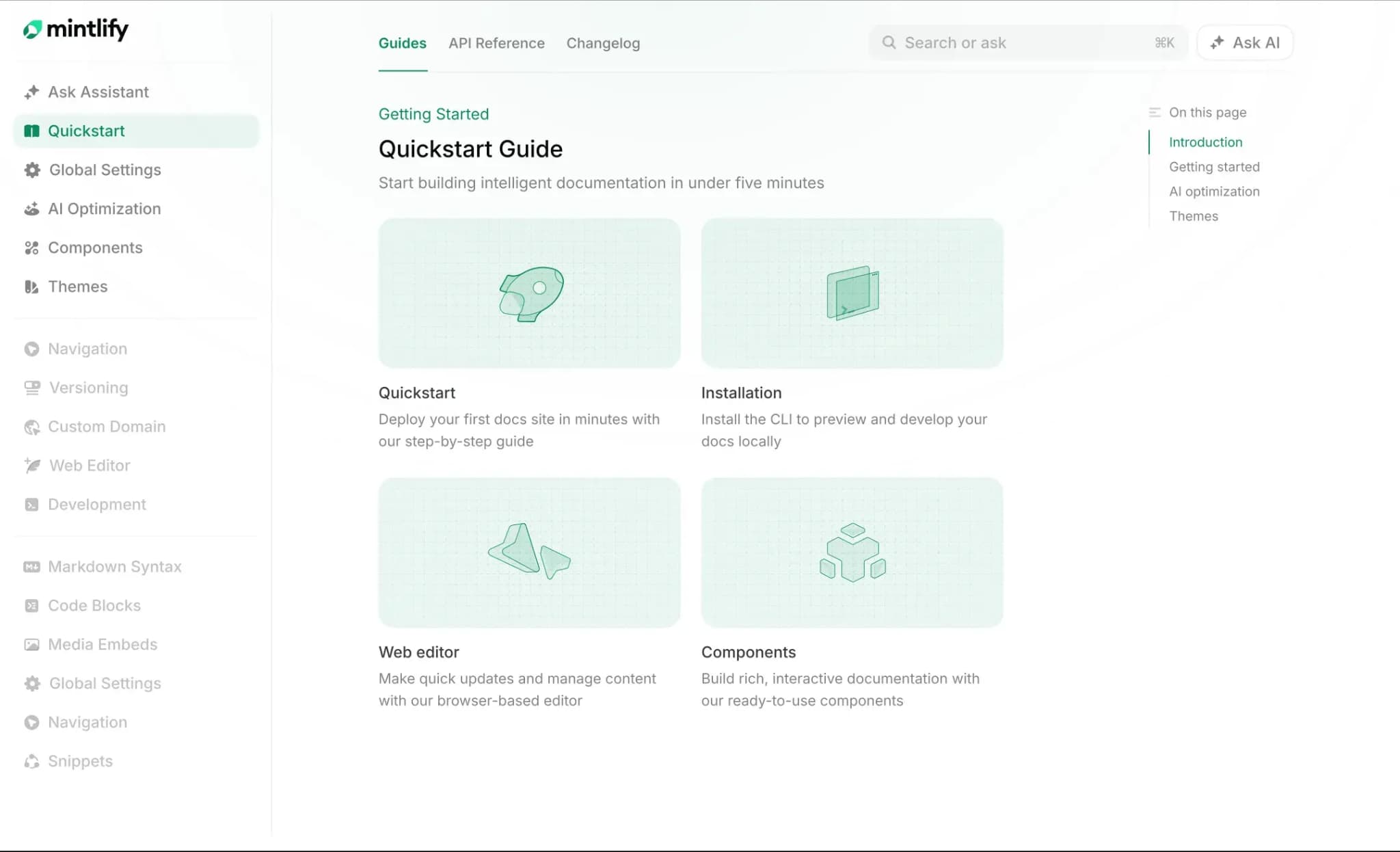
Best for: Software teams that want a managed Docusaurus alternative with docs-as-code, polished design, AI-ready publishing, API references, and automated documentation updates on a single platform.
Mintlify gives software teams a docs-as-code workflow without the burden of maintaining a self-hosted documentation stack. Documentation lives in Git as MDX, deploys through Mintlify’s hosted infrastructure, and serves both human readers and AI agents from the same source content.
Docs-as-code without infrastructure maintenance
Mintlify gives engineering teams the Git-based workflow Docusaurus users expect. Source files live in a Git repository as MDX, approved changes deploy via Mintlify's managed infrastructure, and the hosting, search, CI/CD, and plugin maintenance work that usually surrounds a static site generator is handled inside the platform.
Bi-directional Git sync also keeps technical and non-technical contributors in the same workflow. Engineers can edit documentation in their IDEs, while product managers and technical writers can use Mintlify’s web editor to update the same MDX files. Branch-based publishing creates preview deployments for review, and merging approved changes ships the documentation update.
AI-ready documentation by default
Mintlify supports both readers in browsers and AI agents pulling answers into ChatGPT, Claude, Cursor, and similar tools from the same documentation source. Every page can be served as Markdown by appending .md to the URL, which gives AI systems a cleaner version of the content to parse.
Mintlify also automatically generates and hosts llms.txt, llms-full.txt, and skill.md so AI systems can understand the documentation structure. For interactive AI access, Mintlify generates MCP servers that enable LLMs to query documentation and APIs via a structured protocol. The built-in AI assistant answers reader questions inside the docs with cited sources, while AI traffic analytics show which agents visit specific pages, what queries they run, and where retrieval gaps appear.
OpenAPI and AsyncAPI references with an interactive playground
Mintlify generates API reference pages from OpenAPI 3.0+ specifications, so reference documentation stays tied to the API definition without manual endpoint page creation. The interactive playground lets developers test endpoints inside the docs with live responses, configurable authentication, and multi-language code examples in cURL, Python, and JavaScript. AsyncAPI 3.0 support extends the same documentation workflow to WebSocket and event-driven APIs.
Workflows keep documentation aligned with code
Mintlify Workflows uses an autonomous documentation agent to monitor code changes, detect gaps between the codebase and published documentation, draft proposed updates, and open pull requests for review. Teams can run Workflows on a schedule, trigger them from repository push events, or invoke them manually when a release needs documentation support. The human review process stays intact because writers and engineers still approve every proposed change before publication.
Pros
- Bi-directional Git sync connects IDE edits, web editor changes, pull requests, and preview deployments.
- MDX-based authoring supports guides, API references, changelogs, custom components, and product docs.
- Managed hosting removes the need for CI/CD setup, CDN configuration, search setup, and plugin maintenance.
- Native AI features include llms.txt, llms-full.txt, skill.md, MCP servers, and Markdown delivery.
- The built-in AI assistant answers reader questions with cited sources.
- AI traffic analytics show which agents read specific pages and where retrieval gaps appear.
- OpenAPI and AsyncAPI support REST, WebSocket, and event-driven APIs.
- The interactive playground supports live responses, configurable auth, and multilingual code examples.
- Workflows draft documentation updates in response to code changes and open pull requests for review.
- The free tier includes custom domain, API playground, Git sync, search, and LLM optimizations.
Cons
- Less suited for internal wikis centered on approval gates and private knowledge management.
Pricing: Hobby at $0/month, Enterprise at custom pricing. See full pricing breakdown.
2. GitBook
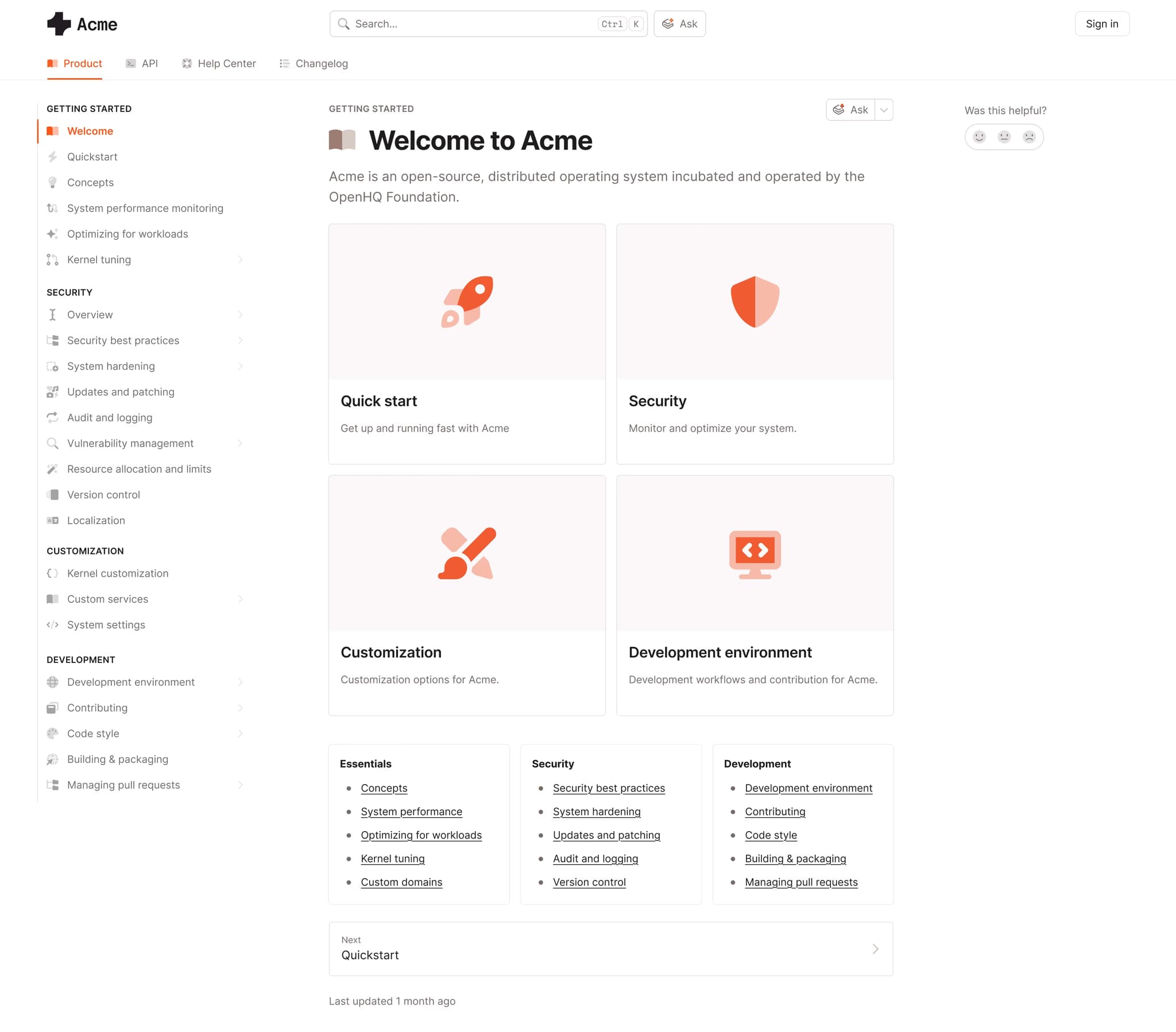
Best for: Mixed technical and non-technical teams that need visual editing, real-time co-editing, and optional Git Sync.
GitBook is a managed documentation platform centered on a Notion-style visual editor. Authoring happens inside a WYSIWYG interface, with real-time co-editing and optional Git Sync for GitHub or GitLab. GitBook supports internal knowledge bases, product documentation, team wikis, and API reference pages generated from OpenAPI specs.
Pros
- WYSIWYG editor for browser-based authoring
- Real-time co-editing on the same page
- GitHub and GitLab Sync support
- Internal docs, product docs, and team wikis in one workspace
Cons
- API reference and playground features are lighter than API-first platforms
- Git Sync may require cleanup for large or disorganized repositories
Pricing: Free to start. Premium is $65 per site per month, and Ultimate is $249 per site per month, plus $12 per user per month. Custom enterprise pricing.
3. ReadMe
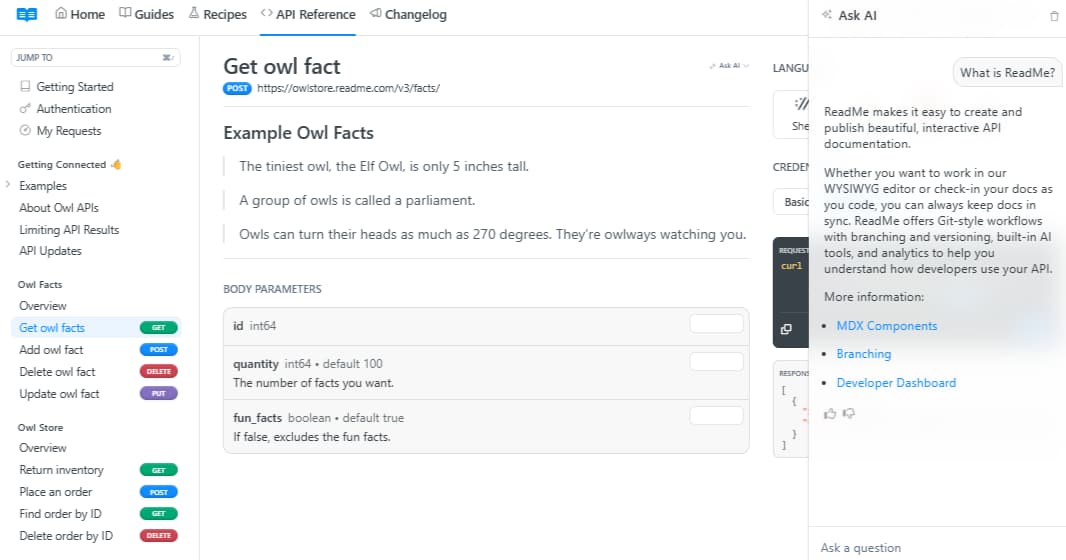
Best for: API teams that need interactive reference pages, usage data, and developer onboarding content.
ReadMe is an API documentation platform for reference pages, guides, changelogs, and developer portals. It supports authentication-aware API references that can prefill API keys, show usage data, and let developers test endpoints from the docs. ReadMe also includes a visual editor, Git Sync (in beta), and an AI assistant called Owlbert.
Pros
- Interactive API reference pages
- Authentication-aware docs with API key prefilling
- Usage dashboards and developer activity data
- Guides, changelogs, and API docs in one portal
Cons
- Git Sync is still in beta
- AI assistant availability depends on beta access and plan coverage
- Broader product docs and internal docs may need separate workflows
Pricing: Free plan with limited features, Startup at $79/month, Business at $349/month, Enterprise at $3,000+/month.
4. Document360
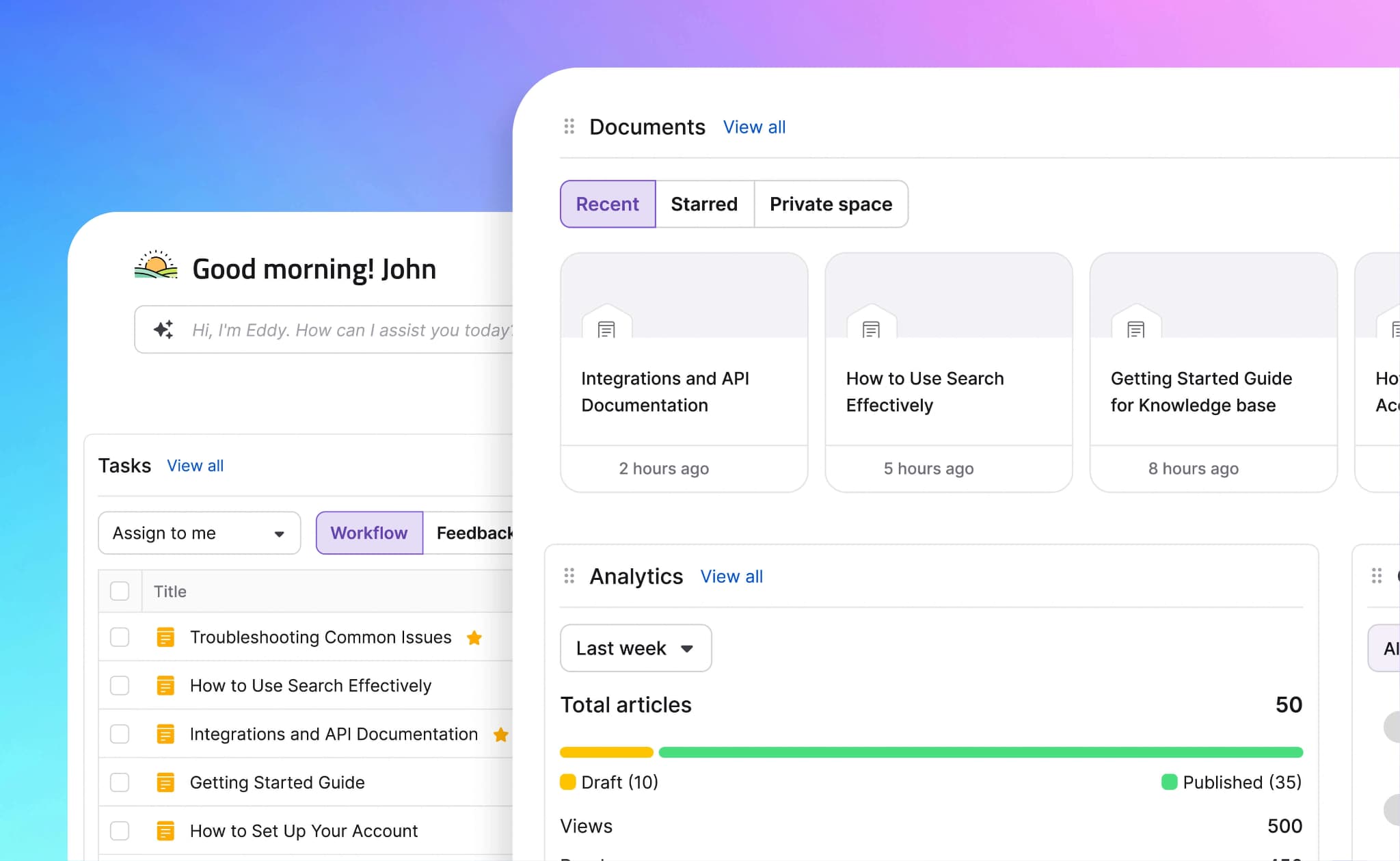
Best for: Support and knowledge base teams that need editorial workflows, permissions, and structured article management.
Document360 is a knowledge base platform for internal documentation and external help centers. It includes review workflows, role-based permissions, tagging, category management, and content analytics. Document360 can host API documentation, though its primary strength is structured knowledge bases for support and internal teams.
Pros
- Review workflows and approval gates
- Role-based permissions for contributors
- Category and tag management
- Article analytics and search reporting
Cons
- Markdown to WYSIWYG conversion is one-way
- API reference features are limited for developer-first documentation
- Public pricing is not listed
Pricing: Contact sales for pricing.
5. Read the Docs
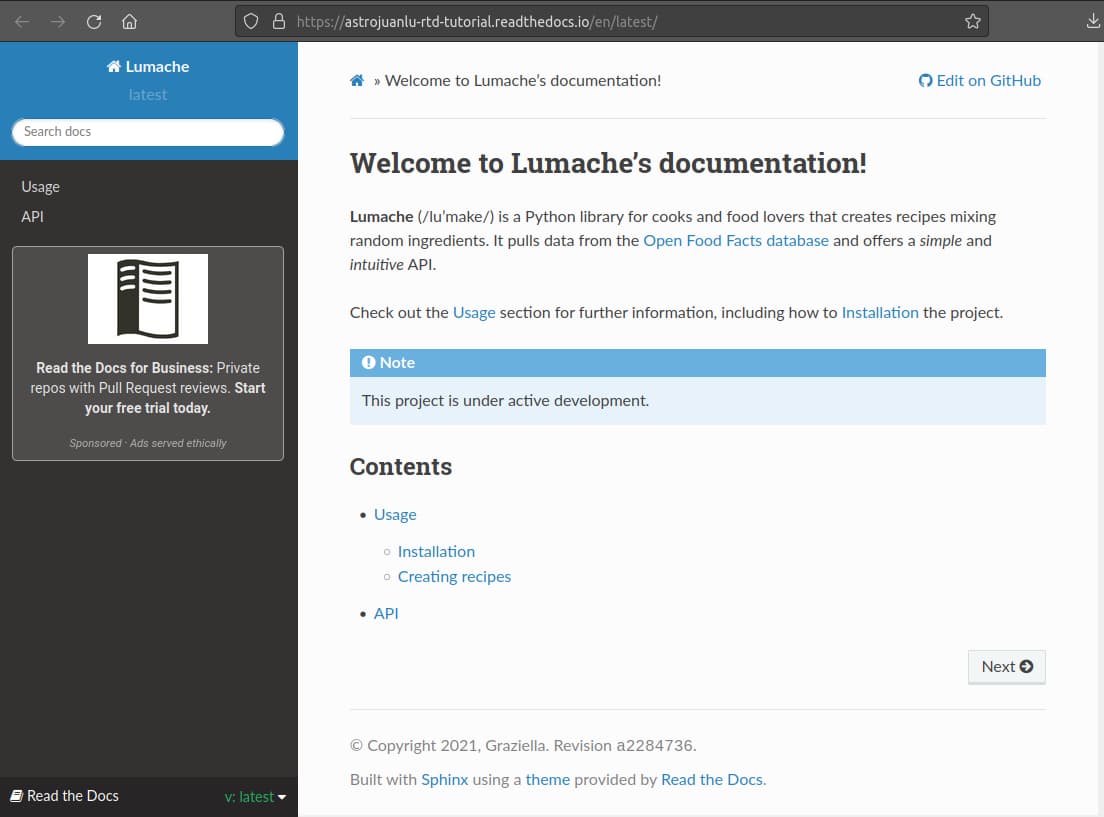
Best for: Open-source projects and engineering teams using Sphinx, MkDocs, or similar static site generators.
Read the Docs is a docs-as-code hosting and build platform. It connects to a Git repository, runs the configured documentation build, and publishes the site with versioning, search, and pull request previews. Read the Docs is common in open-source and Python documentation workflows.
Pros
- Git-based builds on push
- Pull request previews
- Versioned documentation support
- Free Community plan for open-source projects
Cons
- Less accessible for contributors unfamiliar with Git, reStructuredText, or command-line workflows
- AI-ready outputs and AI search require external tooling
- Visual editing is not the main workflow
Pricing: Free for open-source projects. Business plans starting at $150/month. Enterprise plans with custom pricing available.
6. Redocly
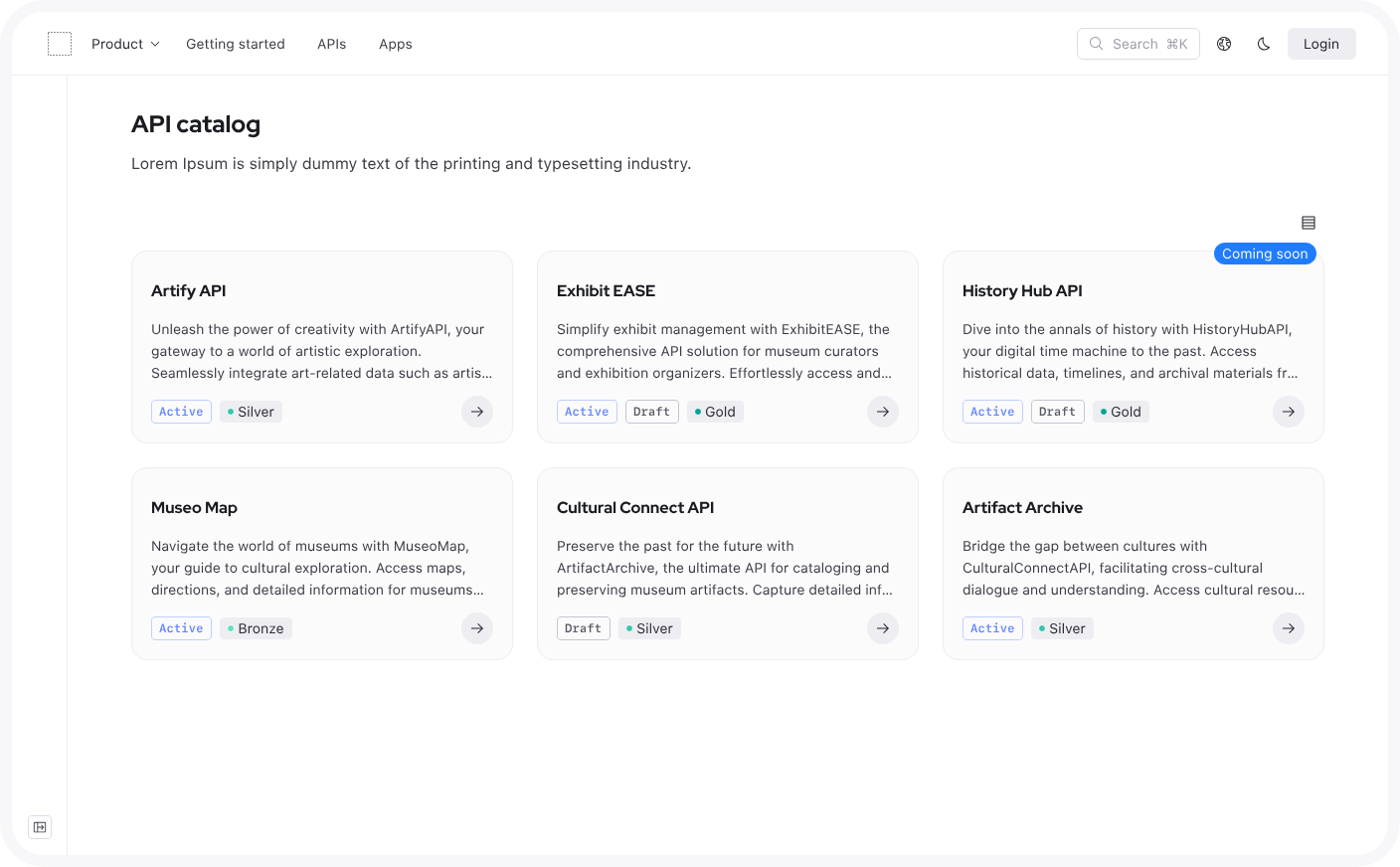
Best for: API teams that need OpenAPI and AsyncAPI reference rendering with governance workflows.
Redocly is an API documentation and governance platform focused on OpenAPI and AsyncAPI specifications. It includes reference rendering, a CLI for linting specs, API governance features, and hosted documentation portal options. Redocly is well-suited to teams that prioritize API reference quality and spec validation over broader documentation workflows.
Pros
- OpenAPI and AsyncAPI reference rendering
- CLI-based linting for API specs
- API governance and scorecard features
- Public per-seat pricing
Cons
- Broader guides, tutorials, and product docs may require additional setup
- AI-ready outputs and AI traffic analytics are limited
- Less focused on non-technical documentation contributors
Pricing: Pro at $10/seat/month, Enterprise at $24/seat/month with a free trial. Enterprise+ at custom pricing.
7. Confluence
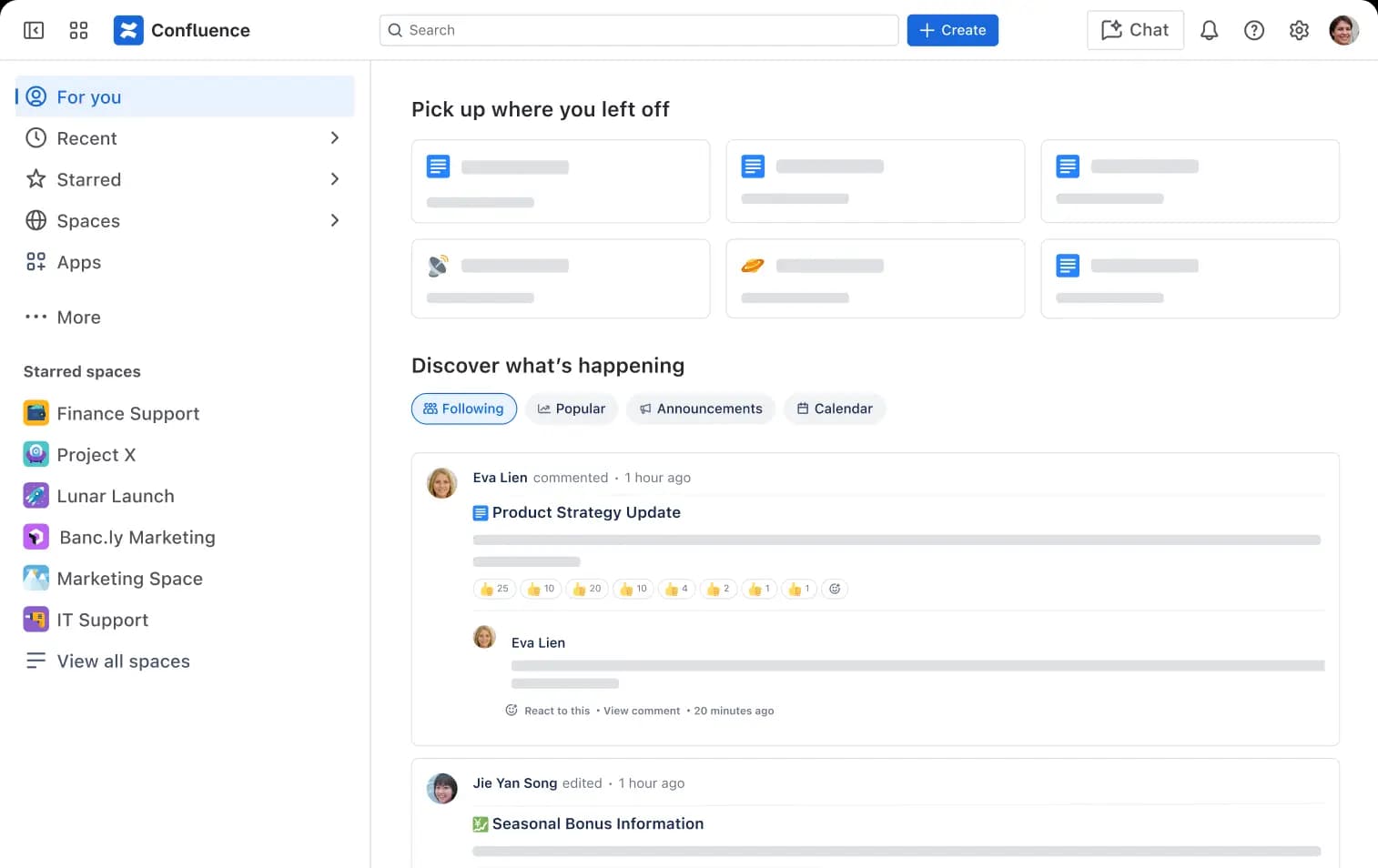
Best for: Atlassian-standardized organizations using documentation for internal product, engineering, and operations work.
Confluence is Atlassian’s collaborative wiki for internal documentation, project pages, process documentation, and knowledge sharing. It integrates with Jira and other Atlassian products, making it a practical fit for teams already working within the Atlassian ecosystem. Confluence handles internal team collaboration; public developer documentation and OpenAPI-first reference workflows require add-on tooling.
Pros
- Jira and Atlassian integrations
- Space-level and page-level permissions
- Templates for internal documentation
- Free plan for small teams
Cons
- Public API documentation requires add-on tooling
- OpenAPI rendering and code samples require additional tooling
- AI-ready publishing trails platforms that target agent consumption directly
Pricing: Free for up to 10 users with basic features. Paid plan starts at $5.42/user/month, Custom enterprise pricing.
Quick comparison: Best Docusaurus Alternatives
| Tool | Hosting | API Reference | AI/LLM Features | Auto-updates | Starting Price |
|---|---|---|---|---|---|
| Mintlify | ✅ Managed hosting with CDN, Git deploys, and previews | ✅ OpenAPI + AsyncAPI playground with live requests | ✅ llms.txt, llms-full.txt, skill.md, MCP, Assistant, Markdown delivery, AI analytics | ✅ Agent + Workflows open PRs from pushes or schedules | Free to start |
| GitBook | ✅ Managed hosting with GitHub/GitLab Sync | ⚠️ OpenAPI import with testable API blocks | ✅ Assistant, MCP servers, llms.txt, and AI search features | ⚠️ GitBook Agent | Free tier available |
| ReadMe | ✅ Managed developer portal hosting | ✅ Interactive OpenAPI/Swagger references with API Explorer | ⚠️ Owlbot/Ask AI and MCP support on supported projects | ⚠️ API spec/Git sync; no full docs-maintenance agent | Free tier available |
| Document360 | ✅ Managed knowledge base hosting | ⚠️ API references with Try It console | ⚠️ Eddy AI search, writing, summaries, chatbot, and tagging | ❌ No native code-to-docs PR agent | Custom pricing |
| Read the Docs | ✅ Managed build-and-host workflow for static docs | ⚠️ Via Sphinx, MkDocs, or plugins | ❌ No native AI-ready publishing layer | ⚠️ Git-triggered builds and PR previews only | Free (open-source) |
| Redocly | ✅ Managed or self-hosted API docs | ✅ OpenAPI, AsyncAPI, and GraphQL-focused references | ⚠️ AI search and MCP support; API-docs focused | ❌ No native code-to-docs PR agent | $10/seat/month |
| Confluence | ✅ Managed Atlassian Cloud workspace | ❌ Not OpenAPI-first; requires add-ons or separate tooling | ⚠️ Atlassian Intelligence/Rovo for internal knowledge work | ❌ No native code-to-docs PR agent | Free tier available |
Start with Mintlify free and deploy a complete docs site in minutes →
How to migrate from Docusaurus to Mintlify
A Docusaurus-to-Mintlify migration is usually easier than a migration from a traditional knowledge base because both platforms support MDX as a source format. The @mintlify/scraping CLI can handle much of the content conversion.
Reuse MDX content: The @mintlify/scraping CLI crawls a live Docusaurus site, scrapes the rendered pages, and converts the content into Mintlify-compatible MDX with the right component imports. Many Docusaurus pages can be migrated without manual rewriting, while Docusaurus-specific syntax such as the:::note and :::tip admonitions can be converted into Mintlify Callout components.
Regenerate API references from OpenAPI specs: API reference pages do not need to be migrated as static pages. Mintlify can regenerate reference documentation from the existing OpenAPI 3.0+ spec after the spec is added to the repo and configured in docs.json. Mintlify then creates endpoint pages, the interactive playground, and multi-language code samples from the spec.
Map navigation from sidebars.js to docs.json: Docusaurus defines navigation in sidebars.js, while Mintlify uses docs.json to define groups, pages, tabs, styling, and integrations. Teams can recreate the Docusaurus sidebar structure inside Mintlify’s navigation tree, then simplify or reorganize sections during the migration if the old sidebar has grown too deep.
Carry over custom MDX components: Existing MDX components can be moved to Mintlify using the same MDX import pattern that Docusaurus uses. Mintlify also includes built-in components for callouts, cards, tabs, accordions, code groups, Mermaid diagrams, and AI prompt blocks, which reduces the amount of custom React teams need to maintain after the migration.
Replace the Docusaurus build workflow: mintlify dev runs a local preview server, GitHub PR previews stage branch-level changes, and Mintlify’s broken link checker runs during deployment. Engineering teams can keep local development and Git-based review while removing the custom Docusaurus build, hosting, and deployment setup.
Teams that want help with the migration can use Mintlify’s migration tooling or white-glove service through the Switch program. Teams that want to manage the move internally can follow Mintlify’s migration documentation and use the @mintlify/scraping package where the workflow fits the source content.
Why Mintlify is the best Docusaurus alternative
Mintlify gives software teams a managed documentation platform that preserves the docs-as-code workflow without requiring engineering teams to own the site's infrastructure. Documentation deploys via managed hosting on every push; the default design gives teams a polished public docs experience from the first launch; and AI agents can read the same source content via llms.txt, MCP servers, and clean Markdown delivery. Mintlify Workflows also drafts documentation updates from code changes and opens pull requests for review, helping teams keep docs aligned with faster shipping cycles.
Companies including Anthropic, Cursor, Perplexity, and Zapier use Mintlify for developer-facing documentation, with Zapier reporting a 20% increase in traffic and adoption after switching to Mintlify. Teams moving from Docusaurus can start on the free Hobby tier, which includes a custom domain, API playground, Git sync, search, and AI features, then use Mintlify’s migration tooling or Switch program for larger documentation moves. Start free with Mintlify →
FAQs: Best Docusaurus alternative
Is Docusaurus still a good choice for modern documentation?
Docusaurus is still a good choice for engineering teams that want full control over a self-hosted, React-based documentation framework. The framework works well when an in-house team has the time to manage hosting, search configuration, plugin upgrades, dependency updates, and long-term infrastructure maintenance. Teams that want managed hosting, AI-ready publishing, API references, and automated documentation maintenance in one product should evaluate Mintlify as the stronger fit.
Can I keep my existing Docusaurus Markdown structure if I switch to a new documentation platform?
Docusaurus content usually moves cleanly because most modern documentation platforms support Markdown or MDX. Mintlify uses MDX as its native source format, and the @mintlify/scraping package can convert Docusaurus content into MDX compatible with Mintlify when the right component imports are in place. File structure, page hierarchy, and Markdown content can carry over directly, while Docusaurus-specific syntax, such as :::note admonitions, can be converted into Mintlify Callout components.
Which is the best Docusaurus alternative?
Mintlify is the best Docusaurus alternative for software teams that want managed hosting, polished design, OpenAPI and AsyncAPI references, AI-ready outputs, Git-based collaboration, and automated documentation updates on a single platform. GitBook fits teams that prefer a fully hosted editor over a Git-backed workflow, ReadMe fits API-centric teams that want hosted developer portals, and Read the Docs fits teams committed to Sphinx or MkDocs workflows.
How do I switch from Docusaurus to Mintlify?
Teams can switch from Docusaurus to Mintlify by converting existing MDX content, mapping sidebars.js navigation into docs.json, regenerating API references from OpenAPI specs, and testing the new site through Mintlify previews. The @mintlify/scraping package can handle much of the content conversion, while Mintlify’s migration documentation and Switch program can support larger moves.
Does Mintlify support custom components?
Mintlify supports custom components through the same MDX import pattern Docusaurus uses, so existing React components can carry over with minor adjustments. Mintlify also includes built-in components for callouts, cards, tabs, accordions, code groups, Mermaid diagrams, AI prompt blocks, and other common documentation patterns. Teams with established design systems can use headless mode with Astro to gain full presentation control while retaining Mintlify’s content management, AI features, and search infrastructure.
More to read

The Complete Guide to Quick Start Guides for Software Products
Learn how to create software quick start guides that take new users from setup to a verifiable first success, with examples and maintenance best practices.
September 11, 2026Harkirat Chahal
Growth

Troubleshooting Guide Best Practices for Software Companies
Learn how to write troubleshooting guides with symptom-based diagnosis, safe recovery steps, clear escalation paths, and ongoing maintenance.
September 11, 2026Harkirat Chahal
Growth