Best Internal Documentation Tools for Engineering Teams (2026)
Harkirat Chahal
Growth
Share this article
Harkirat Chahal
Growth
Share this article
This guide compares the best internal documentation tools for engineering teams across Git-based authoring, GitHub and CI checks, search at scale, AI-readable output, and easy contribution for non-engineers, and explains why Mintlify is the strongest choice for teams that want Git-native docs in one platform.
Engineering internal documentation breaks when runbooks, architecture decisions, SOPs, and onboarding guides drift from the code they describe. An outdated CLI command in a runbook or an architecture note that no longer matches the implementation can delay incident response, code review, and new-hire onboarding.
Internal documentation tools reduce that drift by keeping engineering docs version-controlled, searchable, and reviewed before merging. Git-based authoring keeps docs close to code, CI checks catch broken links and formatting issues, and AI-readable formats let coding assistants retrieve current documentation during development.
This guide compares the best internal documentation tools for engineering teams, where each tool fits, and why Mintlify is the strongest choice for teams that want Git-native docs, GitHub and CI checks, semantic search, and AI-readable output in one platform.
Why engineering internal docs need a different workflow
Most internal documentation tools are built for company knowledge, policies, meeting notes, and team updates. Engineering internal docs need a different workflow because they describe systems that change in code. When the code changes but the docs do not, the mismatch surfaces during incidents, reviews, onboarding, and routine maintenance.
Operational docs: Runbooks, SOPs, and release notes explain how engineers respond to incidents, rotate credentials, deploy changes, and recover from failures. These docs need to reflect the system's current state, as engineers often use them under time pressure.
Architecture docs: Architecture decision records and design notes explain why the team chose a database, service boundary, deployment pattern, or integration path. When these docs fall behind the implementation, future reviews and design decisions become harder to follow.
Onboarding docs: Setup guides and onboarding checklists help new engineers install tools, get access, run services locally, and make their first deploy. Outdated steps can prevent a new hire from getting started on productive work.
Engineering internal docs need to stay close to the codebase. The strongest tools let teams update docs in the same pull requests as code changes, run checks before merge, and make the content searchable for engineers and AI assistants.
What to look for in internal documentation software
Use these criteria to compare how each tool supports engineering docs that need to stay accurate, searchable, and tied to the codebase.
Git-based source of truth: Engineering docs should live in a Git repository as Markdown or MDX, with version history for every change. This gives engineers the same review trail they already use for code and makes it easier to update docs alongside the systems they describe.
GitHub and CI integration: Documentation updates should be submitted via the same pull requests as code changes. GitHub and CI checks help teams catch broken links, formatting issues, and failed builds before a documentation change reaches production.
Search across large doc sets: A few runbooks are easy to browse manually, but search becomes critical once a team has many runbooks, architecture notes, SOPs, and onboarding guides. Semantic search helps engineers find the right page even when their query does not match the exact title or keyword.
AI-readable output: Engineers increasingly ask coding assistants for help while they work. Internal documentation tools need to expose docs in formats agents can read, including clean Markdown, llms.txt, skill.md, and MCP support.
Easy contribution for non-engineers: Product managers, support leads, and technical writers often help maintain internal docs. A robust tool provides a web editor while keeping the source of truth in Git, so their edits still fit the engineering review process.
Best internal documentation tools for engineering teams
Mintlify
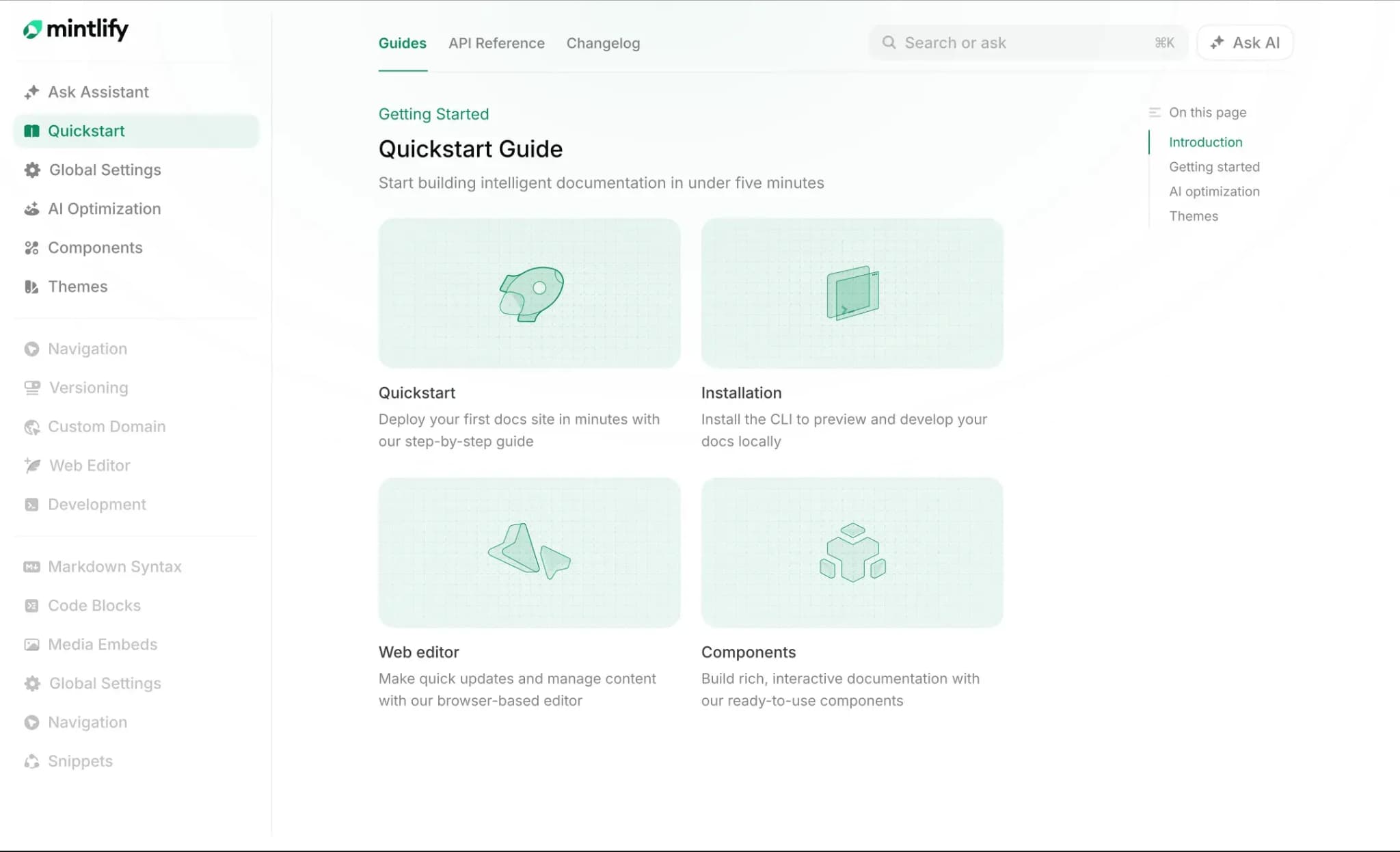
Best for: Engineering teams that want internal docs in Git, reviewed through pull requests, checked in CI, and readable by AI tools.
Mintlify fits engineering internal documentation because it treats docs as part of the engineering workflow. Runbooks, architecture notes, SOPs, onboarding guides, and API references live as MDX files in a Git repository, while docs.json controls navigation, site structure, API settings, and other global configuration. Engineers can update docs locally in the same workflow they use for code, and non-engineers can use the web editor without removing Git as the source of truth.
Git-native docs-as-code
Content in Mintlify is version-controlled in Git, with continuous sync between the repository and the web editor. Engineers can edit MDX locally, open a pull request, and review documentation changes the same way they review code. Non-engineers can use the web editor, while their edits still flow back to the repository. For internal docs, this means a runbook update and the code change that required it can move through the same review process instead of being handled as a separate cleanup task.
CI checks before merge
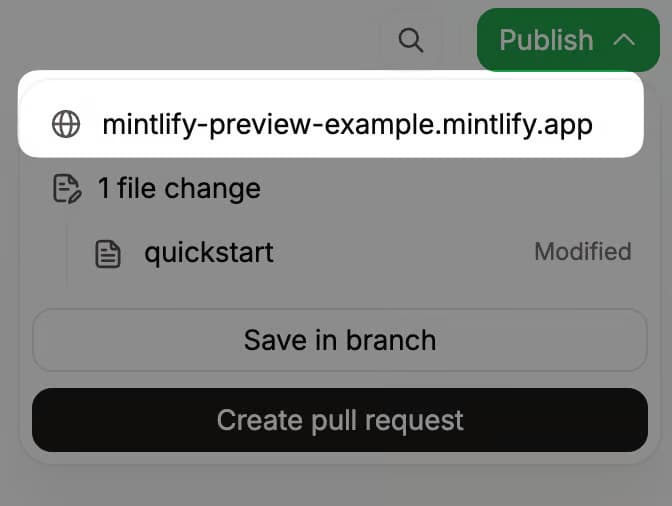
Mintlify supports preview deployments, continuous sync, and CI checks. Teams can run checks for broken links, linting, grammar validation, and live previews, with checks set at a warning or blocking level.
CI checks give engineering teams a practical way to catch documentation issues before merging. A broken internal link, failed build, or linting issue can block the same workflow that ships the code.
Automated maintenance with the agent
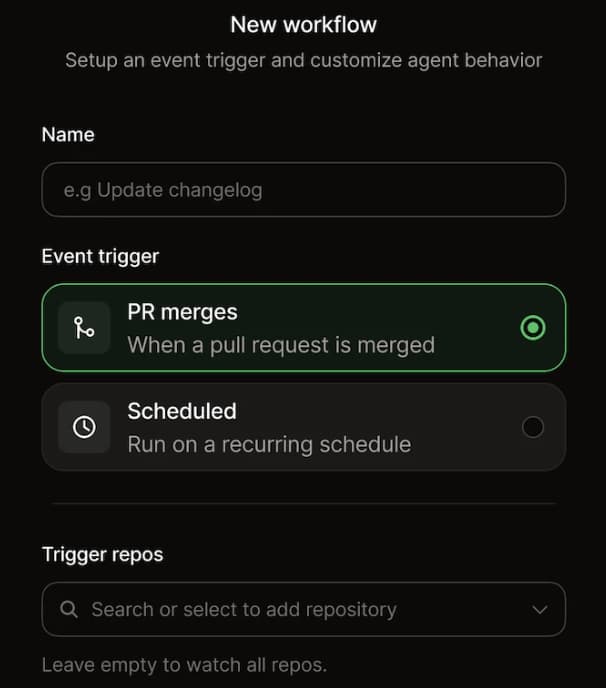
For teams shipping often, Mintlify's agent helps turn documentation maintenance into a reviewable pull request. The agent can draft updates from prompts, pull requests, Slack threads, Linear issues, file attachments, and connected repositories. An engineer who changes an authentication flow, deployment step, or API behavior can use the agent to draft the matching runbook or onboarding update, then review and merge the PR before it reaches the live docs.
AI-readable output for developer workflows
Mintlify generates llms.txt and llms-full.txt, serves documentation pages as Markdown, and hosts a search MCP server that AI tools can use to retrieve docs. For public docs, Mintlify can also generate skill.md files that help agents understand what the documentation can help with. For engineering teams, this makes internal documentation easier to use inside AI-assisted workflows. Instead of relying solely on outdated training data or generic search, AI tools can retrieve up-to-date documentation from the docs site.
Search, assistant, and contributors
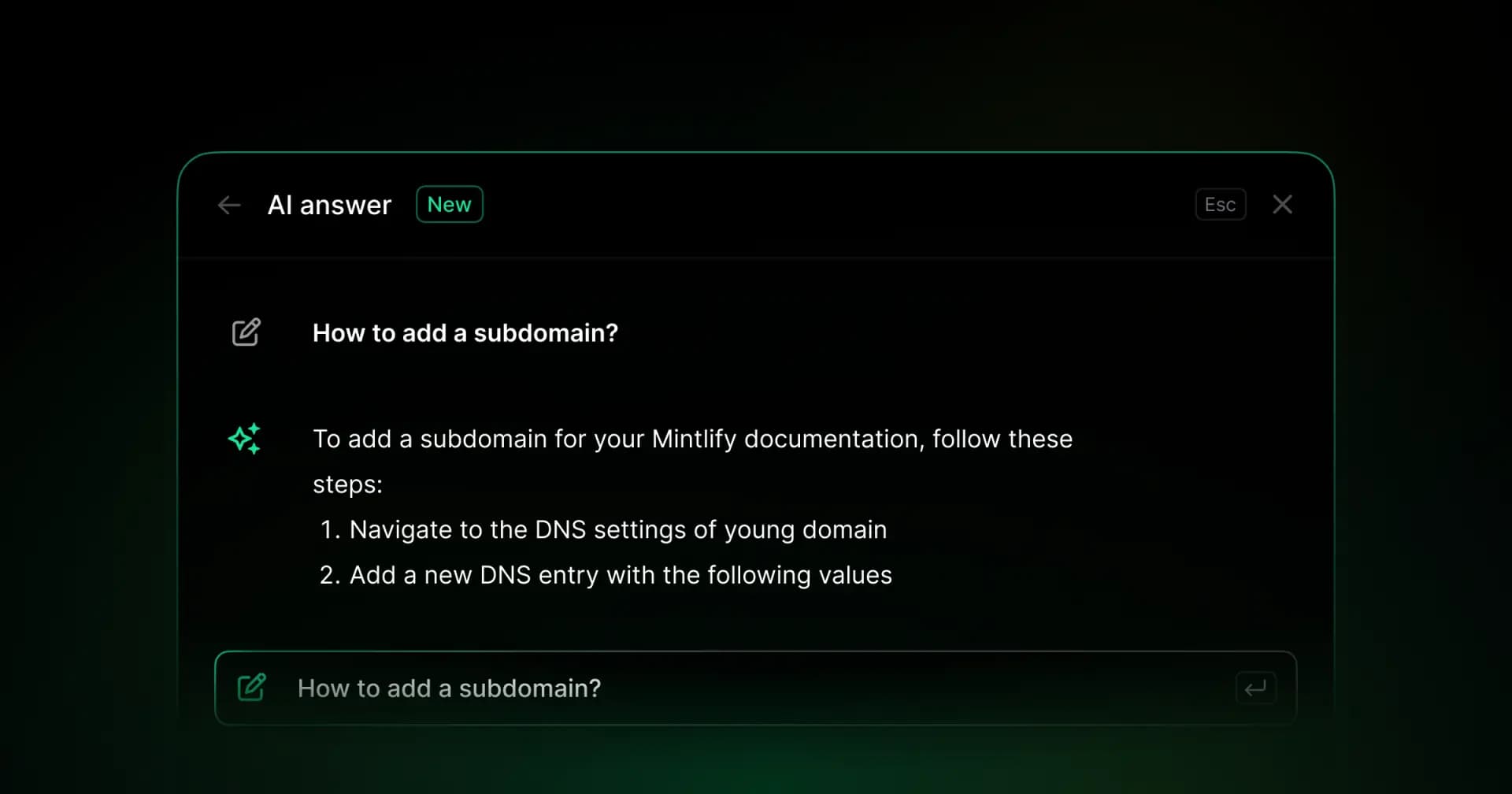
Mintlify includes semantic search and an AI assistant that answers questions with cited sources from the docs, helping engineers find the right runbook, architecture note, or onboarding page across larger internal doc sets. The web editor lets product managers, support leads, and technical writers contribute without needing to use the command line. Authentication, SSO, roles, and user groups help teams keep internal information limited to the right users.
Pros
- Git-native MDX docs with repository sync
- GitHub integration, pull request previews, and CI checks
- CI coverage for broken links, linting, grammar validation, and build previews
- Agent-assisted documentation updates from pull requests, Slack threads, Linear issues, files, prompts, and connected repositories
- AI-readable output through llms.txt, llms-full.txt, Markdown serving, MCP, and skill.md for public docs
- Semantic search and AI assistant with cited answers
- Web editor for non-engineers, with changes synced back to Git
- Authentication, SSO, roles, and user groups for internal docs
Cons
- The web editor does not support simultaneous co-editing on the same page
- Strongest for technical and product documentation
Pricing: Free Starter plan. Custom Enterprise pricing. No-card free trial available. See the full pricing breakdown.
Notion
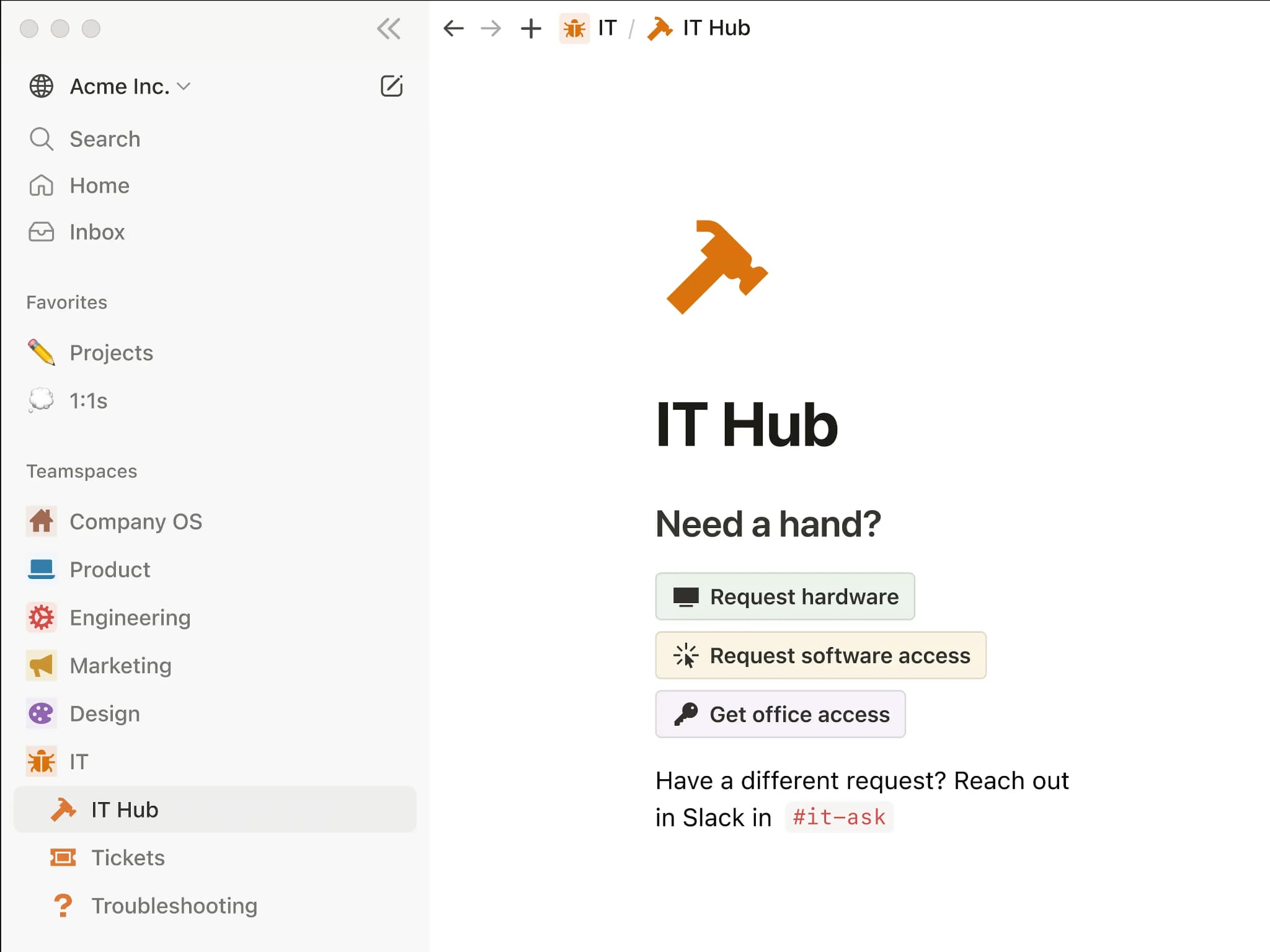
Best for: Teams that want one workspace for mixed technical and non-technical knowledge, where most writing happens in a visual editor.
Notion combines documents, databases, and wikis in a single workspace with a block-based editor that non-technical contributors can use without training. It works well for cross-functional internal knowledge, project plans, meeting notes, and lightweight process tracking. For engineering internal docs, Notion is not Git-native, so runbooks and architecture notes live separately from the code rather than moving through the same pull requests, reviews, and CI checks.
Pros
- Flexible block editor and databases for general internal knowledge
- Low barrier for product, support, operations, and engineering contributors
- AI features for drafting, search, and workspace questions
Cons
- No bi-directional Git sync, so docs do not travel with code in pull requests
- No native CI checks for broken links, linting, or documentation builds
- No native llms.txt, skill.md, or hosted MCP server for AI-agent retrieval
- API reference rendering and interactive testing sit outside its core use case
Pricing: Free tier available. Paid plan starts at $12/user/month. Custom enterprise pricing.
Confluence
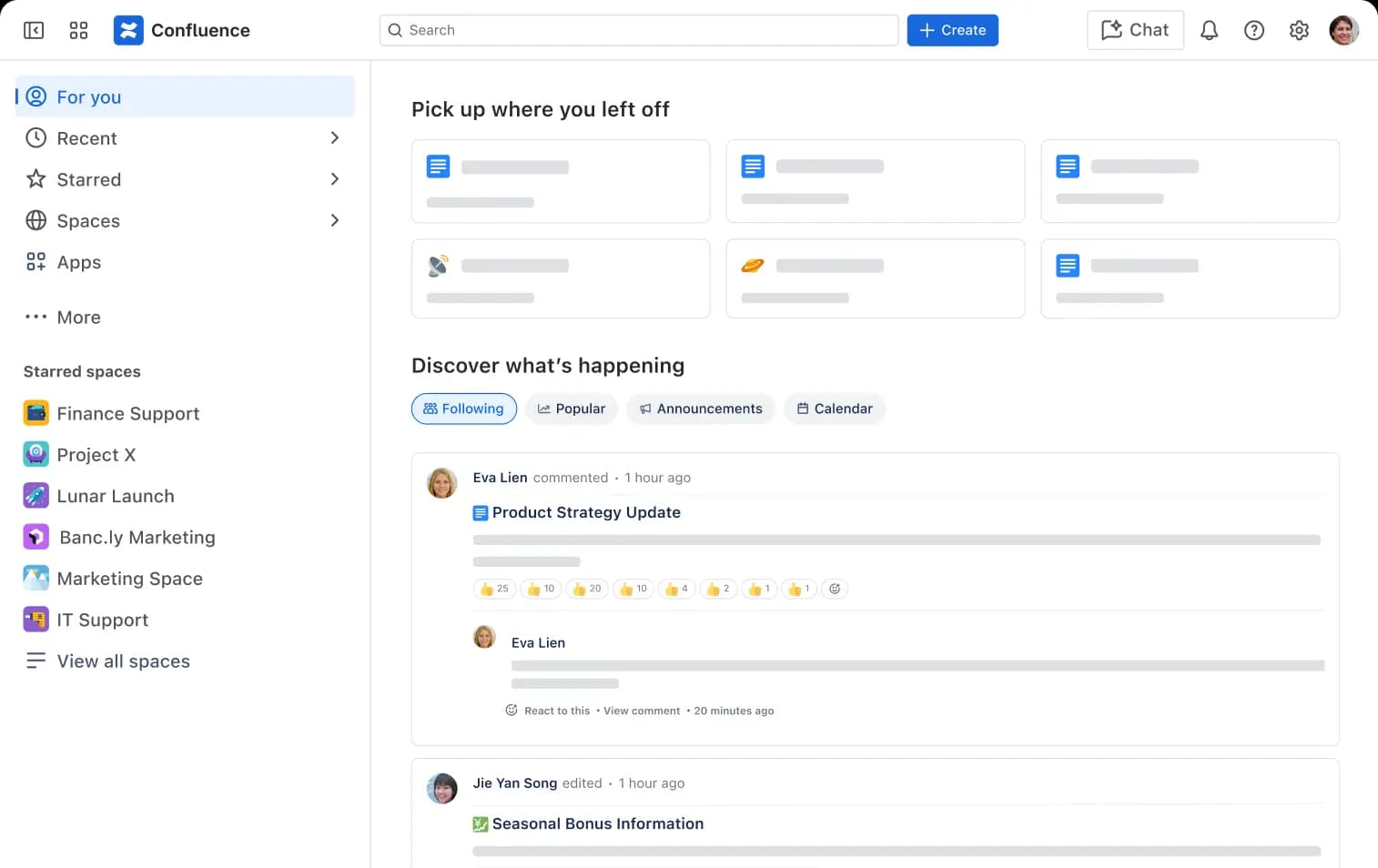
Best for: Teams already standardized on Atlassian tools who need an internal knowledge base integrated with Jira and project workflows.
Confluence is a wiki and collaboration tool with templates, page trees, permissions, comments, and Jira integration. It works well for company knowledge, project documentation, internal policies, and teams that already manage planning in Atlassian. For engineering internal docs, the main limitation is that Confluence is not docs-as-code by default, so runbooks and architecture notes sit in a separate system from the repository and do not move through Git review or CI unless the team adds extra tooling.
Pros
- Templates and page trees for large internal knowledge bases
- Jira integration for linking docs to tickets, sprints, and project work
- Real-time editing and comments for cross-functional collaboration
Cons
- No docs-as-code workflow by default
- No bi-directional Git sync for repository-backed docs
- No native llms.txt or hosted MCP server for AI-agent retrieval
- Developer-facing API documentation usually needs additional setup
Pricing: Free for up to 10 users with basic features. Paid plan starts at $5.42/user/month. Custom enterprise pricing.
GitHub Repo Docs and Wiki
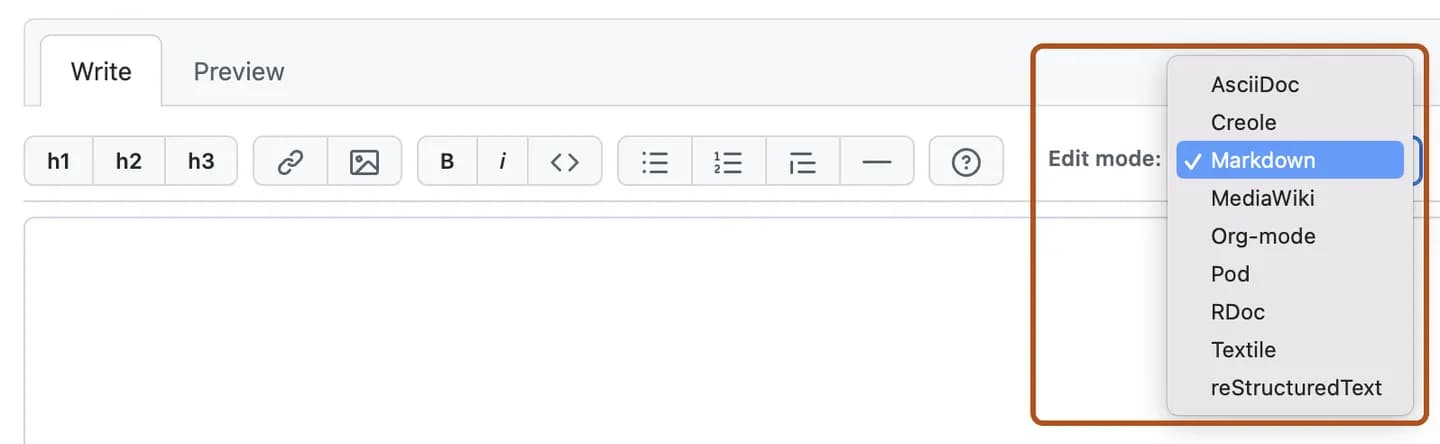
Best for: Small teams that want a no-cost starting point for internal docs already close to the code.
Storing internal docs as Markdown in a GitHub repository is the simplest Git-native option. Engineers get version history, pull request review, and documentation that can live beside the code by default. GitHub Wiki can also host longer project documentation, though wiki content is managed separately from the main repository. This setup serves as a baseline for small teams, but it becomes harder to manage as the doc set grows, because search, navigation, publishing, AI retrieval, and non-engineer contributions remain basic unless the team builds more tooling around GitHub.
Pros
- Git-native when docs live in the repository
- No separate documentation platform required
- Pull request review works for Markdown files in the repo
Cons
- Basic navigation and search for larger doc sets
- No semantic search or cited AI assistant
- No native llms.txt, skill.md, or hosted MCP server
- Wiki content sits outside the main repository
- Non-engineers need GitHub and Markdown familiarity
Pricing: Free for all public repositories. Private repository deployment requires a paid plan starting at $4/user/month. Enterprise is at $21/user/month. 30-day free trial available.
Best internal documentation tools compared
| Tool | Git-native source of truth | GitHub + CI integration | Search at scale | AI-readable output | Non-engineer contribution |
|---|---|---|---|---|---|
| Mintlify | ✅ MDX in Git with continuous repo and web editor sync | ✅ GitHub app, preview deployments, and CI checks for broken links, linting, grammar validation, and build previews | ✅ Semantic search and AI assistant with cited answers | ✅ llms.txt, llms-full.txt, Markdown serving, public skill.md, and hosted docs MCP | ✅ Web editor with changes synced back to Git |
| Notion | ❌ Workspace pages outside Git | ❌ Workspace review flow | ✅ Workspace search and Notion AI | 🟡 Notion MCP for workspace access | ✅ Visual editor for cross-functional contributors |
| Confluence | ❌ Wiki pages outside Git | 🟡 Jira-linked documentation workflow | ✅ Wiki search and Atlassian Intelligence | 🟡 Rovo MCP for Confluence search and retrieval | ✅ Wiki editor with comments and permissions |
| GitHub Repo Docs and Wiki | ✅ Markdown files in the repository | 🟡 Pull requests and custom GitHub Actions | ❌ Basic search and navigation | 🟡 Raw Markdown files | ❌ Requires GitHub and Markdown familiarity |
Keep your internal docs next to your code and readable by AI agents. Start building with Mintlify for free →
Keeping internal docs in sync with your code
Internal docs fall behind when documentation is handled after implementation. For runbooks, SOPs, onboarding guides, and architecture notes, the safer workflow is to review the doc update alongside the code change, so the reviewer can verify the new behavior and the corresponding documentation before merging.
A strong workflow gives every documentation change the same review path as code. Git keeps the edit history clear, CI turns documentation checks into merge requirements, and a rendered preview lets reviewers inspect the page before it goes live.
Mintlify supports this workflow with GitHub sync, preview deployments, and CI checks for broken links, linting, grammar validation, and build previews. Its agent can also draft updates from prompts, pull requests, Slack threads, and repository changes, then open a reviewable PR for human approval.
Internal docs that AI agents can actually use
Engineers increasingly ask coding assistants for help before they open a documentation site. Mintlify's State of Agent Traffic in Documentation report found that AI agents accounted for 45.3% of requests across Mintlify-powered docs over the 30-day period analyzed, underscoring the need for internal docs to be readable by both people and agents.
For internal engineering docs, AI readiness depends on access, structure, and freshness. A coding assistant can answer questions about an internal API, deployment step, or incident workflow only when it can retrieve the current source, understand the page structure, and use content that still matches the current implementation.
Mintlify generates llms.txt and llms-full.txt, serves documentation pages as Markdown, and hosts a search MCP server for docs. For public documentation, Mintlify can also generate skill.md files. Its assistant answers questions with cited sources from the docs, while analytics help teams see how human readers and AI traffic interact with the documentation.
When a general-purpose wiki is the right call
When most documentation consists of meeting notes, project plans, policies, team updates, or company-wide information, a general-purpose wiki provides teams with a more natural workflow for authoring and organization.
Notion fits teams that want a flexible workspace where product, operations, and engineering can write in the same visual editor and use databases for lightweight tracking. Confluence fits organizations already standardized on Atlassian, where linking documentation to Jira tickets, sprints, and project work is more important than tying every page to Git.
The deciding factor is whether the documentation describes systems that change through code. Runbooks, architecture decisions, SOPs, and engineering onboarding guides need to stay close to the repository. Company handbooks, planning docs, and policy pages usually work better in a wiki.
Why Mintlify fits engineering internal docs
Runbooks, architecture notes, SOPs, and onboarding guides lose value when they are reviewed after the code has already changed. Mintlify keeps those docs in Git and lets teams review them via pull requests, preview deployments, and CI checks, so documentation updates can ship alongside the implementations they describe. Engineers can edit in the repository, while non-engineers can use the web editor without moving docs out of Git.
Mintlify also makes engineering docs easier for coding assistants to retrieve. llms.txt, llms-full.txt, Markdown serving, and MCP give agents a cleaner path to the documentation, while the assistant provides cited answers, and the agent can open PRs for updates that need human review. Teams including Anthropic, Cursor, Perplexity, and Replit use Mintlify for documentation, and engineering teams can start free on a real repository before upgrading.
Start building internal engineering docs with Mintlify for free →
Frequently Asked Questions
What is the difference between internal docs and a wiki?
Internal docs are the information a team uses to operate, explain, and maintain its work. A wiki is one way to store that information. Engineering teams feel the distinction most with runbooks, architecture notes, and setup guides, which need stronger ownership, review, and version history than a wiki page provides. Policies, meeting notes, and planning pages can live comfortably in a wiki, while runbooks, architecture notes, and setup guides usually need a tighter review process.
Do internal docs really need to live in Git?
Not every internal document needs Git. Git is useful when the page changes with code, requires review before release, or needs a clear history of who changed what. A company policy or meeting note can stay in a wiki, but a deployment guide, migration note, incident runbook, or API behavior note benefits from version control and pull request review.
Can non-engineers contribute to Git-based docs?
Yes, if the documentation tool provides them with a web-based editing interface. Product managers, support leads, and technical writers should be able to update pages without using the command line, while the final change still goes through the same review process as the rest of the docs. A shared review process keeps contributions simple without creating a second source of truth outside Git.
How do internal and public docs coexist?
Internal and public docs can share a single documentation system when access, navigation, and ownership are clearly separated. Public docs should help customers and developers use the product, while internal docs can cover onboarding, escalation steps, implementation notes, and operating procedures. Role-based access, authentication, and user groups help teams keep sensitive pages restricted without splitting documentation across separate tools.
Does internal documentation integrate with GitHub Actions?
Repository-backed docs can use GitHub Actions to run link checks, prose linting, build validation, and preview checks before merge, giving documentation the same release control as code, so preventable issues are caught before publication rather than fixed after readers report them.
Which is the best internal documentation tool for engineering teams?
Mintlify is the best fit for engineering teams that need internal docs to stay close to code while remaining usable for non-engineers and AI tools. It works well for runbooks, architecture notes, SOPs, onboarding guides, and API docs because it combines Git-backed authoring, web-based contribution, CI checks, search, and AI-readable output into a single documentation workflow.
More to read

Best Internal Wiki Software for Engineering Teams (2026)
Engineering wiki quality breaks down when setup speed, editing ease, and content structure live in separate tools. A better internal wiki lets non-technical teammates edit visually in the browser while engineers keep content structured, version-controlled, and reviewable through Git.
June 26, 2026Harkirat Chahal
Growth
Best Help Center Software for Developer-Facing Products 2026
A help center for API products, devtools, and technical SaaS needs to answer product questions from the documentation developers already trust, for both human readers and AI agents.
June 5, 2026Harkirat Chahal
Growth