Best Knowledge Base Software for Developer Teams Reviewed (2026)
Cole Gottdank
GTME
Share this article
Cole Gottdank
GTME
Share this article

Knowledge base software covers a wide range of requirements: help center articles, product documentation, developer guides, internal wikis, and AI-consumable content. The right platform depends on the content a team publishes, who maintains the knowledge base, who uses the content, and whether AI systems need to retrieve from it as well.
Knowledge base software covers a wide range of requirements: help center articles, product documentation, developer guides, internal wikis, and AI-consumable content. The right platform depends on the content a team publishes, who maintains the knowledge base, who uses the content, and whether AI systems need to retrieve from it as well.
This guide evaluates seven platforms across the dimensions that separate a basic article library from a scalable knowledge system. Mintlify is the strongest option for software teams that need a knowledge base to support product docs, technical guides, and customer education, alongside traditional help content, with built-in support for AI-native documentation.
What Knowledge Base Software Does
Knowledge base software is a platform for creating, organizing, and publishing a searchable library of information. A knowledge base can serve customers seeking help articles, employees searching for internal policies, and developers referencing API documentation and product guides. Knowledge base software ranges from simple help center tools to structured documentation platforms that support Git-based workflows, interactive API references, and AI-optimized content.
AI agents now read knowledge base content directly to answer questions, generate code, and complete tasks. Mintlify's internal data shows that nearly half of documentation site traffic comes from AI agents, while most analytics tools still do not separate human traffic from agent traffic. Software teams also ship product changes faster than manual documentation workflows can keep up with, leaving many knowledge bases outdated. AI readiness and documentation maintenance now play a larger role in knowledge base software evaluation.
How to Evaluate Knowledge Base Software
The criteria below show what to look for when evaluating knowledge base software.
Content structure and organization: Can the platform support a logical hierarchy with nested categories, reusable components, and clear navigation? Flat article libraries can work for simple help centers. Structured documentation with stronger information architecture scales better for product docs, developer guides, and content built for different audiences.
Search and discoverability: Does search understand user intent, or does search only match keywords? Semantic search, AI-generated answers, and contextual suggestions separate modern platforms from older knowledge base software.
Publishing workflows: How do updates move from draft to published content? Teams that work in Git need docs-as-code workflows with branching, preview deployments, and pull request review. Teams with non-technical contributors need a web editor or WYSIWYG experience. The best platforms support both workflows within a single system.
Collaboration and governance: Can multiple contributors work on content with comments, suggestions, approval workflows, and version history? Growing teams also need role-based access and audit trails to keep the knowledge base accurate as more people contribute.
Support for AI agents: AI agents now read documentation to answer developer questions, generate code, and determine which APIs to call. Knowledge base software needs to deliver structured content to agents via standards such as llms.txt, auto-generated MCP servers, and clean Markdown alongside human-readable HTML.
Fit for technical documentation: Many knowledge base tools are designed for support articles. When the knowledge base includes API references, code examples, SDK guides, or architecture documentation, the platform needs to natively support technical content.
Analytics and content insights: Traffic data, search queries, content gap analysis, and AI agent traffic breakdowns help teams decide what to improve next. Without analytics, knowledge base improvements turn into guesswork.
The 7 Best Knowledge Base Platforms
Mintlify
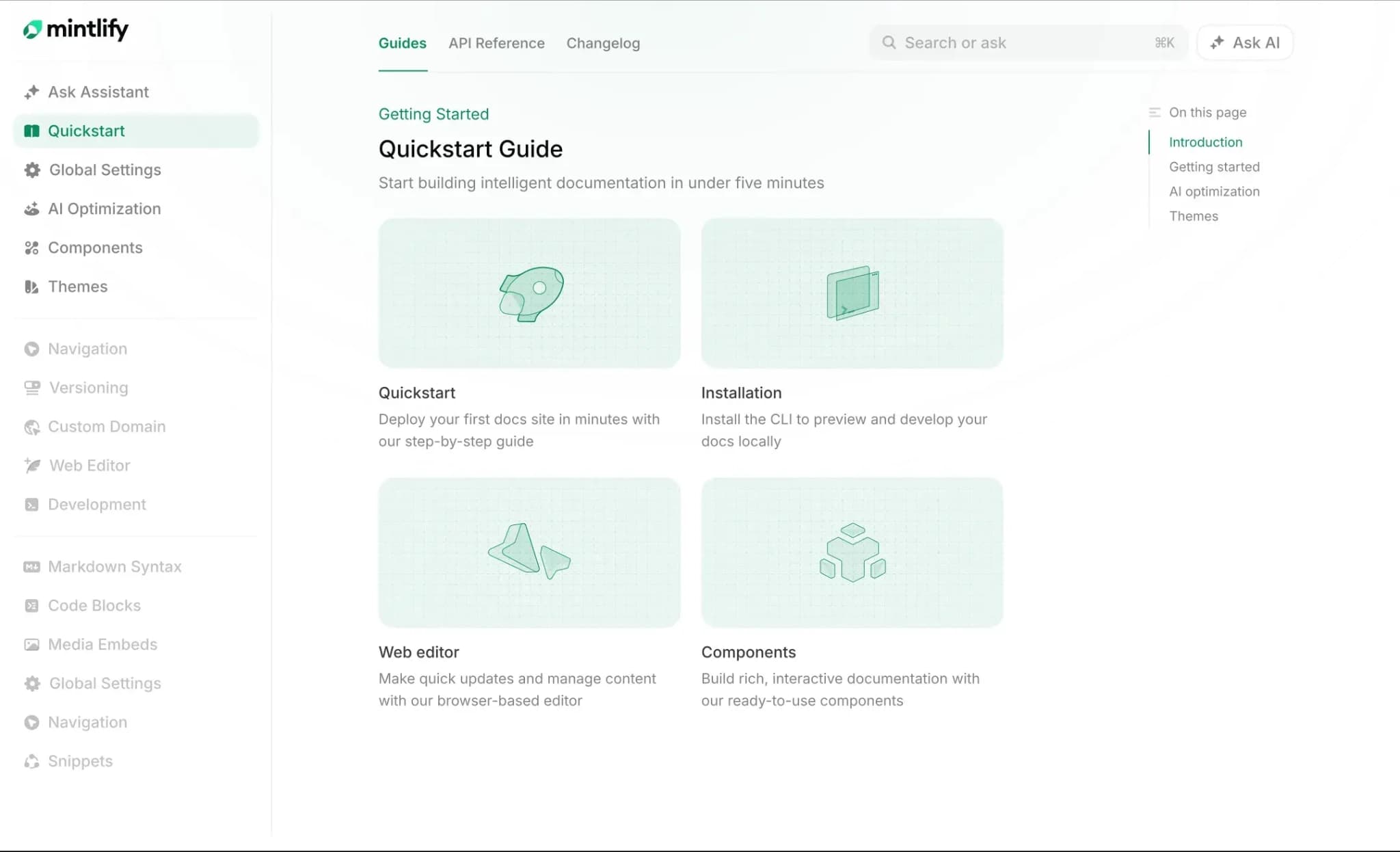
Best for: Software companies that need a knowledge base spanning product docs, technical guides, developer education, and customer-facing help content, with built-in AI-agent readiness.
Mintlify is a documentation and knowledge platform built for both human readers and AI systems. Mintlify organizes knowledge base content as MDX files in a Git repository, structured by a docs.json configuration that defines hierarchy, navigation, and styling, giving teams explicit control over how knowledge is organized, which pages link to each other, and how sections nest across products and audiences.
Two publishing workflows feed into the same knowledge base. Engineers edit MDX files locally, commit through Git, and review changes via preview deployments before anything goes live. Product managers and support leads use the web editor, which provides a Notion-like experience with slash commands, inline comments, and Google Docs-style suggestions. Because the editor syncs bi-directionally with the repository, both groups contribute to the same source of truth without overwriting each other's work.
Workflows keeps the knowledge base current by monitoring connected code repositories, reading diffs when features ship, and opening pull requests with proposed content updates. A product team that releases a new endpoint or changes an authentication flow does not need to remember to update the knowledge base separately. The agent drafts the update, and a human reviewer approves or edits the PR before it goes live. For teams shipping daily, the agent turns maintenance from a memory-dependent task into an automated step in the release process.
Every knowledge base site auto-generates llms.txt, llms-full.txt, and skill.md files, serves pages as clean Markdown to AI agents through content negotiation, and auto-hosts MCP servers that let LLMs query the content natively. AI traffic analytics show which agents (ChatGPT, Claude, Perplexity) visit, which pages they read, and which queries they run.
The built-in AI assistant answers questions with cited responses and copyable code examples drawn from the knowledge base. Semantic search handles intent-based queries rather than keyword matching, and 404 pages automatically suggest related content. Teams can embed the assistant via API into support tools, developer portals, or internal dashboards, so the knowledge base reaches users who never visit the docs site directly.
Interactive API references generate automatically from OpenAPI and AsyncAPI specs with a built-in API playground for testing endpoints, keeping API knowledge in the same system and publishing workflow as product guides and help content. Enterprise features include SSO and SAML authentication, role-based access control, personalized content based on user attributes, API key prefilling in the playground, custom domains, and subpath hosting. Mintlify also supports custom React components and full CSS and JavaScript customization for teams that need their knowledge base to match an existing design system.
Pros
- OpenAPI and AsyncAPI specs generate interactive API references automatically, with a built-in playground for testing endpoints
- Bi-directional Git sync keeps the repository and published docs aligned without manual export steps
- Workflows detects code changes and drafts documentation updates through pull requests, which helps fast-moving teams keep the knowledge base current
- LLM-ready outputs including llms.txt, skill.md, Markdown serving, and auto-generated MCP servers are available on every tier
- AI traffic analytics show which agents visit, which pages they read, and which queries they run
- The AI assistant returns cited answers and copyable code examples, reducing the path from question to resolution
- Enterprise controls include SSO, SAML, RBAC, personalized content, and API key prefilling for authenticated users
Cons
- Strongest for technical and product documentation
Pricing: Starter is free, with 5 editor seats and a custom domain. Pro is $450/month billed annually or $540/month billed monthly, with a 14-day free trial and no credit card required. Enterprise uses custom pricing. See full pricing breakdown.
GitBook
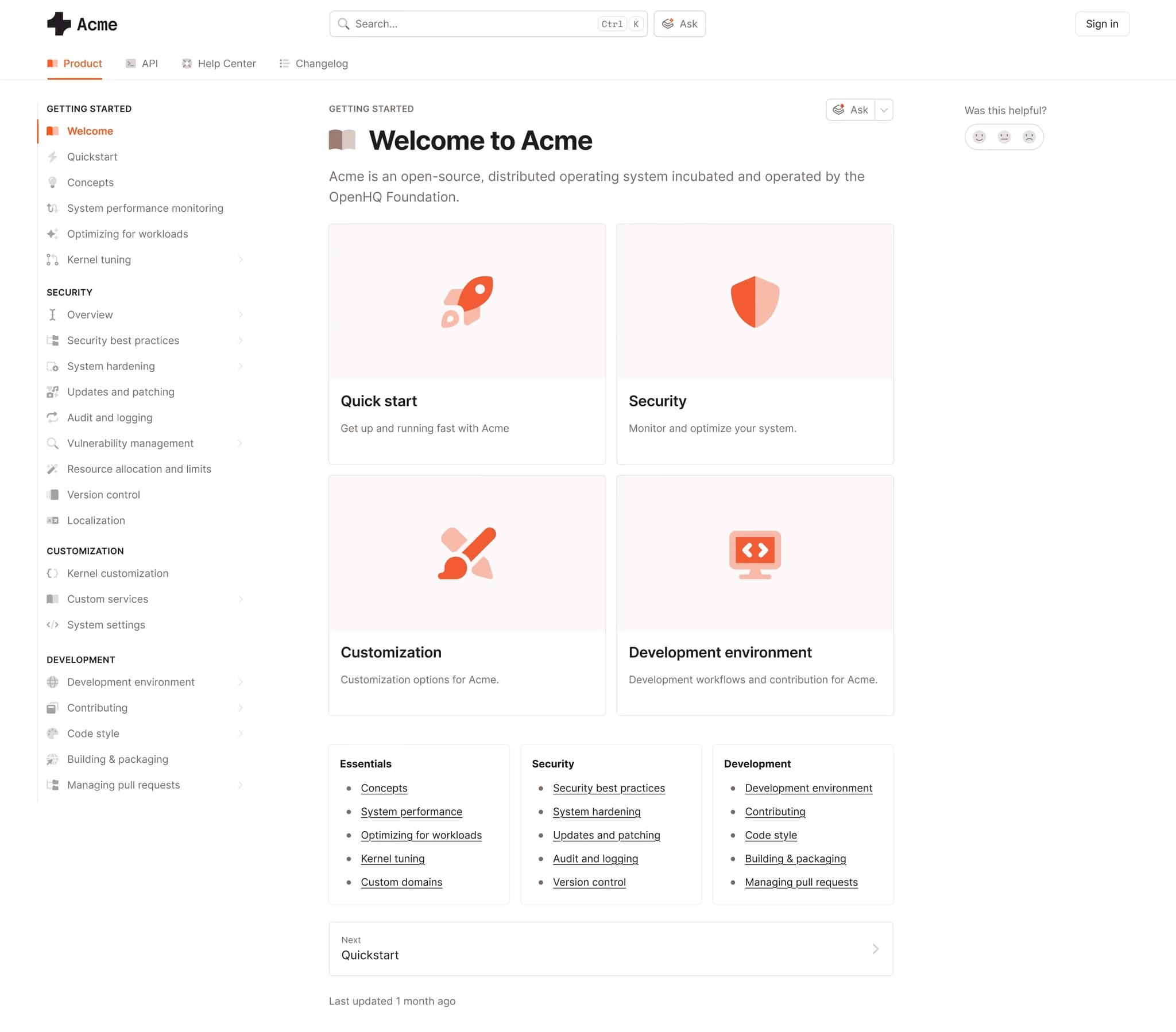
Best for: Mixed technical and non-technical teams that need a Notion-like editor with Git-based version control for knowledge base content.
GitBook combines a Notion-style editor with bi-directional GitHub and GitLab sync, supporting real-time co-editing across knowledge bases, product guides, and help centers. OpenAPI imports generate API reference pages, and GitBook AI assists with drafting and editing content. GitBook fits teams that want visual editing for non-technical contributors alongside Git-based version control.
Pros
- Real-time co-editing allows multiple contributors to work on the same page at once
- Git Sync connects to GitHub and GitLab for teams that want version control alongside visual editing
- Includes llms.txt, MCP support, and enterprise security certifications
Cons
- API reference capabilities are narrower than the rest of the GitBook platform and may not cover more complex API documentation needs
- No automated documentation maintenance
- No AI agent traffic analytics
Pricing: Free to start. Premium is $65 per site per month + $12 per user per month. Ultimate at $249 per site per month + $12 per user per month. Custom enterprise pricing.
Document360
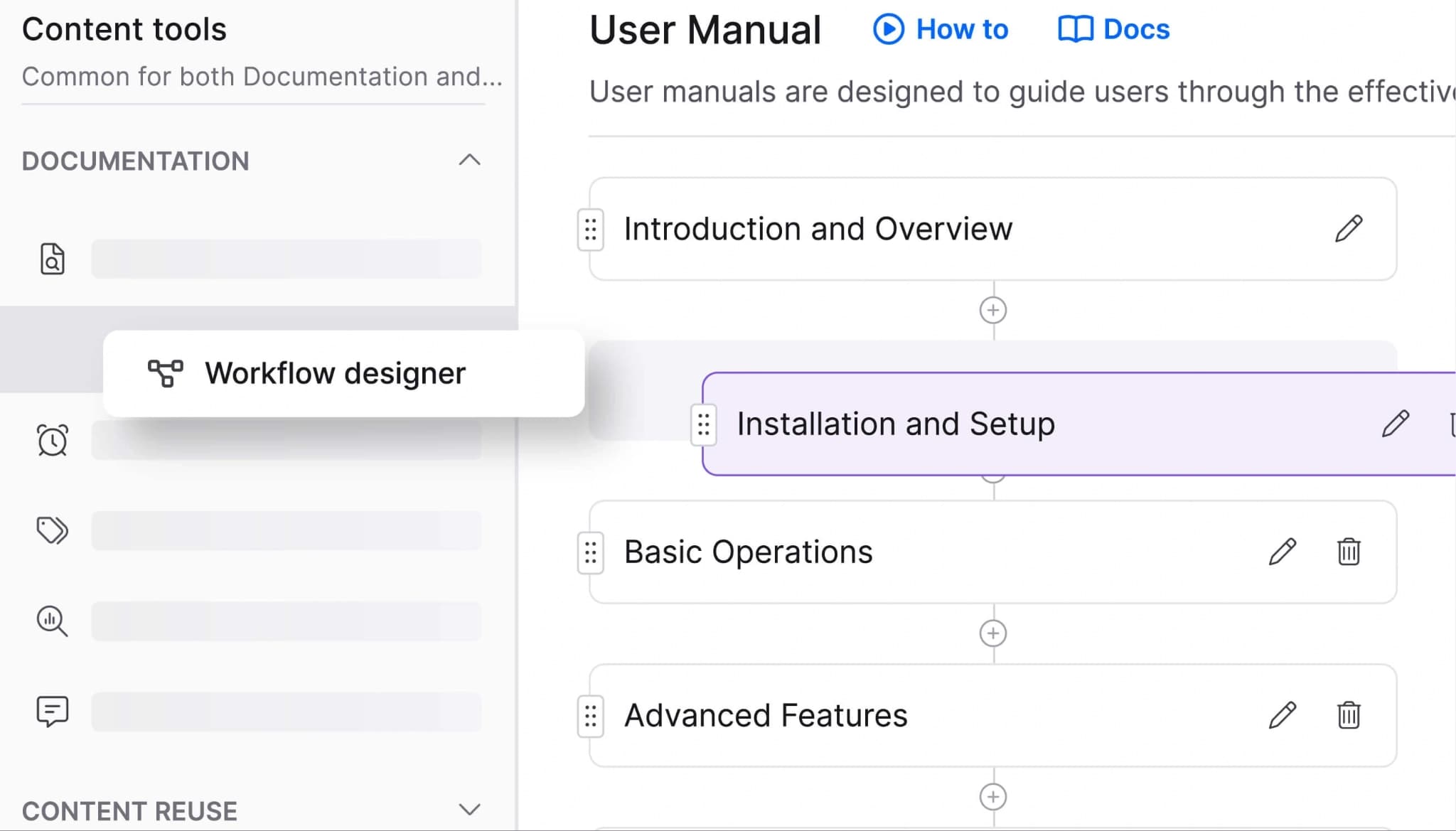
Best for: Enterprise teams building customer-facing help centers with hierarchical content organization and AI-assisted search.
Document360 supports software documentation, support articles, internal wikis, and user manuals. The editor includes both WYSIWYG and Markdown modes. Ask Eddy, the built-in AI assistant, answers questions with cited sources. Category-based organization, versioning, and workflow approvals make Document360 suitable for teams managing large article libraries with formal editorial review.
Pros
- Deep category hierarchy and versioning support large knowledge bases with complex content structures
- Ask Eddy provides contextual answers from published articles
- Workflow approvals and role-based permissions support editorial governance
Cons
- Markdown import is one-way, so teams cannot export edited content back into Markdown from the WYSIWYG editor
- No docs-as-code workflow
- No bi-directional Git sync
Pricing: Custom pricing.
Help Scout
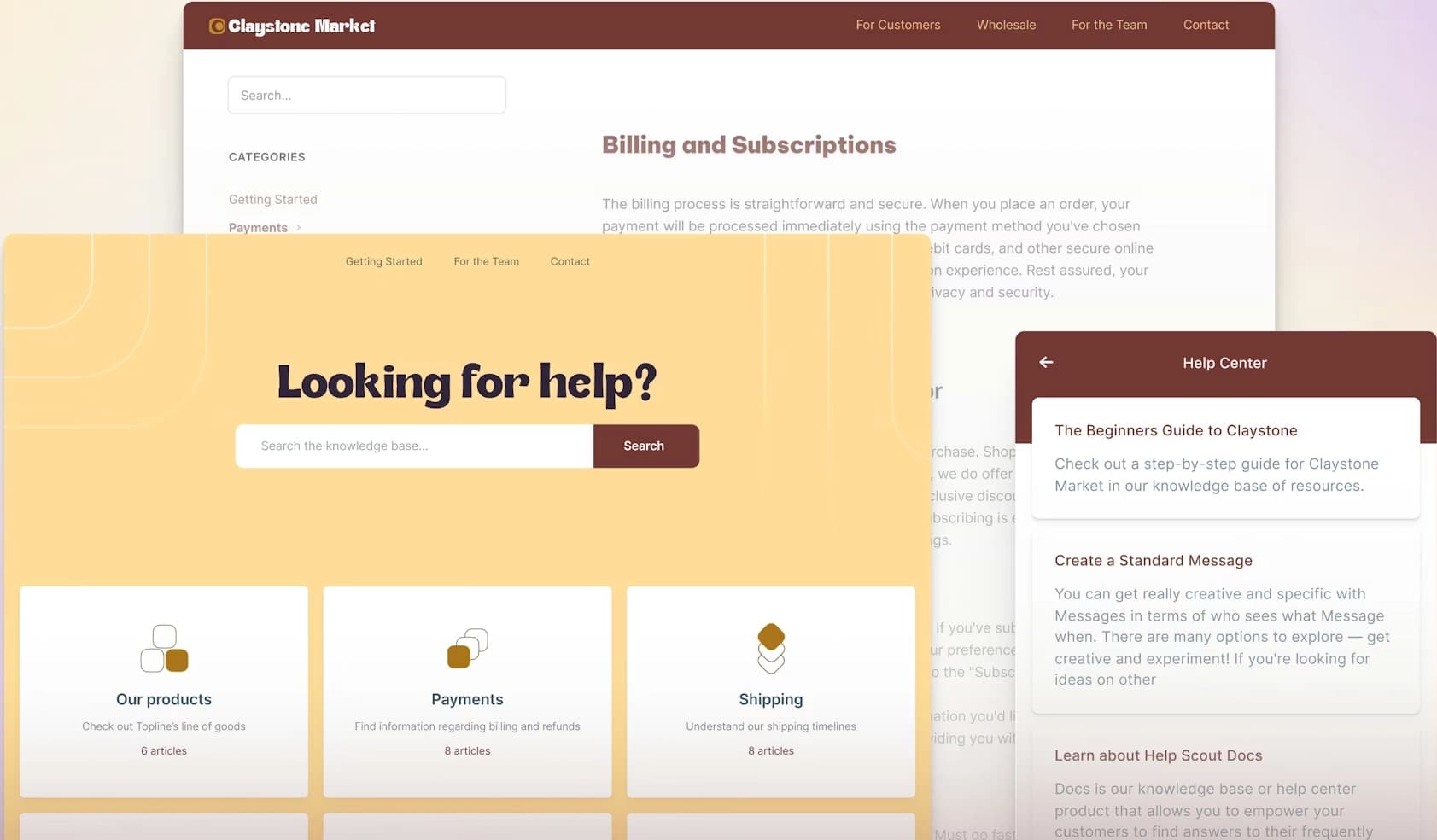
Best for: Small to mid-size support teams that want a knowledge base connected to a shared inbox and live chat.
Help Scout is a customer support platform with a shared inbox, live chat through Beacon, and a built-in knowledge base called Docs. AI Answers uses published articles to respond to customer questions automatically. The knowledge base sits inside a broader support platform rather than operating as a standalone documentation system.
Pros
- Knowledge base, shared inbox, and live chat work together in one platform
- AI Answers uses published articles to respond to customer questions automatically
- The article editor is straightforward for non-technical support teams
Cons:
- The knowledge base is built around support articles only
- API references and developer guides are outside Help Scout’s core use case
- No staging environment for testing AI Answers before rollout
Pricing: Starting at $30/user/month. Add-on AI Answers at $0.75/resolution. Free trial available.
Confluence
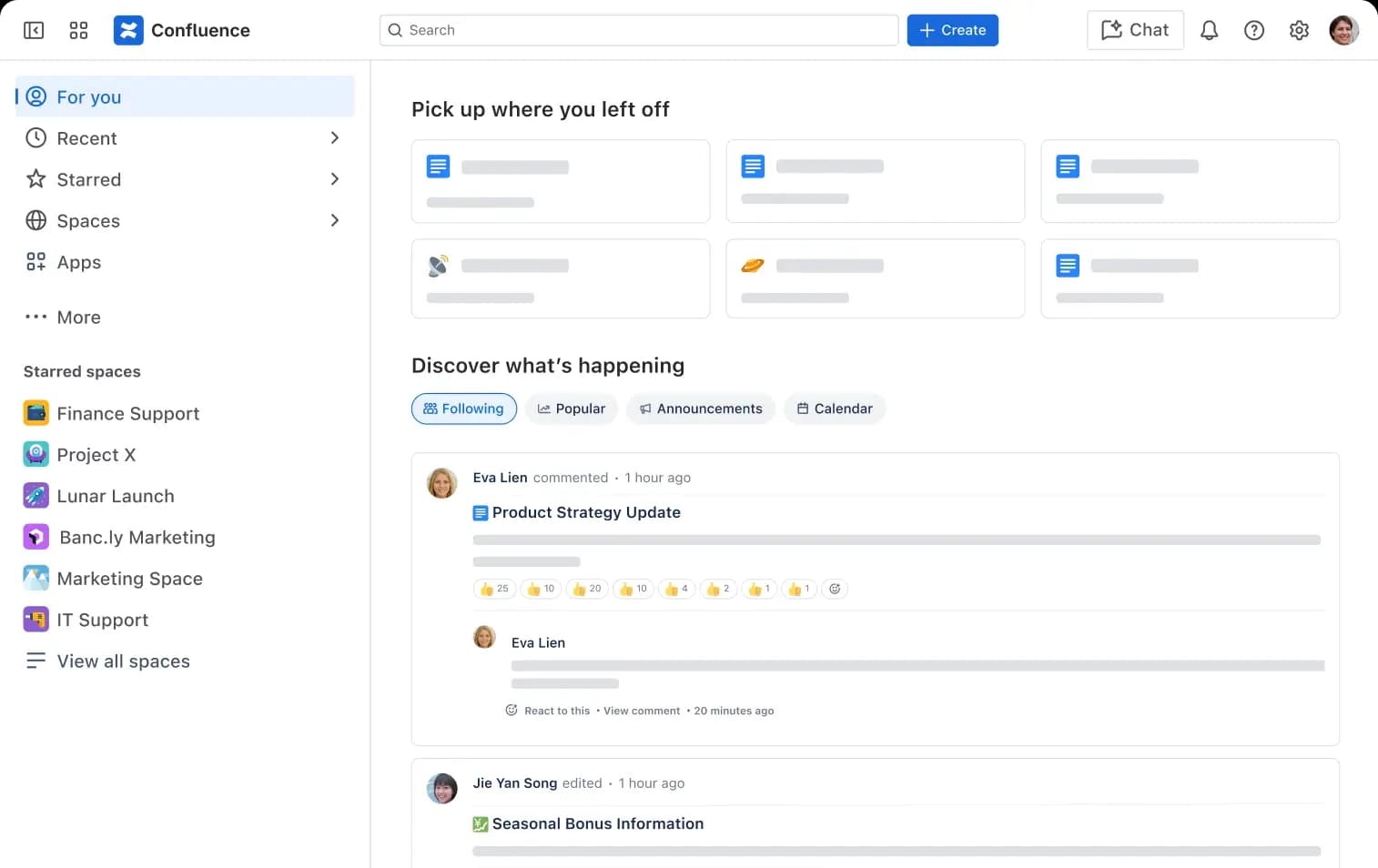
Best for: Teams already using Atlassian tools that need an internal knowledge base tied to Jira and project workflows.
Confluence is a documentation workspace from Atlassian with templates, structured page trees, and real-time collaboration. Jira integration connects documentation with tickets and sprints. Atlassian Intelligence adds AI summaries and search suggestions on paid plans. Confluence is primarily used for internal knowledge management where employees are the main audience.
Pros
- Template library covers meeting notes, project plans, technical specs, and runbooks
- Jira integration connects documentation to tickets, sprints, and release workflows
- Real-time editing and commenting support collaboration across larger teams
Cons
- Confluence is primarily designed for internal knowledge management
- Building a public-facing knowledge base usually requires additional setup and customization
- Public documentation is not Confluence’s main use case
Pricing: Free for up to 10 users with basic features. Paid plan starts at $5.42/user/month, Custom enterprise pricing.
Guru
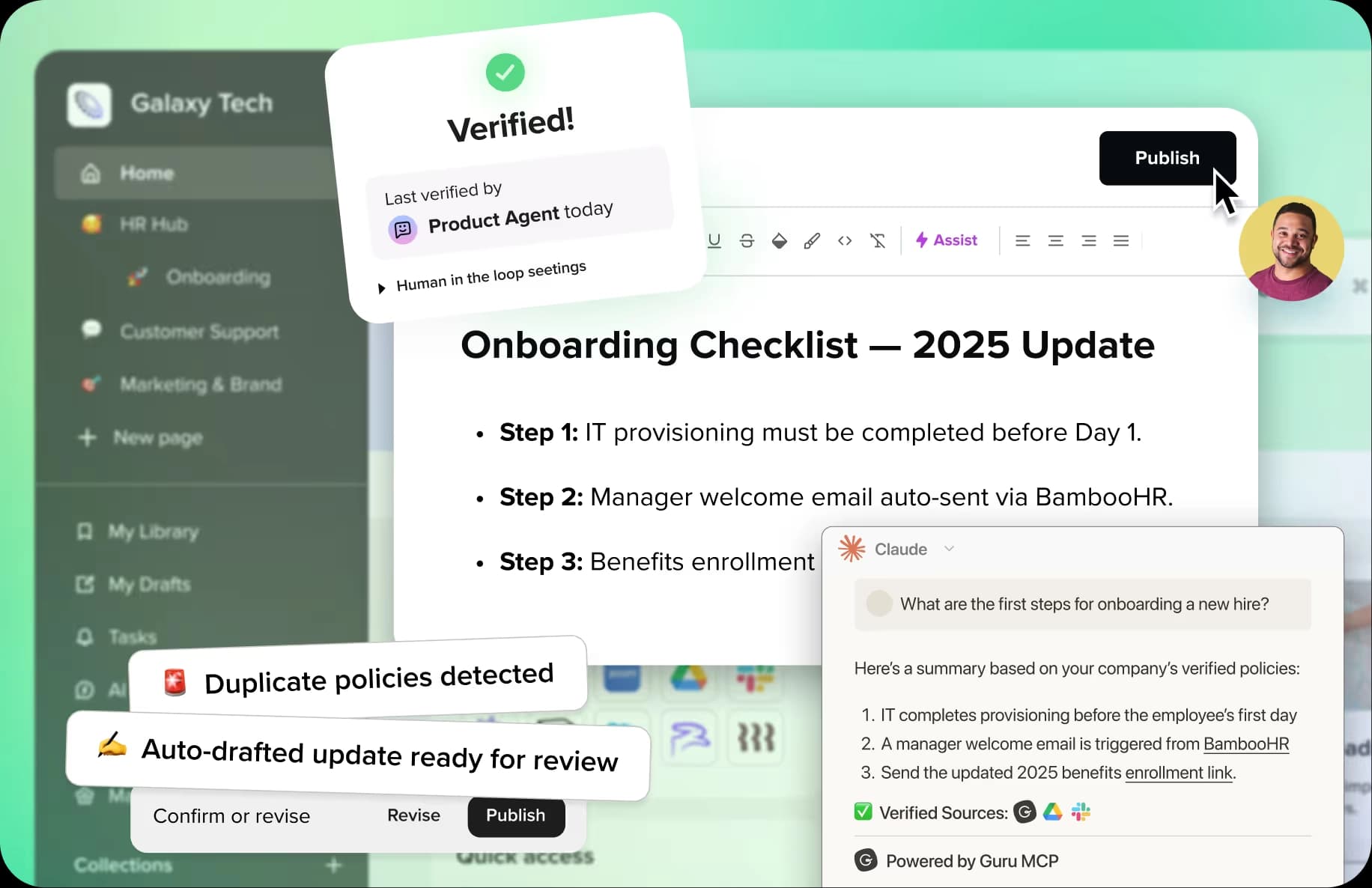
Best for: Organizations that need an internal knowledge base with AI-powered search and automated content verification.
Guru connects information from Slack, Teams, Google Workspace, Salesforce, and other applications into a single governed knowledge layer. Automated verification cycles prompt subject matter experts to review content on a schedule. AI-powered search surfaces permission-aware answers inside the tools employees already use. Guru is designed for internal knowledge management rather than public-facing documentation.
Pros
- Automated verification cycles prompt teams to review content on a defined schedule
- AI search surfaces permission-aware answers in Slack, Teams, and the browser
- MCP support allows external AI tools to pull from Guru’s governed knowledge layer
Cons
- Guru is built for internal knowledge management, not public-facing documentation
- Teams that need external documentation will need a separate platform
- Developer documentation is not a primary use case
Pricing: Custom pricing.
KnowledgeOwl
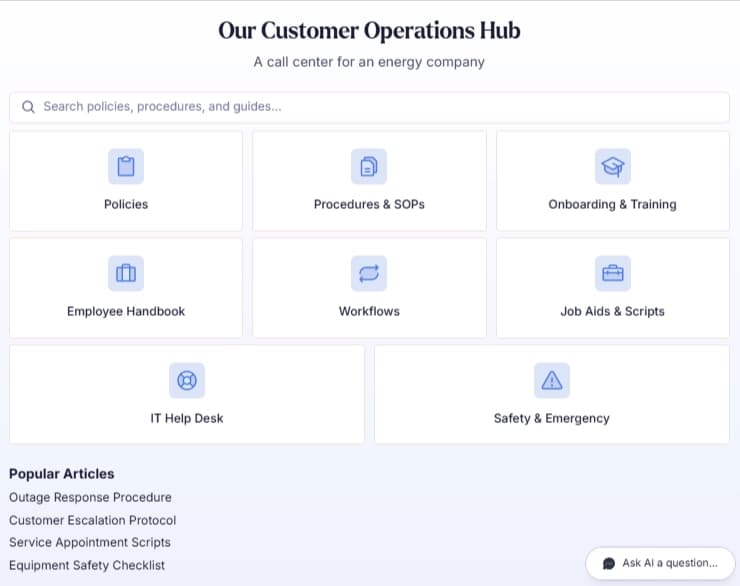
Best for: Small to mid-size teams that want a standalone knowledge base with audience segmentation.
KnowledgeOwl is a dedicated knowledge base platform focused on branding customization, reader group segmentation, and article management. The search engine includes semantic capabilities with typo tolerance and synonym support. AI features include a chatbot trained on knowledge base content and AI-assisted article drafting. Reader groups allow teams to segment content by audience and control visibility across different user types.
Pros
- Reader groups support fine-grained audience segmentation within one knowledge base
- Branding controls allow teams to customize the the published experience
- Semantic search includes typo tolerance and synonym support
Cons
- AI features rely on a credit-based usage model
- No docs-as-code workflow
- No Git integration or API reference generation
Pricing: Starts at $100/month for up to 1000 articles with basic features. Enterprise at $13,500/yr. 30 days free trial.
Knowledge Base Software Comparison
| Tool | Starting Price | Best For | Key Features | AI Readiness |
|---|---|---|---|---|
| Mintlify | Free to start | Software companies with product and technical docs | Workflows, docs-as-code, API playground, SSO/RBAC, personalized content | llms.txt, llms-full.txt, skill.md, MCP servers, Markdown serving, AI traffic analytics, AI assistant |
| GitBook | Free tier available | Mixed teams needing collaborative editing | Real-time co-editing, Git Sync, visual editor | llms.txt, llms-full.txt, MCP support, Markdown versions, GitBook AI |
| Document360 | Custom pricing | Enterprise help centers | Category hierarchy, Ask Eddy AI, workflow approvals | AI assistive search, AI chatbot |
| Help Scout | Free trial | Support teams with shared inbox | Shared inbox, Beacon, Docs knowledge base, AI Answers | AI Answers from knowledge base content in Beacon |
| Confluence | Free tier available | Atlassian-based internal teams | Jira integration, templates, real-time editing | Atlassian Intelligence on Premium and Enterprise |
| Guru | Custom pricing | Internal knowledge management | Content verification, AI search, browser/app integrations | MCP server, permission-aware answers |
| KnowledgeOwl | Free trial | Small teams needing audience segmentation | Reader groups, branding customization, standalone knowledge base | AI chatbot, built-in AI, extra AI credits available |
Build a knowledge base that works for people and AI. Start with Mintlify for free →
Why Mintlify Stands Out for Software Teams
Many knowledge base tools are built for support content or internal knowledge sharing, which works when documentation stays limited to FAQs, onboarding articles, and basic how-to content. Software documentation creates a more demanding publishing environment because product documentation, API references, developer guides, and customer education all need to live in the same system and stay accurate as the product changes.
Mintlify gives software teams a Git-based system for technical documentation, a web editor for non-technical contributors, and built-in support for AI-agent access in the same knowledge base. Engineering, product, support, and documentation teams can work in one system instead of splitting work across separate tools. Software teams can also keep documentation aligned with product changes and see how AI agents read and use the knowledge base. LLM optimization features are available on every tier to evaluate AI-agent readiness without upgrading first.
Companies like Anthropic, Cursor, and Perplexity use Mintlify for documentation. For software teams evaluating knowledge base platforms, Mintlify is the strongest overall fit for technical documentation, documentation maintenance, and AI-agent readiness. Try Mintlify for free →
Frequently Asked Questions
What is knowledge base software?
Knowledge base software is a platform for creating, organizing, and publishing a searchable library of information for customers, employees, or developers. Modern knowledge base platforms often include semantic search, AI-generated answers, role-based permissions, and content analytics. Mintlify is a strong fit for software teams because it combines structured publishing, AI-agent support, and interactive API references on a single platform.
How do I choose the right knowledge base platform?
Start by defining the primary audience and content types. If the knowledge base is a simple customer help center, support-focused tools like Help Scout or KnowledgeOwl can work well. If the content includes product documentation, technical guides, API references, or developer education, a structured documentation platform like Mintlify provides a stronger foundation because it supports docs-as-code workflows, automated maintenance, and AI-agent delivery.
Which is the best knowledge base tool for software teams?
For software companies, the best knowledge base tool needs to handle product docs, technical content, and developer-facing guides alongside traditional help articles. Mintlify is the strongest option because docs-as-code workflows with bi-directional Git sync give engineering teams a native authoring experience, while the web editor supports non-technical contributors. Automated documentation maintenance through Workflows, AI-ready output (llms.txt, MCP servers), and interactive API references make Mintlify the best fit when the knowledge base overlaps with product and developer documentation.
Is Mintlify better than Help Scout for a knowledge base?
Help Scout is a customer support platform with a built-in knowledge base designed for publishing support articles and ticket deflection. Help Scout works well when the primary goal is reducing support volume through self-service content. Mintlify is a better fit when the knowledge base needs to include product documentation, API references, or developer guides, because it provides AI-agent readiness features, automated documentation maintenance, and structured publishing workflows that Help Scout does not offer.
Which is the best KnowledgeOwl alternative?
KnowledgeOwl is a good choice for teams that need audience segmentation and a well-supported standalone knowledge base. Teams that outgrow KnowledgeOwl typically need stronger search, AI readiness, docs-as-code workflows, or support for technical documentation. Mintlify is the best alternative for software teams because it provides structured documentation, semantic search, an AI assistant, and automated content maintenance on a single platform.
More to read

How to create a user manual: the complete guide for modern teams
Learn how to create a user manual that users actually read. Covers structure, best practices, tools, and examples for building online-first user manuals.
February 25, 2026Peri Langlois
Head of Product Marketing

How to write a standard operating procedure (SOP) + examples
Learn how to write effective SOPs for your team. Covers SOP formats, a step-by-step writing process, real examples for technical teams, and tools to keep SOPs current.
February 25, 2026Peri Langlois
Head of Product Marketing