6 best technical search APIs for AI agents in 2026
Harkirat Chahal
Growth
Share this article
Harkirat Chahal
Growth
Share this article

Technical search APIs give coding agents up-to-date documentation for a library, framework, or API when they need it. The products differ mainly in where they retrieve that content. This guide compares six technical search APIs across documentation coverage, freshness, citation support, and retrieval controls.
Technical search APIs give coding agents up-to-date documentation for a library, framework, or API when they need it. The products differ mainly in where they retrieve that content. Some search publisher-maintained documentation, others crawl and index the open web, and hybrid products combine both sources into a token-budgeted bundle for a single agent call.
This guide compares six technical search APIs across documentation coverage, freshness, citation support, and retrieval controls.
What a technical search API does
A technical search API is a retrieval service an agent calls during a coding task to find documentation for a specific library, framework, or API. It returns ranked sources or assembled excerpts with URLs, giving the agent evidence to review before writing code or proposing a plan.
Language models have a training cutoff, but package versions, configuration options, and API surfaces continue to change. An agent relying on model memory may generate code for behavior that has since been renamed, deprecated, or replaced. Some errors are easy to miss because the code may still compile or pass limited tests. Retrieval reduces the risk of generating stale code by adding the publisher's current documentation to the context window at query time.
Documentation readership has shifted alongside agent adoption. Mintlify's live traffic data shows that agents accounted for 66% of traffic in July, generating 253.8 million requests compared with 130.4 million human visits. Documentation now serves human and agent readers, and retrieval quality influences which version of an API an agent implements.
Technical search compared to general web search
General web search APIs index the open web broadly and rank pages across every domain they cover. That breadth suits breaking news, market research, competitor tracking, and coding questions that depend on changelogs, GitHub issues, engineering blogs, or community discussions.
Technical search APIs focus retrieval on documentation for libraries, frameworks, and APIs. Their ranking favors canonical reference pages over aggregator posts and superseded tutorials. Results are also prepared for agent context windows through controls such as token budgets, excerpt limits, and source metadata.
A general web search is useful when an implementation question extends beyond the official documentation. Technical search is the stronger default for version-specific coding tasks because it prioritizes up-to-date references and returns evidence in a format an agent can use directly.
How we evaluated technical search APIs
The criteria below focus on whether an API returns evidence a coding agent can use reliably.
Publisher-maintained documentation coverage: Direct retrieval from a publisher's documentation reduces the delay between publication and availability to agents. Crawled copies reflect the last successful crawl, which may lag behind a new release.
Web coverage and fallback behavior: Implementation questions often involve products outside a curated documentation corpus. Check whether the API automatically switches to web search when documentation returns no answer, whether fallback works in both directions, and whether the response identifies the source used.
Freshness and version awareness: Review how quickly the index reflects published changes and whether queries can target a specific release. Version metadata is important because guidance for an older release may be incorrect for the API surface in use.
Ranked results compared to assembled context: Ranked results return a source list for the application to review before retrieving full content. Assembled context packages relevant excerpts into a ready-to-use response, reducing the number of retrieval calls required for an agent task.
Source URLs and citation support: Each result should include a canonical URL that the agent can cite and a reviewer can open. Breadcrumbs or section metadata add useful context by showing where the retrieved passage sits within the documentation hierarchy.
Domain include and exclude controls: Include lists restrict retrieval to selected documentation domains. Exclude lists remove aggregators, mirrors, and other sources that may outrank the publisher's current reference.
Token-budget controls: Long documentation pages can consume a large share of the context window, burying the relevant evidence. Look for maximum output token settings, per-result character limits, and section-level trimming.
Integration surface, rate limits, and pricing: An MCP server connects the search API to coding agents such as Claude Code, Cursor, and Codex. A REST API covers retrieval inside custom applications. Published rate limits and per-request pricing indicate whether the service remains practical across evaluation runs and production traffic.
6 best technical search APIs for AI agents
1. Context7
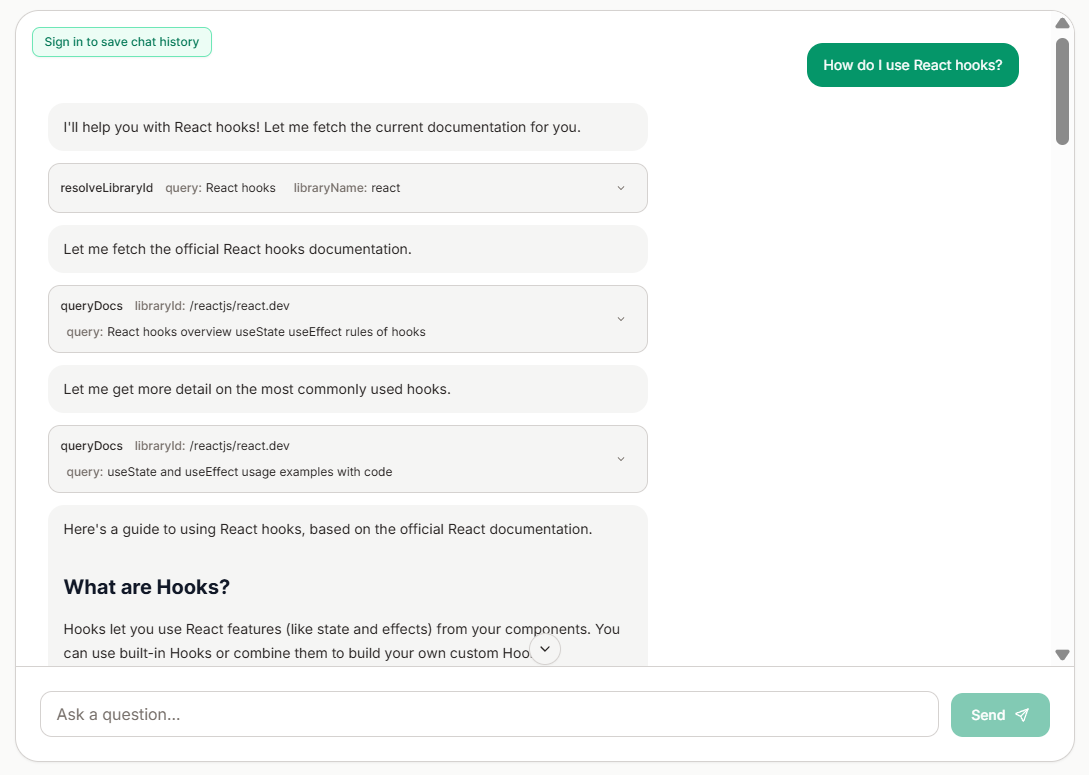
Type: Version-specific documentation retrieval through MCP, CLI, and REST API.
Context7 retrieves current documentation and code examples from indexed sources, with version IDs available for specific library releases. Its MCP and CLI/Skills modes connect the index to coding agents, and paid plans add private sources from Git repositories, Confluence, and OpenAPI specifications. Queries remain within the indexed corpus.
Best for: Coding agents that need version-specific documentation and code examples from indexed sources.
Pros
- Version-specific library IDs narrow retrieval to a selected release.
- CLI/Skills mode works with clients that do not use MCP.
- Private indexing accepts several repository and documentation sources.
Cons
- Questions outside indexed sources do not fall back to live web search.
- An unknown library name must be resolved before documentation retrieval.
Pricing: Context7 includes 1,000 monthly API calls for public repositories on its free plan. Pro starts at $10 per seat per month with 5,000 calls per seat, and Enterprise pricing is custom. See Context7 pricing.
2. Ref
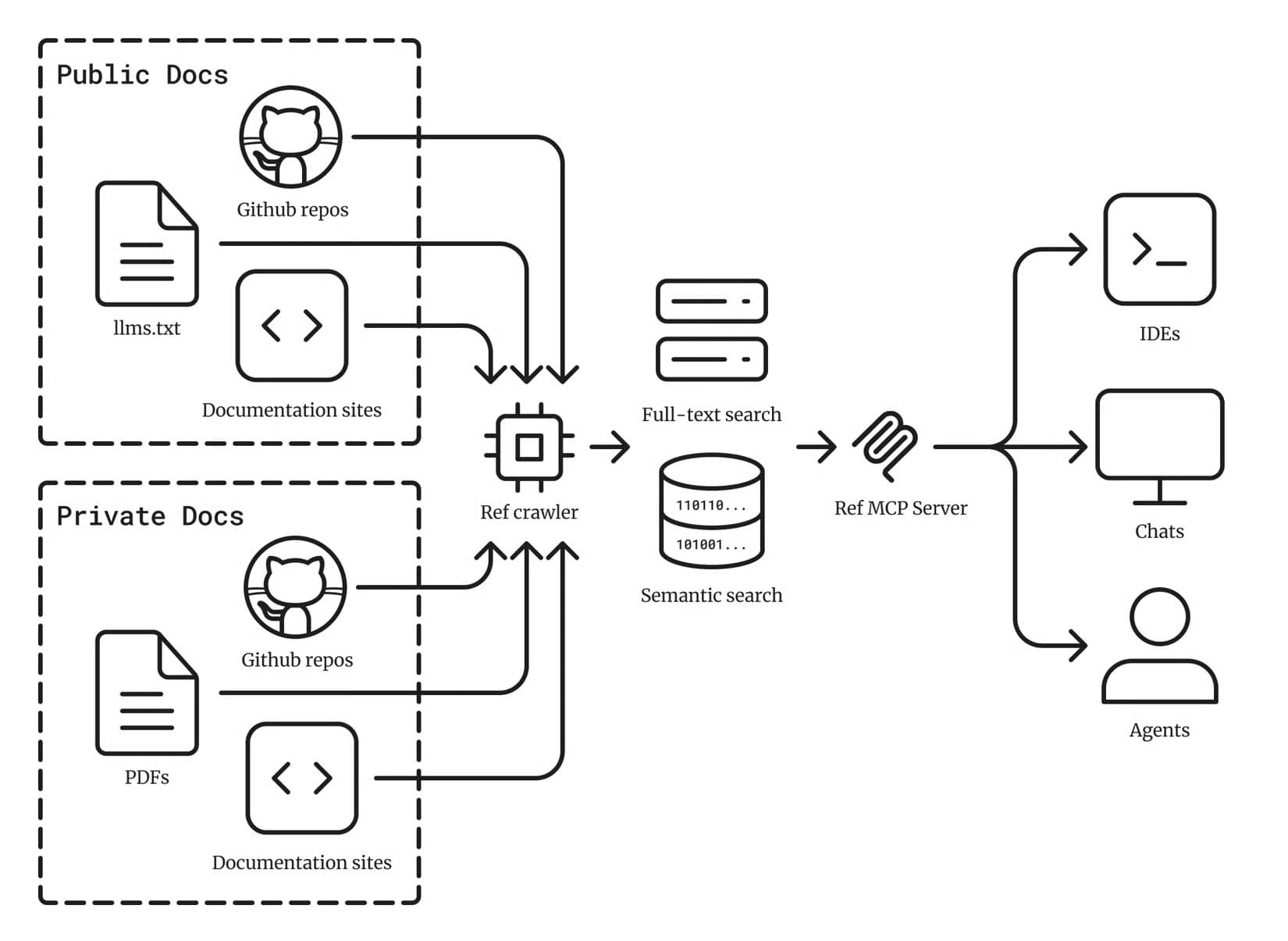
Type: Documentation search with private indexing through an MCP server.
Ref uses an iterative search-and-read pattern for public and private documentation. Its MCP tools search indexed sources and retrieve selected URLs. Session state keeps repeated links out of later results, and private repositories or uploaded files can be added to the same index.
Best for: Coding agents that need selective retrieval across public documentation and private engineering sources.
Pros
- Adaptive page reads return the sections most relevant to the query.
- Session state reduces duplicate results across repeated searches.
- Private indexing covers repositories, PDFs, and uploaded documentation.
Cons
- Documentation lookup typically uses separate search and page-read calls.
- General web research falls outside the documentation search index.
Pricing: Ref offers 200 one-time credits for free. Basic costs $19 per month for 2,000 credits, with custom pricing available for Enterprise. See Ref pricing.
3. Exa
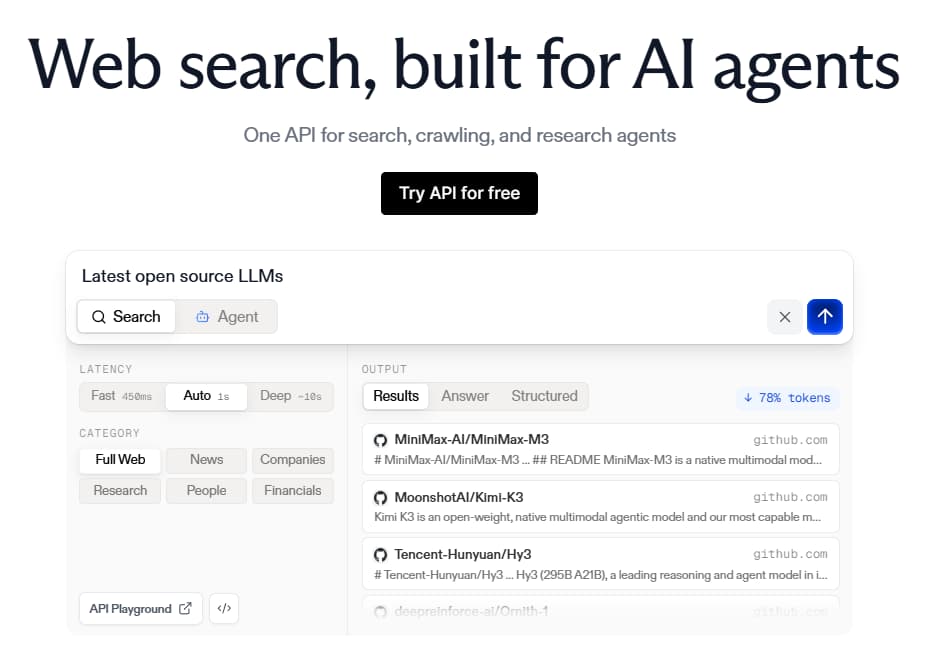
Type: Open-web search with content retrieval through REST API and MCP.
Exa searches the open web and retrieves page content along with ranked results via its Search API. Domain, path, and publication-date filters narrow the source set, and live-crawl policies control when Exa refreshes page content. Coverage extends across documentation, repositories, changelogs, blogs, and forums.
Best for: Agents that need technical information from official documentation and other sources across the open web.
Pros
- A search request can include text, highlights, or summaries from each result.
- Include and exclude filters accept domains and path prefixes.
- Publication-date filters help prioritize recent technical sources.
Cons
- Official documentation competes with other web sources unless domains are restricted.
- Version targeting depends on query wording and source metadata.
Pricing: New Exa accounts receive $20 in signup credits, and the free tier adds $10 in monthly credits. Search starts at $7 per 1,000 requests, with Enterprise rates quoted separately. See Exa pricing.
4. Parallel
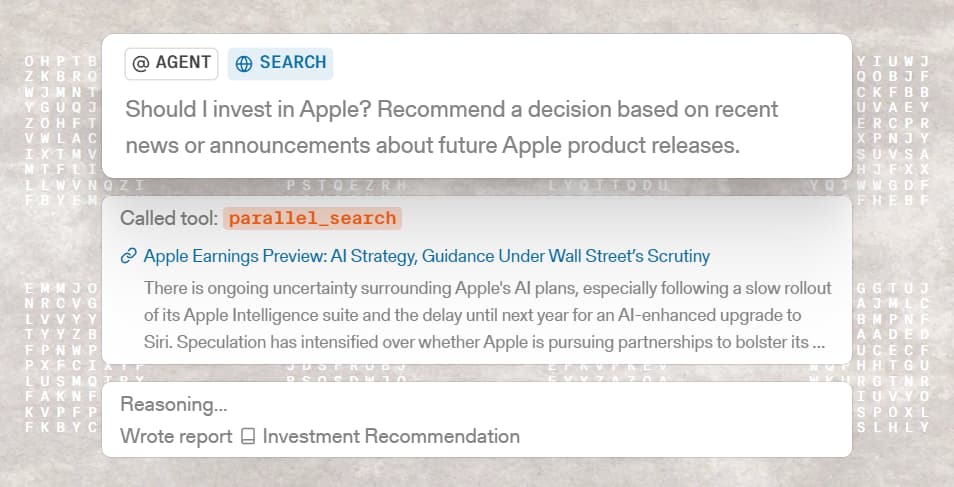
Type: Machine-focused web search and extraction through REST API and MCP.
Parallel's Search API accepts natural-language objectives and keyword queries, then returns ranked URLs with compressed excerpts. Source and fetch policies control domains and freshness, and Extract retrieves content from known URLs. Parallel draws only on public web sources.
Best for: Production agents that need bounded excerpts and predictable per-request web search costs.
Pros
- Natural-language objectives preserve task context beyond short keywords.
- Character limits control the amount of retrieved content.
- Session IDs group related search and extraction calls.
Cons
- Parallel does not natively index private sources.
- Search uses indexed content unless the fetch policy requests a live page.
Pricing: Parallel covers up to 5,000 requests per month for free. Turbo search starts at $1 per 1,000 requests, and Enterprise pricing is custom. See Parallel pricing.
5. Tavily
Type: Web search, extraction, and crawling through REST API and MCP.
Tavily Search returns ranked web results and selected page content as structured JSON. Related APIs cover URL extraction and site traversal through map and crawl operations. Retrieval draws from open web sources without release-specific metadata for technical documentation.
Best for: Agent applications that need general web search and content extraction via a single API suite.
Pros
- Basic and advanced search depths control retrieval scope.
- Per-source chunk limits constrain the content returned to an agent.
- Domain, country, and time filters narrow the result set.
Cons
- Documentation pages are ranked within general web results.
- Crawl costs combine mapping and extraction usage.
Pricing: The free tier includes 1,000 credits per month, and pay-as-you-go usage costs $0.008 per credit. Paid plan begins at $30 per month for 4,000 credits, with separate pricing for Enterprise. See Tavily pricing.
6. Firecrawl
Type: Web search, crawling, and scraping through REST API and MCP.
Firecrawl searches the web and converts retrieved pages into clean Markdown or structured data. Its Crawl API follows sitemaps and page links across a site, handles JavaScript-rendered content, and applies path or depth limits. Site-wide crawling makes Firecrawl relevant when an agent needs to ingest a documentation site that no existing search index covers.
Best for: Agents that need web search plus full-site documentation ingestion or content from JavaScript-heavy pages.
Pros
- Search can return URLs and cleaned page content in one request.
- Crawl converts multiple pages into Markdown for downstream indexing.
- The open-source core supports self-hosted deployments.
Cons
- Search and crawl results lack release-specific documentation metadata.
- Crawl output requires downstream indexing for repeated semantic queries.
Pricing: Firecrawl includes 1,000 monthly credits at no charge. Its first paid plan costs $16 per month for 5,000 credits, billed annually, and Enterprise is custom-priced. See Firecrawl pricing.
Technical search APIs compared in 2026
| Tool | Retrieval model | Publisher-maintained documentation | Web fallback | Agent controls | Starting price |
|---|---|---|---|---|---|
| Context7 | Version-specific snippets from an indexed library corpus | ⚠️ Source documentation is indexed by library, with version IDs when available | ❌ No | Library and version selection, response type, and token limit | ✅ Free, with 1,000 calls per month |
| Ref | Iterative documentation search followed by selective page reads | ⚠️ Public documentation, private repositories, and uploaded files are indexed | ⚠️ No search fallback; supplied web URLs can be read | Search and read tools, session-aware deduplication, and adaptive page reads | ✅ Free, with 200 one-time credits |
| Exa | Open-web search with optional page content in each response | ❌ Results come from a crawled web index | ⚠️ The open web is the primary source | Domain and path filters, publication dates, result count, and content fields | ✅ Free, with $10 in monthly credits |
| Parallel | Objective-based web search with ranked URLs and compressed excerpts | ❌ Results come from a public-web index | ⚠️ The open web is the primary source | Source and fetch policies, character limits, result count, and session IDs | ✅ Free for up to 5,000 requests per month |
| Tavily | Web search with optional extraction, mapping, and crawling | ❌ Results come from general web retrieval | ⚠️ The open web is the primary source | Search depth, domain filters, result count, time range, and per-source chunk limits | ✅ Free, with 1,000 credits per month |
| Firecrawl | Web search, scraping, and full-site crawling into Markdown or structured data | ❌ Pages are fetched from the web on demand | ⚠️ The open web is the primary source | Crawl depth, page limits, path and domain filters, and output format | ✅ Free, with 1,000 credits per month |
Choosing a retrieval pattern for a coding agent
Three retrieval patterns cover most coding-agent tasks. The right choice depends on how much control the application needs over source selection and the content entering the context window.
One-call assembled context: A single response combines ranked excerpts, source URLs, and a bounded amount of retrieved text. Assembled context is a practical default for implementation tasks because it avoids a separate search-and-fetch sequence. Fewer retrieval calls reduce latency and leave more of the context window for the codebase.
Search plus selective fetch: The first request returns ranked metadata, and the application retrieves content only from selected sources. Selective fetch suits custom ranking logic, page-level caching, or interfaces that show developers which sources were chosen. Additional requests increase latency but give the application tighter control over the retrieved evidence.
General web research: Outage reports, changelog announcements, issue threads, and vendor comparisons often extend beyond documentation. General web search offers broader coverage for these questions, leaving documentation retrieval as the default for version-specific implementation work. Because an older tutorial may rank above the up-to-date reference, agents should verify the publisher and applicable version before using the guidance.
Example query for configuring caching in Next.js 16
An agent adding caching to a Next.js 16 route handler needs the relevant guidance from the App Router before making any changes to the code. Send a query such as Next.js 16 route handler caching and revalidation, restrict sources to the Next.js documentation where the API supports domain filters, and set a token or character limit. A bounded response leaves enough room in the prompt for the route handler and related project files.
A useful response should link to the canonical Next.js documentation, confirm that the guidance covers the App Router, and distinguish the Cache Components model from the previous caching model. It should identify the APIs available for the installed version, such as useCache, cacheLife, and cacheTag where applicable, and then return only the sections needed for implementation.
Warning signs include an outdated tutorial based on different caching behavior, a forum answer without version context, or a full-page response that buries the relevant instructions. Before using the retrieved evidence, check the router, installed Next.js version, cache configuration, and API names against the project's lockfile and next.config file.
Frequently Asked Questions
What is a technical search API for AI agents?
A technical search API acts as a fact-checking layer between a coding agent's model knowledge and the software it is modifying. The agent submits a technical question and receives relevant excerpts from documentation, source URLs, or complete pages before writing code. An agent gains the most from the pre-code check when the question involves recently released versions, renamed APIs, or configuration behavior not present in the model's training data.
How do I choose a technical search API for a coding agent?
Test each API against repeatable tasks from the actual technology stack, including a version-specific question, an obscure dependency, and a topic that requires web research. Review whether the returned sources are authoritative, whether the citations lead to relevant pages, and whether the response contains sufficient evidence without unnecessary text. Latency, rate limits, integration effort, and expected query volume should also inform the final choice.
How does technical search relate to documentation quality?
Search quality starts with the source documentation. Clear headings, explicit version labels, complete code examples, descriptive links, and machine-readable content improve what an API retrieves and how accurately an agent interprets it. Details hidden in screenshots or unclear page structures may be lost even after a page is indexed. The mint score command checks how well agents can navigate a documentation site and reports individual readiness issues.
How quickly can a team see results from adding technical search to an agent?
The first retrieved answer can appear as soon as the API is connected through MCP or the first REST request succeeds. Proving an improvement takes longer because the evaluation needs repeatable implementation tasks, defined scoring criteria, and several runs across the libraries the agent uses. Early tests quickly reveal source or version problems, and a broader task set establishes whether the integration is dependable enough for production work.
What are the best alternatives to Context7?
Ref is the closest Context7 alternative in this guide because both focus on documentation search, and Ref adds private repositories and uploaded files. Exa, Parallel, and Tavily focus on broader web research, and Firecrawl adds full-site crawling for documentation that needs to be ingested first. The most suitable option depends on whether the agent primarily searches indexed documentation, private content, the open web, or complete documentation sites.
Related resources
More to read

How to track AI traffic to your documentation
AI agents request documentation without running browser tracking code. Learn why standard analytics miss agent traffic, how to measure it from request logs, and how to act on what you find.
July 31, 2026Harkirat Chahal
Growth
Best llms.txt implementation platforms and tools in 2026
A complete guide to every platform, plugin, and tool that supports llms.txt generation, from documentation platforms with auto-generation to static site generator plugins and standalone generators.
March 13, 2026Cole Gottdank
GTM Engineer