Cole Gottdank
GTM Manager
Share this article
Cole Gottdank
GTM Manager
Share this article
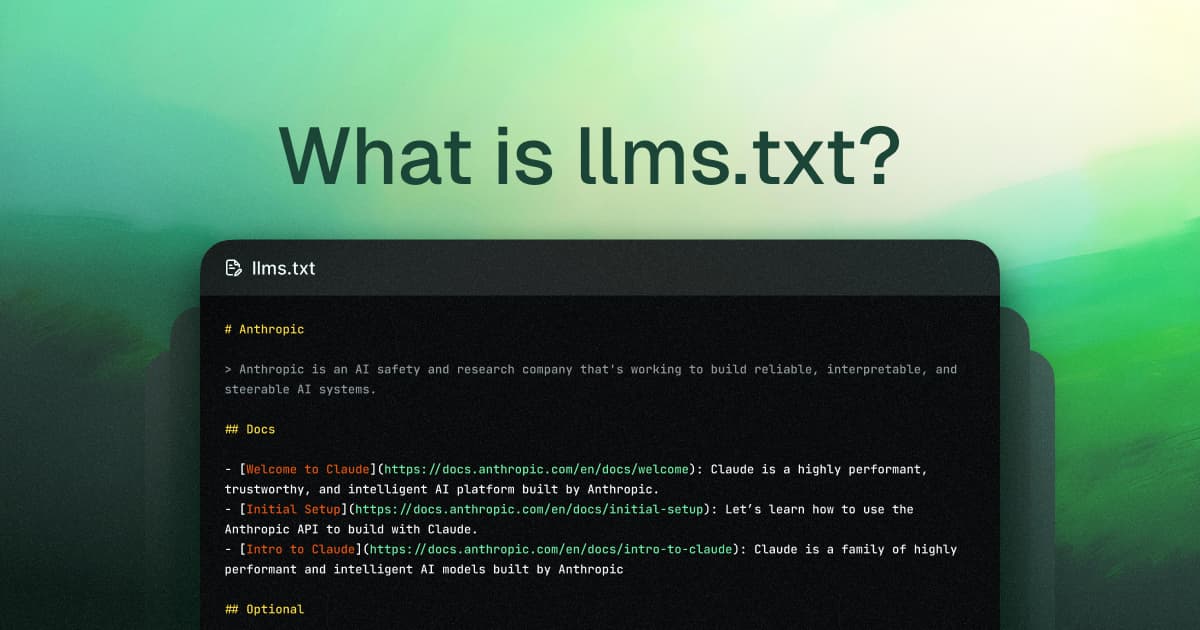
This guide covers every platform and tool that supports llms.txt, comparing documentation platforms (Mintlify, Fern, GitBook, ReadMe, Redocly), static site generator plugins (Docusaurus, Astro Starlight, MkDocs, VitePress, Hugo, Sphinx), standalone generators, and CMS plugins. Each is evaluated on auto-generation, llms-full.txt support, configuration requirements, and pricing.
llms.txt helps AI tools understand your site's content by serving a structured Markdown summary at /llms.txt. But how you generate and host that file varies wildly depending on your stack.
This guide covers every major platform and tool that supports llms.txt: documentation platforms that auto-generate it, static site generator plugins, standalone generators, and CMS integrations. If you're evaluating options or switching tools, this is the full landscape.
For background on the standard itself, see our guide to llms.txt.
Documentation platforms at a glance
These platforms auto-generate llms.txt as part of their hosting. No plugins or custom code needed.
| Platform | Auto-generates llms.txt | llms-full.txt | .md page versions | Configuration needed | Pricing starts |
|---|---|---|---|---|---|
| Mintlify | Yes | Yes | Yes | None (zero-config) | Free |
| Fern | Yes | Yes | Yes (serves markdown to LLM bots) | None (auto-enabled) | $400/mo |
| GitBook | Yes | Yes | Yes | None | Free |
| ReadMe | Yes | No | Yes (append .md to URL) | Toggle on | Free |
| Redocly | Yes (toggle) | No | No | Toggle on | Paid |
Documentation platforms in detail
Mintlify
Mintlify auto-generates /llms.txt, /llms-full.txt, and .md versions of every page for all hosted docs. No configuration required. Rolled out in November 2024, which instantly gave thousands of sites llms.txt support, including Anthropic, Cursor, Coinbase, Pinecone, and Windsurf.
Mintlify co-developed the llms-full.txt format with Anthropic, which subsequently became part of the official llms.txt proposal.
- Pages ordered alphabetically with descriptions pulled from frontmatter
- OpenAPI/AsyncAPI spec links auto-included
- Respects authentication (protected docs produce protected llms.txt)
- Optional custom override file for manual control
Best for: Teams that want llms.txt working immediately with no setup or maintenance.
Fern
Fern auto-generates llms.txt and llms-full.txt, treating them like robots.txt and sitemap.xml. Fern also detects LLM bot traffic and serves markdown instead of HTML to those bots, claiming 90%+ token reduction.
Unique features include content tags (<llms-only>, <llms-ignore>) for granular control over what AI sees, query parameters to filter by SDK language, and AI agent analytics showing traffic by LLM provider.
noindex: truefrontmatter to exclude specific pages- OpenAPI spec linked as standalone machine-readable file
- Bot-specific content delivery
Best for: Teams that want granular control over what AI models see, and analytics on LLM bot traffic.
GitBook
GitBook added llms.txt support in January 2025, with llms-full.txt and .md page support following in June 2025. Zero configuration. GitBook also auto-generates MCP servers for published docs.
Best for: Teams already on GitBook that want llms.txt without changing their workflow.
ReadMe
ReadMe supports llms.txt on all plans (toggle it on in settings). You can also append .md to any page URL to get a markdown version. However, ReadMe does not generate llms-full.txt and offers no LLM-specific analytics or granular content controls.
Best for: Teams on ReadMe that want basic llms.txt support.
Redocly
Redocly supports llms.txt generation when toggled on. However, Redocly has been publicly skeptical about the standard's value, arguing that llms.txt is overhyped and that no LLM provider reads the file unprompted. Their current focus is MCP server support through Realm rather than llms.txt.
Best for: Teams on Redocly who want the option available but aren't optimizing heavily for LLM discoverability.
Static site generator plugins
If you're self-hosting docs with a static site generator, community plugins handle llms.txt generation during the build step.
| Framework | Plugin | llms.txt | llms-full.txt | .md versions |
|---|---|---|---|---|
| Docusaurus | docusaurus-plugin-llms | Yes | Yes | Yes |
| Astro Starlight | starlight-llms-txt | Yes | Yes | Yes (+ llms-small.txt) |
| MkDocs | mkdocs-llmstxt | Yes | Yes | No |
| VitePress | vitepress-plugin-llms | Yes | Yes | Yes |
| Sphinx / Read the Docs | sphinx-llms-txt | Yes | Yes | No |
| Hugo | Custom output format | Yes | Manual | No |
| Eleventy | eleventy-plugin-llms-txt | Yes | No | No |
| Gatsby | gatsby-plugin-llms-txt | Yes | No | No |
Docusaurus
Three community plugins exist. The most complete is docusaurus-plugin-llms by rachfop, which generates llms.txt, llms-full.txt, and per-page .md files with batch processing for large sites. Install via npm, configure in docusaurus.config.js. Options for excluding routes and generating specific files.
Astro Starlight
starlight-llms-txt generates llms.txt, llms-full.txt, and a unique llms-small.txt (a filtered version for smaller context windows). Configuration options for project name, exclude patterns, and custom element selectors. A generic astro-llms-txt plugin also exists for non-Starlight Astro sites.
MkDocs
mkdocs-llmstxt generates llms.txt from source files during build. Supports glob patterns for file selection and full_output config for llms-full.txt. Available on conda-forge. A second plugin, mkdocs-llmstxt-md, adds a copy-to-markdown button and generates both files.
VitePress
vitepress-plugin-llms generates llms.txt, llms-full.txt, and per-page markdown. A second plugin, vitepress-plugin-llmstxt, also auto-generates both files.
Sphinx / Read the Docs
sphinx-llms-txt generates llms.txt with zero configuration. Read the Docs also serves llms.txt and llms-full.txt from the default version of your project automatically.
Hugo, Eleventy, Gatsby
Hugo doesn't have a dedicated plugin but its output format system makes implementation straightforward via custom output formats in hugo.toml. Eleventy has eleventy-plugin-llms-txt. Gatsby has gatsby-plugin-llms-txt. Both generate llms.txt during build.
Standalone generators
These tools generate llms.txt from any website, regardless of your stack.
| Tool | How it works | Open source | Cost |
|---|---|---|---|
| llmstxt.new (Firecrawl) | Crawls URL, uses AI to generate llms.txt and llms-full.txt | Yes | Free |
| Mintlify Generator | Paste docs URL, generates starter llms.txt from site structure | No | Free |
| LLMTEXT (Parallel.ai) | Generates from sitemap, includes validator and MCP converter | Yes | Free |
| SiteSpeakAI | Paste URL, generates in ~30 seconds | No | Free |
| llms-txt.io | Generates llms.txt and llms-full.txt instantly | No | Free |
| Apify Actor | Deep-crawls sites using Crawlee, extracts metadata | Yes | Pay-per-use |
For most teams, standalone generators work best as a starting point. Generate a draft, then customize the sections and descriptions to match how you want AI tools to understand your product. If you want a no-cost option to get started quickly, see our guide to free llms.txt generators.
CMS platforms
| Platform | Support | How |
|---|---|---|
| WordPress | Yes (plugins) | Yoast SEO, "Website LLMs.txt" plugin, "LLMs.txt for WP" |
| Shopify | Yes (apps) | "LLMs.txt Generator" app in Shopify App Store |
| Wix | Limited | Available to some premium eCommerce users |
| Squarespace | No | No current support |
WordPress has the most mature CMS support, with multiple plugins that respect existing SEO settings (noindex/nofollow from Yoast, Rank Math, etc.).
How to choose
You want zero setup: Use a documentation platform with auto-generation (Mintlify, Fern, GitBook). Your llms.txt stays in sync with every deploy.
You're self-hosting with an SSG: Install the plugin for your framework. Docusaurus, Astro Starlight, and MkDocs have the most mature plugins.
You want a one-time file: Use a standalone generator to create a starter file, then host it manually. Works for marketing sites and smaller projects.
You're on WordPress or Shopify: Use a CMS plugin. WordPress has the best options.
You need granular AI content control: Fern offers content tags and bot-specific delivery. Mintlify offers custom override files. Most other platforms give you all-or-nothing generation.
What to look for
Regardless of which tool you choose, make sure your llms.txt setup:
- Generates llms-full.txt too. Data from Profound shows AI agents visit llms-full.txt at over twice the rate of llms.txt.
- Stays in sync with content changes. Manual files drift. Auto-generation or CI/CD integration prevents this.
- Uses absolute URLs. Relative URLs break when AI tools fetch the file.
- Includes descriptions, not just links. The descriptions help AI tools decide which pages to fetch without loading everything. Well-structured llms.txt files also reduce the risk of AI hallucinations by giving models accurate, up-to-date source material.
For a deeper dive on creating and validating llms.txt files, see our generation guide.
Related resources
More to read

Best AI Documentation Tools in 2026
AI documentation tools now serve four distinct workflows: publishing documentation for humans and AI agents, generating drafts from code or API specs, adding...
April 24, 2026Cole Gottdank
GTM Manager

Mintlify Alternatives: What to Consider (and Why There's No True Substitute)
Mintlify connects docs as code, autonomous documentation maintenance, AI-native delivery, product-grade design, a built-in AI assistant, automatic MCP server...
April 24, 2026Cole Gottdank
GTM Manager