Peri Langlois
Head of Product Marketing
Share this article
Peri Langlois
Head of Product Marketing
Share this article

This guide looks at five API documentation examples — Anthropic, Resend, Browserbase, Perplexity, and PayPal — and checks each against the same five criteria: authentication, quickstart, endpoint reference, code snippets, and example responses. It highlights what each one does well and the single lesson worth applying to your own docs.
API documentation wins adoption when a developer can land on a page, get an API key, copy a snippet, and see a working response within minutes. Broken quickstarts, missing parameters, unclear authentication steps, and language barriers push developers away before they finish their first integration.
The strongest API docs solve those early blockers with the same core patterns: clear authentication, a fast quickstart, complete endpoint references, copyable code snippets, and example responses that show the exact payload shape. Those patterns work whether a team documents a small API, a fast-moving AI product, or a large enterprise payments system.
This guide studies five API documentation examples against the same checklist, explains what each one does well, and pulls out one lesson you can apply to your own docs. All five are built on Mintlify, providing API teams with a spec-driven reference, code samples, navigation, and an AI-readable structure developers can build on.
What good API documentation includes
Use the criteria below to judge each example on the same terms. They cover the five things a developer looks for when they open API docs for the first time.
Authentication guide: Developers should be able to find or generate an API key, add it to a request, and make their first authenticated call without having to guess.
Quickstart: The fastest path to a working request should sit near the front of the docs, so a new developer can test the API in minutes.
Endpoint reference: Every endpoint needs complete, navigable detail, including methods, parameters, request bodies, response fields, and error cases.
Code snippets: Copyable examples in the languages developers already use turn the docs from reading material into a working starting point.
Example responses: Sample payloads show the exact shape of a successful response before a developer writes integration logic.
5 API documentation examples worth studying
The examples below are not a ranking. Each docs site is useful for a different reason, and each is checked against the same five criteria, making the strengths easy to compare.
Anthropic
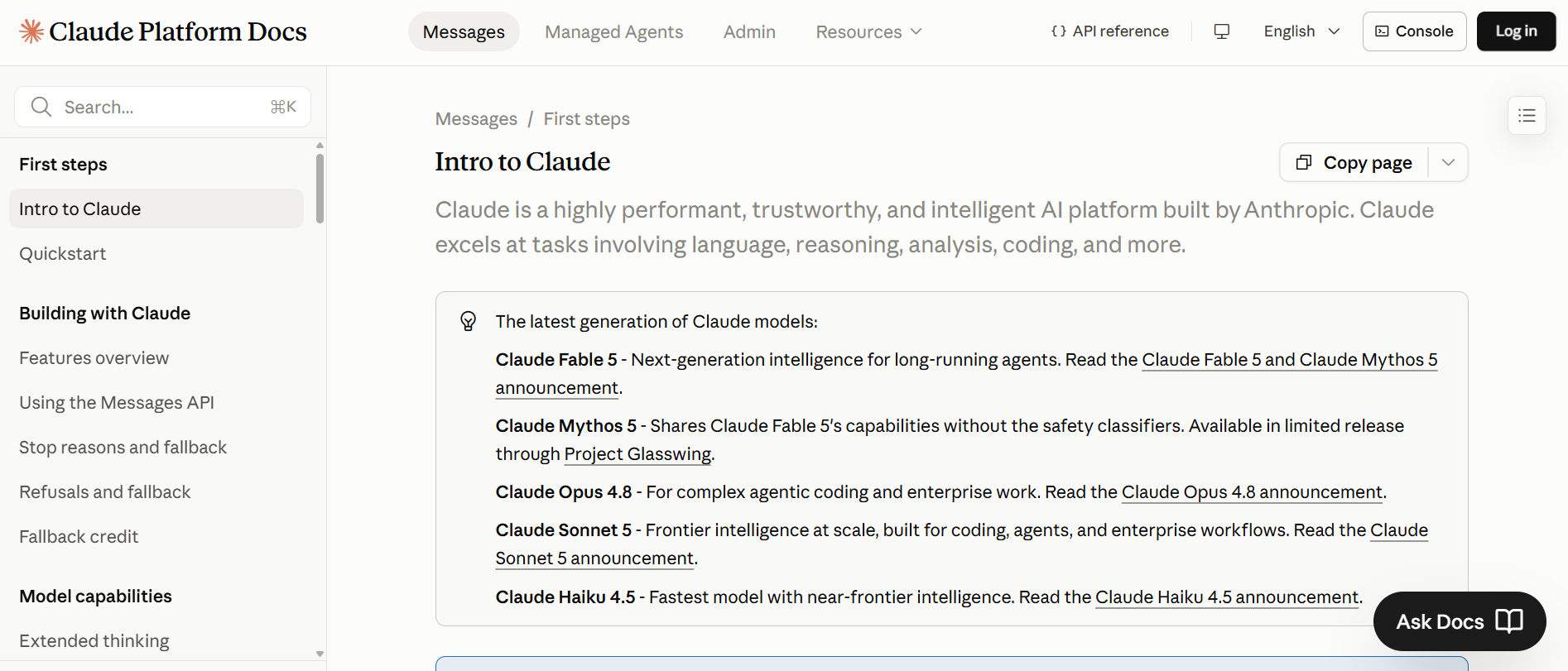
Anthropic's Claude documentation gives new developers a clear path from the first API call to production use. The landing page puts the quickstart, API key flow, and API reference within easy reach, then expands into guides for building, evaluating, and operating Claude-powered applications.
What we love about it: The API reference pairs each endpoint with a code sample switcher across Python, TypeScript, Go, Java, Ruby, PHP, C#, and cURL, so developers can start in the language they already use. The cookbook includes runnable recipes for common integration patterns, giving teams working examples they can adapt quickly.
The lesson: Pair your API reference with runnable recipes so developers can move from reading to testing without having to rebuild the example from scratch.
| Criterion | Status |
|---|---|
| Authentication guide | ✅ Get API key button up front |
| Quickstart | ✅ Quickstart-first landing |
| Endpoint reference | ✅ Complete API reference |
| Code snippets | ✅ Seven SDK languages plus cURL |
| Example responses | ✅ Sample payloads in reference |
See how Anthropic uses Mintlify to support fast-moving AI documentation for millions of developers.
Resend
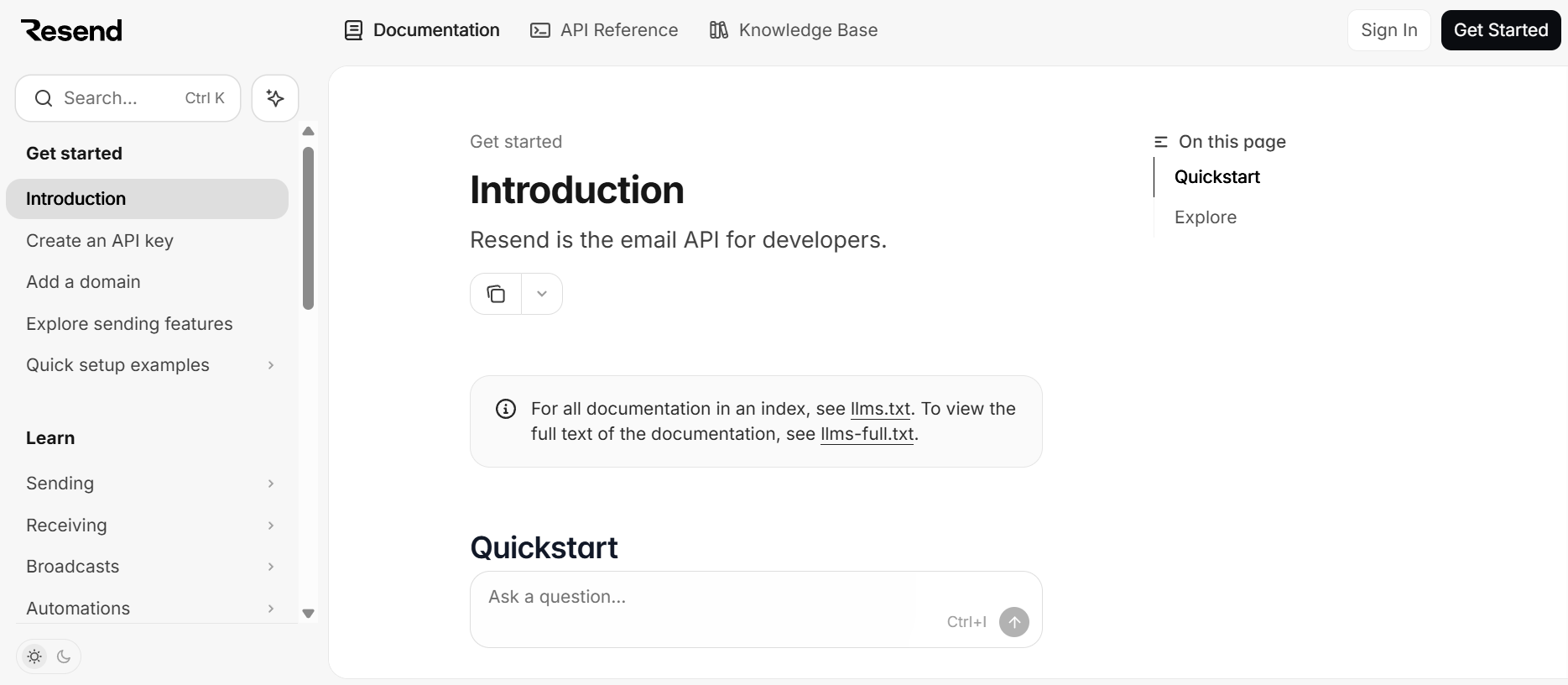
Resend makes the quickstart the center of the docs. The introduction opens with framework-specific paths, so developers can choose their stack first and start with instructions written for it.
What we love about it: The quickstart grid covers Node.js, Next.js, Express, PHP, Laravel, Python, Ruby, Rails, Go, Rust, Elixir, Java, .NET, and CLI. That range reduces the need for translation during the first setup. From there, the docs move into the areas developers usually need next, including Emails, Domains, and Webhooks. Resend also includes an llms.txt index so AI tools can read the docs more easily.
The lesson: Give developers a quickstart for their exact stack so the first working request feels direct and familiar.
| Criterion | Status |
|---|---|
| Authentication guide | ✅ Key setup in every quickstart |
| Quickstart | ✅ Fourteen quickstarts |
| Endpoint reference | ✅ Emails, Domains, Webhooks reference |
| Code snippets | ✅ Copyable code per framework |
| Example responses | ✅ Sample payloads in reference |
Read the Resend case study to learn how its team built polished, developer-first documentation on Mintlify.
Browserbase
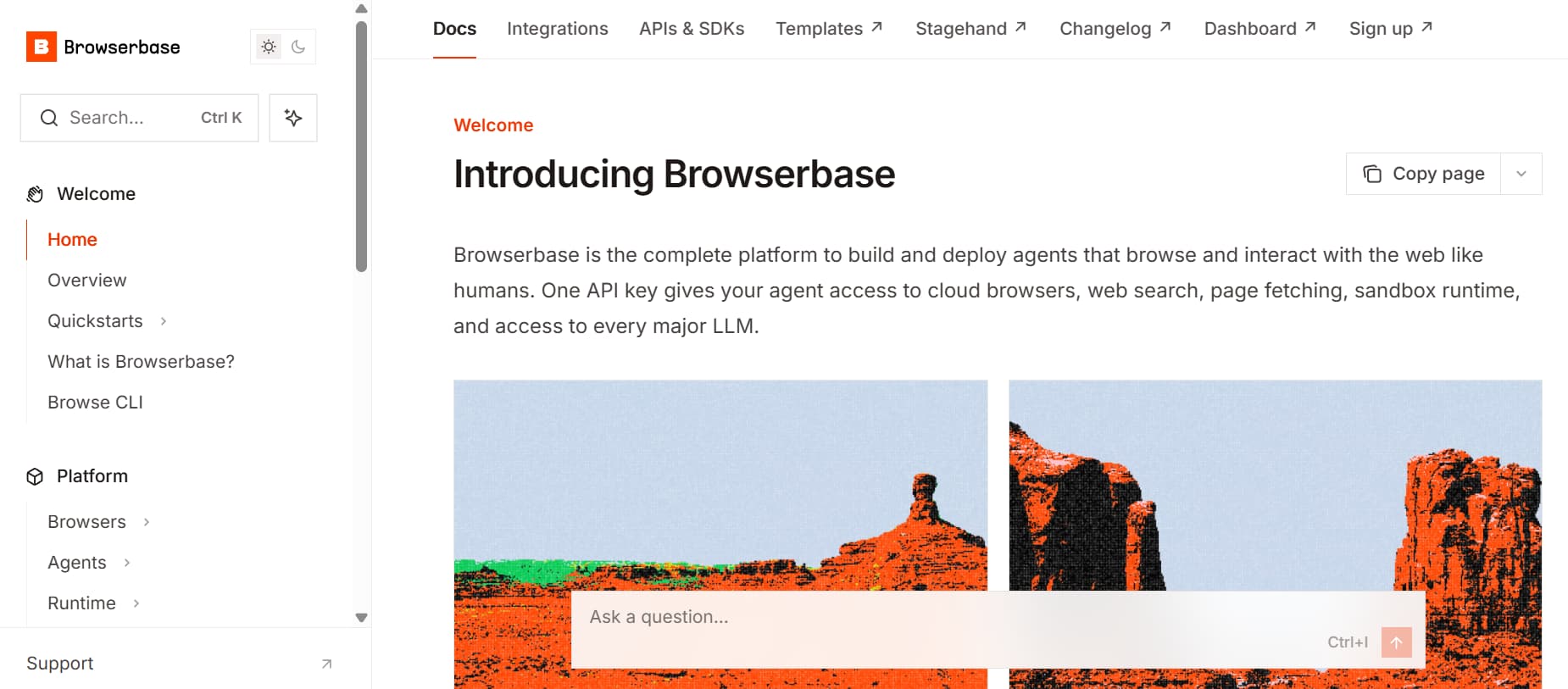
Browserbase guides developers by the problem they are trying to solve first. The docs open with sections on agent paths, web data retrieval, browser automation, and automated testing, so developers can start with the workflow they came for before moving into the underlying APIs.
What we love about it: The quickstarts cover Playwright, Puppeteer, and Selenium, which are the browser automation libraries many developers already know. Browserbase also includes more than thirty templates, plus dedicated sections for agent skills and prompts. That structure works well for both human developers and AI agents reading the docs.
The lesson: Organize API docs around developer goals, then connect each path to the right API, SDK, and template.
| Criterion | Status |
|---|---|
| Authentication guide | ✅ One API key with clear setup |
| Quickstart | ✅ Playwright, Puppeteer, Selenium |
| Endpoint reference | ✅ Full REST and SDK reference |
| Code snippets | ✅ Copyable code per library |
| Example responses | ✅ Sample payloads in reference |
Find out how Browserbase builds its documentation on Mintlify as a growth and customer enablement channel.
Perplexity
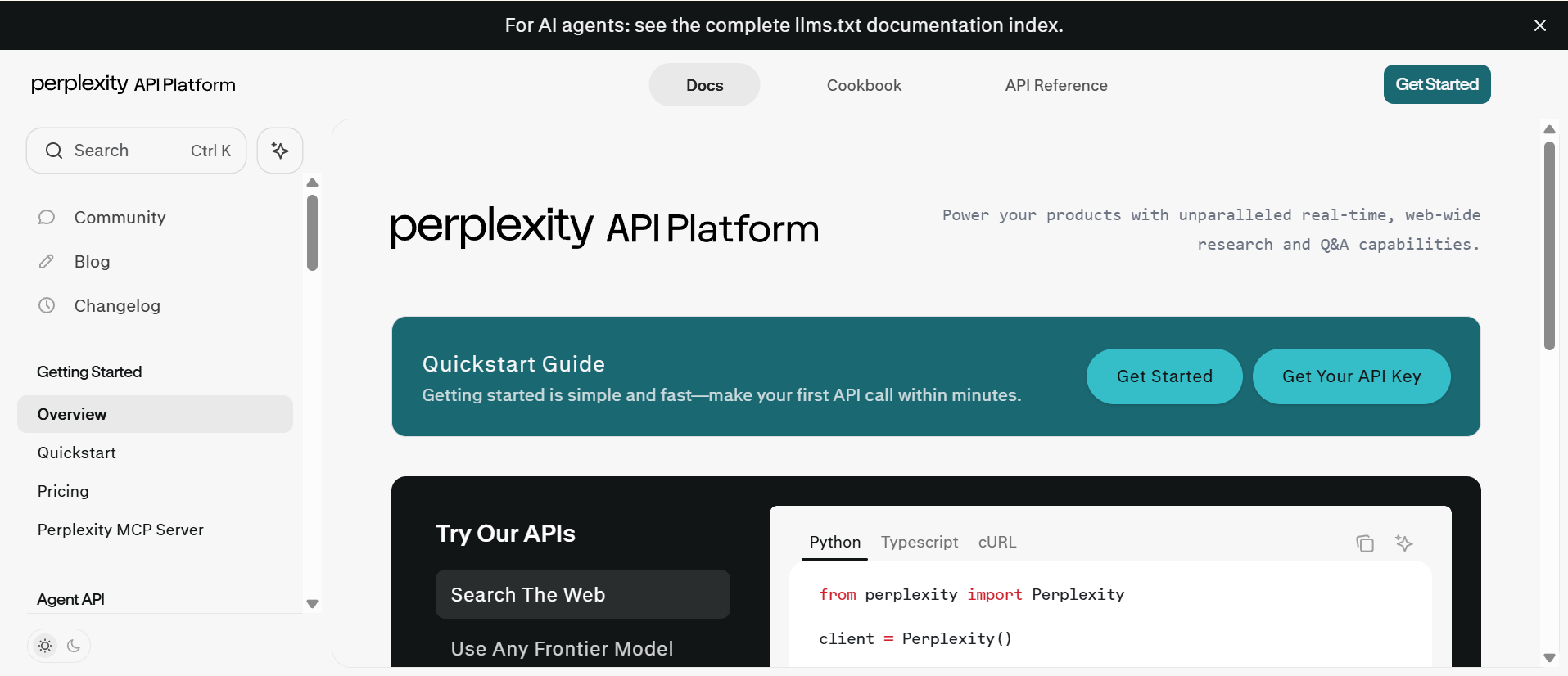
Perplexity makes repeated API tasks easier to follow by showing the same workflow across Python, TypeScript, and cURL. Developers can choose their language once, then move through examples without hunting for the right snippet on every page.
What we love about it: The docs put a quickstart and an API key link near the front, so a developer can make their first API call quickly. The main API options, including Agent, Search, and Embeddings, are presented as clear entry points, which helps developers choose the right path before they reach the reference. Perplexity also includes an llms.txt index for AI tools.
The lesson: Show the same task in the languages your developers use, so each reader can follow the workflow in their own stack.
| Criterion | Status |
|---|---|
| Authentication guide | ✅ Get API key link up front |
| Quickstart | ✅ First call within minutes |
| Endpoint reference | ✅ Agent, Search, Embeddings reference |
| Code snippets | ✅ Python, TypeScript, cURL tabs |
| Example responses | ✅ Sample payloads in reference |
Read how Perplexity uses Mintlify to keep its API documentation clear, current, and easy for developers to navigate.
PayPal
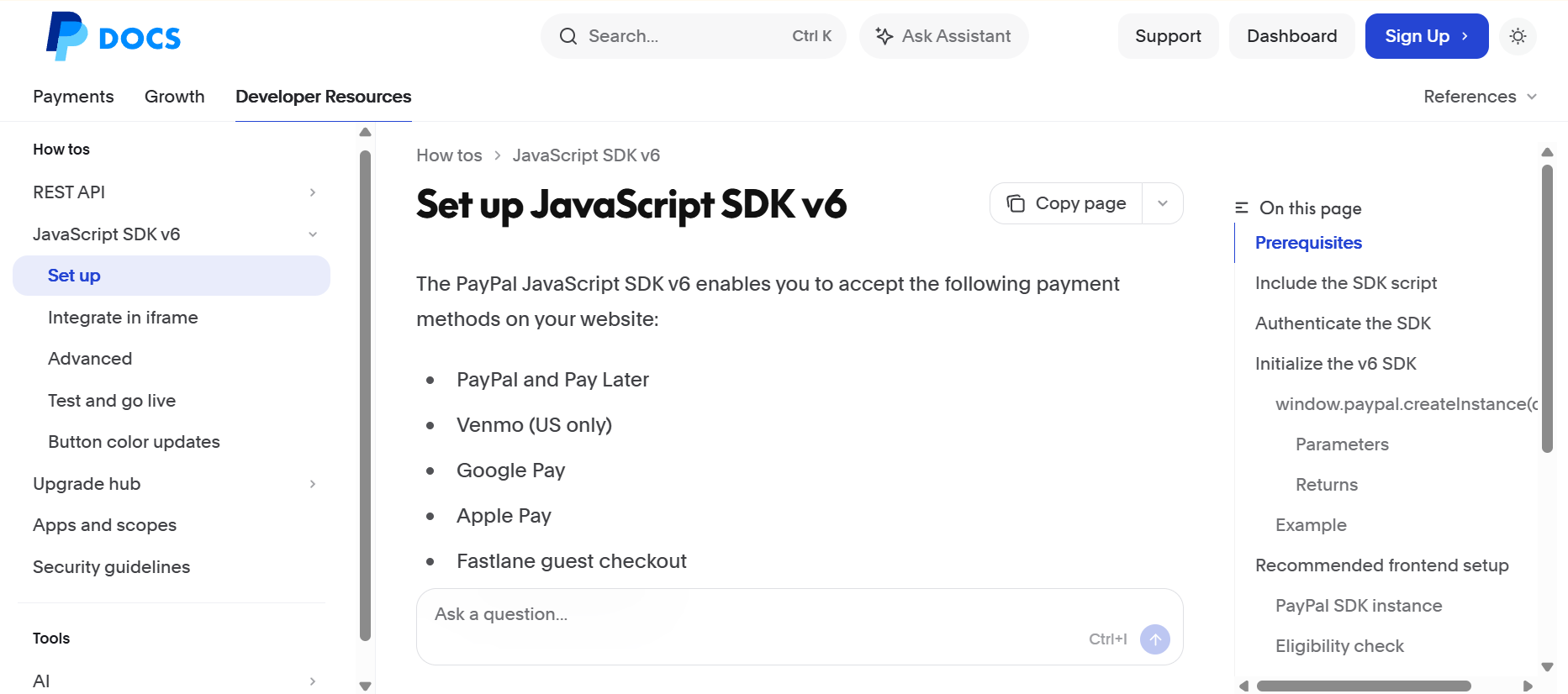
PayPal shows how large-enterprise documentation can remain guided even when the API surface is broad. The developer hub opens with clear tracks for accepting payments, running a business, and building for agentic commerce, so developers can choose the path that best matches their use case before moving on to guides, samples, and rollout checklists.
What we love about it: The agentic commerce section includes AI-ready tooling such as an Agent Toolkit, MCP server, and LLM integration quickstart. PayPal also supports developers with SDK links, search, and an llms.txt index, which makes the docs easier to use for both large teams and AI-assisted workflows.
The lesson: Large API docs feel easier to navigate when clear tracks and checklists guide developers through the right starting path.
| Criterion | Status |
|---|---|
| Authentication guide | ✅ Credential setup guides |
| Quickstart | ✅ Track-based guided starts |
| Endpoint reference | ✅ Full payments API reference |
| Code snippets | ✅ SDK samples included |
| Example responses | ✅ Sample payloads in reference |
PayPal's documentation hub is built on Mintlify.
What these examples have in common
Studied side by side, these five documentation sites share a pattern any API team can learn from. The points below show why they are worth copying.
Spec-driven references stay accurate
Each site uses a structured source, usually an OpenAPI spec, to keep the endpoint reference aligned with the live API. As long as the team updates or regenerates the spec when the API changes, that keeps parameters, request bodies, response fields, and examples from drifting. A stale reference quickly causes integration errors, so spec-driven docs give teams a more reliable foundation for every guide and quickstart.
Code samples match the developer's stack
Anthropic, Perplexity, and Resend demonstrate consistent API behavior across multiple languages and frameworks. Developers can copy a working example into the stack they already use, which removes translation work exactly when they are ready to test.
Runnable examples sit near the front
Cookbooks, templates, and quickstarts sit near the front of these docs. A developer can run something that works first, then adjust it for their own integration. That is faster than reading concepts, opening the reference, and assembling the first request from scratch.
Navigation starts from the developer's goal
Browserbase and PayPal make navigation easier by starting with the job the developer wants to complete. Use-case paths, product tracks, and rollout checklists help developers choose the right starting point before they reach the underlying APIs.
AI tools get a readable documentation layer
All five sites include an llms.txt index, which gives AI tools a cleaner map of the documentation. Mintlify has reported that AI coding agents now account for a large share of requests to the docs it hosts, meaning API documentation increasingly needs to serve human developers and AI tools simultaneously.
Build API docs like these with Mintlify
All five examples share the same documentation setup: they are built on Mintlify.
Mintlify generates endpoint references from an OpenAPI spec, so parameters, request bodies, response fields, and examples stay aligned whenever the team updates or regenerates the spec after the API changes. Teams can layer quickstarts, language-specific code samples, worked examples, use-case navigation, and an llms.txt index on top of the same spec-driven reference.
Mintlify offers a free Starter plan for individuals and small teams to start building API docs without a credit card, then upgrade to Enterprise features such as SSO, RBAC, advanced insights, and migration support.
For API teams dealing with stale references, scattered examples, or missing developer paths, Mintlify provides the documentation setup behind the examples in this guide. Start building API documentation developers can use from the first visit with Mintlify →
Frequently Asked Questions
What makes API documentation good?
Good API documentation makes the next step obvious from the first page. Developers should know where to get a key, which request to try first, what each endpoint accepts, and what a successful response looks like before they start building.
What should every API doc include?
Every API doc needs a clear path from setup to integration. That means authentication, a first-call guide, a reliable reference, usable code examples, and response samples that help developers test without guessing.
What are examples of good API documentation?
Anthropic, Resend, Browserbase, Perplexity, and PayPal are strong examples because each one solves a different documentation problem well. Anthropic is useful for runnable recipes, Resend for framework-specific quickstarts, Browserbase for use-case navigation, Perplexity for language-tabbed examples, and PayPal for guided enterprise docs.
How do I write API docs developers rely on?
Start with the developer's first task and build the docs around that path. Keep setup short, make the first request copyable, show real responses, and connect guides back to a reference that stays accurate as the API changes. Mintlify helps teams handle that foundation with OpenAPI-generated references, clean navigation, and docs workflows built for fast-moving API teams.
Why do so many strong API docs use Mintlify?
Strong API docs must keep pace with API changes while providing developers with a polished path from discovery to integration. Mintlify supports that by bringing the reference, guides, navigation, collaboration, and publishing flows into a single docs system. Teams can start on the free Starter plan, then expand as more products, contributors, and developer workflows depend on the documentation.
Related resources
More to read

Best Swagger Docs Alternatives 2026
Swagger UI is a free OpenAPI renderer that helps API teams quickly publish their first reference docs. Swagger works well for internal testing and early API ...
May 12, 2026Harkirat Chahal
Growth

Mintlify vs Fern: Which Platform Should You Choose for API Documentation in 2026?
Fern is a strong choice for API teams that primarily need to generate and maintain multi-language SDKs from OpenAPI or Fern Definition. Mintlify is the stron...
May 12, 2026Harkirat Chahal
Growth