Documentation Linting: How to Catch Broken Links, Style Drift, and Stale Docs Automatically
Harkirat Chahal
Growth
Share this article
Harkirat Chahal
Growth
Share this article
A practical guide to documentation linting: prose linting with Vale, internal and external link checking, CI gates, and timestamp and metadata validation, plus how Mintlify runs these checks natively on pull requests.
Documentation quality breaks down when link checks, style rules, and metadata reviews depend on manual cleanup. Broken links, inconsistent terminology, stale timestamps, and missing page details often reach production because the docs workflow does not catch them before merge.
Documentation linting fixes those failures by turning quality checks into automated review steps. Prose linting keeps terminology and style consistent, link checking catches broken internal paths and dead URLs, and CI gates stop preventable issues before readers find them.
This guide explains how documentation linting works, which checks to set up first, and how Mintlify helps teams run Vale and broken-link detection as native CI checks without maintaining custom linting scripts.
What is documentation linting?
Documentation can lose accuracy even when every individual change looks small. A renamed page can leave old internal links behind, an external API reference can start returning a 404 after another company restructures its docs, and writers can use different terms for the same product concept across related pages. Because these problems rarely fail a doc's deployment check automatically, broken links, naming drift, and stale instructions can stay live until a reader finds the issue.
Documentation linting applies automated quality checks to Markdown, MDX, links, metadata, and prose before those issues reach production. A documentation linter can flag broken links, inconsistent terminology, weak wording, missing front matter, and accessibility gaps before a pull request is merged.
Documentation linting improves the review workflow and the reader experience. Reviewers spend less time manually hunting for typos, broken links, and terminology drift, while readers get documentation that stays accurate through product changes. A practical linting setup usually includes prose linting for style and terminology, link checking for internal and external URLs, and a CI gate that runs both checks on every change.
What documentation linting catches
A specific linting rule is often added only after the corresponding issue reaches production. A customer reports a broken install link, support finds two names for the same feature, or a reviewer catches missing page metadata late in the process. Mapping the common failure types up front helps your team set the first rules deliberately, without waiting for a new incident each time.
| Check type | What it catches |
|---|---|
| Broken internal links | Links to renamed, moved, or deleted pages inside your docs |
| Dead external URLs | Outbound links that return 403, return 404, or time out |
| Terminology consistency | Different terms for one concept, such as "API key" and "API token" |
| Passive voice and hedging | Sentences that hide the actor or make the required steps sound optional |
| Capitalization and casing | Product names, headings, and UI labels written inconsistently |
| Missing image alt text | Images and diagrams without text alternatives for screen readers |
| Stale timestamps | "Last updated" dates that no longer reflect the real age of the page |
| Missing frontmatter | Pages without required metadata, such as title, description, or canonical tags |
Broken links create the most visible problems for readers because they immediately interrupt a task. Prose, accessibility, and metadata checks protect documentation quality in quieter ways by keeping terminology consistent, making pages usable for screen readers, and preventing incomplete page details from reaching production.
Prose linting with Vale
A style guide stored in a wiki page rarely changes how contributors write because writers do not always open the guide mid-edit, and reviewers cannot catch every casing issue, banned word, or terminology mismatch by hand. Over time, tone varies between authors, product names drift across pages, and the same feature can appear under several names across the docs.
Vale turns those style rules into checks that run automatically. It is an open-source, rule-based prose linter for Markdown and MDX that flags issues with terminology, tone, and style before they reach production. Vale reads its configuration from a .vale.ini file in your repository, where you define the style packages to apply and the strictness level for each rule.
StylesPath tells Vale where your style files live, and BasedOnStyles defines which style packages apply to the matched files. Vale supports established style guides, including Google and Microsoft, so your team can start with a known ruleset and add house rules for product names, preferred terms, banned phrases, and formatting conventions.
For the first rollout, keep the rule set small so writers can trust the results. Start with terminology consistency and a custom vocabulary of accepted and rejected words, as these checks usually yield clear fixes with fewer false positives. Add passive-voice and readability rules after writers are comfortable with the workflow. A reject.txt file can ban specific words outright, making it useful for retiring jargon that keeps recurring in drafts.
Automated link checking
Links can break over time even when no writer changes the page that contains them. A renamed page can leave internal links pointing to the old URL, and an external API reference can fail after another company changes its documentation structure. These failures rarely appear during a normal docs deployment unless the workflow includes link checking.
Link checking has two jobs with different timing requirements.
- Internal link checking reviews links between pages in your own docs and confirms each target page still exists. Because the doc's source lives in the same repository, internal checks are fast and predictable.
- External link checking sends a request to each outbound URL and reports failed, blocked, or timeout responses.
The schedule should match how each link type breaks. Internal links change when your own docs change, so running internal checks on every pull request catches breakage before the update merges. External links sit on websites you do not control, so a scheduled daily or weekly scan is better for finding links that fail after the original docs update has already shipped. Running internal checks per pull request and external checks on a schedule gives coverage without slowing every docs review.
Adding documentation linting to CI/CD
Documentation linting only works reliably when the checks run automatically within the same workflow that reviews doc changes. When linting depends on someone running a command manually, prose checks and link checks are easiest to skip during fast-moving releases, which is also when broken links, missing metadata, and terminology drift are most likely to slip through.
A CI/CD setup turns documentation linting into a merge gate. When a writer opens a pull request, the pipeline runs the prose linter and link checker against the changed files. A failing result blocks the merge until the issue is fixed. Many teams also generate a preview deployment for each pull request, so reviewers can inspect the rendered page along with the linting results.
The enforcement level should match the severity of the rule. Broken internal links usually belong at the blocking level because they can stop a reader from completing a task. Softer style rules can start as warnings, so writers see the issue without being forced to fix every existing violation on day one. Once the backlog is cleaned up, those rules can move from warning to blocking.
Validating timestamps and metadata
A "last updated" date becomes unreliable when writers edit a page without updating the field readers see. A stale date can make outdated instructions appear current, leading developers to follow them with full confidence.
Automated timestamp validation uses Git history as the source for the displayed date. When a page is edited and merged, the site generation step can derive the "last updated" value from the commit that changed the file, so the date reflects the most recent content update.
Metadata checks should run in the same linting pass. The linter can confirm that every page includes the required front matter, such as a title, description, canonical tags, and social preview fields. Catching missing metadata before merge protects search snippets, shared previews, and template behavior from incomplete page details.
Documentation linting on Mintlify
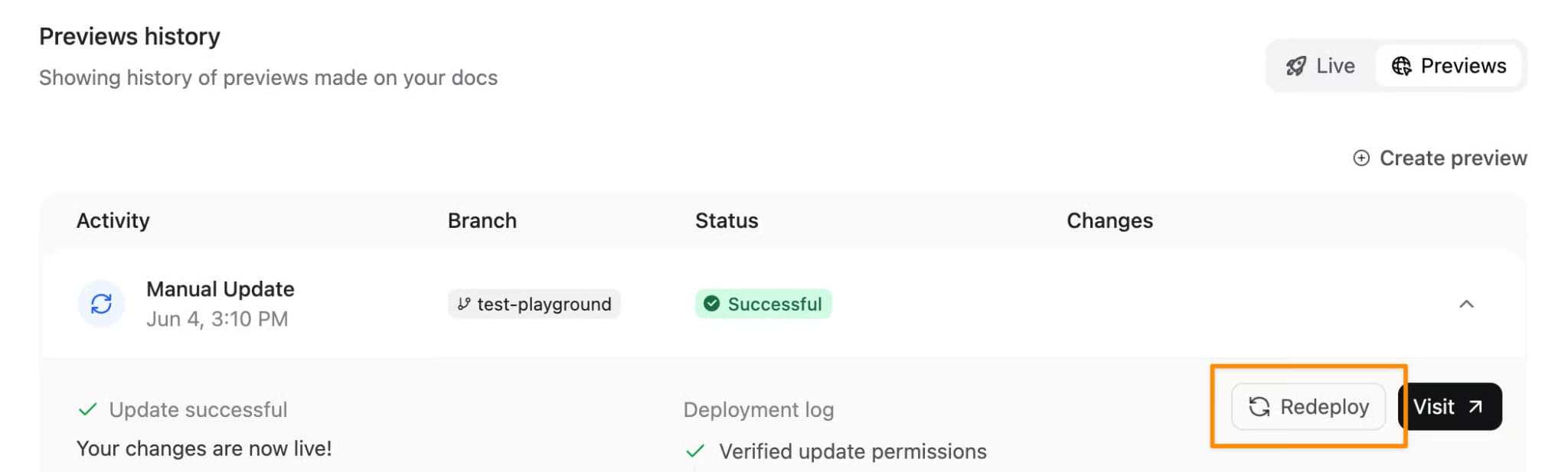
Most docs-as-code teams have to connect several tools to add linting. They maintain a Vale configuration, a link-checking command, and a CI setup that runs those checks during the review process. Mintlify brings the core checks into the docs workflow, so teams can configure documentation quality checks from the dashboard and see results directly on pull requests.
Mintlify's linting workflow covers prose linting, internal link checks in CI, external link checking through local and scheduled runs, and configurable CI enforcement.
- Prose linting with Vale: Mintlify runs Vale as a CI check for Markdown and MDX. The check uses the
.vale.inifile in the root content directory and any configuration files in the specified stylesPath. When the repository does not include a Vale config file, Mintlify loads a default configuration. Results appear as a pull request check status. - Broken internal links: Mintlify's broken-link CI check searches documentation content for broken internal links between pages on the same site. Results show which files contain broken links, and writers can also run
mint broken-linkslocally before opening a pull request. - External links: Mintlify's automated broken-link CI check does not validate external URLs. For local checks,
mint broken-links --check-externalchecks outbound URLs. For continuous coverage, a scheduled workflow can run external link checks on a recurring basis so external link failures do not depend on pull request timing. - Enforcement: Each CI check can run at the Warning or Blocking level from the dashboard. A Warning check reports issues without failing the pull request, whereas a Blocking check returns a failure status if it finds errors or suggestions. CI checks are included on Pro and Enterprise plans for GitHub repositories.
Add Mintlify CI checks to catch docs issues before merge.
Frequently Asked Questions
What's the difference between Vale and markdownlint?
Vale checks the words in your docs. It flags terminology drift, tone issues, readability problems, and style guide violations in Markdown or MDX content. markdownlint checks the Markdown structure, including heading order, list formatting, table syntax, and spacing rules. Many docs teams use both because prose quality and Markdown correctness require different checks.
Can documentation linting block a merge?
Yes, when the check runs in CI at a blocking level. A failing blocking check returns a failure status on the pull request and stops the merge until the writer fixes the flagged lines or a maintainer overrides the check with admin merge rights. Keeping link checks blocking and style rules at warning lets the gate stop genuinely broken pages while a writer clears style debt over several pull requests.
Does documentation linting check external links?
Mintlify's CI check covers internal links; external URLs run through mint broken-links --check-external locally or a scheduled workflow. External checks usually stay off the merge gate on purpose because third-party servers rate-limit automated requests or return a 403 to bots, resulting in failures unrelated to the writer's change. A daily or weekly scan detects a genuinely dead URL without blocking an unrelated pull request due to a false alarm.
Do I need linting for a small docs site?
For a handful of pages maintained by one or two writers, manual review still catches most issues, so the payoff comes mainly from internal link checks that flag dead pages after a rename. The case for prose linting grows with the number of contributors, because that's when terminology drifts faster than any single reviewer can track. When prose and link checks need to be part of pull request reviews, Mintlify CI checks can run Vale and broken internal-link checks directly on GitHub pull requests.
More to read

10 best AI observability tools for monitoring and evaluating agents in 2026
A comparison of ten AI observability tools across production tracing, evaluation, human review, deployment models, OpenTelemetry support, and pricing, with guidance on which fits an agent monitoring program.
August 28, 2026Harkirat Chahal
Growth
7 best MCP servers for Codex in 2026
A comparison of seven MCP servers for Codex across documentation retrieval, repository activity, browser automation, production debugging, database inspection, project context, and web research, with setup and access notes for each.
August 28, 2026Harkirat Chahal
Growth