How to know which docs to update after a code change
Harkirat Chahal
Growth
Share this article
Harkirat Chahal
Growth
Share this article
When a code change renames a parameter or changes how a feature works, the API reference, guides, and code samples describing it may all need updates. This guide explains how to identify changes that need documentation updates, map them to affected pages, and review the proposed edits, with a worked example for an API pull request.
When a code change renames a parameter or changes how a feature works, the API reference, guides, and code samples describing it may all need updates. Finding those pages starts with identifying what changed for users and tracing that change through the documentation.
This guide explains how to identify changes that need documentation updates, map them to affected pages, and review the proposed edits, with a worked example showing how the process applies to a pull request. It also covers common reasons pages get missed and how to catch them.
Mintlify's Update from code changes automation reads merged source pull requests and drafts the relevant docs updates. Each proposed edit cites the source change behind it, so reviewers can verify the update against the code.
How code changes connect to documentation pages
Endpoint paths, parameter names, CLI flags, configuration keys, SDK methods, and error codes connect source code to the pages that explain how to use the product. A search for the changed name finds the pages that mention it, which is the first of three types of connection to check:
Direct references: A page names the changed endpoint, parameter, or command in its prose, tables, or code samples. Search the docs repository for that identifier, including its old name when something has been renamed. The search finds explicit mentions, though each result still needs a check.
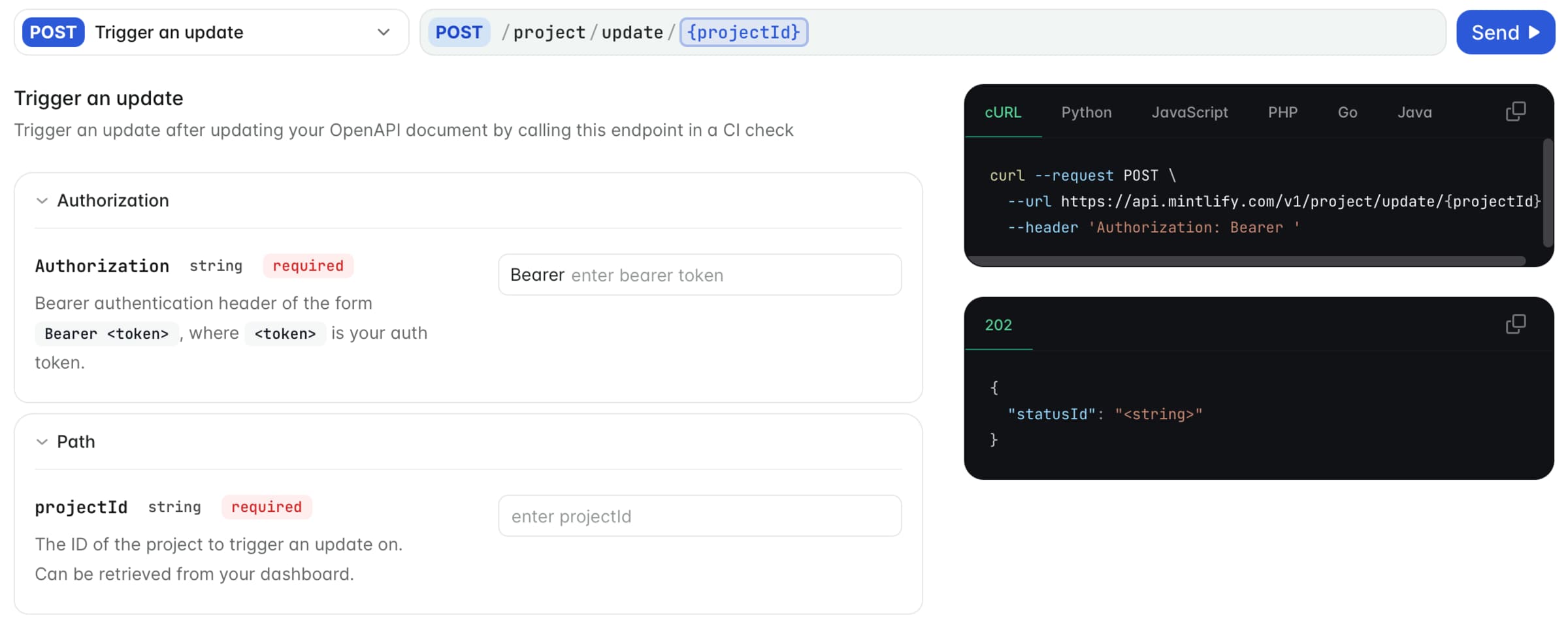
Generated pages: Mintlify generates API reference pages from an OpenAPI specification and SDK reference pages from documentation build artifacts. A correction to one of these pages is made in the specification or artifact that produces it, and guides that use the same endpoint or method are tracked separately.
Conceptual pages: A guide may explain pagination limits without naming the constant that sets them, so searching for that constant will miss the page. Maintain a map linking source modules to the documentation sections that describe their behavior, such as the pagination module and its guide, to include these pages in the review.
Step 1: Find documentation signals in the pull request
Read the diff for changes to how users call the API, configure the product, run commands, or handle errors. These changes can appear across several files, so inspect the definitions and implementation alongside the pull request description.
Endpoints: Check route definitions, handler registrations, and router configuration for added, removed, or renamed endpoints. Changes to supported HTTP methods or endpoint behavior can also require updates, even when the path stays the same.
Parameters and fields: Review request and response schemas, validation rules, required fields, defaults, and allowed values. A new required field or a reduced limit can invalidate existing examples, so record the previous behavior and its replacement.
Configuration: Look for new settings, renamed environment variables, and changed defaults in configuration schemas and the code that reads them. Include changes to accepted values or startup requirements that affect how users configure the product.
CLI flags and commands: Inspect command definitions, argument parsers, and help text for changes to names, options, or defaults. When a command or flag is renamed, record whether the old form remains supported, becomes deprecated, or stops working.
SDK methods: Check public exports, method signatures, return types, and deprecation notices. Record changes to how users call a method or handle its result, including replacements for deprecated methods.
Errors: Review changes to status codes, error codes, and messages that users receive. Capture any change to the cause or recommended fix, since troubleshooting instructions can become outdated even when the error text stays the same.
For REST APIs documented with OpenAPI, compare the specification versions to identify changes to operations, parameters, request bodies, and responses. Check these against the implementation to catch behavior changes the specification has not yet captured.
Use the pull request title, description, labels, and linked ticket to understand the intent behind the change. Compare that context with the diff so an omitted detail, such as a renamed flag, still reaches the documentation review.
Step 2: Filter out code changes that need no docs update
Before adding a change to the docs update list, check whether it affects what readers need to know or do. Compare the new behavior with the published instructions, including setup requirements, examples, limits, and troubleshooting advice.
Changes that usually need no update: Internal refactors, private helper changes, test fixtures, formatting, and internal logging can be skipped when they preserve documented behavior. Build configuration and dependency changes also qualify when they leave installation, compatibility, and usage requirements unchanged.
Internal changes that affect users: A dependency upgrade may raise the minimum supported runtime version, and a changed constant may lower a pagination limit or shorten a timeout. Trace these changes to their effect on users before deciding to skip them, even when the modified files contain no public API definitions.
Bug fixes: A fix that restores the behavior already described in the docs usually needs no correction to those instructions. When it resolves a problem with a documented workaround, review that workaround and clarify which product versions still require it.
Recorded skips: Add a short reason to the pull request or review record for each skipped change, such as “private helper refactor, documented behavior unchanged.” With the reason on record, reviewers can check the decision and revisit it if an affected page is found later.
Filters and rules: Mintlify’s Code change trigger can watch selected source paths and exclude specific pull request authors. Apply these controls to paths and authors whose changes never need documentation review, and keep runtime upgrades and other potentially relevant changes in scope. For decisions that depend on behavior, such as whether a dependency update changes installation requirements, write a skip rule that states what to check.
Step 3: Map each change to the documentation pages it affects
For each change that passes the filter, list the affected pages and shared files, along with the edits they need. Check how each page gets its content so the update reaches both generated references and guides written by hand.
Search for changed identifiers
Search the docs repository for endpoint paths, parameters, commands, configuration keys, and SDK methods affected by the change. Include old names when something has been renamed, and check matches in prose, tables, code samples, reusable snippets, and navigation configuration.
Check the source-to-docs map
Look up each changed module in the source-to-docs map and add the guides it points to, such as the pagination guide for the pagination module. The map also shows where a new parameter belongs before any page mentions it. Keep the map in the docs repository and name a section owner for each entry so mapping changes have someone responsible for reviewing them.
Identify generated references
For Mintlify API pages, update the OpenAPI specification that supplies the reference content. For SDK pages, regenerate the documentation artifact from the updated SDK. The next documentation deployment publishes those changes. When a specification or artifact is hosted at a URL, call the Trigger deployment endpoint from the pipeline that updates it. Include guides and examples using the affected endpoint or method in the page list, since they need their own edits.
Trace reusable snippets
When changed instructions live in a reusable snippet, edit the shared file and list the pages that import it. A single correction to an installation command can update several pages, so reviewers should check the rendered result everywhere the snippet appears, including pages that use it through another snippet.
Give each page or shared file a clear action, such as:
-
Update the affected prose, table, or code sample.
-
Add a page or section for new functionality.
-
Add a deprecation notice or migration instructions.
-
Add a changelog entry explaining a change users need to know about.
-
Update the generated source and redeploy the reference.
When an update moves or removes a documentation page, include changes to incoming links and a redirect to the replacement page. Keep the recorded skips from Step 2 alongside the page list so reviewers can check the full decision.
Step 4: Generate a proposed docs patch for each affected page
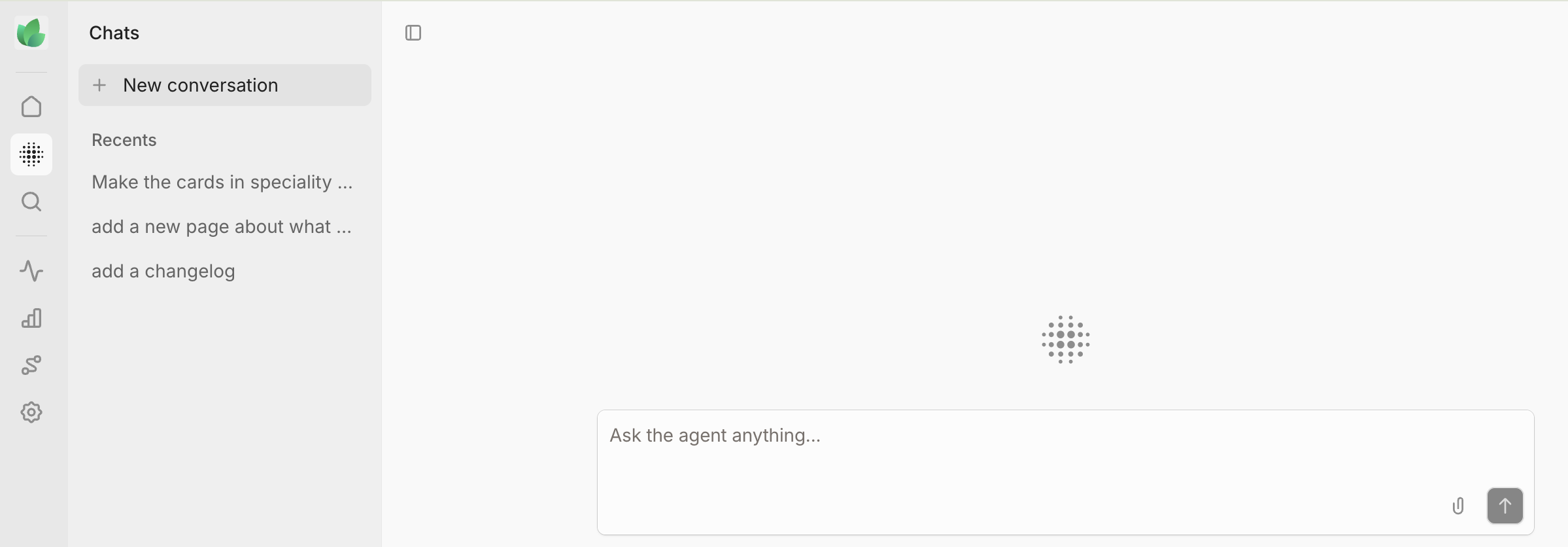
Use the page list from Step 3 to draft the required edits against the existing documentation and the source diff. When drafting with the Mintlify agent, provide the source pull request, affected documentation paths, and the changes each page needs.
Keep edits focused: For a parameter rename, update its description and the examples that use it, preserving the surrounding content where it remains accurate. Follow the page’s existing headings, table structure, and terminology so reviewers can assess the correction without sorting through unrelated rewrites.
Match the edit to the required action: An existing page may need a sentence, table row, or code sample corrected, while a new page follows the structure of related pages, using documentation content templates where an established format is missing. In a deprecation notice, identify the affected feature, its replacement when available, and any confirmed removal date. Changelog entries explain the user-visible change and link to the updated reference.
Include the source context: Link to the source pull request or commit in the docs pull request description and explain which pages it affects. For changes involving several pages, make the relationship clear enough for reviewers to compare each edit with the relevant source change.
Group related updates for review: Keep edits from the same product change together when they can be reviewed and published as one update. Mintlify's Update from code changes automation follows the same practice in the docs pull requests it opens.
For large or ambiguous changes, have the engineer or docs owner confirm the affected-page list before drafting, so unrelated pages are removed, and missing guides are added before any edits are generated.
Step 5: Review the documentation update before it merges
Review both the affected-page list and the proposed edits. A patch can accurately describe the new behavior and still leave a quickstart, shared example, or troubleshooting page outdated.
Check coverage and accuracy
Search again for the changed identifiers, including old names, and compare the results with the page list. Check the module mappings for guides that a text search could miss, remove unrelated edits, and confirm the recorded skip reasons. Compare each remaining patch with the source diff, checking names, types, defaults, required fields, limits, and error messages.
Test examples and inspect the preview
Run changed examples against the updated product or SDK and check that they produce the result the page promises.
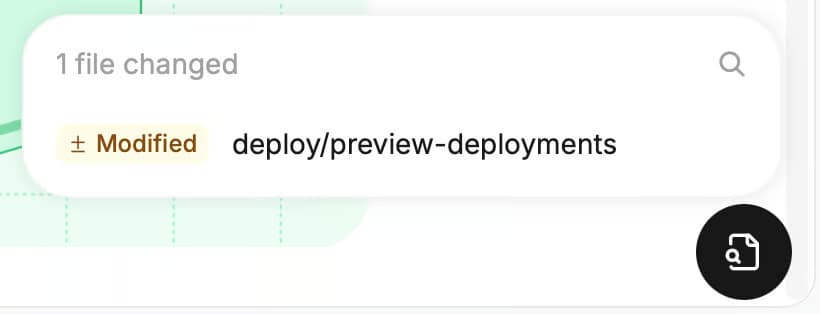
Open the preview deployment to inspect tables, components, shared snippets, and generated references. Mintlify automatically adds preview links to pull requests targeting the deployment branch from branches in the connected repository. Use the preview widget’s list of added, modified, and removed files to navigate the update and check how each affected page renders.
Run automated checks and assign reviewers
Run mint validate to check the documentation build, including referenced OpenAPI specifications. For GitHub repositories, enable Mintlify’s CI checks for broken internal links and prose linting. Checks can report warnings or return a failure status at the Blocking level, with documentation linting helping you decide which rules need stricter enforcement.
Have the engineer responsible for the source change verify technical accuracy and a docs owner review the explanation, structure, and page coverage. On GitHub, a Mintlify automation pull request asks the authors of the source changes used as context for a review. Assign reviewers manually for GitLab merge requests, where automatic reviewer assignment is unavailable.
Example: Change-to-page mapping for an API pull request
Consider a fictional invoicing API whose pull request adds cursor-based pagination to GET /invoices, alongside changes to the CLI, SDK, configuration, and runtime requirements. In this example, Mintlify generates the API and SDK references from an OpenAPI specification and an SDK documentation artifact.
| Code change | Affected documentation | Required update |
|---|---|---|
| Add an optional cursor query parameter to GET /invoices and its OpenAPI definition | List invoices API reference, pagination guide | Publish the reference from the updated specification and add a cursor example to the guide. |
| Lower the maximum limit from 500 to 100 in the specification and validator | List invoices API reference, pagination guide, changelog | Publish the revised limit, correct examples using limit=500, and explain the breaking change in the changelog. |
| Rename --out to --output, retaining --out as an alias | CLI reference, quickstart | Use --output in current examples and explain that --out remains supported. Add a deprecation notice only when deprecation is confirmed. |
| Add INVOICES_PAGE_TIMEOUT_MS | Configuration reference | Document the variable’s purpose, units, default, and accepted values from the implementation. |
| Add a cursor option to listInvoices() in the TypeScript SDK | SDK reference, pagination guide | Regenerate the SDK artifact, publish the updated reference, and revise the guide’s TypeScript examples. |
| Return a new invalid_cursor error with HTTP 400 | Errors reference, troubleshooting page | Document when the error occurs, its response format, and the supported recovery action. |
| Split an internal pagination helper into two functions without changing public behavior | None identified | Record the skip as an internal refactor with unchanged documented behavior. |
| Add pagination unit tests and fixtures without changing product behavior | None identified | Record the skip as tests and fixtures only. |
| Upgrade a dependency, raising the SDK’s minimum Node.js version from 18 to 20 | Installation page, SDK README | Update the runtime requirement in both locations and check that setup examples remain valid. |
Identifier searches locate existing mentions of limit, the CLI flags, and listInvoices(). The source-to-docs map identifies where the new cursor parameter, configuration variable, and error belong. Reviewing the dependency upgrade reveals the changed runtime requirement, which also needs checking in the SDK README outside the docs repository.
The reviewer receives a docs pull request containing the related page edits, updated generated inputs, two recorded skips, and a link to the source pull request. The pagination guide incorporates the cursor, limit, and SDK changes in one coordinated edit. After the documentation update merges and deploys, the generated references reflect the revised sources, while the SDK README receives a separate update in its own repository.
Where documentation change detection fails
A diff is a useful starting point, but finding every affected page also depends on the context available to the reviewer and the coverage of the source-to-docs map. Check these gaps before treating the page list as complete.
-
Shared dependencies. A change to a shared email validator can affect signup, invite, and profile endpoints even when their route files remain unchanged. Trace the module’s callers and map it to the documentation for each affected behavior.
-
Changes outside the watched repository. Feature flags, gateway settings, and changes in other repositories can alter user-facing behavior without appearing in the reviewed diff. Dependency updates may appear only as lockfile changes, leaving their behavioral effects unclear. Include relevant configuration changes and release notes in the review, and use connected integrations to provide supporting context where available.
-
Conceptual guides. The source-to-docs map covers only the guides someone has entered in it, so a new or reorganized page can fall outside the review. Update the mapping whenever pages are added or reorganized.
-
Documentation stored alongside code. READMEs, in-product help, and comments used to generate SDK references may sit outside the docs repository. Include these locations in the review even when the files themselves have not changed, and open a separate update where another repository owns the content.
-
Large or unclear pull requests. A long diff or a description such as “fixes” makes user-facing changes harder to identify. Group the review by affected feature and ask authors to describe changes to behavior, configuration, and compatibility in the pull request template. Smaller, focused pull requests also make the resulting page list easier to verify.
Reader signals can surface pages that code-based detection missed. Among Mintlify's predefined automations, Improve docs from user feedback reviews recurring negative feedback once feedback collection is enabled, and Fill gaps from assistant conversations identifies gaps from question trends. Update from support feedback reviews themes in resolved support conversations and requires a connected support platform on a plan with custom integrations.
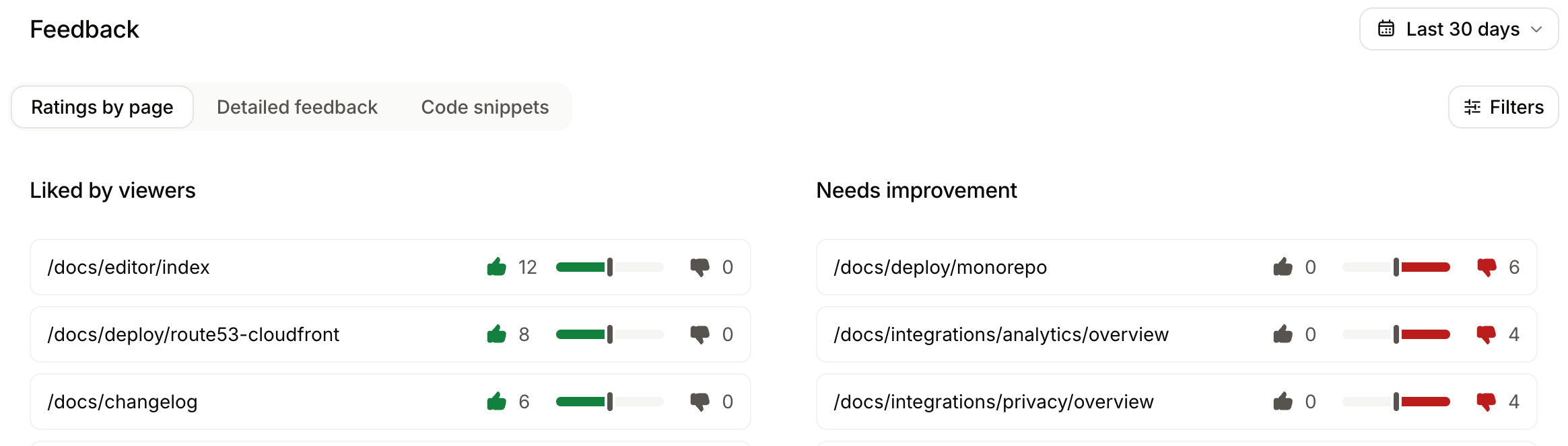
If an earlier review missed changes, a manual run using Since a date can review changes from the selected date through the current time. Check the automation’s current sources and settings before running it, since a wider date range adds no context from sources the automation is not connected to.
Automate documentation change detection with Mintlify
Mintlify’s Update from code changes automation reviews merged source pull requests and proposes documentation updates with citations to the changes behind them. It groups related updates and can append new changes to an existing open docs pull request.
By default, it runs twice weekly and reviews source pull requests merged since the previous run. Select the Code change trigger to run after each source pull request merges.
Configure the sources and instructions
For GitHub source repositories, Listening to changes in restricts the trigger to pull requests that touch specified paths, and Excluding PRs from filters out selected authors or bot accounts. Each repository supports up to 20 paths and 20 excluded authors.
Add your source-to-docs mapping and skip rules in Additional prompts, and attach up to 10 context repositories when the agent needs code from other services.
Review the proposed updates
Automation pull requests include the automation’s name in the title, a description of the changes, and comments identifying the source pull requests used as context. When later runs append updates, the description records what each run contributed. Check the run history for results awaiting review, failed runs, or No action needed when the agent found nothing to update.
Teams also use Mintlify to maintain API references and publish documentation faster. Baseten uses OpenAPI-driven reference pages and reusable snippets to keep hundreds of endpoints accurate. Coinbase reduced documentation publishing time from more than 20 minutes to under 60 seconds.
Start with Mintlify or talk to the Mintlify team about connecting your source repositories.
Also read: The Use automations guide.
Frequently Asked Questions
What is documentation change detection?
Documentation change detection identifies instructions that may become inaccurate or incomplete when the product changes. A useful test is whether someone following the current documentation would get a different result with the updated product. For example, a new authentication requirement can invalidate a setup guide even when the endpoint and its parameters remain unchanged.
How is documentation change detection different from documentation drift detection?
Change detection investigates the documentation impact of a particular product change. Drift detection checks for existing inaccuracies when the cause may be unknown. For an inherited documentation site, start with a drift audit to establish what already needs correction, then use change detection to keep subsequent releases from adding to that backlog.
Can documentation change management work without spreadsheets and reminder systems?
Pull requests can serve as the work record, carrying an assigned owner, discussion, approval, and completion status. Mintlify's Update from code changes automation can create the proposed updates, but the team still needs a clear policy for who handles unresolved requests and whether missing documentation should delay a release.
Do OpenAPI-generated API reference pages need a manual docs update?
Corrections belong in the content that generates the page, which may require manual work. In Mintlify, endpoint descriptions and additional prose supplied through x-mint.content live in the OpenAPI specification. If another tool regenerates that specification, update its generator or use an OpenAPI overlay to preserve documentation-specific adjustments.
Should the docs update happen before or after the code pull request merges?
Plan publication around when users can access the changed behavior. Code may merge well before a feature launches, so documentation can be drafted and approved in advance, then published with the release. Mintlify's Update from code changes automation starts after merge, making the interval between merge and release useful for preparing updates before users need them.
More to read

Best documentation maintenance tools in 2026
A comparison of eight documentation maintenance tools across four detection models: scheduled content review, API specification quality checks, Git-connected documentation, and product-change-aware maintenance.
August 7, 2026Harkirat Chahal
Growth
What is docs-as-code? Approach, workflows, and how to adopt it
Learn what docs-as-code is, why teams use it for developer-facing content, and how to adopt it gradually from a wiki or shared document system.
July 15, 2026Harkirat Chahal
Growth