Redocly alternatives: 6 better OpenAPI documentation tools in 2026
Harkirat Chahal
Growth
Share this article
Harkirat Chahal
Growth
Share this article

Redocly works well when an OpenAPI reference is the main documentation experience, but teams often need product guides, SDK examples, changelogs, and onboarding on the same site. This guide compares six Redocly alternatives across OpenAPI ingestion, SDK support, hosting, AI readiness, and pricing.
Redocly works well when an OpenAPI reference is the main documentation experience. Teams often look for alternatives when the same site must also support product guides, SDK examples, changelogs, and developer onboarding with consistent navigation, shared reviews, and updates tied to API releases.
This guide compares six Redocly alternatives across OpenAPI ingestion, SDK support, hosting, AI readiness, and pricing. Mintlify is the strongest option for API teams seeking reference documentation, product guides, Git-based review, and AI-ready delivery in a single managed platform.
Why teams look for Redocly alternatives
AI search and MCP servers sit behind Enterprise: Redocly can generate llms.txt on Pro, but its managed AI search and MCP servers are available only on Enterprise.
Product guides require Revel: A Redoc subscription covers API references and mock servers. Markdown guides, React pages, localization, and documentation for multiple products require the Revel add-on, which carries an additional per-contributor charge.
API operations consume the page allowance: Pro includes 100 pages, and Enterprise includes 500, with each API operation counted as one page. An OpenAPI specification containing 140 operations therefore exceeds the Pro allowance before the site includes any quickstarts, authentication guides, tutorials, or changelogs. Redocly bills pages beyond the plan allowance separately.
Editing, projects, and monitoring carry separate charges: Redocly requires paid seats for users who edit or manage documentation. Additional documentation projects are billed separately, and Respect Monitoring charges by the number of API requests it checks.
SDK generation is handled by a separate vendor: Redocly generates request code samples from an OpenAPI specification but does not create installable client libraries. Teams publishing SDKs need a separate SDK generation service, which adds another subscription and a synchronization workflow.
How to evaluate an OpenAPI platform
Use the criteria below to compare each option against your team's approach to creating, reviewing, publishing, and maintaining API documentation.
OpenAPI and AsyncAPI support: Confirm which OpenAPI versions the tool supports, whether specifications can be loaded from a repository or a hosted URL, and how quickly generated pages update after a specification change. Teams documenting WebSocket channels, message brokers, or other event-driven APIs should also verify that AsyncAPI is supported.
Interactive API playground: Readers should be able to enter credentials, parameters, and request bodies before sending a live API request from the documentation. Check support for your authentication methods, server selection, and cross-origin requests.
SDK generation and code examples: Request snippets and installable SDKs are separate capabilities. Confirm whether the tool generates client libraries, imports SDK examples, generates basic HTTP request samples, or requires teams to maintain examples manually.
Versioning and change tracking: Each API version should retain the correct reference pages and supporting guides. Look for specification diffs, breaking-change detection, release previews, and a way to restore an earlier version of the documentation when a release is rolled back.
Hosting and deployment: Determine who will manage builds, search indexing, custom domains, security certificates, and site availability. Managed services should provide branch previews and controlled production deployments, while self-hosted tools leave these responsibilities with the engineering team.
Agent-readable documentation: Look for Markdown versions of published pages, automatically generated llms.txt files, and an MCP server connected to the same documentation source. Confirm that these outputs are updated with every deployment and comply with the site's access controls. Our guide to API documentation tools covers the wider category.
How costs scale: Calculate costs using the number of contributors, documentation sites, API operations, add-on products, and metered features your team expects to use. Check the included allowances and additional charges before comparing plan prices.
6 best Redocly alternatives in 2026
1. Mintlify
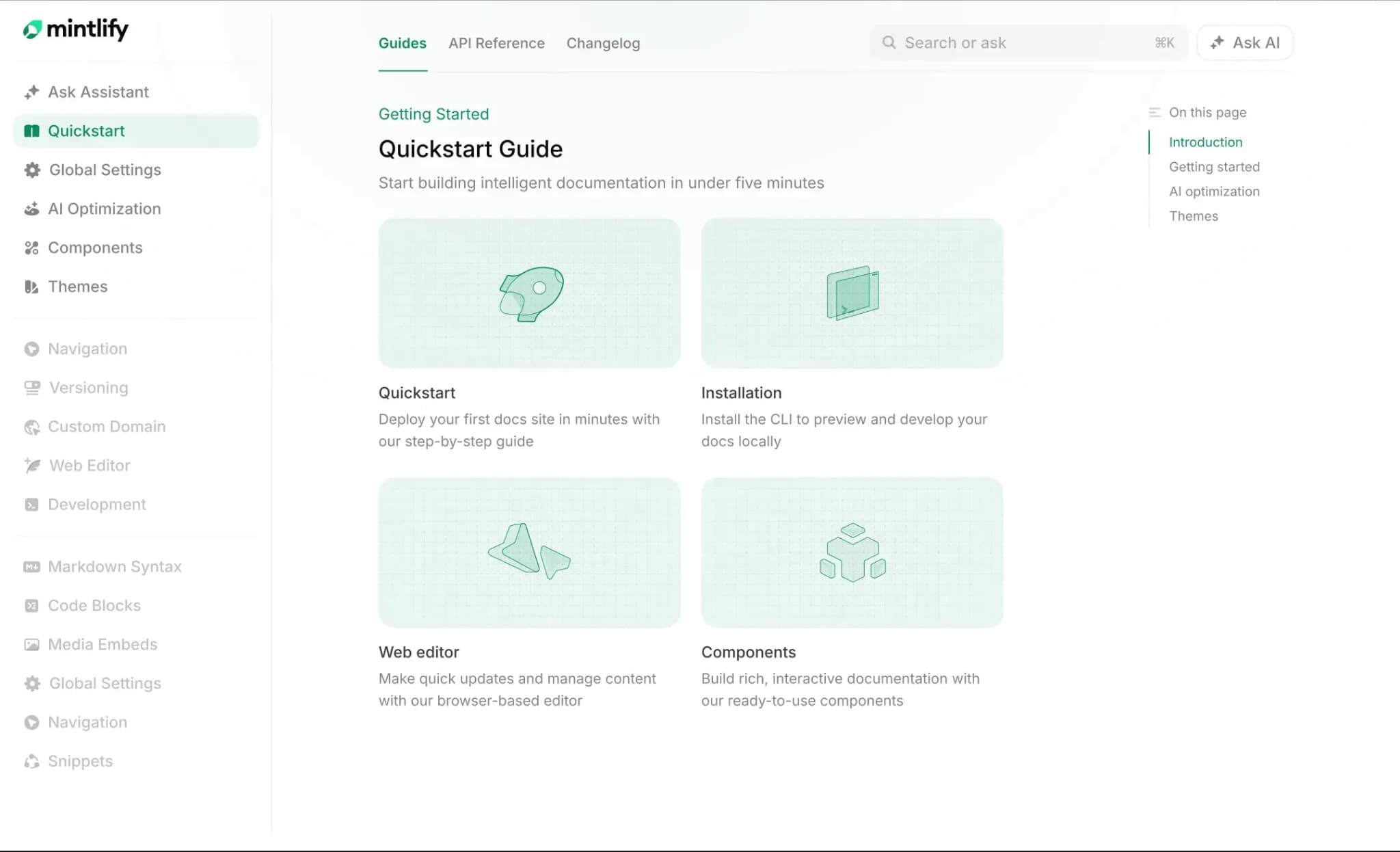
Mintlify keeps guides, generated API references, changelogs, and agent-readable outputs in one project, with a single navigation structure, review process, and deployment.
One review process for every contributor
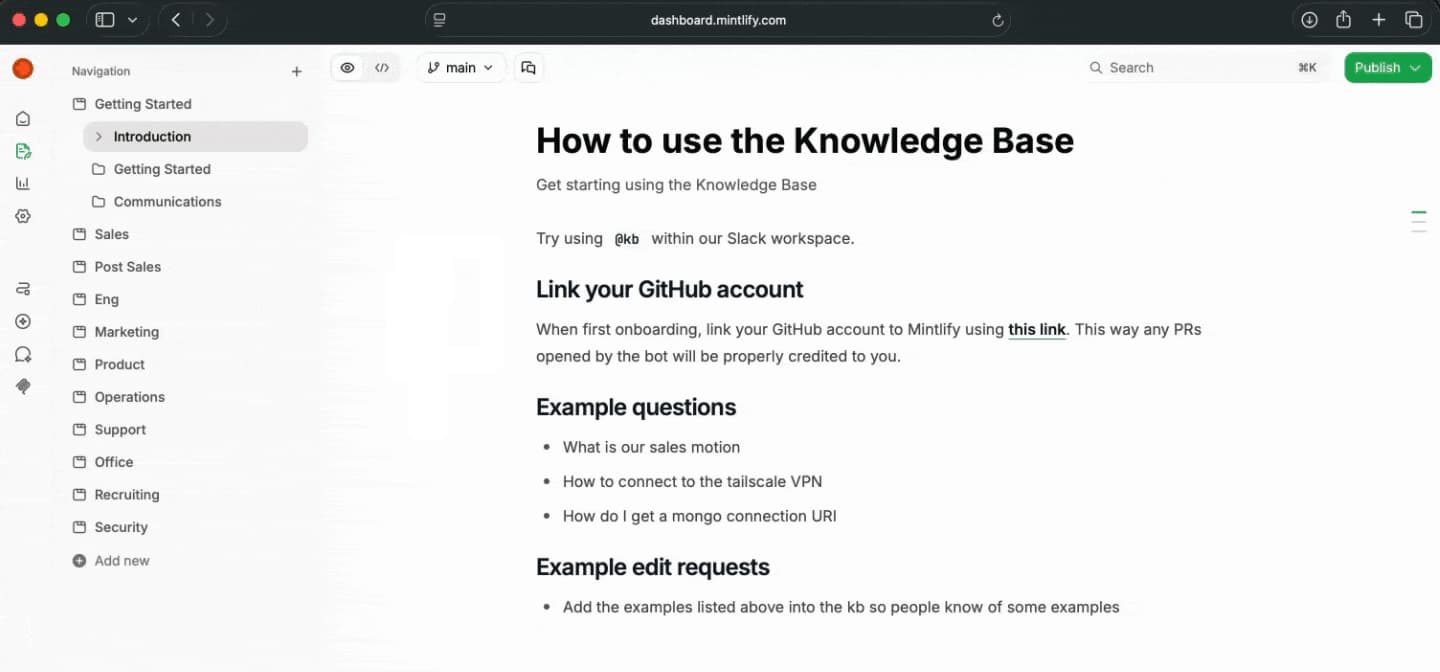
Documentation lives in a Git repository as MDX, while docs.json controls navigation, styling, integrations, and API settings. Engineers can edit files through their existing Git tools, while writers and product managers can update the same files through the web editor.
Changes made in Git or the web editor can follow the same branch and pull request workflow. Preview deployments give reviewers a rendered version of each proposed update. After an approved pull request merges, Mintlify handles the build and production deployment.
Reference pages generated from API specifications
Mintlify reads OpenAPI 3.0 and 3.1 specifications from a repository or hosted URL, then generates endpoint pages that update when the specification changes. The API playground uses the specification's server and authentication settings to send live requests and display responses.
The x-mint extension can add MDX content, change page metadata, set custom URLs, and control playground access for individual endpoints. AsyncAPI support generates channel and message reference pages for WebSocket and event-driven APIs.
SDK examples inside the API playground
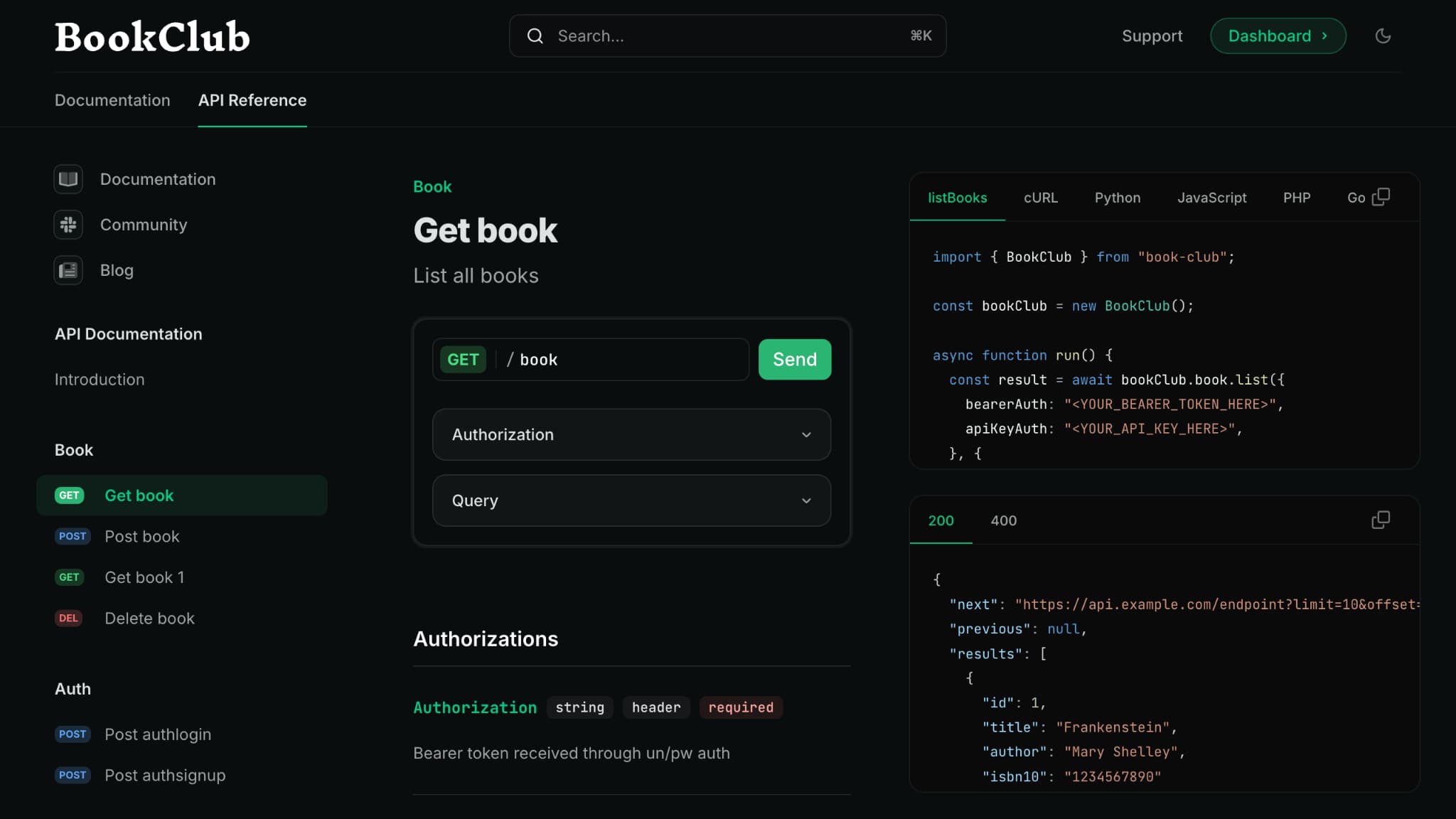
Teams can add SDK examples through x-codeSamples or display autogenerated examples from Speakeasy and Stainless. These examples appear beside the request builder and show readers how to call each endpoint through the corresponding client library.
Documentation that AI tools can retrieve
Every published page is available via a Markdown export by appending .md to its URL. Mintlify also generates llms.txt and llms-full.txt, skill.md, and a hosted search MCP server. The MCP server allows tools such as ChatGPT, Claude, and Cursor to search the documentation and retrieve full pages as Markdown.
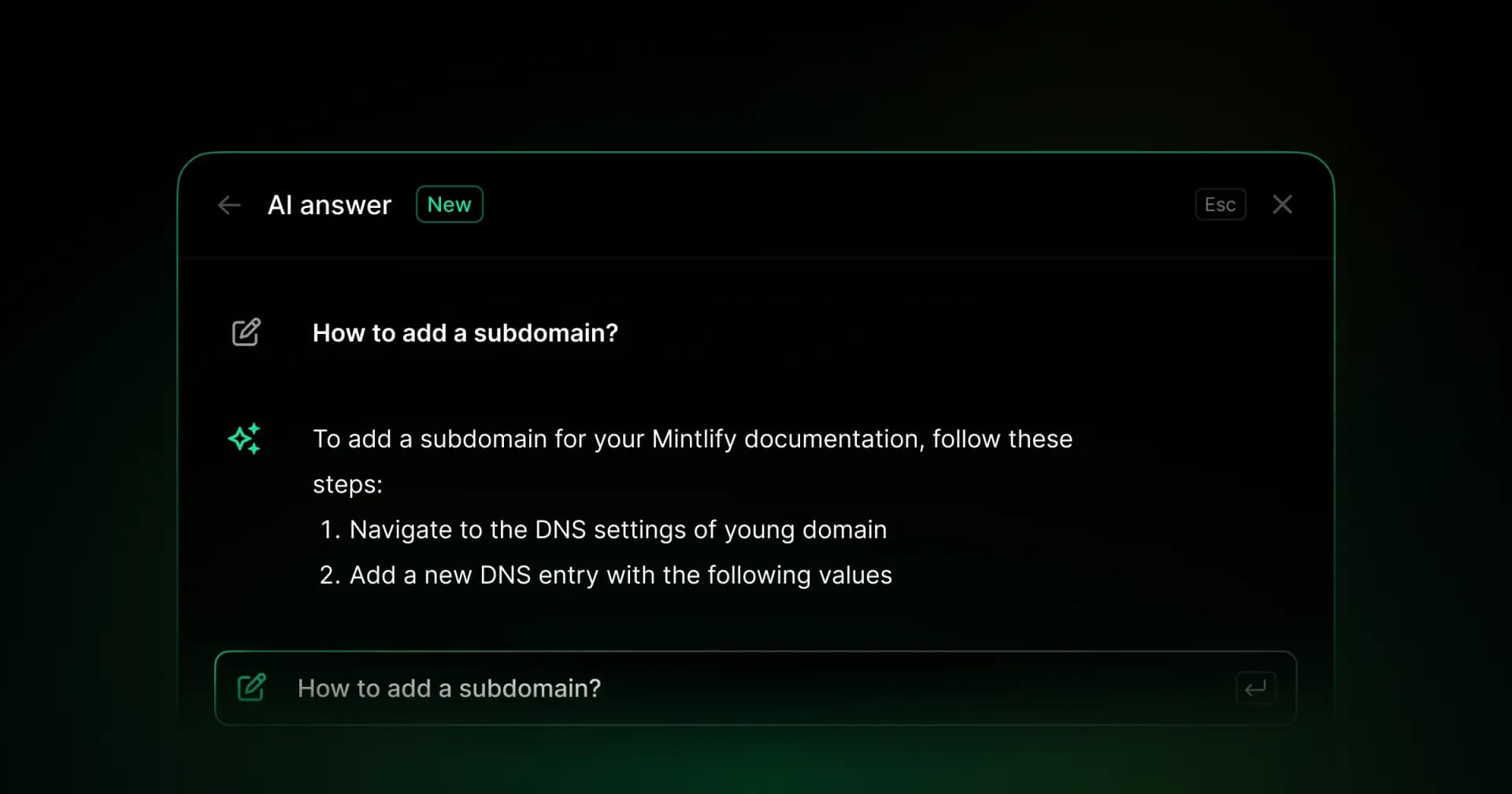
The Mintlify assistant answers questions from the published documentation and cites the pages used in each response. Analytics distinguish human traffic from recognized AI crawlers and agents, showing which tools access the site and which pages they read.
Documentation updates proposed through pull requests
The Mintlify agent reads the existing documentation and connected code repositories, drafts updates, validates the documentation build, and opens a pull request. Automations run the agent after repository changes, on a schedule, or when an event occurs in a connected integration. Every proposed update stays open for review and revision before it reaches the deployment branch.
Best for: API teams replacing a modular Redocly setup while continuing to use OpenAPI as the source for reference pages.
Pros
- Product guides, changelogs, API references, and SDK examples managed in one project
- OpenAPI 3.0 and 3.1 ingestion with automatic endpoint page generation
- AsyncAPI reference pages for WebSocket and event-driven APIs
- Interactive API playground with live requests, authentication, server selection, responses, and x-mint customization
- SDK examples through x-codeSamples, Speakeasy, and Stainless
- Git-managed MDX, docs.json, and a web editor connected to the same source files
- Branches, pull requests, and preview deployments for reviewing changes
- Managed builds and deployments, hosting, search, custom domains, and security certificates
- Markdown pages, llms.txt, llms-full.txt, skill.md, and a hosted search MCP server
- Assistant with cited answers and analytics for human and AI traffic
- Mintlify agent and automations for proposing documentation updates through pull requests
Cons
- Mintlify covers customer-facing product and developer documentation, so general-purpose internal wikis fall outside its scope.
- SSO, role-based permissions, and audit logs require the Enterprise plan.
Pricing: Free Starter plan, custom Enterprise pricing, and a free trial that does not require a card. See the full pricing breakdown.
2. Scalar
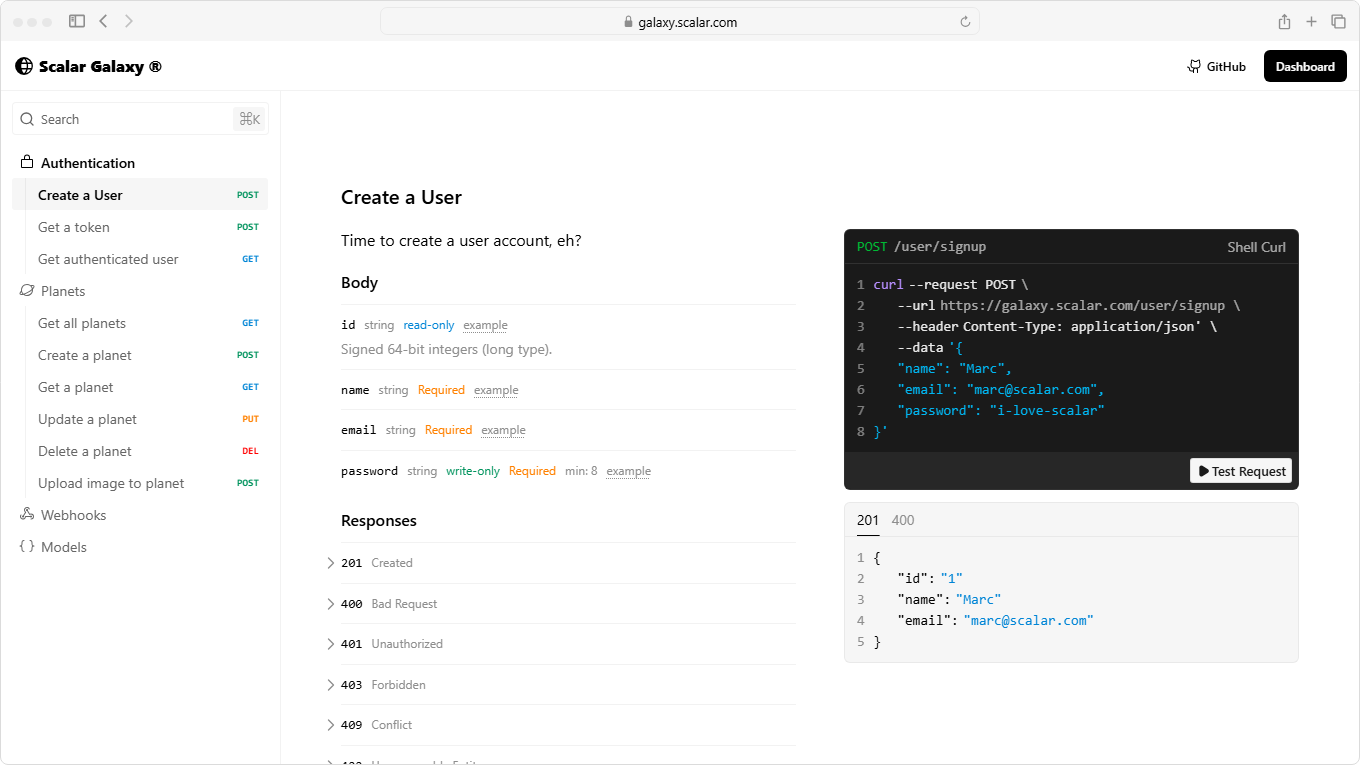
Scalar provides an MIT-licensed OpenAPI reference renderer for embedding in an application, as well as an open-source API client that runs locally. Scalar's hosted service adds documentation sites, an API registry, SDK generation, and MCP servers while retaining the OpenAPI specification as the source.
Best for: Teams that need an embeddable OpenAPI reference with the option to add managed publishing.
Pros
- MIT-licensed reference renderer and offline API client
- Hosted docs with OpenAPI and AsyncAPI ingestion, Markdown and MDX guides, Git sync, versioning, and custom domains
- API registry for previewing, validating, and versioning specifications through Git and CI workflows
- SDK generation in six listed languages and hosted MCP servers
Cons
- Guides, versions, Git sync, custom domains, and hosted MCP servers require Pro
- Each SDK language adds $100 per month to the subscription
Pricing: Free plan with one editor seat, Pro at $72/month, and custom Enterprise pricing.
3. Fern
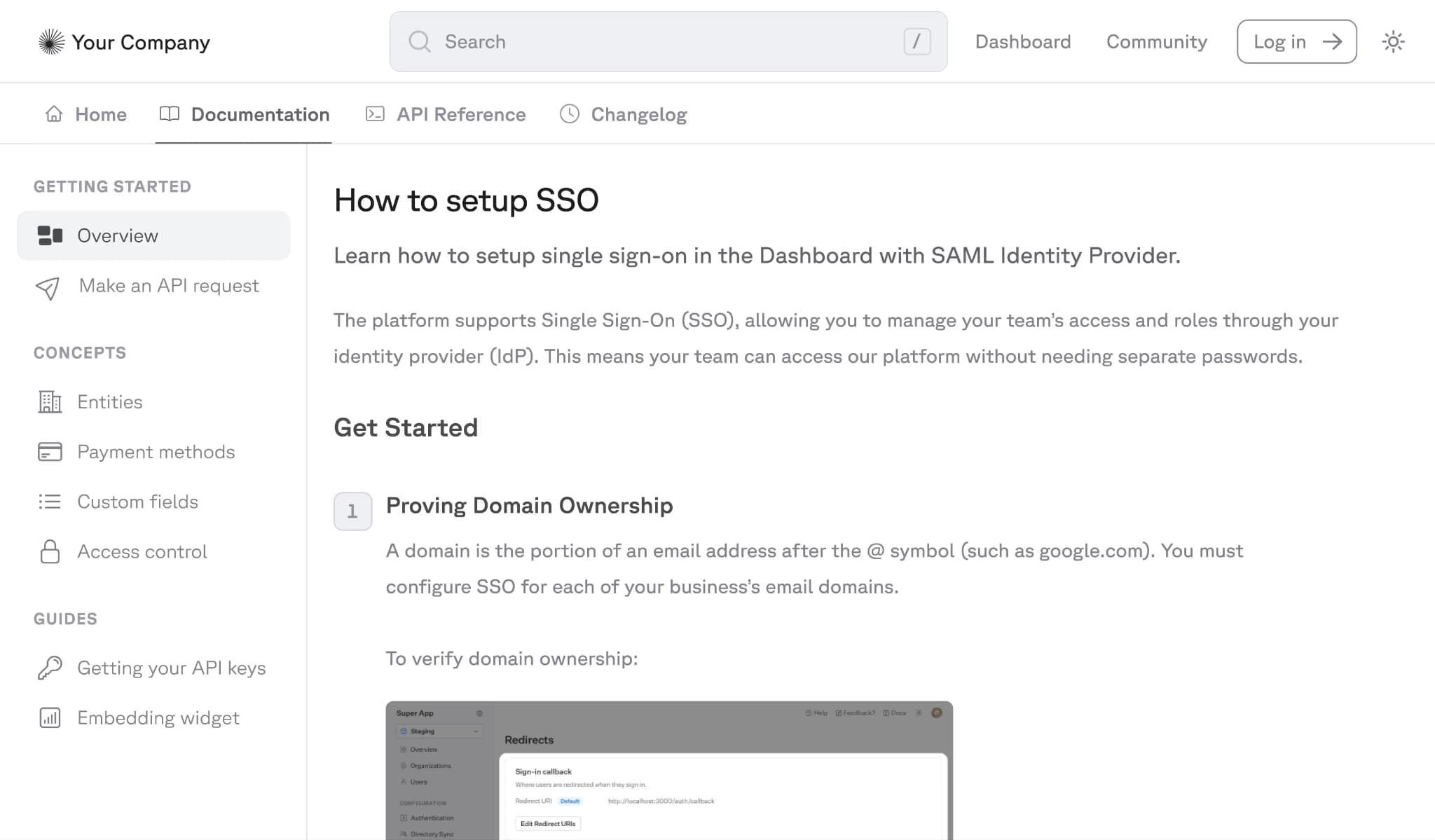
Fern generates client SDKs, command-line interfaces, and documentation from API definitions. An update to the definition can regenerate the API reference, MCP output, and selected SDKs through a Git-based release workflow.
Best for: API teams that release generated SDKs alongside each API version.
Pros
- Client SDK generation in seven supported languages
- Support for OpenAPI, OpenAPI Overlays, Arazzo, AsyncAPI, gRPC, GraphQL, and OpenRPC
- Documentation sites with Markdown guides, an API explorer, changelogs, a web editor, preview links, llms.txt, and an MCP server
Cons
- SDK generation is custom-priced separately from the documentation plans
- Hobby and Team include two and five members, respectively; role-based access, visitor SSO, localization, and self-hosting require Enterprise
Pricing: Hobby at $0, Team at $150/month with free trial, and custom Enterprise pricing.
4. ReadMe
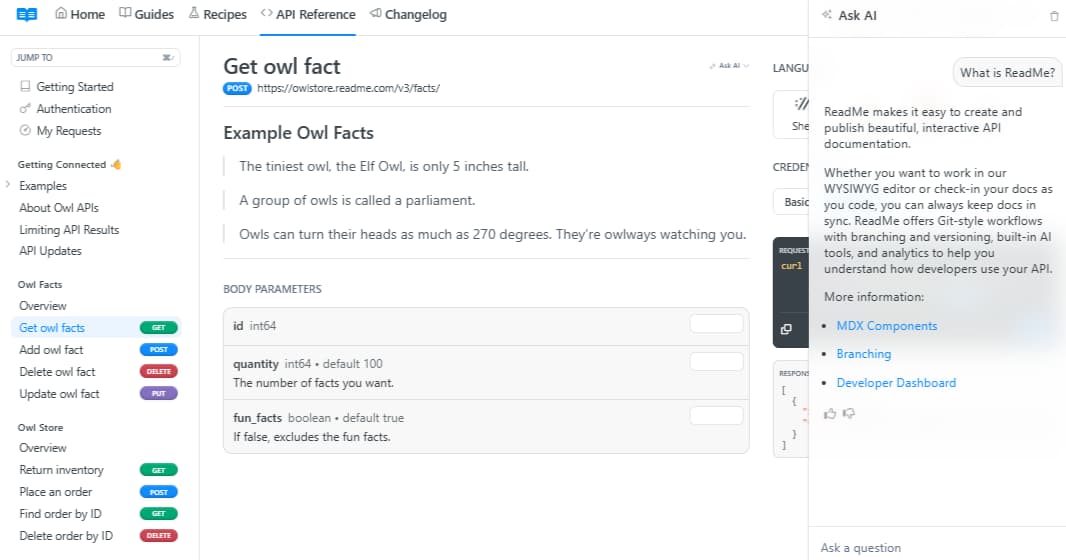
ReadMe pairs hosted documentation with API request data. After a team sends request logs to ReadMe, maintainers can review call volume, endpoint usage, and errors, while signed-in developers can inspect their own request history within the documentation site.
Best for: Teams that use request-level API metrics to prioritize documentation and support work.
Pros
- OpenAPI-generated reference pages with authenticated requests, responses, and code examples
- Guides, changelogs, recipes, and API references within one project
- Bidirectional Git sync, documentation versions, branches, and review workflows
- llms.txt and an MCP server included across plans
Cons
- Starter supports one published version, while Pro supports one project; multiple combined projects require Enterprise
- SSO, user roles, branch review permissions, and audit logs require Enterprise
- Ask AI, extended request history, and logs carry additional monthly charges
Pricing: Free plan with limited features, Startup at $79/month, Business at $349/month, Enterprise at $3,000+/month.
5. Stoplight
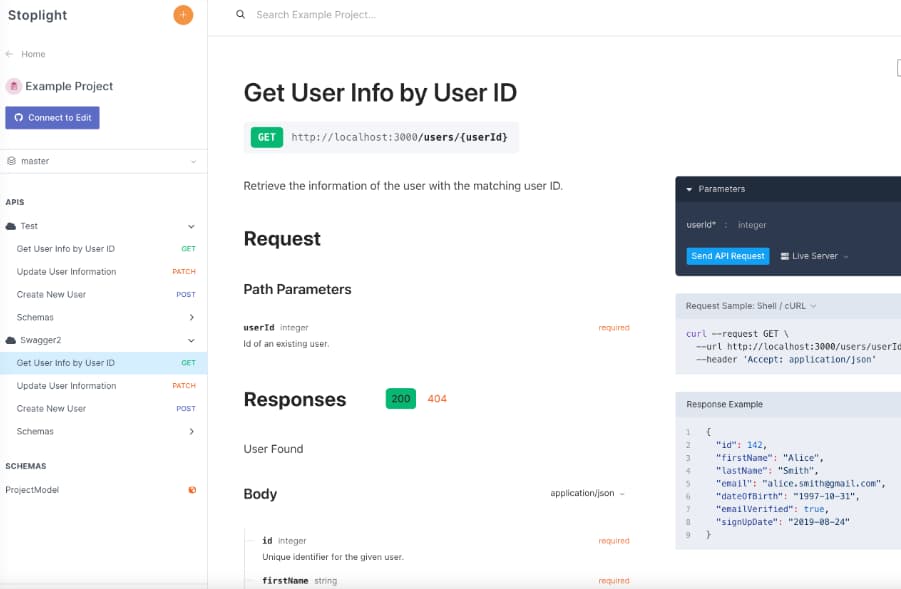
Stoplight centers documentation around designing and governing the API contract. Teams can edit OpenAPI and JSON Schema documents visually or as code, validate them against shared rules, create mock endpoints, and publish interactive reference documentation from the validated specification.
Best for: Organizations standardizing API design across multiple engineering teams.
Pros
- Visual and code-based OpenAPI and JSON Schema editing with validation
- Open-source Spectral linting, Prism mock servers, and Elements reference rendering
- Git synchronization and multibranch projects
- Shared style guides and reusable component libraries for applying API standards across projects
Cons
- Custom domains and multibranch projects require Startup
- Shared style guides, component libraries, activity logs, and SSO require Pro Team
- Users beyond the included allowance carry an additional monthly charge
Pricing: Basic at $56/month, Startup at $147/month, Pro Team at $453/month, and custom Enterprise pricing, with a free trial available.
6. Bump.sh
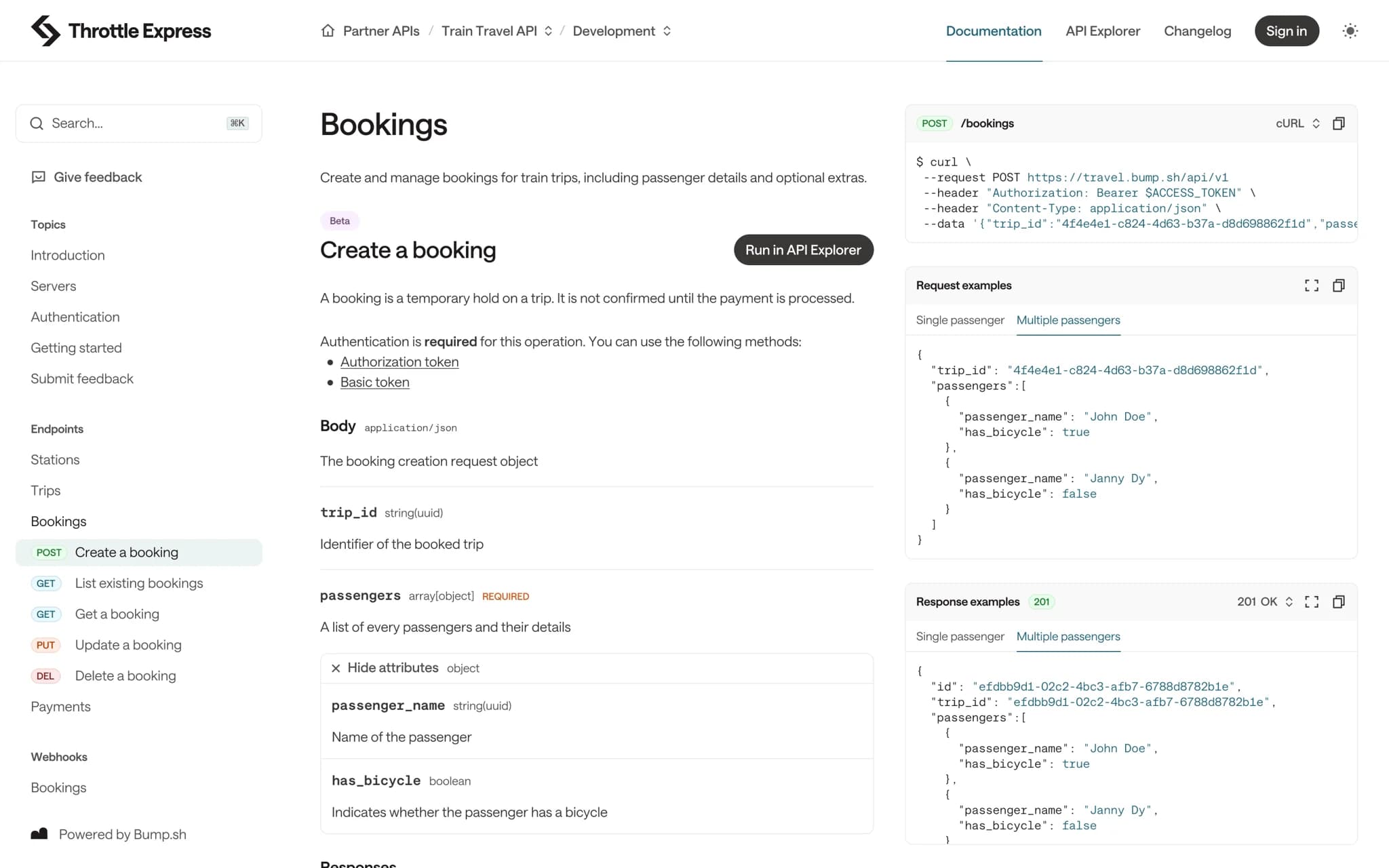
Bump.sh publishes API references from OpenAPI and AsyncAPI documents and generates MCP servers from Arazzo workflows. Each documentation deployment is compared with the previous release, creating a record of contract changes for review before publication.
Best for: API teams that need specification diffs and release tracking alongside published references.
Pros
- OpenAPI, AsyncAPI, OpenAPI Overlays, and Arazzo support
- Structural diffs and breaking-change detection in deployments and CI workflows
- API hubs, custom domains, hosted MCP servers, a CLI, and GitHub integration
- Automatic changelogs, branch management, release rollback, and pull request comments on Pro
Cons
- The API Explorer, automatic changelog, branch management, release rollback, and pull request comments are excluded from Basic
- Basic includes three internal users, and Pro includes five; larger teams require custom pricing
Pricing: Basic at $50/month, Pro at $250/month with a free trial, and Enterprise at custom pricing.
Redocly alternatives compared in 2026
| Tool | Best for | Hosting | SDK support | Agent-readable output | Starting price |
|---|---|---|---|---|---|
| Mintlify | API references, product guides, changelogs, and AI-ready documentation in one platform | ✅ Managed builds and hosting, custom domains, and TLS; preview deployments on Pro | ✅ x-codeSamples plus Speakeasy and Stainless SDK examples | ✅ Markdown export, llms.txt, llms-full.txt, skill.md, and a hosted search MCP server | Free Starter plan |
| Scalar | Open-source reference rendering with optional hosted documentation | ✅ Self-hosted renderer or managed documentation | ✅ Generated SDKs in six languages, charged per language | ✅ Hosted MCP servers on Pro | Free plan |
| Fern | Generating SDKs and documentation from a shared API definition | ✅ Managed hosting; self-hosting on Enterprise | ✅ Generated SDKs in seven supported languages, custom pricing | ✅ llms.txt and an MCP server | Free Hobby plan |
| ReadMe | Developer hubs with API request and documentation metrics | ✅ Managed hosting | ⚠️ Generated request code examples only | ✅ llms.txt and an MCP server; documentation search requires the AI Booster Pack | Free Starter plan |
| Stoplight | API design, linting, governance, and mock servers | ✅ Managed workspace; reference rendering can be self-hosted with Elements | ❌ SDK generation not offered | ❌ No built-in llms.txt or MCP server | Free trial available |
| Bump.sh | API specification diffs, breaking-change detection, and release tracking | ✅ Managed hosting | ⚠️ SDK examples through Speakeasy and Stainless integrations | ✅ Hosted MCP servers from Basic | Basic at $50 per month |
Publish your API reference and guides together. Start free with Mintlify →
Redocly vs Mintlify
Site structure and authoring
Redocly divides API references, guide content, and API catalog capabilities across Redoc, Revel, and Reef, with Realm combining all three.
Mintlify keeps generated API references, guides, changelogs, and SDK documentation in a single Git-backed project configured via docs.json. Both support browser editing, pull-request reviews, and preview deployments.
API coverage
Redocly and Mintlify generate reference pages from OpenAPI, AsyncAPI, and GraphQL SDL. Redocly also supports SOAP/WSDL documentation and OpenAPI mock servers. Mintlify can generate SDK reference pages from TypeDoc, DocFX, Javadoc, Sphinx, and phpDocumentor output.
Agent-readable delivery
Mintlify automatically serves each page as Markdown and generates llms.txt, llms-full.txt, and skill.md for public sites. The documentation site also includes a hosted search MCP server.
Redocly generates llms.txt and Markdown output, while AI search and Docs MCP servers require Enterprise.
Validation and governance
The Redocly CLI supports configurable API design rules, linting, bundling, and other specification operations. Reef applies scorecards across an API catalog.
The Mintlify CLI validates documentation builds and referenced OpenAPI specifications, detects broken links and accessibility issues, and scores the published site's agent readiness. Commands such as mint validate, mint broken-links, mint a11y, and mint score can run in CI before changes merge.
Teams moving from Redocly can follow Mintlify's migration guide or request migration support through the Switch program.
Why teams move from Redocly to Mintlify
For teams using Redocly's modular products, moving to Mintlify reduces the number of systems involved in each documentation release. The API reference, supporting guides, SDK documentation, and changelog remain in a single Git-backed project, allowing specification changes and explanatory content to pass through the same pull request and be published together. Human readers and AI tools then receive updated content from the same deployment.
Anthropic serves more than 1.5 million developers each month through its Mintlify documentation. Zapier reports publishing documentation updates three times faster after consolidating its internal and external documentation on Mintlify.
See how your Redocly documentation looks on Mintlify. Request a free preview →
Frequently Asked Questions
Is Redoc the same as Redocly?
Redoc and Redocly are related but not the same product. Redoc is the open-source API reference renderer maintained by Redocly. Redocly is the company behind Redoc and its commercial documentation and API governance products. You can use Redoc without subscribing to Redocly's hosted products.
Is Redocly free?
Redoc CE and the Redocly CLI are free and open source. Redocly's hosted documentation products include a 30-day trial and then require a paid subscription. Mintlify's Starter plan includes a hosted documentation site at no cost. Eligible non-commercial open-source projects can apply to the Mintlify OSS Program for free access to Mintlify Pro.
Which Redocly alternative is best for OpenAPI documentation?
Mintlify is the best Redocly alternative when an OpenAPI reference is part of a broader developer documentation site. Stoplight fits organizations whose primary requirement is API design governance, and Scalar fits teams that want an open-source reference renderer. Every alternative in this guide can render an OpenAPI document, so the decision comes down to what sits around the reference, including product guides, onboarding, changelogs, and design governance.
Does Redocly generate SDKs?
Redocly CLI v2 can generate a typed TypeScript client from an OpenAPI document, including authentication, retries, and pagination. Multi-language generation is not offered, so Python, Java, Go, and other SDK languages require a separate tool.
Mintlify vs Redocly for API documentation?
Choose Mintlify when product education and API documentation need to function as a single documentation program. Choose Redocly when catalog-wide API governance, SOAP/WSDL documentation, or managed mock servers determine the purchase. During evaluation, test one specification change and one guide update in both products, since reference rendering alone does not show how each handles a complete documentation release.
How to migrate from Redocly to Mintlify?
Begin by inventorying existing URLs, content, assets, and Redocly-specific components. Reuse the current OpenAPI specification, move Markdown or MDX content into the Mintlify project, recreate the navigation in docs.json, and configure redirects before moving the custom domain. Review page rendering, links, search, and API playground requests in a preview deployment. The Mintlify migration guide covers the process, and the Switch program provides hands-on migration assistance.
More to read
The Complete Guide to Quick Start Guides for Software Products
Learn how to create software quick start guides that take new users from setup to a verifiable first success, with examples and maintenance best practices.
September 11, 2026Harkirat Chahal
Growth

Troubleshooting Guide Best Practices for Software Companies
Learn how to write troubleshooting guides with symptom-based diagnosis, safe recovery steps, clear escalation paths, and ongoing maintenance.
September 11, 2026Harkirat Chahal
Growth