8 best context engineering tools for coding agents in 2026
Harkirat Chahal
Growth
Share this article
Harkirat Chahal
Growth
Share this article

Context engineering determines which documentation, code, project decisions, and history reach a coding agent before it starts working. This guide compares eight tools for supplying useful context while controlling source quality, retrieval efficiency, and context window usage.
Context engineering determines which documentation, code, project decisions, and history reach a coding agent before it starts working. A model’s training data and the material already loaded in a session rarely capture details such as the library version in use, recent implementation decisions, or requirements recorded outside the codebase. Good context engineering supplies that missing information without filling the context window with material the agent does not need.
This guide evaluates eight context engineering tools based on what they provide, how current and authoritative their sources are, and how efficiently they deliver usable context. Mintlify Index is the strongest option for external technical documentation because it retrieves current documentation with source URLs attached, giving coding agents implementation details they can trace back to the original source.
What context engineering means for a coding agent
Context engineering controls the information a coding agent receives at inference time. Each call can contain the system prompt, tool definitions, retrieved documentation, message history, and other task-specific material. Prompt engineering focuses on the wording of an instruction. Context engineering manages the broader information available when the agent interprets and executes that instruction.
The amount of available context does not guarantee reliable use of it. Chroma’s context rot research evaluated 18 LLMs and found that performance became increasingly unreliable as input length grew. The Lost in the Middle study found that long-context models often retrieved relevant information more accurately when it appeared near the beginning or end of the input than in the middle. Both studies show why context engineering depends on selecting useful information. Adding material beyond what the task needs makes the useful parts harder for the model to find.
Mintlify measured the impact of more selective documentation retrieval by restructuring llms.txt into a hierarchy of files. Across 200 retrieval tasks on ten documentation sites, average task completion time fell by 52.1% and mean input token usage by 44.8%. The hierarchy lets agents follow the relevant documentation path without loading a site-wide index into the context window.
The eight context layers a coding agent needs
A coding agent can work from the files and history available in its current environment, but many tasks depend on information stored elsewhere. The eight layers below separate those sources by the type of context they add to the agent’s session.
| Context layer | Tool | What it adds |
|---|---|---|
| External technical documentation | Mintlify Index | Current library, framework, and API documentation |
| Codebase search and navigation | Sourcegraph | Definitions, references, commits, and diffs across repositories |
| Repository activity | GitHub MCP | Issues, pull requests, reviews, and workflow runs |
| Team decisions and requirements | Linear | Acceptance criteria, edge cases, and issue discussions |
| Live web research | Tavily | Release announcements, standards, and maintainer discussions |
| Institutional engineering context | Unblocked | Knowledge across code, discussions, tickets, and production systems |
| Automatic engineering knowledge capture | Dosu | Documentation maintained as implementation work changes |
| Tracing and evaluation | Braintrust | Production traces, regression datasets, and retrieval evaluations |
How we evaluated context engineering tools
We evaluated each tool on how reliably it supplies useful context without overloading the agent’s context window. The criteria focus on source quality, retrieval efficiency, verification, and access control.
Source authority and freshness: The tool should retrieve from current, authoritative sources. For documentation, that means publisher-maintained content where possible. For repositories and project systems, it means reading the live source rather than an outdated snapshot.
Ranking and selection quality: Results should be relevant and well-scoped enough that the agent does not have to sift through large amounts of loosely related material.
Output format and citations: Retrieved context should preserve source URLs or other provenance so developers can verify the information behind an agent's recommendation.
Context cost per call: Tool definitions and retrieved content both consume tokens. Smaller tool surfaces and bounded responses leave more room for code, instructions, and task-specific context.
Retrieval timing and control: Tools that separate search from content retrieval give applications more control over what reaches the model, since they can rank candidates before loading full page content.
Access and permission model: The tool should enforce read and write permissions through server configuration, credentials, and project-level scopes, so a prompt instruction is never the only barrier.
8 best context engineering tools for coding agents
1. Mintlify Index for external technical documentation
A coding agent can identify the library version installed in a repository, but model training may predate the API behavior, configuration options, or migration guidance for that release. Mintlify Index gives coding agents token-efficient access to current external technical context from publisher-maintained documentation and the web through an MCP server or REST API. Product-specific questions search documentation that publishers maintain on Mintlify, and broader technical questions use web search. Index returns relevant source material with URLs that developers can verify before applying the guidance.
Control what enters the context window
The public Mintlify Index MCP server exposes a single context tool with controls for narrowing retrieval. The product field helps disambiguate libraries or companies with similar names; includeDomains and excludeDomains constrain the sources searched, and tokenBudget limits the returned content to 3,000 tokens by default, with a 6,000-token maximum. Each response contains ranked Markdown sections with the source title, URL, and relevant content.
Connect through MCP or the REST API
The public MCP server requires no Mintlify account or API key. Running the Index setup command detects supported coding agents and can configure Claude Code, Cursor, VS Code, Codex, OpenCode, Windsurf, and Zed.
npx mint index
Applications can use the REST API for more control over retrieval. The context endpoint assembles cited material within a token budget, search returns ranked candidates, and contents retrieves selected results. Using search before contents lets an application choose which sources deserve space in the model’s context window.
Agent-ready documentation beyond Index
Mintlify-hosted documentation provides additional retrieval surfaces when an agent already knows which product documentation it needs. A hosted search MCP server searches a single documentation site, llms.txt and llms-full.txt expose the documentation structure, and Markdown export serves page content through .md URLs or content negotiation. Mintlify also generates skill.md files that describe product capabilities, inputs, and constraints for agents.
Measured retrieval quality
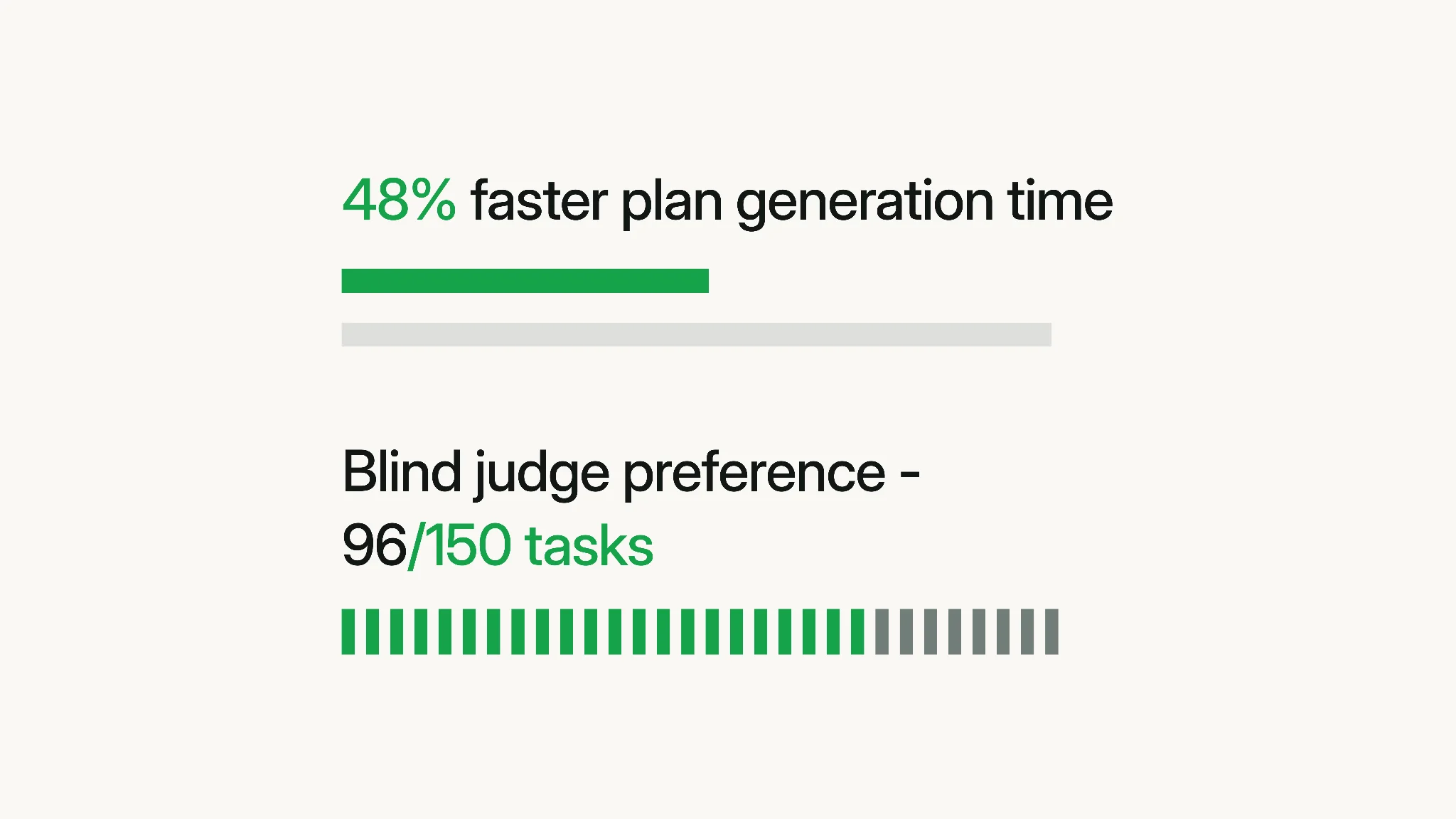
In Mintlify’s published comparison with Context7, a blinded evaluator compared implementation plans across 150 tasks covering 50 products. Mintlify Index was preferred in 96 of 150 comparisons and was 48% faster to complete, with 17% fewer critical errors, 10% higher factual correctness, and 10% better citation support.
Best for: Coding agents that need current implementation details for third-party libraries, frameworks, and APIs with source URLs developers can verify.
Pros
-
Retrieved guidance comes from publisher-maintained documentation, so it reflects the current release.
-
A single MCP context tool keeps the connected tool surface small.
-
Token budgets and domain controls limit how much retrieved material enters the context window.
-
Each retrieved section carries its source URL for verification.
-
Separate search and contents operations support selective retrieval in custom applications.
-
One CLI command configures seven supported coding agents.
-
The public MCP server requires no account or API key.
Cons
-
Index is read-only and does not provide repository, ticket, database, or other project-specific context.
-
The public MCP server is limited to 10 requests per second and 5,000 requests per day per IP.
Pricing: The public Mintlify Index MCP server is free. The Index REST API is currently free during beta. See Mintlify pricing.
Also read: AI-native documentation and best technical search APIs for AI agents.
2. Sourcegraph for codebase search and navigation
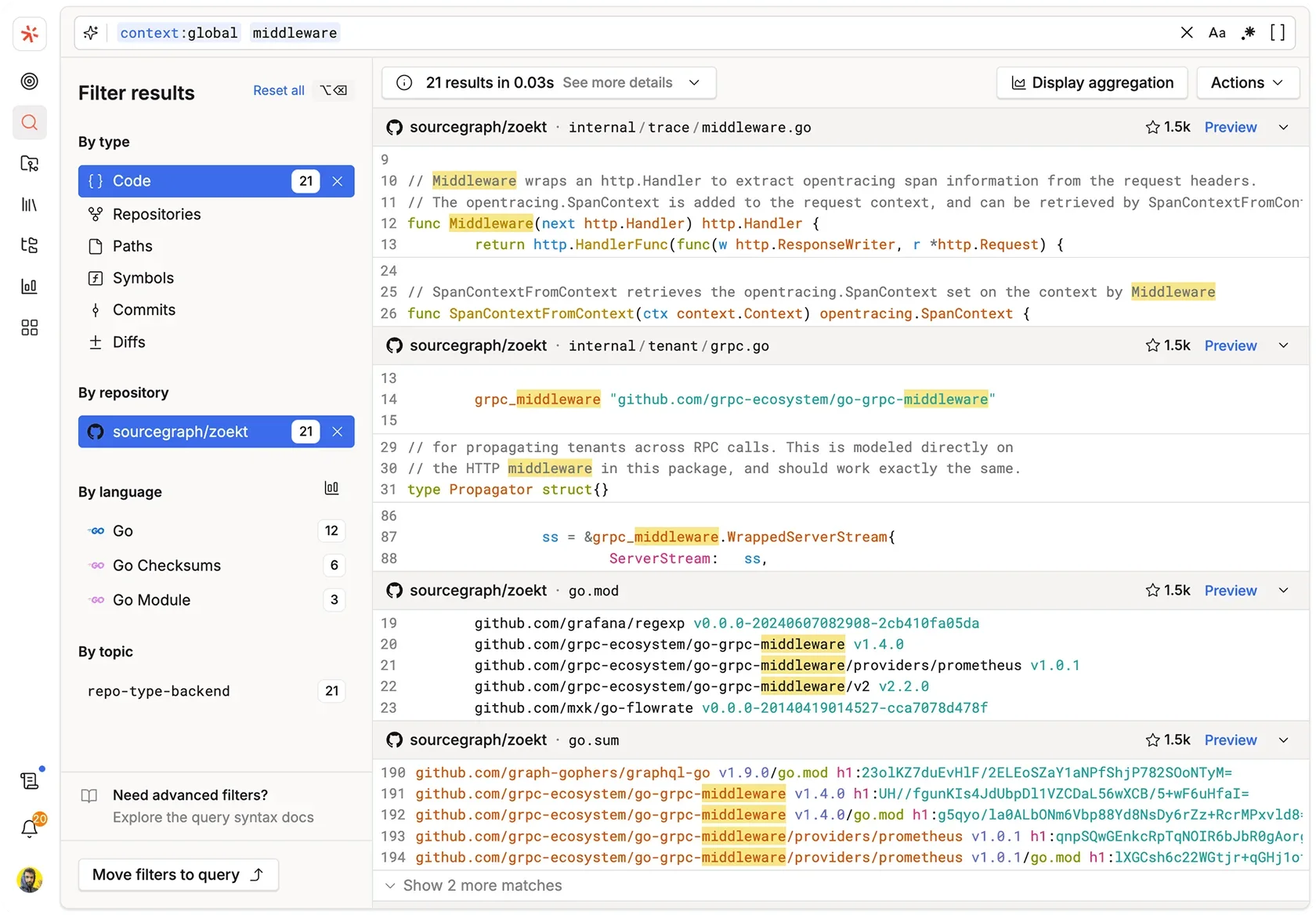
Sourcegraph extends a coding agent’s reach beyond the repository currently checked out by exposing indexed code, definitions, references, commits, and diffs across repositories. Deep Search surfaces the searches, files, commits, and diffs behind an answer, while Code Finder narrows a task to relevant file paths and line ranges.
Best for: Organizations with multiple repositories where coding agents need to trace code, dependencies, or change history beyond the current checkout.
Pros
-
SCIP-based navigation resolves definitions and references across repository boundaries.
-
Commit and diff search expose the history behind code changes.
-
Separate MCP endpoints let teams limit the search capabilities available to an agent.
Cons
-
MCP access is available on Enterprise plans.
-
The read_file tool caps files at 128 KB, so larger files require line ranges.
Pricing: Sourcegraph Enterprise starts at a $16,000 minimum annual contract and scales with team size. See Sourcegraph pricing.
3. GitHub MCP for repository activity
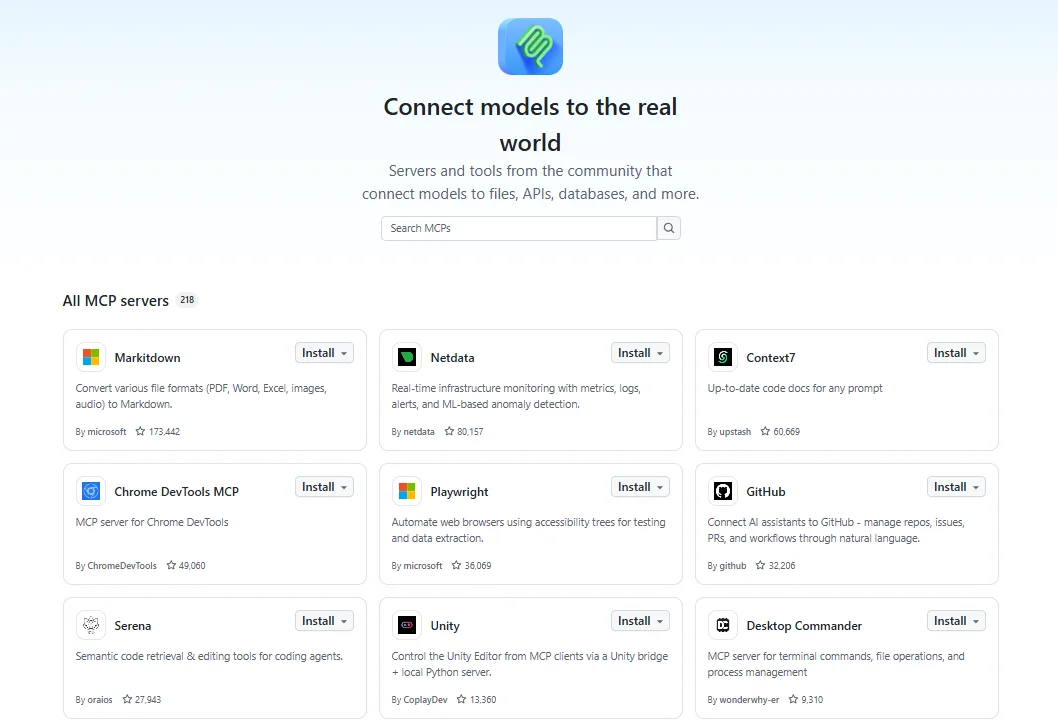
GitHub MCP Server brings a repository's surrounding history into the agent session, including issues, pull requests, review discussions, commits, and workflow runs. Toolsets and individual-tool controls determine which GitHub capabilities are exposed, and read-only mode restricts the connection when the agent only needs to retrieve context. Repository discussions can give the agent implementation reasoning that does not appear in the source files themselves.
Best for: Coding tasks that depend on the discussion, review history, or repository activity surrounding an issue or pull request.
Pros
-
Hosted and local deployment options cover both interactive editor sessions and automated pipelines.
-
Toolset and individual-tool controls keep the available GitHub surface focused.
-
Read-only mode can restrict the connection to retrieval.
Cons
-
Loading many toolsets increases the number of tool schemas entering the context window.
-
Local deployment requires Docker and personal access token management.
Pricing: The server is available across GitHub plans at no additional cost, and individual tools inherit the access requirements of their underlying features. See GitHub pricing.
4. Linear for team decisions and requirements
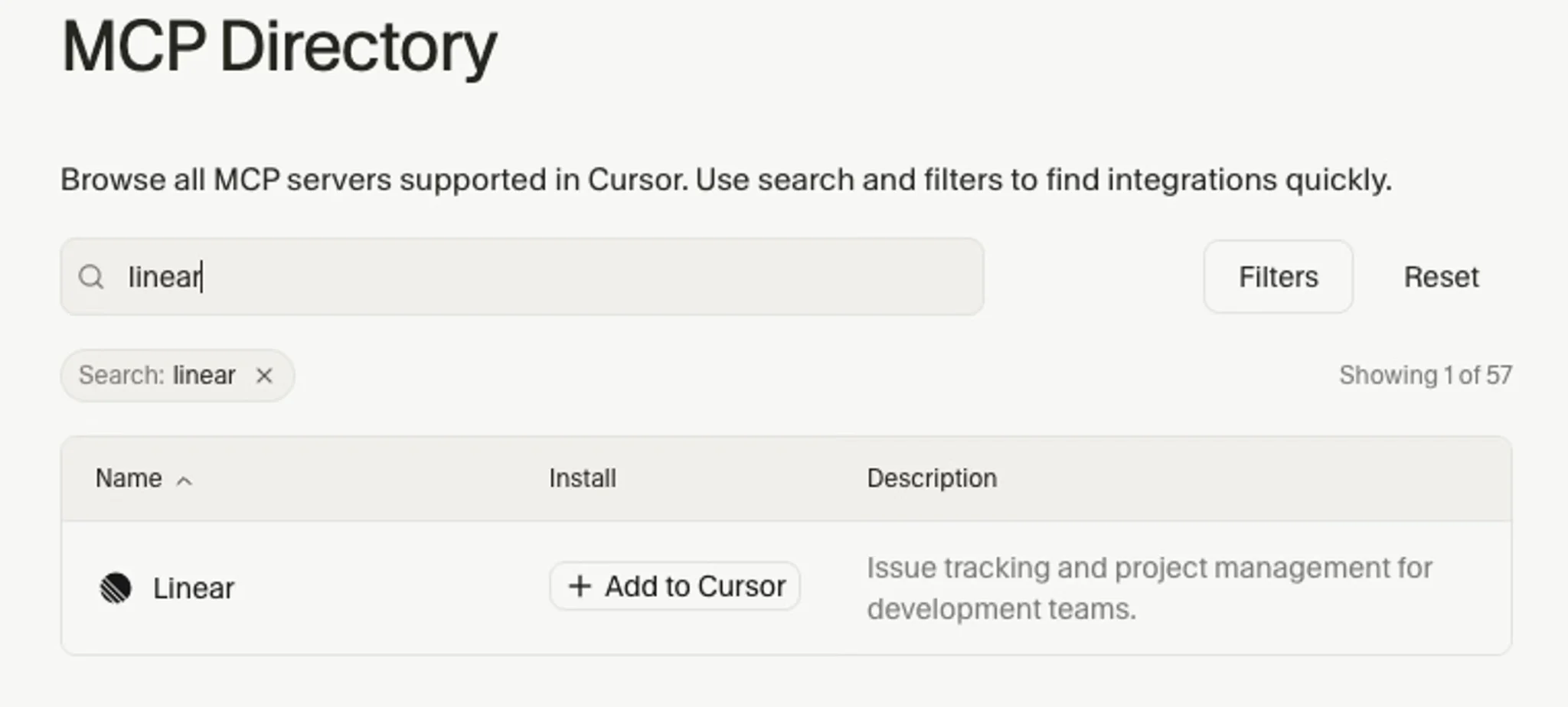
Linear MCP gives coding agents access to product requirements that may never appear in source files, including acceptance criteria, edge cases, and decisions recorded in issues and comments. Its hosted endpoint can retrieve information from a specific issue or project, keeping the context focused on requirements tied to the implementation task.
Best for: Teams that keep product requirements and implementation decisions in Linear issues and comment threads.
Pros
- A dedicated read-only endpoint restricts the agent to retrieval.
- Authentication works through OAuth 2.1, bearer tokens, or API keys, so both editor sessions and automation can connect.
- The hosted endpoint removes the need to run a Linear MCP server locally.
Cons
-
Clients without remote MCP support need a compatibility module such as mcp-remote.
-
Connecting multiple Linear workspaces requires separate authentication contexts.
Pricing: The Free plan includes MCP access. Basic starts at $10 per user per month when billed annually. See Linear pricing.
5. Tavily for live web research
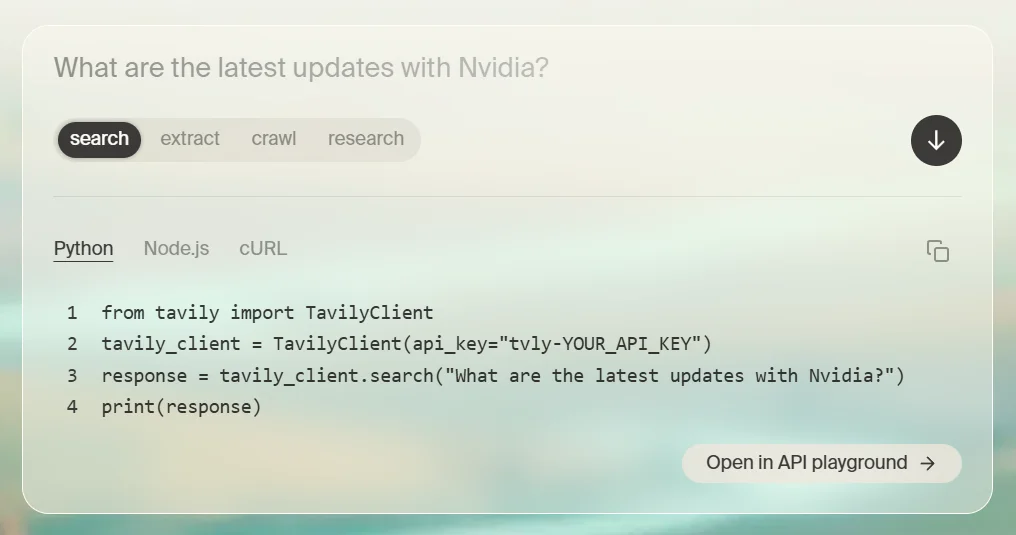
Tavily covers technical information published outside formal product documentation, including release announcements, standards pages, maintainer discussions, and other current web sources. Search, extraction, mapping, and crawling are available through its MCP server and API, with controls for domains, time ranges, and returned content.
Best for: Technical research that depends on current web sources when no single documentation page fully answers the question.
Pros
- Search, extraction, mapping, and crawling are available through one connection.
- MCP access serves coding agents, and the REST API serves custom applications.
- Time-range, domain, and per-source controls help constrain returned content.
Cons
-
Credit consumption varies by operation and search depth.
-
Web results do not include release-specific metadata for technical documentation, so version-sensitive details still need verification.
Pricing: The free tier includes 1,000 credits per month, and pay-as-you-go usage costs $0.008 per credit. The paid plan starts at $30 per month for 4,000 credits, with separate pricing for Enterprise. See Tavily pricing.
6. Unblocked for institutional engineering context
Unblocked connects repositories with the systems where engineering decisions live, including Slack, Microsoft Teams, Confluence, Linear, Jira, SharePoint, Datadog, and Sentry. It continuously indexes and synthesizes code, documentation, discussions, and project history into answers with source links. Coding agents can retrieve that context through a single MCP server before they implement a change.
Best for: Making internal context accessible to coding agents when architectural reasoning, rejected approaches, ownership details, and historical decisions are scattered across company systems.
Pros
- Synthesizes related information across code, discussions, tickets, documentation, and production systems instead of returning isolated search results.
- Delivers context through MCP, CLI, REST API, pull request review, web, Slack, and Microsoft Teams.
- Answers include links to the sources used, so developers can verify the underlying evidence.
- Permission-aware access controls mirror connected source systems.
Cons
-
Teams need to connect and index their internal systems before Unblocked can provide useful organizational context.
-
Its capabilities overlap with repository, project management, and chat tools already connected directly to an agent.
Pricing: All plans include a 21-day free trial. The Platform plan, which includes MCP access, starts at $29 per user per month when billed annually or $35 monthly. Enterprise pricing is custom. See Unblocked pricing.
7. Dosu for automatic engineering knowledge capture
Dosu captures and maintains engineering knowledge from the work teams already do. It monitors GitHub or GitLab changes, creates self-documenting pull requests, syncs existing documentation from tools such as Notion and Confluence, and makes curated knowledge available to coding agents through its MCP server. Agents can also contribute new knowledge for team review as they work.
Best for: Making current internal context accessible to coding agents while automatically turning implementation work into maintained documentation.
Pros
- Self-documenting pull requests update knowledge as the code changes.
- The MCP server gives coding agents token-efficient access to curated repository and organization knowledge.
- Integrations connect repositories, messaging tools, and existing documentation systems.
- Agent-discovered knowledge can be captured for review instead of disappearing at the end of a session.
Cons
-
The free plan supports public repositories only; private repositories and SaaS integrations require Pro.
-
Monthly credits limit how much knowledge work each plan includes.
Pricing: The Free plan includes 200 credits per month for public repositories. Pro starts at $16 per month when billed annually and includes 4,000 monthly credits, private repositories, SaaS integrations, and team collaboration. Enterprise pricing is custom. See Dosu pricing.
8. Braintrust for tracing and evaluation
Braintrust connects production observability with repeatable evaluations. Traces show the inputs, outputs, tool calls, and nested spans behind an agent run, while datasets, scorers, and experiments let teams compare retrieval or prompt changes against consistent test cases. Its hosted MCP server lets coding agents query production logs, author prompts and scorers, configure monitoring, and run evaluations from compatible editors.
Best for: Teams that want coding agents to investigate production traces, turn failures into regression datasets, and evaluate context changes from the development environment.
Pros
- Traces connect agent outputs to the retrieval, model, and tool activity behind them.
- Production examples can become datasets for repeatable regression evaluations.
- The hosted MCP server lets coding agents query logs and run evaluations from compatible editors.
- Framework-agnostic SDKs support applications built outside a single agent framework.
Cons
-
The Starter plan retains data for 14 days, while Pro includes 30-day retention.
-
Usage charges scale with processed data and scores after included allowances.
Pricing: Starter is free with 1 GB of processed data, 10,000 scores, and unlimited users. Pro starts at $249 per month with 5 GB of processed data, 50,000 scores, and 30-day retention; Enterprise pricing is custom. See Braintrust pricing.
Context engineering tools compared in 2026
| Tool | Primary role |
|---|---|
| Mintlify Index | Current library, framework, and API documentation |
| Sourcegraph | Definitions, references, commits, and diffs across repositories |
| GitHub MCP | Issues, pull requests, reviews, and workflow runs |
| Linear | Acceptance criteria, edge cases, and issue discussions |
| Tavily | Release announcements, standards, and maintainer discussions |
| Unblocked | Knowledge across code, discussions, tickets, and production systems |
| Dosu | Documentation maintained as implementation work changes |
| Braintrust | Production traces, regression datasets, and retrieval evaluations |
Add current technical documentation to your coding agent with Mintlify Index for free →
An example context stack for a production coding agent
Connecting all eight tools at once can add overlapping retrieval paths and unnecessary tool definitions to the context window. A production stack works better when each tool has a distinct role and is added only when the agent regularly needs that type of information.
Start with token-efficient external documentation and repository activity. Mintlify Index supplies current external documentation for third-party libraries, frameworks, and APIs without loading an entire documentation site into the context window. GitHub MCP brings issues, pull requests, review discussions, commits, and workflow activity into the session. Together, they cover how an external dependency works and what has happened around the code.
Add codebase search when the agent needs context beyond the current checkout. Sourcegraph becomes useful when definitions, references, or change history are spread across repositories the agent cannot inspect locally. For work contained within one repository, the agent’s existing file and Git tools may already cover the required code context.
Add project context when requirements live in Linear. Issues and comments can supply acceptance criteria, edge cases, and implementation decisions that never reached the repository. Keep retrieval scoped to the relevant issue or project so unrelated workspace history doesn't consume the session.
Add Tavily when the answer depends on current web sources. Release announcements, standards pages, and maintainer discussions can contain technical information that formal documentation has not covered yet. Version-specific library questions should continue to use the documentation layer, with Tavily reserved for broader web research.
Add an internal context layer for company-specific knowledge. Unblocked and Dosu make internal engineering context accessible to coding agents. Unblocked synthesizes existing knowledge across code, discussions, tickets, documentation, and production systems. Dosu automatically captures and maintains engineering knowledge as code and agent sessions change. Choose based on whether the larger problem is retrieving scattered organizational context or keeping that context current by default.
Add Braintrust when retrieval quality needs repeatable evaluation. Braintrust records production traces, turns failures into datasets, and compares prompt or retrieval changes across experiments. Its MCP server also lets coding agents investigate logs and run evaluations from the development environment.
How to keep agent context small as the stack grows
Adding more context sources increases the amount of information an agent can retrieve, but each retrieval still competes for space with code, instructions, and conversation history. Keep the stack useful by controlling when content is fetched, how much each tool can return, and which source handles each type of request.
Retrieve selectively: Rank candidate sources before loading full content whenever the retrieval system supports it. Mintlify Index separates search from contents, so an application can identify relevant sources first and retrieve page content only for the results it intends to use.
Cap response size: Token budgets, per-source chunk limits, and line ranges prevent a single retrieval call from consuming an outsized share of the context window. Mintlify Index defaults to 3,000 tokens and supports up to 6,000 tokens for broader questions, so reserve larger budgets for tasks that span several APIs or documentation pages.
Assign one tool per role: Overlapping retrieval tools can expose duplicate routes to the same information and increase the tool surface an agent has to navigate. Define a clear source for external documentation, repository activity, project requirements, web research, institutional knowledge, knowledge maintenance, and evaluation based on the layers the agent uses.
Keep source URLs: Canonical URLs let developers verify the documentation or other evidence behind an agent’s recommendation before applying it to the codebase. Mintlify Index includes a source URL with each returned section.
Evaluate retrieval changes: Include tasks that require version-specific documentation, an obscure dependency, and current web research, then rerun the same set after changing retrieval rules or tool configuration. Comparing the results shows whether the new setup improves output quality or simply adds more context.
Why Mintlify Index leads for the documentation layer
Coding agents rely on current external documentation whenever a task involves a third-party library, framework, or API, but loading too much documentation can crowd out the code and instructions needed for the task. Repository files can show how a dependency is used inside a project, but they do not define the vendor’s current API surface, configuration options, or migration guidance. Those implementation details need to come from the product documentation itself.
Mintlify Index retrieves technical documentation from publisher-maintained sources on Mintlify and uses technical web search when a product falls outside the hosted corpus, returning selected material within a bounded token budget. Each returned section includes a canonical source URL, so developers can verify the documentation behind an agent’s recommendation before using it in the codebase.
Anthropic, Cursor, Perplexity, Replit, and Lovable publish their developer documentation with Mintlify, so Mintlify Index can return their current docs when a coding agent asks an implementation question.
Make your own documentation available to coding agents with Mintlify for free →
FAQs: Best context engineering tools for coding agents (2026)
What is context engineering for coding agents?
Context engineering is the process of controlling the information a coding agent receives during a task. It covers which sources the agent can access, when it retrieves information, how it ranks results, how much content enters the context window, and how it retains previously gathered information.
How is context engineering different from prompt engineering?
Prompt engineering focuses on how an instruction is written. Context engineering controls the information available when the model follows that instruction, including documentation, repository data, tool definitions, conversation history, and memory. A precise prompt can guide the agent’s behavior, but it cannot supply missing product knowledge or project information that was never included in the session.
Is context engineering the same as RAG?
RAG is one technique used within context engineering. It retrieves relevant information from an external source and adds it to a model request. Context engineering also covers tool selection, retrieval timing, ranking, memory, token budgets, source routing, and decisions about which retrieved material should remain available as an agent continues working.
How does MCP relate to context engineering?
The Model Context Protocol gives AI applications a standardized way to connect to external tools and data sources. MCP handles the connection between the agent and a context source, but the retrieval strategy still determines which tool the agent calls, what information comes back, and how much of that information enters the session.
Do long context windows remove the need for context engineering?
Longer context windows increase capacity, but capacity does not guarantee that every token will be equally useful or easy for the model to retrieve. Coding agents still need relevant information to be selected, ranked, and scoped to the task. Context engineering becomes especially important when several tools can return documentation, repository history, tickets, web results, and memory into the same session.
How many context tools should a coding agent connect at once?
There is no fixed number that works for every agent. A practical setup gives each required context source a clear role and adds another tool only when the task regularly depends on information the current stack cannot supply. Documentation and repository access cover many coding tasks, with codebase search, project management, web research, institutional knowledge, automatic knowledge capture, and evaluation added as those requirements appear.
What is the best tool for giving a coding agent up-to-date documentation?
Mintlify Index is the best option to give coding agents current technical documentation during implementation. Index retrieves from publisher-maintained documentation on Mintlify and searches the broader technical web when needed, returning relevant context with source URLs for verification. Its token controls also keep documentation retrieval focused so agents can access the guidance they need without loading an entire documentation site into the context window.
Related resources
More to read
The Complete Guide to Quick Start Guides for Software Products
Learn how to create software quick start guides that take new users from setup to a verifiable first success, with examples and maintenance best practices.
September 11, 2026Harkirat Chahal
Growth

Troubleshooting Guide Best Practices for Software Companies
Learn how to write troubleshooting guides with symptom-based diagnosis, safe recovery steps, clear escalation paths, and ongoing maintenance.
September 11, 2026Harkirat Chahal
Growth