Best Documentation Collaboration Tools for Technical Teams (2026)
Harkirat Chahal
Growth
Share this article
Harkirat Chahal
Growth
Share this article
This guide compares Mintlify, GitBook, Confluence, Notion, and Document360 across real-time co-editing, source of truth, review and publishing, and technical docs support, and explains why Mintlify is the strongest fit for mixed technical teams that want live editing on a Git-backed source.
Documentation collaboration gets harder when technical teams need both live editing and engineering review. Browser-based editors make it easy for writers, product managers, and support teams to co-edit, comment, and review, but they usually keep docs outside the Git workflow that engineers use to manage code changes.
Docs-as-code tools solve the version control problem by keeping documentation in Git, yet they can make contribution harder for teammates who do not want to work in a local repo or terminal. Internal wikis and general-purpose document tools still work well for lightweight knowledge sharing, but technical docs need stronger review, version history, and a source of truth that does not drift from the published site.
Mintlify is the best documentation collaboration platform for technical teams who want both models in a single workflow. It combines real-time co-editing, comments, suggestions, preview deployment, and Git-backed publishing, so engineers and non-technical contributors can edit the same docs without splitting content across systems. This guide compares five documentation collaboration tools and shows where Mintlify offers the strongest fit for mixed technical teams.
The two models of documentation collaboration
Most documentation tools follow one of two collaboration models, and that choice shapes how easily engineers, writers, product managers, and support can work on the same technical content.
The first model is real-time co-editing. Several contributors open the same page in a browser, edit together, leave comments, suggest changes, and resolve feedback in a shared workspace. Non-technical contributors usually adopt this model quickly because it feels familiar, but it becomes harder to manage once docs need Git history, branch-based review, and changes that stay aligned with code.
The second model is docs-as-code. Documentation lives in a Git repository as Markdown or MDX, changes move through pull requests, and reviewers approve a diff before it reaches production. Engineers get version control, branches, and a single source of truth right next to the code, but contributors outside engineering often rely on someone else to make or publish changes for them.
Technical documentation collaboration works best when these two models come together. Teams need the speed of live editing for cross-functional review, plus the control of Git for version history, approvals, and publishing. A tool that supports both lets every contributor work on the same content without creating separate drafts, duplicated pages, or disconnected review paths.
What to look for in a documentation collaboration tool
A documentation collaboration tool for a mixed technical team should streamline reviews without compromising version control. Use the criteria below to evaluate whether a tool can support engineers, writers, product managers, and support contributors in the same docs workflow.
Live co-editing: Multiple contributors should be able to edit the same page simultaneously, with visible cursors and reliable synchronization.
Comments, suggestions, and mentions: Reviewers need inline feedback, proposed edits, and a clear way to bring the right teammate into a discussion.
Review before publish: Changes should move through an approval step, such as a pull request or equivalent review flow, before reaching the live docs.
Version history: Every edit needs an attributable record of who changed what and when, plus a way to roll back a specific change.
Non-technical access: Writers, product managers, and support teammates should be able to contribute via a browser without needing to learn Git or use a terminal.
A single source of truth: Documentation should live in one canonical place, ideally a Git repository, so drafts, reviews, and published pages do not drift apart.
5 best documentation collaboration tools in 2026
Mintlify
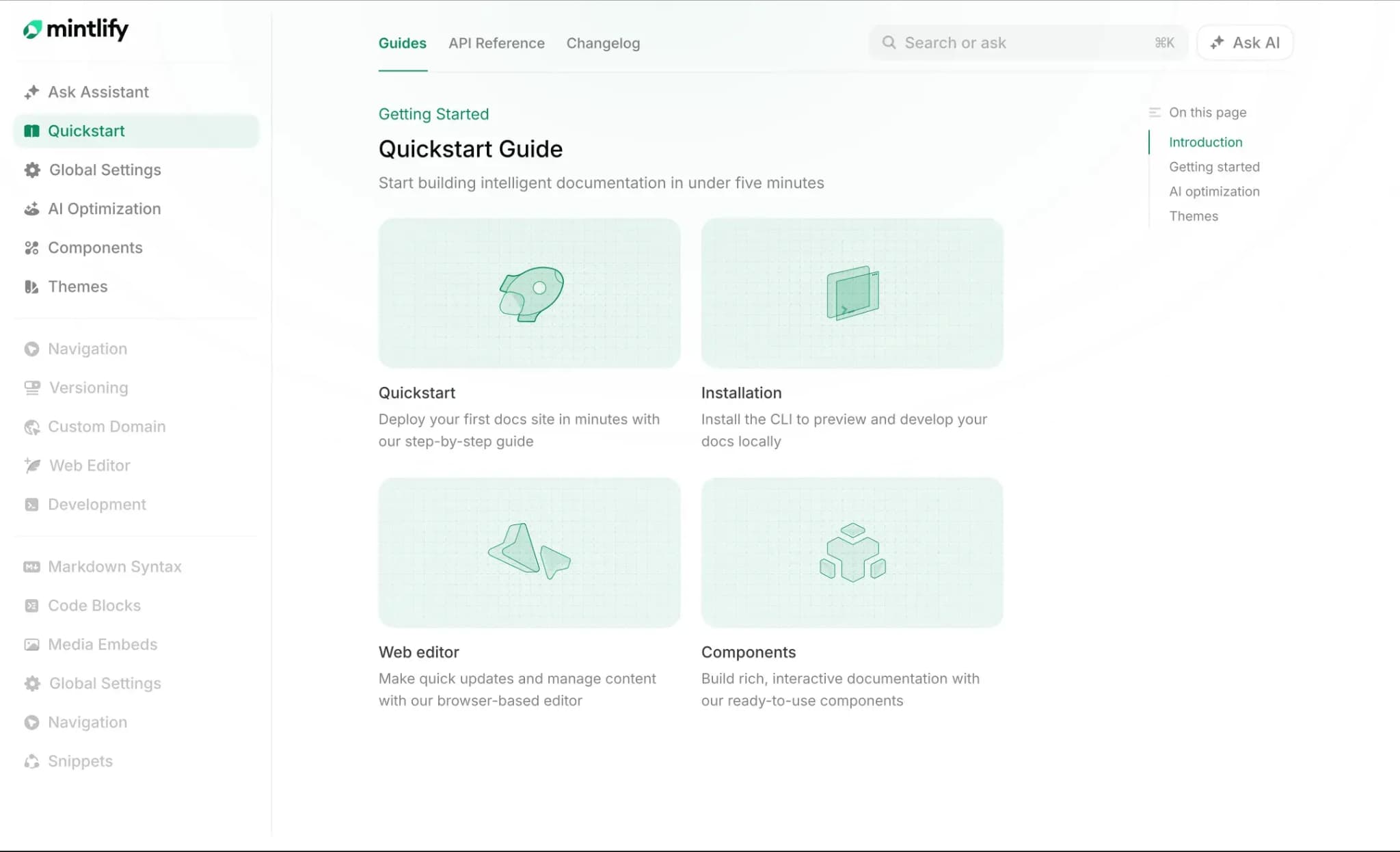
Best for: Teams where engineers, product managers, writers, support, and AI agents work on the same technical docs and need live collaboration with Git as the source of truth.
Mintlify keeps documentation in a Git repository as MDX and adds a collaborative web editor on top of it. Engineers can edit from an IDE, writers can work visually in the browser, product managers can leave suggestions, and support teams can contribute updates without using a terminal. Published documentation stays in the repository, while contributors can use private pages for early drafts before moving them into the shared workspace.
Real-time co-editing on a Git-backed source
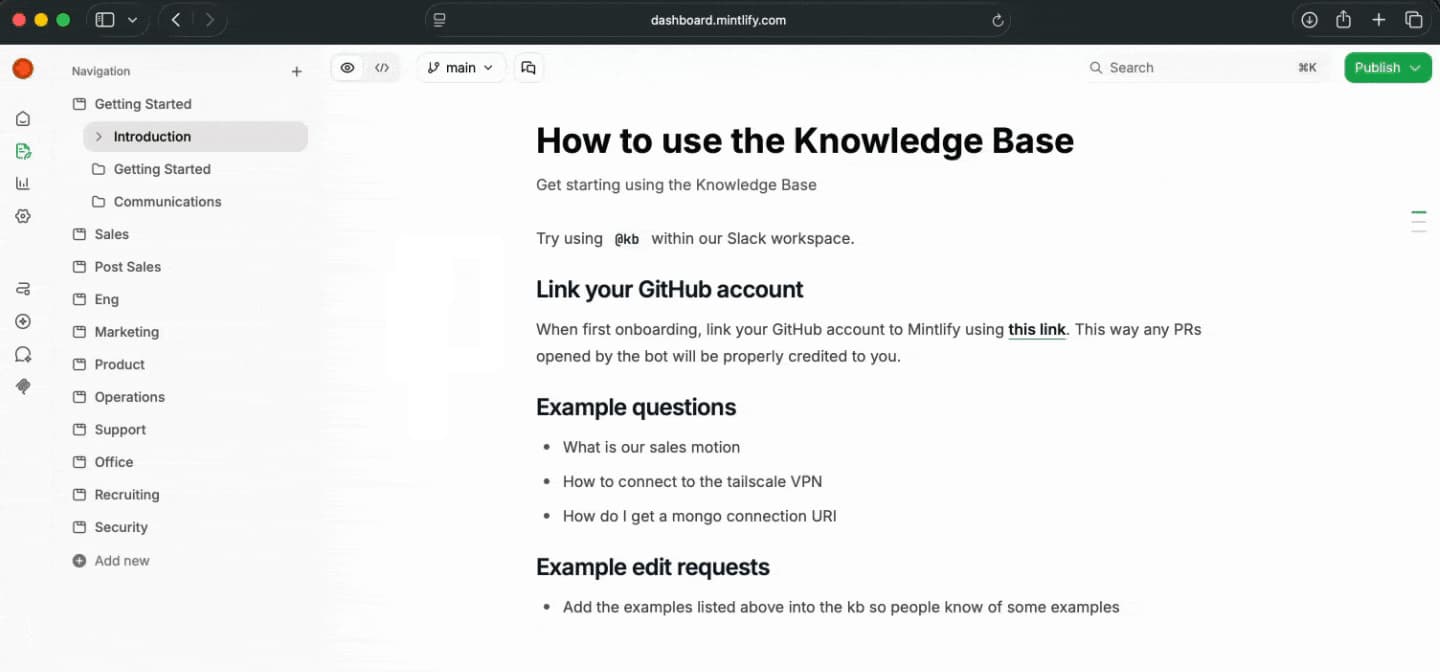
Mintlify's web editor supports real-time collaboration in both visual and source mode on the same page and branch. Frontmatter changes also sync between the two modes. Contributors see each other's cursors, names, avatars, and live edits as they work. Changes from all collaborators merge automatically, undo applies only to the person making the change, and edits are saved through tabs, devices, and network interruptions before syncing back when the connection returns.
The same editor also shows the Mintlify agent as a collaborator when edits are made through the API or MCP. Teams can watch agent edits appear in the page, see the section being updated, and continue working on the same branch without losing human review.
Private drafts before shared review
Private pages let contributors develop an idea before adding it to published documentation. Writers can invite collaborators, upload private media, and organize drafts into folders. Moving a draft into a workspace folder brings its images and videos with it, so a reviewed draft can become a documentation page without rebuilding its content.
Comments, suggestions, and review before publish
Mintlify gives non-technical contributors the review tools they expect from a document editor, including comments, suggestions, and @mentions. Writers and product managers can ask for clarification inline, propose edits, and pull the right engineer into the discussion, all while staying in the browser.
Mention @mintlify in a comment, suggestion, or reply to ask the agent for help in the same thread, including on private pages. A document-wide comments panel brings open and resolved threads together, and comments work in source mode as well as visual mode.
The publishing flow still follows an engineering review model. Teams can work on branches, save changes to a feature branch, create a pull request, review the diff, and check a rendered preview deployment before anything reaches the live docs. For GitHub repositories, reviewers with the appropriate permissions can approve a pull request directly in the editor, then merge and publish without switching tools.
Editor branches create draft pull requests by default and save edits to Git, letting teammates share previews while a change is still in progress. Selective publishing lets contributors choose individual pending changes to publish while keeping other work pending. Branch protection and review requirements still determine how those changes reach the live site. See the editor releases and publishing guide.
Visual editing, MDX, and API documentation
Mintlify exposes the same content through visual editing and raw MDX. Contributors who prefer a formatted editor can write, format content, add media, update navigation, and use components from the browser. Engineers who prefer code can keep working in Markdown, MDX, Git, and their local development setup.
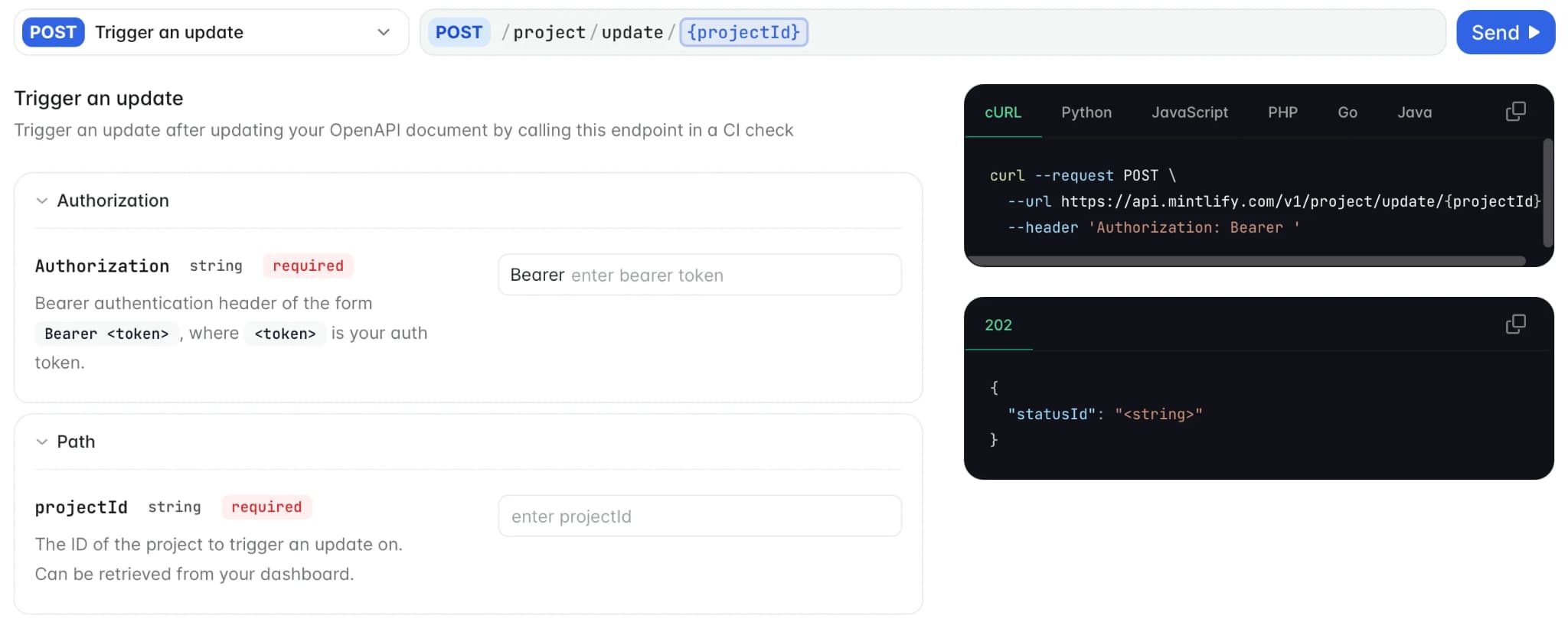
For API documentation, Mintlify supports OpenAPI and AsyncAPI workflows, so teams can generate interactive API references from specs and keep reference content aligned with the underlying API. That makes it a stronger fit for technical documentation than general-purpose co-editing tools that handle internal pages well but do not manage API references, Git reviews, and published docs within a single workflow.
Pros
- Real-time co-editing in visual and source mode, with live cursors and synchronized frontmatter
- Private drafts with shared review and private media before promotion to the workspace
- Browser-based comments, suggestions, and @mentions for writers, product managers, support, and other non-Git contributors
- Git-backed MDX source of truth, with every published change committed to the repository
- Draft pull requests, selective publishing, visual diffs, and rendered preview deployments before publishing
- Approve, merge, and publish from inside the editor for supported GitHub review workflows
- Visual and MDX editing modes that keep engineers and non-technical contributors on the same files
- Automatic sync when changes are pushed from outside the editor
- Mintlify agent collaboration through API and MCP, with agent edits visible in the editor
- OpenAPI and AsyncAPI support for interactive API references
- Web editor, Git sync, API playground, assistant, writing agent, workflow automations, MCP server, custom domain, authentication, and preview deployments
Cons
- One publish can run per branch at a time
- Lightweight internal wiki teams may not need Git-backed publishing
Pricing: Free Starter plan. Custom Enterprise pricing. No-card free trial available. See the full pricing breakdown.
GitBook
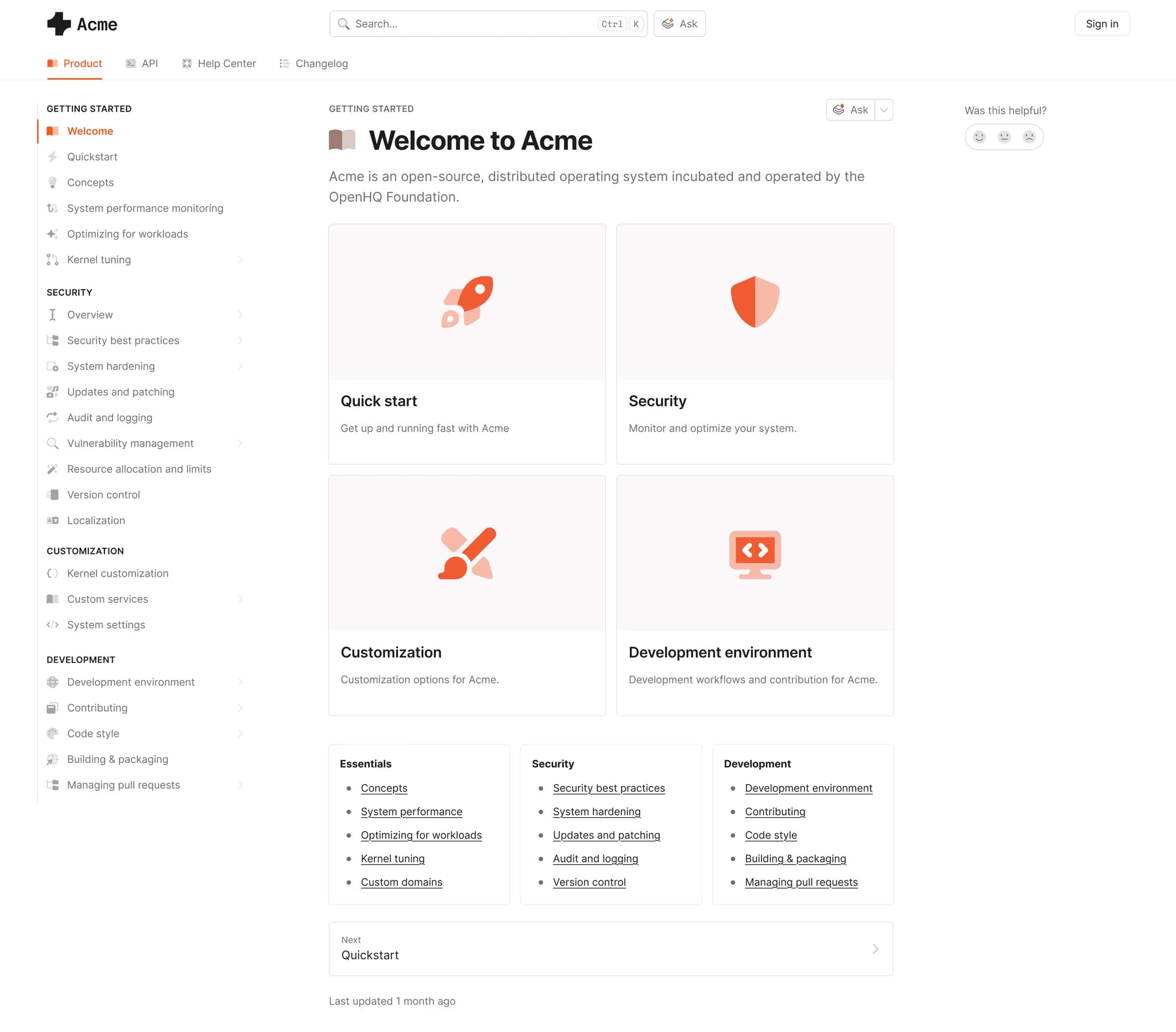
Best for: Cross-functional teams that want a Notion-style editor with optional Git sync.
GitBook gives teams a block-based editor for writing, reviewing, and publishing documentation from the browser. Teams can collaborate in real time, leave comments, and connect to GitHub or GitLab when they want to sync repositories. Its Git workflow works well for teams that want code-adjacent docs, though the canonical editing experience stays centered in GitBook's workspace.
Pros
- Real-time co-editing and inline comments
- GitHub and GitLab sync
- API playground and MCP support
Cons
- Git acts as a sync layer while GitBook stays the primary source of truth
- Per-site and per-user pricing can add up across multiple docs sites
Pricing: Free to start. Premium is $65 per site per month, and Ultimate is $249 per site per month, plus $12 per user per month. Custom enterprise pricing.
Confluence
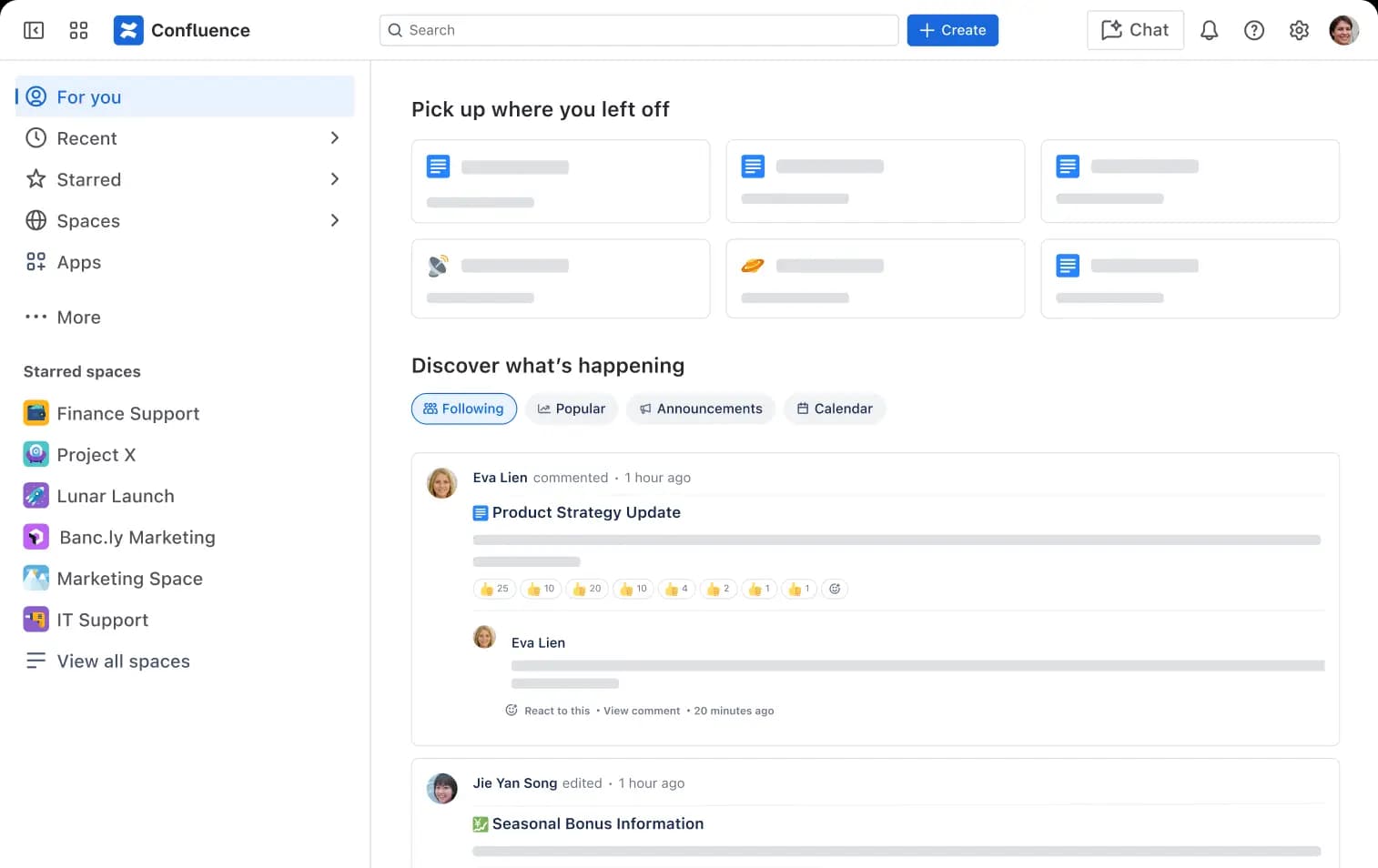
Best for: Teams already using Atlassian tools for internal knowledge and project documentation.
Confluence supports real-time editing, comments, permissions, and page organization for internal documentation across a company. Its Jira integration makes it useful for teams that manage project work inside Atlassian, especially for specs, meeting notes, and internal knowledge bases. Developer and API documentation usually need additional tooling because Confluence does not provide a Git-backed source or native API reference generation.
Pros
- Real-time editing for internal documentation
- Jira and Atlassian integrations
- Rovo AI search and agents on paid plans
Cons
- No native Git-backed source for technical docs
- No native OpenAPI reference generation
Pricing: Free for up to 10 users with basic features. Paid plan starts at $5.42/user/month, Custom enterprise pricing.
Notion
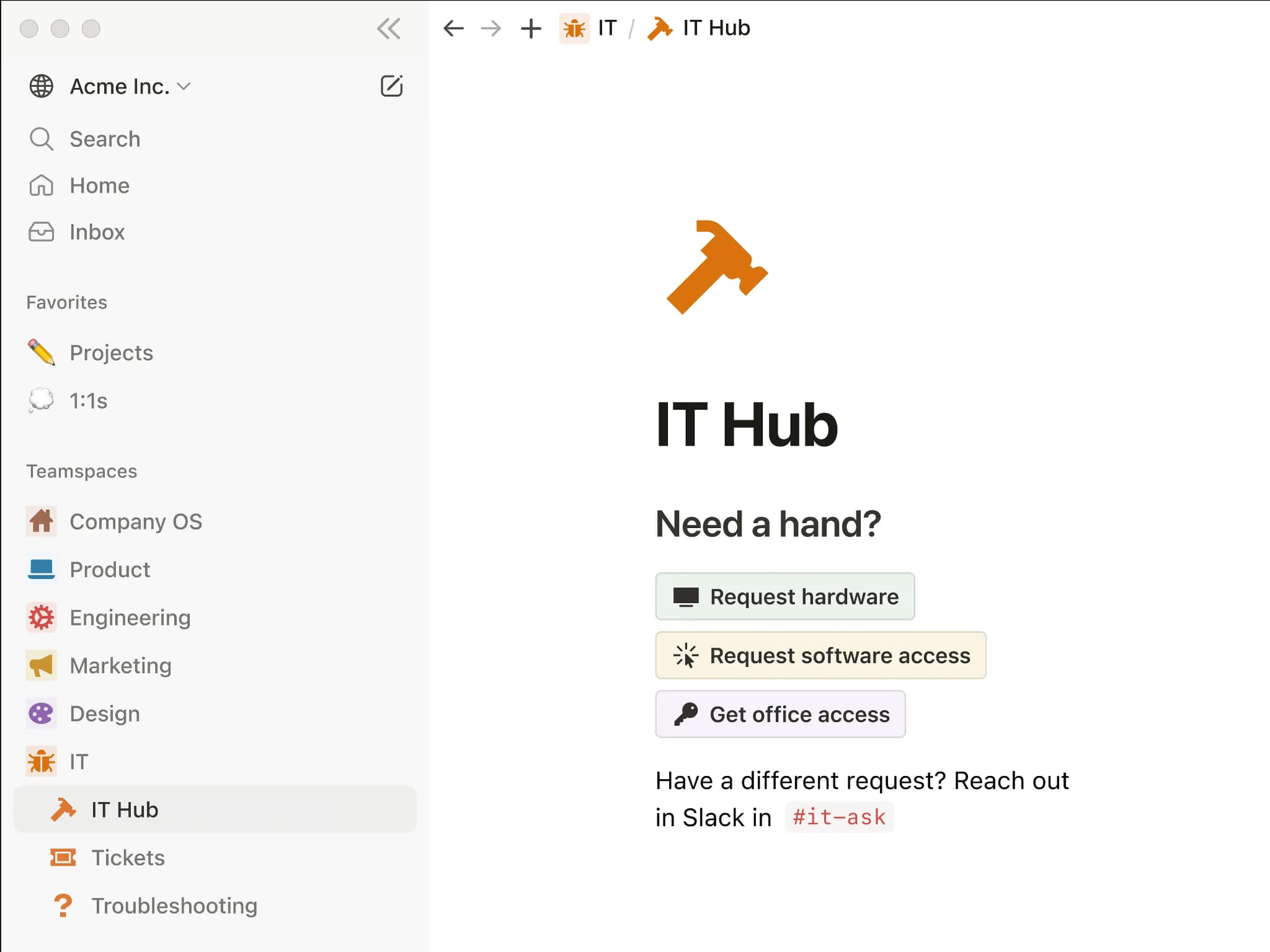
Best for: Teams that want a flexible workspace for internal docs, wikis, and planning.
Notion combines pages, databases, comments, and mentions in a browser-based workspace that mixed teams can adopt quickly. It works well for internal notes, lightweight docs, project planning, and team wikis. For versioned technical documentation, teams may run into limits because content lives in Notion's database and does not follow a Git, branch, or MDX workflow.
Pros
- Real-time co-editing, comments, and @mentions
- Flexible pages, wikis, and databases
- Easy browser access for mixed teams
Cons
- No Git source, branching, or MDX workflow
- Page history is limited on lower tiers
Pricing: Free tier available. Paid plan starts at $12/user/month. Custom enterprise pricing.
Document360
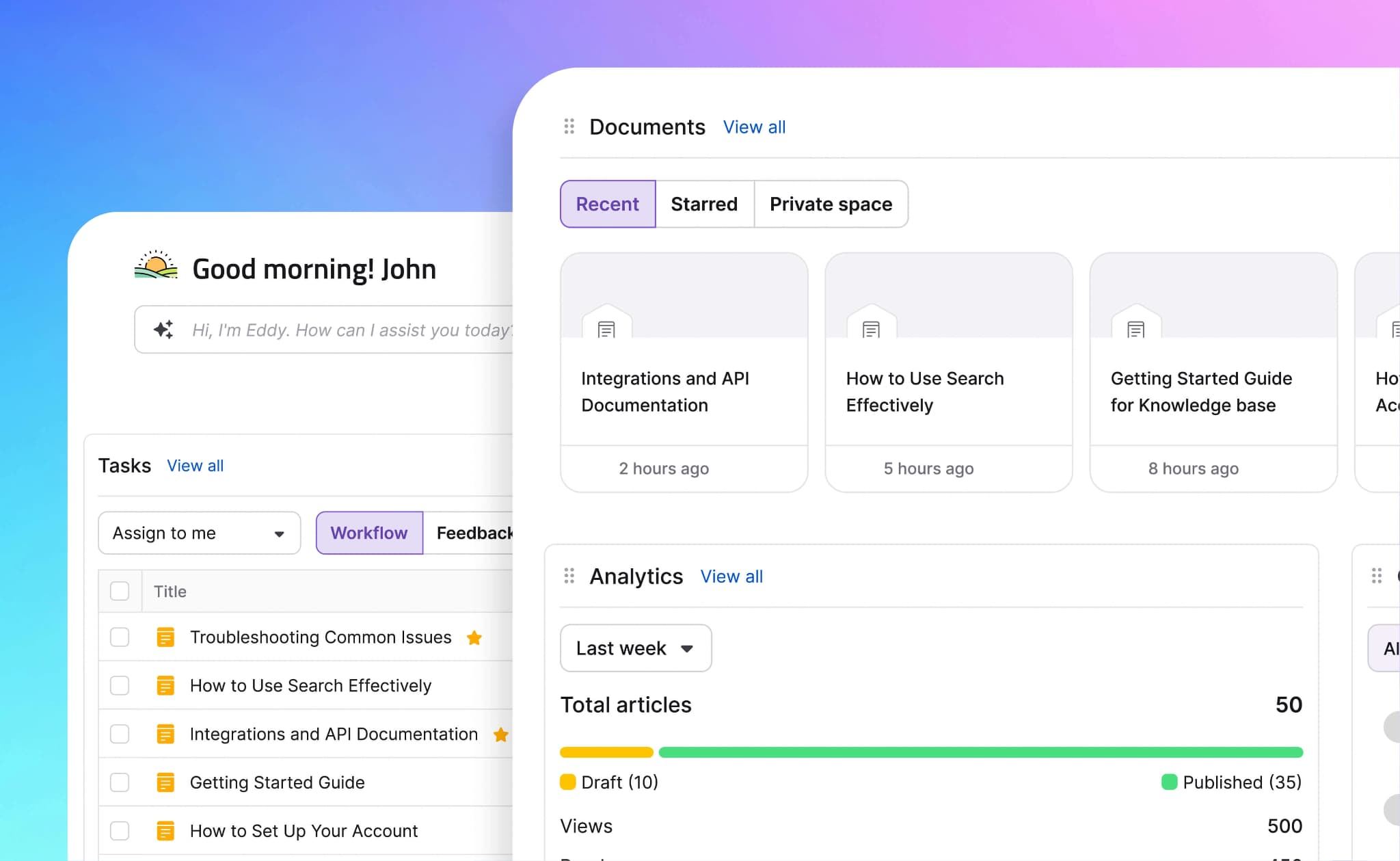
Best for: Support and knowledge base teams that need structured review workflows.
Document360 provides support and documentation teams with a hosted knowledge base featuring contributor roles, approval workflows, version history, and reader-facing help center features. Its collaboration model is stronger for controlled editorial review than simultaneous editing. Teams that need Git as the source of truth may find the workflow limited because GitHub sync is available as an add-on and does not make the repository the canonical source.
Pros
- Approval workflows, roles, and version history
- Structured knowledge base organization
- Analytics and AI search on higher tiers
Cons
- Limited real-time co-editing
- GitHub sync does not make Git the source of truth
Pricing: Custom pricing.
Best documentation collaboration tools compared (2026)
| Tool | Starting price | Best for | Real-time collaboration | Source of truth | Review and publishing | Technical docs support |
|---|---|---|---|---|---|---|
| Mintlify | Free to start | Mixed technical teams editing docs on a Git source | ✅ Real-time co-editing with live cursors, avatars, automatic sync, comments, suggestions, and @mentions | ✅ Git-backed MDX source, with web editor and IDE edits committing to the same repository | ✅ Branch workflows, pull requests, visual diffs, rendered preview deployment, approve, merge, and publish from the editor | ✅ Visual and MDX modes, OpenAPI and AsyncAPI references, API playground, LLM-ready outputs, assistant, writing agent, automations, MCP server, custom domain, authentication, and preview deployments |
| GitBook | Free tier available | Cross-functional teams that want a Notion-style editor with optional Git sync | ✅ Real-time co-editing and inline comments in a block editor | 🟡 GitHub and GitLab sync, with GitBook as the main workspace | 🟡 Review workflow is centered in GitBook, with Git sync available for repository workflows | 🟡 API playground, OpenAPI support, and MCP support, with lighter spec-driven reference workflows |
| Confluence | Free tier available | Atlassian-centric teams managing internal knowledge | ✅ Real-time editing, comments, permissions, and company-wide page organization | ❌ Content lives in Confluence, with no Git-backed source for docs | 🟡 Page review and workspace permissions, but no native pull request workflow for docs | 🟡 Jira integration and Rovo AI, but no native OpenAPI reference generation |
| Notion | Free tier available | Teams that need flexible internal docs, wikis, and planning pages | ✅ Real-time co-editing, comments, @mentions, and block editing | ❌ Content lives in Notion's database, with no Git source, branching, or MDX | 🟡 Page history and workspace review, but no engineering-style publish approval flow | ❌ Strong for internal pages and databases, but limited for versioned developer docs and API references |
| Document360 | Contact sales | Support and knowledge base teams that need structured editorial review | 🟡 Collaboration is stronger for editorial review than simultaneous editing | 🟡 Hosted knowledge base, with one-way GitHub sync as an add-on | ✅ Contributor roles, approval workflows, version history, and publishing controls | 🟡 Knowledge base structure, analytics, and AI search on higher tiers, but Git is not the source of truth |
Upgrade your documentation collaboration workflow with Mintlify. Start free today →
Why Mintlify leads for documentation collaboration
Documentation collaboration breaks down when live editing and engineering review sit in separate systems. Browser-first tools help writers, product managers, and support teams contribute quickly, but they usually keep technical docs outside Git. Traditional docs-as-code tools keep engineers in version control, but they make browser-based contribution harder for teammates who do not work in a local repo.
Mintlify brings both workflows into one Git-backed editing layer. Engineers can work in MDX, non-technical contributors can edit visually in the browser, and everyone can use real-time co-editing, comments, suggestions, @mentions, branches, pull requests, and preview deployments on the same source. The docs stay versioned in Git while the whole team gets a shared place to write, review, and publish.
Teams including Anthropic, Perplexity, and Zapier use Mintlify for technical documentation. Mintlify's free Starter tier lets teams edit in real time without giving up Git-backed publishing. Start free with Mintlify today →
Frequently Asked Questions
What are documentation collaboration tools?
Documentation collaboration tools help teams write, review, approve, and publish docs together. For technical teams, the strongest tools go beyond shared editing and support review controls, version history, ownership, and a reliable publishing path.
What is the best tool for real-time documentation collaboration?
Mintlify is the strongest option for technical teams that need real-time editing across engineers and non-technical contributors. It gives teams the familiar editing experience of a document tool while keeping technical docs ready for structured review and publishing.
Can multiple people edit the same page in Mintlify at once?
Multiple teammates can work on the same Mintlify page together and see each other's changes as they happen. Shared editing makes it easier to review launch notes, API pages, product docs, and support updates without passing drafts between tools.
How do non-technical teammates contribute without using Git?
Non-technical teammates can use Mintlify's browser editor to update content, leave comments, suggest changes, and tag the right reviewer. They can contribute to technical docs without learning command-line workflows or waiting for an engineer to copy their edits over.
GitBook vs Mintlify: which has better collaboration?
Teams comparing Mintlify and GitBook should look beyond shared editing and check where reviews, publishing, and source ownership occur. GitBook works well for browser-first documentation with optional repository sync, while Mintlify is better suited to technical teams that want real-time collaboration tied to Git-backed MDX, pull requests, and preview deployment.
Is Mintlify better than Confluence for technical docs?
Teams evaluating Confluence alternatives usually need version control and API reference generation that an internal workspace does not provide, because docs tie to APIs, SDKs, or product releases. Confluence remains useful for Atlassian-centered knowledge bases, while Mintlify gives technical docs teams the Git-backed editing, API documentation, and publishing workflow needed for developer-facing content.
More to read
How to Stop Documentation Drift: Keeping Docs in Sync as Your Code Changes
Documentation drift is the gap between what your product does and what your docs say. Learn which code surfaces to track and how Mintlify automations draft the matching docs update for review whenever user-facing code changes ship.
June 18, 2026Harkirat Chahal
Growth

How to Set Up Documentation Governance with Git and Branch Protection on Mintlify
Product and developer docs need governance tied to the repository. See how Git branch protection, required reviews, CODEOWNERS, and Mintlify's web editor let both technical and non-technical reviewers approve changes before publishing.
June 12, 2026Harkirat Chahal
Growth