Best Help Center Software for Developer-Facing Products 2026
Harkirat Chahal
Growth
Share this article
Harkirat Chahal
Growth
Share this article
A help center for API products, devtools, and technical SaaS needs a docs-native setup that keeps help articles, product guides, and API references together. This guide compares five help center software options across docs-native publishing, AI ticket deflection, branding, deflection analytics, and editing access for non-technical contributors.
A help center for API products, devtools, and technical SaaS needs to answer product questions from the documentation developers already trust. Users often debug an integration, check endpoint behavior, or try to understand an error before contacting support. AI assistants and coding agents also retrieve those help articles, so the content has to work for both human readers and machine retrieval.
General support suites are useful when the main workflow is ticket routing, omnichannel inboxes, and agent management. Technical products need a docs-native help center that keeps help articles, product guides, and API references together, supports cited AI answers, runs on a custom domain, and shows whether content is reducing repeat support questions.
This guide compares five help center software options across docs-native publishing, AI ticket deflection, branding, deflection analytics, and editing access for non-technical contributors. Mintlify is the strongest choice because it brings help content, product documentation, and API references into one system for developers, support teams, and AI agents.
Why technical help centers need docs-native content
Technical support gets harder when help articles, product docs, and API references live in separate systems.
Developers need technical answers: Developers usually need exact product behavior, code examples, endpoint details, or implementation steps. A docs-native help center keeps those answers close to the source material developers already trust.
Support content needs to stay aligned with product changes: Product updates often affect guides, API references, and help articles simultaneously. When all three publish through the same workflow, an authentication change can reach every relevant surface together. Separate support content creates drift, and drift turns into repeat tickets.
AI agents read the same content: Mintlify's analysis of AI-agent traffic shows that tools such as ChatGPT, Claude, Cursor, and Perplexity now retrieve documentation to answer user questions and complete technical tasks. A technical help center now serves developers searching directly, AI systems retrieving product context, and support teams trying to reduce repeated questions.
Deflection depends on documentation quality: AI ticket deflection works only when the source content is accurate, up to date, and easy to retrieve. For developer-facing products, the right help center keeps support content close to the docs so humans and AI agents can find the same trusted answers.
What to look for in help center software
Use the criteria below to evaluate whether a help center can support technical users, AI retrieval, and support deflection from the same content.
Docs-native publishing: Help articles, product guides, and API references should live in a single documentation system and be published through a single workflow. When product behavior changes, the update should reach every relevant surface without maintaining a separate knowledge base beside the developer docs.
AI self-service grounded in your content: The assistant should index your real documentation, cite the pages it used, and refresh after each publish. Developers need answers based on your product behavior, API references, and troubleshooting docs. Generic chatbot replies often miss product-specific details, sending users back to support.
Branding and custom domain: A technical help center should feel like part of the product experience. A custom domain, full styling control, and consistent navigation keep the help center aligned with the product docs, API docs, and marketing site, while preserving SEO and brand equity under your own domain.
Deflection and AI traffic analytics: Page views alone cannot show whether an article resolved a question. Useful analytics should show article usage, searches with no results, assistant questions, answer ratings, and AI-agent traffic by page or agent type. These signals help the team identify content gaps and see which pages already reduce support demand.
Editor access for non-technical contributors: Engineers may prefer Git, but product managers and support leads still need a web editor for quick article updates. The best setup supports both workflows against the same content, so non-technical contributors can improve the help center without turning every small edit into an engineering task.
5 best developer help center tools
1. Mintlify
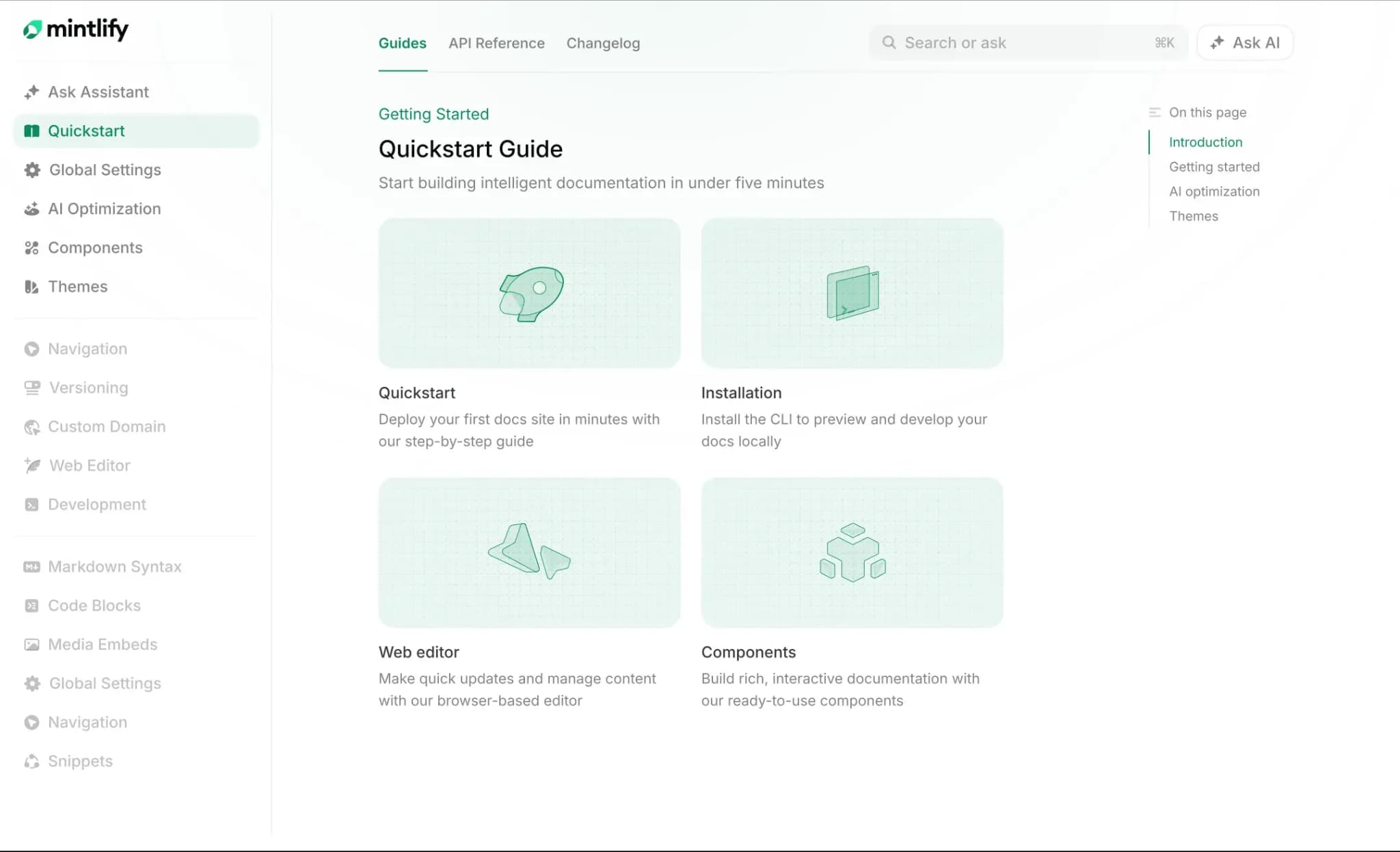
Best for: Developer-facing teams that want a help center, product docs, and API references in a single Git-based system with built-in AI ticket deflection.
Mintlify is the best help center software for developer-facing products because it brings help articles, product documentation, API references, AI self-service, and AI-agent retrieval into one docs-native system. Content stays as MDX in Git, so support content and developer documentation can be published through the same review and deployment workflow. Lovable and Dub run their help centers on Mintlify alongside their developer documentation.
Docs-native help center setup
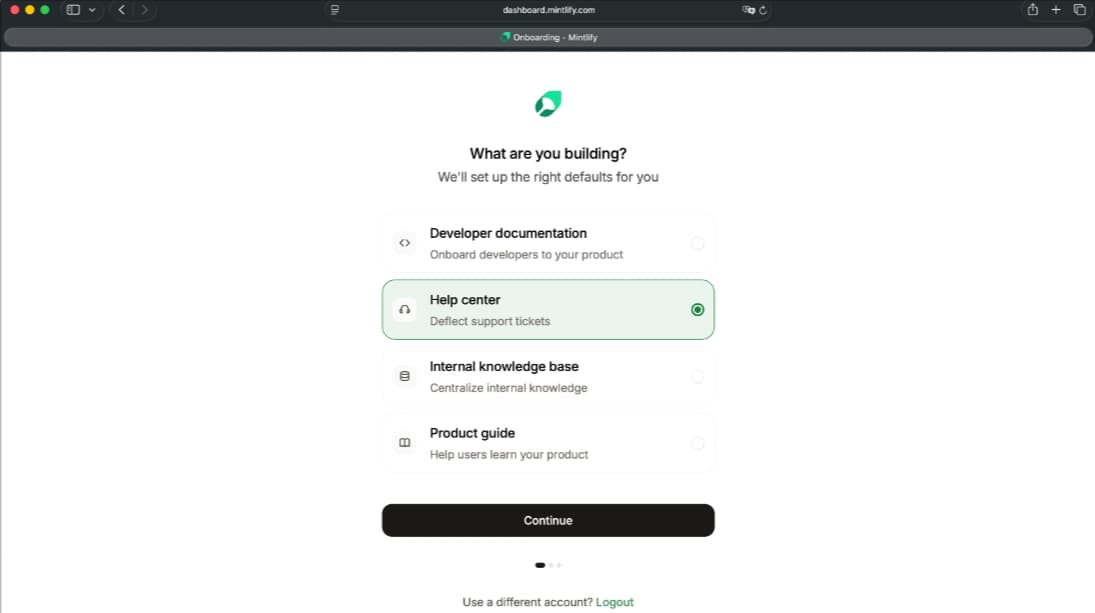
The Help Center Starter Kit gives teams a working help center from mint new --template help-center or from a template during onboarding. Help articles, guides, and OpenAPI-generated API references can live in the same Git repository, which keeps support answers close to product behavior and API changes. Teams already using Mintlify for developer docs can add a help center without adopting a separate knowledge base tool.
AI assistant for ticket deflection
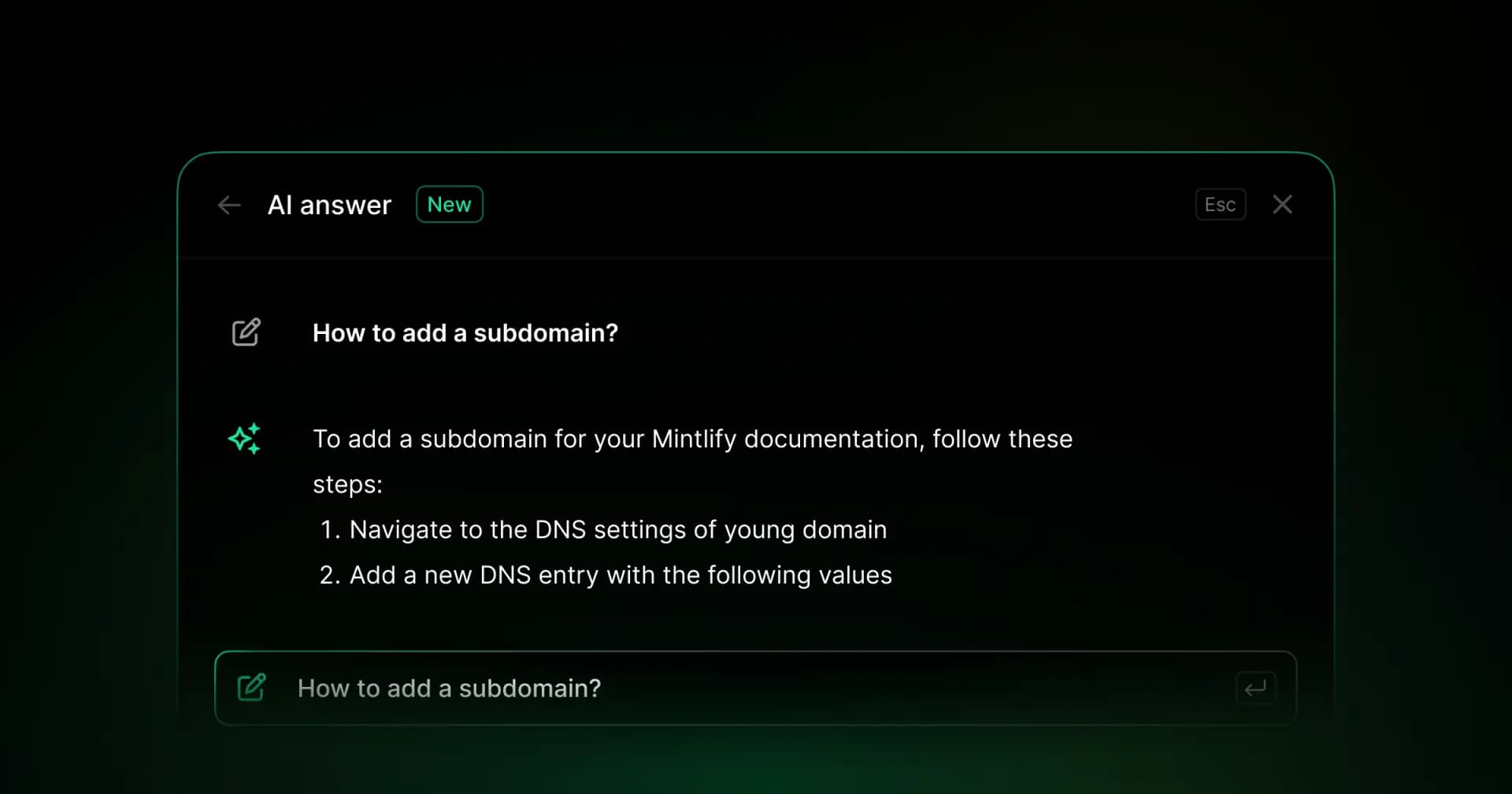
Mintlify's AI assistant indexes help articles and API references, returns cited answers, links back to the source, and re-indexes on every publish. When the assistant cannot answer, Mintlify can route the user to a support email address, ensuring unresolved questions still reach the team. Users can also highlight text, attach files, or paste a stack trace to give the assistant more context for debugging questions.
Support across docs and custom apps
Beyond the docs site, the assistant runs as a Slack bot, embedded in custom apps via an API, bringing self-service answers to the places where developers already ask technical questions.
AI-agent readiness and retrieval
Mintlify supports AI-native documentation workflows through MCP, llms.txt, skill.md, search, Assistant, contextual menus, and related optimization features. These features enable the same help center content to serve human readers, AI assistants, and coding agents from a single source.
Branded help center experience
Mintlify lets teams host the help center on a custom domain and control the published experience with themes, fonts, custom scripts, built-in components, custom CSS and JavaScript, and white labeling. Support articles can match the product, developer docs, and API references while staying inside the same docs-native publishing and AI self-service workflow.
Analytics and AI traffic insights
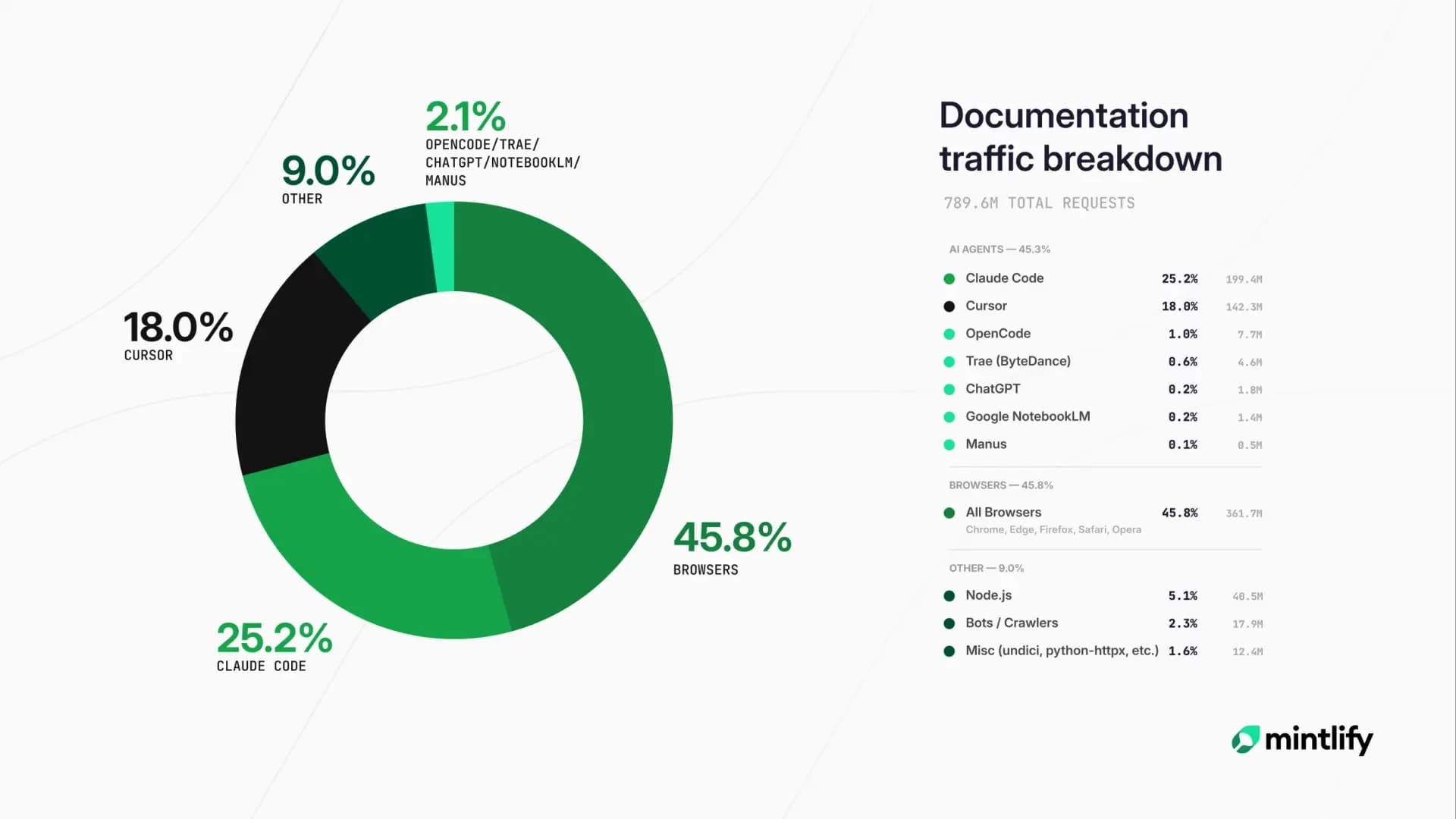
Mintlify's analytics dashboard reports traffic, search queries, assistant conversations, and AI-agent traffic by agent type. That gives teams a clearer view of which pages answer questions, which searches fail, how the assistant performs, and how agents such as ChatGPT, Claude, Cursor, and Perplexity interact with the help center.
Editor access and support workflows
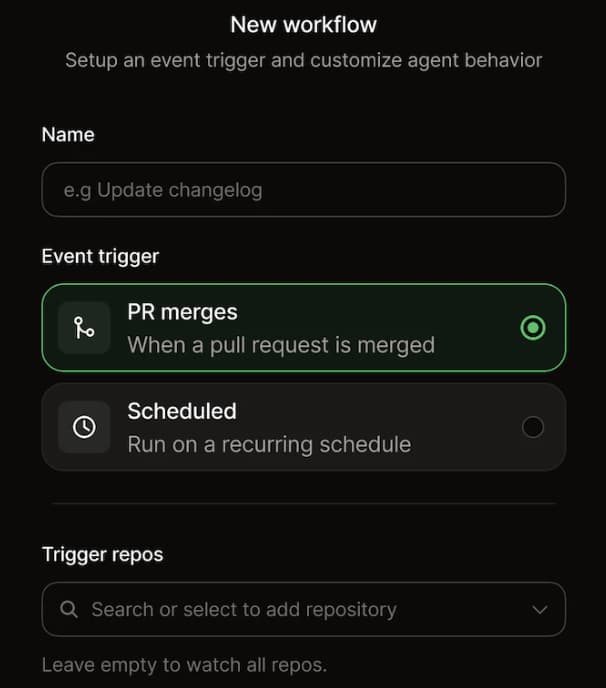
Non-technical contributors can use the web editor for visual editing, while engineers keep the Git workflow. Mintlify's writing agent, Workflows, supports integrations, and agent skills help teams draft, update, and operationalize help content from the support context. The Slack agent can also turn a resolved Slack Connect thread into a structured help article when a teammate mentions @mintlify, giving support and product teams a practical way to capture recurring questions without needing to learn Git.
Pros
- Help center, product docs, and API references publish from one Git-based source
- Help Center Starter Kit makes setup faster for teams starting from scratch
- AI assistant returns cited answers from your content and re-indexes after publishing
- Unanswered questions can route to support email
- Users can add context with highlighted text, files, code blocks, or stack traces
- Assistant can run on the docs site, Slack, Discord, and custom apps through an API
- Custom domain, styling controls, components, and white labeling support branded help centers
- AI-agent traffic analytics show which agents read which pages and where retrieval breaks down
- Web editor, writing agent, Workflows, support integrations, agent skills, and Slack agent help non-developers create and update help articles without Git
Cons
- Teams that need full ticketing, routing, and omnichannel support may still use Mintlify alongside a dedicated support suite
Pricing: Starter is free, with 5 editor seats and a custom domain. Pro is $450/month billed annually or $540/month billed monthly, with a 14-day free trial and no credit card required. Enterprise uses custom pricing. See the full pricing breakdown.
2. Document360
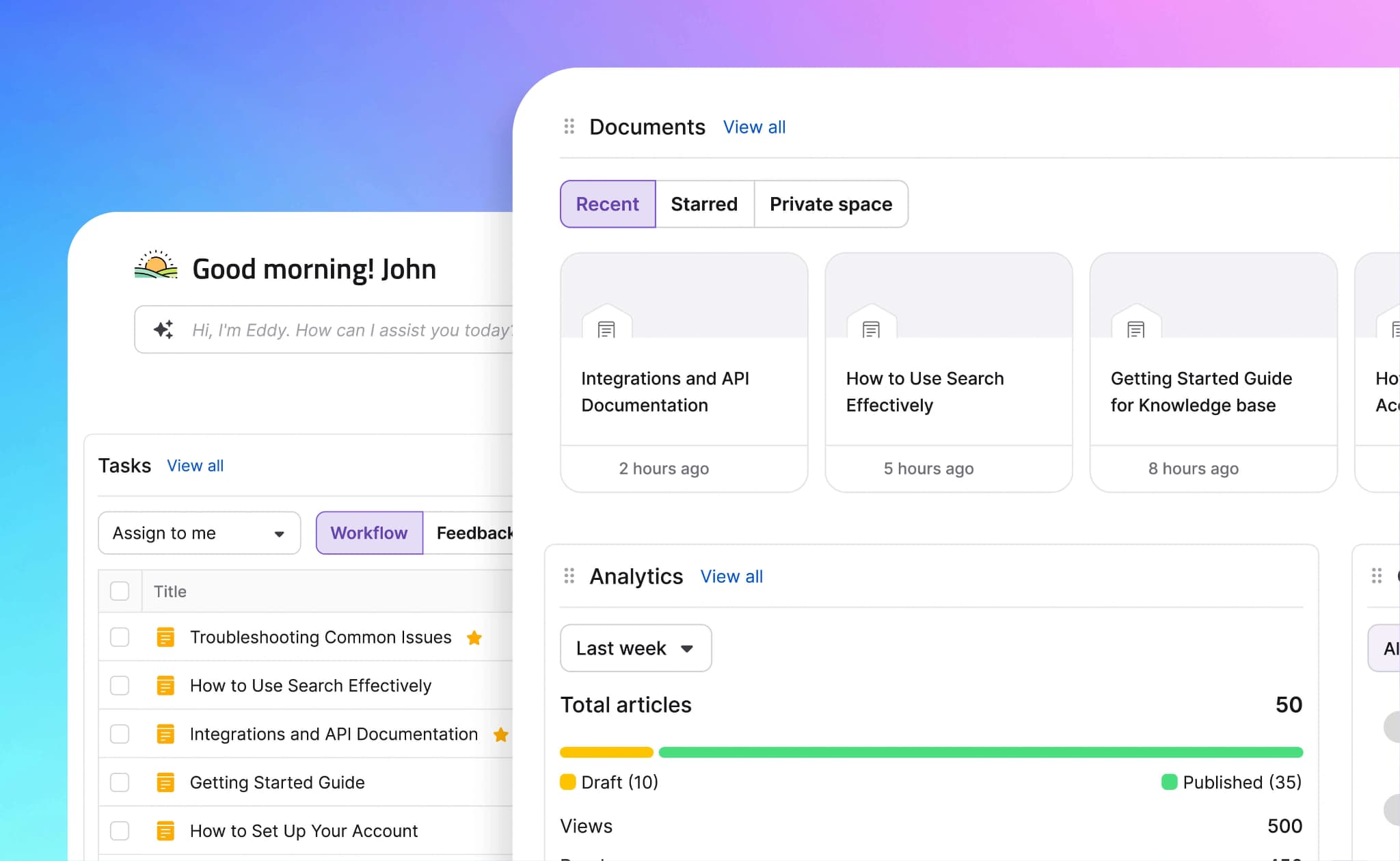
Best for: Enterprise help centers that need structured article management, approval workflows, access controls, and AI-assisted knowledge base features.
Document360 is a knowledge base system for external help centers, internal documentation, and software documentation. Document360 supports Markdown and WYSIWYG editing, category management, revision history, approval workflows, role-based access, custom domains, site customization, API documentation, Eddy AI, AI search, MCP server support, a support ticket deflector, and pro analytics.
Pros
- Supports Markdown and WYSIWYG editing
- Includes category management, revision history, approval workflows, and role-based access
- Offers Eddy AI, AI search, MCP server support, and support ticket deflection
- Supports custom domains, site customization, SSO, SCIM, and API documentation
Cons
- Quote-based pricing gives teams less upfront cost visibility
- Portal-first editing may not suit teams that want a Git-based documentation workflow
- API documentation is available, but developer documentation is one part of a broader knowledge base setup
Pricing: Custom pricing.
3. Help Scout
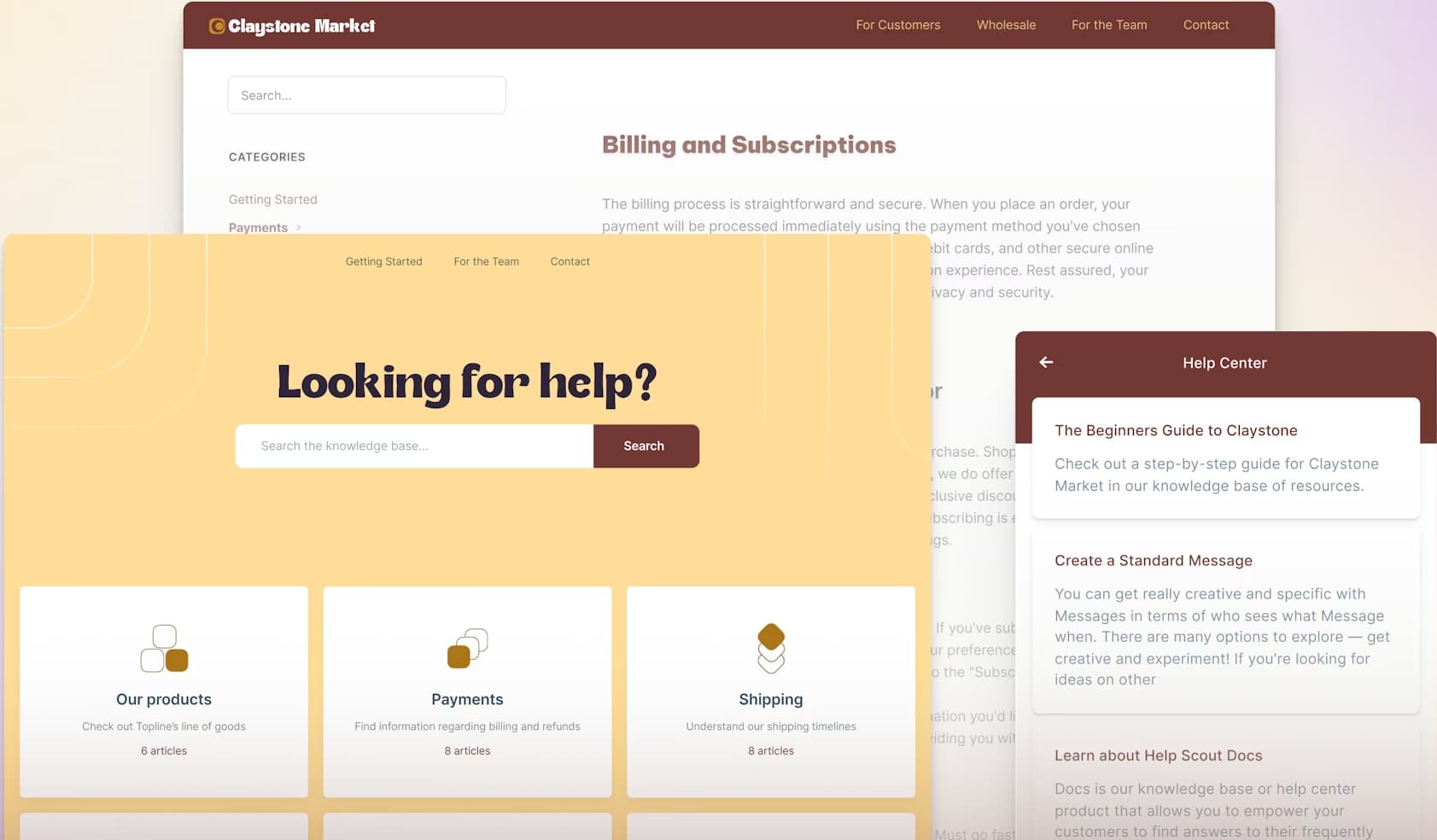
Best for: Small- to mid-size support teams that want a knowledge base integrated with shared inboxes, live chat, and customer conversations.
Help Scout is a customer support system with shared inboxes, live chat, messaging, and a knowledge base called Docs. Help Scout suits support teams that want help articles integrated with customer conversations, escalations, and inbox workflows. The Standard plan includes multiple inboxes, live chat, Instagram and Messenger, multiple knowledge bases, basic workflows, saved replies, and AI Inbox Assistant.
Pros
- Connects shared inboxes, live chat, messaging, and knowledge base content
- AI Answers can resolve customer questions from configured sources
- Escalation stays close to the support team when a question needs a person
- Editor is approachable for non-technical support contributors
Cons
- Knowledge base content sits inside a support suite
- No Git-based workflow for engineering-led documentation teams
- AI Answers is billed per resolution, which adds a usage-based cost on top of seat pricing
Pricing: Free plan available. Standard is $25/user/month billed annually. Add-on AI Answers at $0.75/resolution.
4. KnowledgeOwl
Best for: Teams that need a standalone self-service knowledge base with branding control, access rules, analytics, and non-technical authoring.
KnowledgeOwl is a standalone knowledge base system for public and private self-service content. KnowledgeOwl supports private articles, remote authentication, SAML SSO, Salesforce SSO, custom author roles, AI chatbot, AI search, AI article creation, AI summaries, style guide review, analytics, reader reports, custom branding, and rich-text editing.
Pros
- Supports public and private knowledge bases
- Includes access controls, SAML SSO, Salesforce SSO, and custom author roles
- Offers AI chatbot, AI search, AI article creation, summaries, and style guide review
- Includes analytics, reader reports, custom branding, rich-text editing, and version history
Cons
- Standalone knowledge base structure can separate help content from developer docs and API references
- No Git-based docs workflow for engineering-led documentation teams
- AI features focus on knowledge base search and content creation, with less emphasis on AI-agent documentation analytics
Pricing: Starts at $100/month for up to 1000 articles with basic features. Custom Enterprise pricing. 30 days free trial.
5. Zendesk
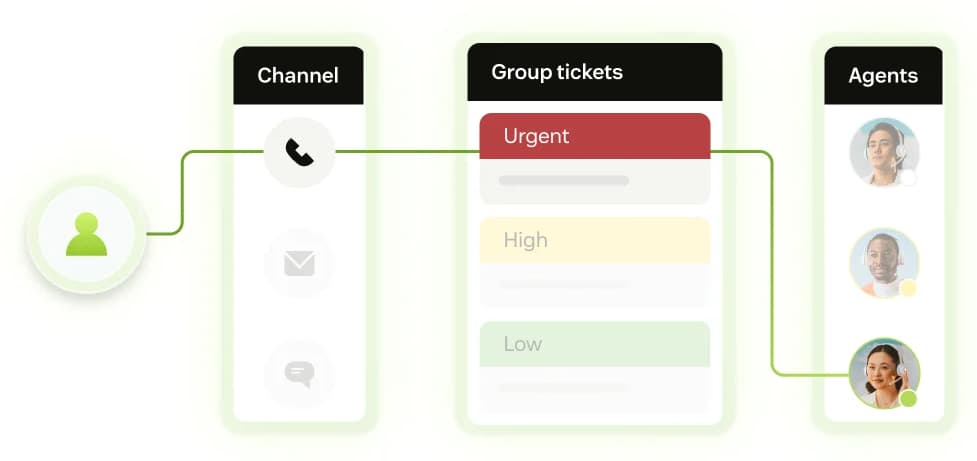
Best for: Support organizations that need ticketing, omnichannel routing, AI agents, and agent workflows across email, chat, phone, and social channels.
Zendesk is a customer service system for ticketing, routing, messaging, live chat, telephony, AI agents, and agent productivity. Zendesk supports teams that manage support requests across multiple channels and need operational tools such as routing, analytics dashboards, automations, customer context, Copilot, workforce management, quality assurance, and contact center add-ons.
Pros
- Includes ticketing, routing, automations, analytics dashboards, and customer context
- Supports AI agents, Copilot, messaging, live chat, voice, and reporting
- Works for support teams that manage queues across several channels
- Can sit behind self-service content for questions that still need human support
Cons
- Help center content is part of a larger support system
- Less focused on Git-based documentation workflows, API references, and code-centric docs
- Costs can increase with Suite plans, Copilot, and other add-ons
Pricing: Starts at $19/agent per month, paid yearly. AI assistance at $50/agent per month, paid yearly. Custom enterprise pricing. 14 days free trial.
Developer help center software compared
| Tool | Docs-native | AI ticket deflection | Custom domain + branding | Deflection analytics | Starting price |
|---|---|---|---|---|---|
| Mintlify | ✅ Docs and API refs in Git | ✅ Cited answers, re-indexed | ✅ Domain and white labeling | ✅ Full + AI-agent analytics | ✅ Free to start |
| Document360 | 🟡 Knowledge base first | ✅ Eddy AI deflection | ✅ Custom domain and CSS/JS | 🟡 No AI-agent view | ❌ Custom pricing |
| Help Scout | ❌ Support KB, no Git | ✅ AI Answers, per resolution | ✅ Branded Docs sites | 🟡 No AI-agent view | ✅ Free plan available |
| KnowledgeOwl | ❌ Standalone KB | 🟡 AI chatbot and search | ✅ Domain and full HTML/CSS/JS | 🟡 No AI-agent view | ✅ Free trial available |
| Zendesk | ❌ Inside support suite | ✅ AI agents across channels | ✅ Branded via Zendesk Guide | ✅ Support and ticket reports | ✅ Free trial available |
Launch a developer help center with Mintlify →
How AI ticket deflection works
AI ticket deflection works when the help center answers a technical question before the user opens a ticket. For developer-facing products, the answer needs to come from product documentation, API references, troubleshooting guides, and other approved sources, because small gaps in context can lead to incorrect implementation advice.
Retrieval needs to reach the right technical source: Mintlify's AI assistant uses agentic retrieval to search documentation pages, OpenAPI specs, and approved external sources for multi-step questions. The assistant can integrate information from multiple pages and return an answer with citations and links back to the source material. Developers can verify the response before acting on it.
Publishing needs to keep answers current: Deflection quality depends on whether the assistant's answers are based on the latest product information. Mintlify re-indexes content on every publish, so an API change or updated reference page becomes available to the assistant without a separate retraining step. When the assistant cannot find a reliable answer, the question is routed to a support email address so the user still reaches the team.
Context helps resolve harder questions: Technical questions often include details that do not appear in the article title or search query. Users can highlight text, attach files, or paste a code block or stack trace to give the assistant the details behind a debugging issue. The assistant can also run in Slack, Discord, support tools, and developer portals via an API, bringing self-service answers to the places where developers already ask for help.
Knowledge base analytics for support deflection
Deflection analytics should show whether help content resolves questions before users contact support. Page views are useful, but page traffic alone cannot show whether a developer found an answer, abandoned the search, or opened a ticket afterward.
Content performance: Article traffic shows which pages carry the most support demand. High-traffic pages may need stronger examples, clearer troubleshooting steps, or better links to related API references.
Search gaps: Searches with no results give the team a direct list of missing articles, unclear terminology, or product areas where users cannot find help. Those queries are often stronger content signals than broad traffic numbers.
Assistant quality: AI assistant conversations and user ratings show where the assistant answered successfully and where the response failed. Conversation logs also reveal the exact questions developers ask, which helps support and documentation teams turn repeated issues into better articles.
AI-agent traffic: AI traffic analytics separate human readers from agents such as ChatGPT, Claude, Cursor, and Perplexity. Mintlify reports which agents visit, which pages they read, what queries they run, and where retrieval stops, so teams can see whether AI tools are getting usable answers from the help center.
When a traditional support suite fits
A traditional support suite makes sense when support depends on tickets, queues, routing, SLAs, and agent workflows across email, chat, phone, and social channels. Zendesk fits teams that need those systems for high ticket volume and large support teams.
Mintlify handles self-service and AI deflection before a technical question becomes a ticket. The support suite can then manage the smaller set of questions that still need a human response.
For API products, devtools, and technical SaaS, the strongest setup is often docs-native self-service first, with a support tool behind the support email for unresolved questions.
Why Mintlify fits developer help centers
Mintlify is the strongest choice for developer-facing help centers because it keeps support content close to the documentation developers already use. Help articles, product docs, and API references can stay aligned with a single publishing setup, while AI self-service and AI-agent access help technical users find answers before contacting support.
For API products, devtools, and technical SaaS, Mintlify fits better than a general support knowledge base, as the help center can serve developers, support teams, and AI agents from a single documentation system. Anthropic, Cursor, and Perplexity run their documentation on Mintlify, and teams like Lovable and Dub use Mintlify for help centers. Start building your help center with Mintlify for free →
Frequently Asked Questions
Is a help center the same as documentation
Documentation explains how the product works, while a help center focuses on the questions users encounter during setup, use, or troubleshooting. For developer-facing products, the two should stay closely connected because help articles often depend on the same guides, examples, and API references.
What is a self-service knowledge base
A self-service knowledge base is a searchable content hub where users can find answers without contacting support. For technical products, a strong knowledge base usually includes product guides, troubleshooting content, API references, semantic search, and an AI assistant that can answer questions based on approved documentation.
Can a help center reduce support tickets
Yes, when the help center resolves common questions before users open a ticket. The quality of deflection depends on current content, strong retrieval, and clear escalation for unanswered questions. Mintlify supports that workflow with cited AI answers from your docs and routing to support when the assistant cannot answer.
Can I use my own domain and branding
A help center for a technical product should feel connected to the product experience, especially when users move between docs, API references, and support content. Mintlify supports custom domains and styling controls, so the help center can stay consistent with the rest of the developer experience.
Can non-developers manage a docs-native help center
A docs-native setup can still give product managers, support leads, and documentation teams a visual editing workflow. Mintlify's web editor supports non-technical updates, while engineers can keep the Git workflow for reviews and version control. The Slack agent can also help turn resolved support conversations into help articles.
Is a docs-native help center a Zendesk replacement
A docs-native help center can replace the self-service layer of a support stack, especially for API products, devtools, and technical SaaS. Mintlify helps developers find answers in docs, API references, and cited AI responses before creating a ticket. Teams that still need ticket queues, omnichannel routing, SLAs, or large-agent workflows can use Mintlify for deflection while keeping a support suite behind the support email for human follow-up.
More to read

Best Knowledge Base Software for Developer Teams Reviewed (2026)
Knowledge base software covers a wide range of requirements: help center articles, product documentation, developer guides, internal wikis, and AI-consumable content.
April 20, 2026Cole Gottdank
GTME
How to create a user manual: the complete guide for modern teams
Learn how to create a user manual that users actually read. Covers structure, best practices, tools, and examples for building online-first user manuals.
February 25, 2026Peri Langlois
Head of Product Marketing