Best Software for User Guides and Onboarding Docs (2026)
Harkirat Chahal
Growth
Share this article
Harkirat Chahal
Growth
Share this article

This guide compares Mintlify, GitBook, ReadMe, Document360, and MadCap Flare for customer-facing user guides, quick-starts, and implementation docs, and explains why Mintlify is the strongest option for teams that want onboarding docs to live alongside product and API documentation and stay current with each release.
Onboarding docs fail when setup steps, implementation guides, and API references drift away from the product. A new user follows an outdated command, lands on the wrong endpoint, or asks an AI assistant a setup question that the docs cannot answer cleanly.
Some teams need adjacent tools for specific onboarding formats. In-app tour software is useful for guiding users through UI actions, while structured authoring tools are well-suited to print-grade manuals and regulated documentation. Software teams building online user guides need a documentation system that keeps getting-started content, product docs, and API references connected.
This guide compares five software options for customer-facing user guides, quick-starts, setup guides, and implementation documentation. Mintlify is the strongest option for teams that want onboarding docs to live alongside product and API documentation, stay up to date with each release, and provide readers and AI assistants with accurate answers from a single source.
What strong onboarding documentation must do
The guide has to stay accurate as the product changes. When a command, endpoint, permission, or setup step changes without a matching docs update, new users stall before first success. Software teams now release on weekly and daily cycles, and GitHub recorded close to a billion commits pushed in 2025, up roughly a quarter year over year in its GitHub Octoverse report. A guide that depends on someone remembering every post-release edit will drift faster than a team can manually clean it up.
The reader should be able to complete the setup inside the page. A getting-started guide needs ordered steps, copyable commands, language-specific code samples, and clear links into the relevant API or product reference. Static screenshots can still help explain parts of the interface, but they quickly become outdated when the product changes. Interactive steps and runnable code give a new user a cleaner path from setup to a working result.
The content needs to work for search boxes and AI assistants. Developers, customers, and coding agents often query docs before reading a full guide, so the content needs clean structure, precise headings, and machine-readable outputs that return the right setup answer. Mintlify's analytics across the sites it hosts show that close to half of documentation traffic now comes from AI agents such as Cursor, Claude Code, and ChatGPT, which makes structured onboarding content part of the support path.
How to evaluate user guide and onboarding software
Use the criteria below to choose software for getting-started guides, setup docs, and implementation documentation.
Keeps onboarding docs beside product and API docs: Setup guides work best when they share the same source, navigation, and review process as the product docs and API reference. A writer can update a setup step, an endpoint note, and a related reference page in a single workflow, rather than maintaining onboarding content in a separate system.
Renders steps and code clearly: Onboarding docs need ordered instructions, copyable commands, and code samples grouped by language or framework. A reader should be able to move through the setup without jumping between a guide, a separate tutorial, and a disconnected API reference.
Stays current as the product ships: Manual edits after release leave fast-moving products out of date, so spec-synced API references, preview deployments, and automated update workflows catch affected onboarding pages before outdated steps reach readers.
Works for search and AI assistants: Readers often seek a single, definitive answer, and coding agents retrieve documentation as developers work. Clean structure, strong headings, llms.txt, and MCP support help assistants find the right guide, cite the source, and avoid stale or incomplete answers.
Supports versioning: Teams maintaining multiple releases need separate versions for setup flows, API behavior, and product configuration. Branch-based versioning keeps older onboarding paths available while newer guides ship alongside them.
5 best user guide and onboarding documentation tools
Mintlify
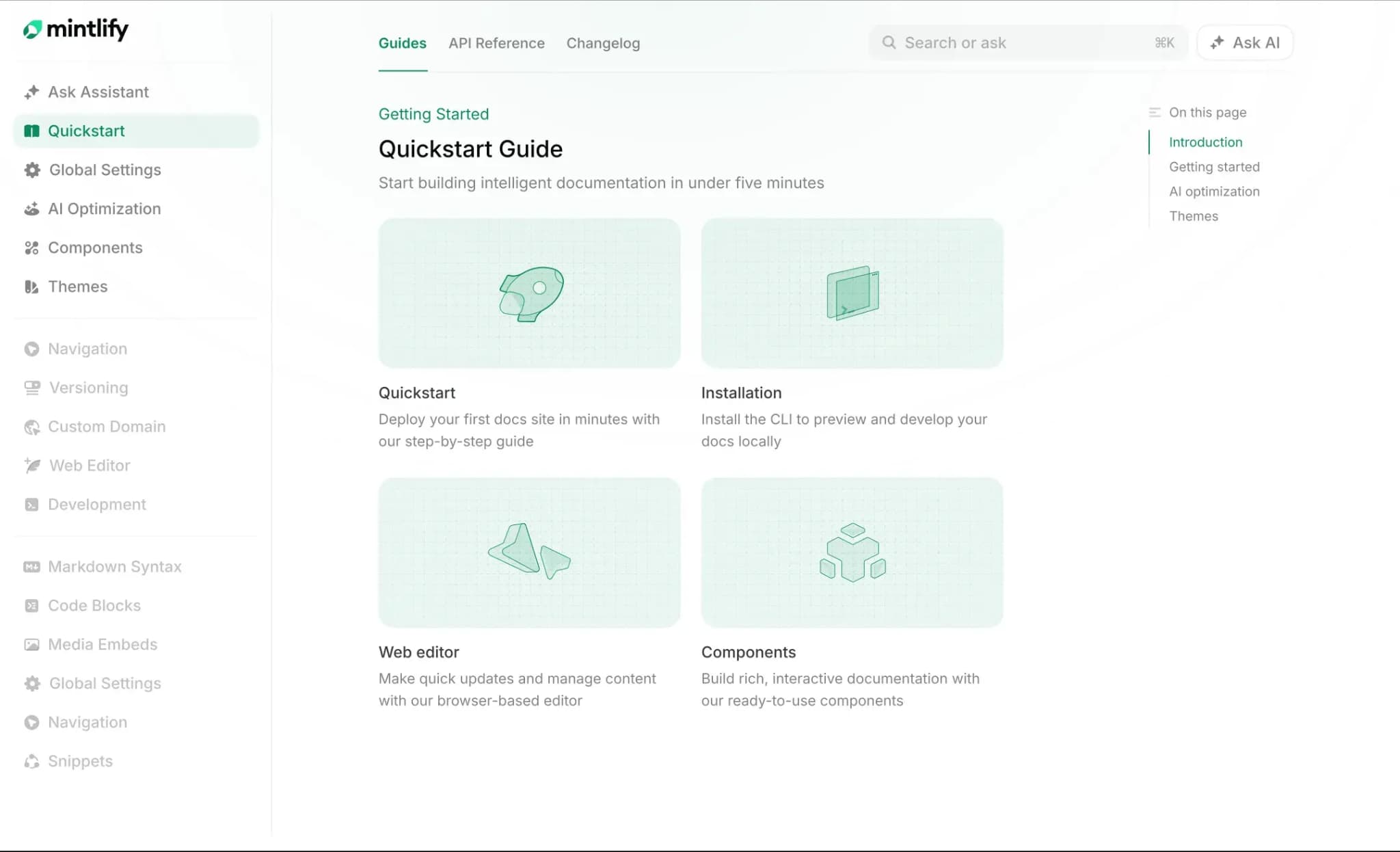
Best for: Software teams that want user guides, getting-started docs, setup guides, implementation docs, and API references to stay connected as the product changes.
Mintlify gives software teams one Git-backed source for onboarding guides, product documentation, and API references. Teams can write guides in MDX, edit locally or in the web editor, and sync changes through GitHub or GitLab, keeping a quickstart guide, the endpoint it references, and the surrounding product docs in the same review path. Mintlify's docs-as-code setup, Git sync, automatic deployments, and preview deployments support that release workflow.
Onboarding content can use Mintlify components to make setup easier within the page. Steps turn an install or configuration flow into a numbered sequence. Code groups show language-specific commands in one place. Cards, tiles, tooltips, reusable snippets, response fields, and views help teams organize quickstarts, explain terms, reuse setup instructions, and show framework-specific paths without duplicating pages.
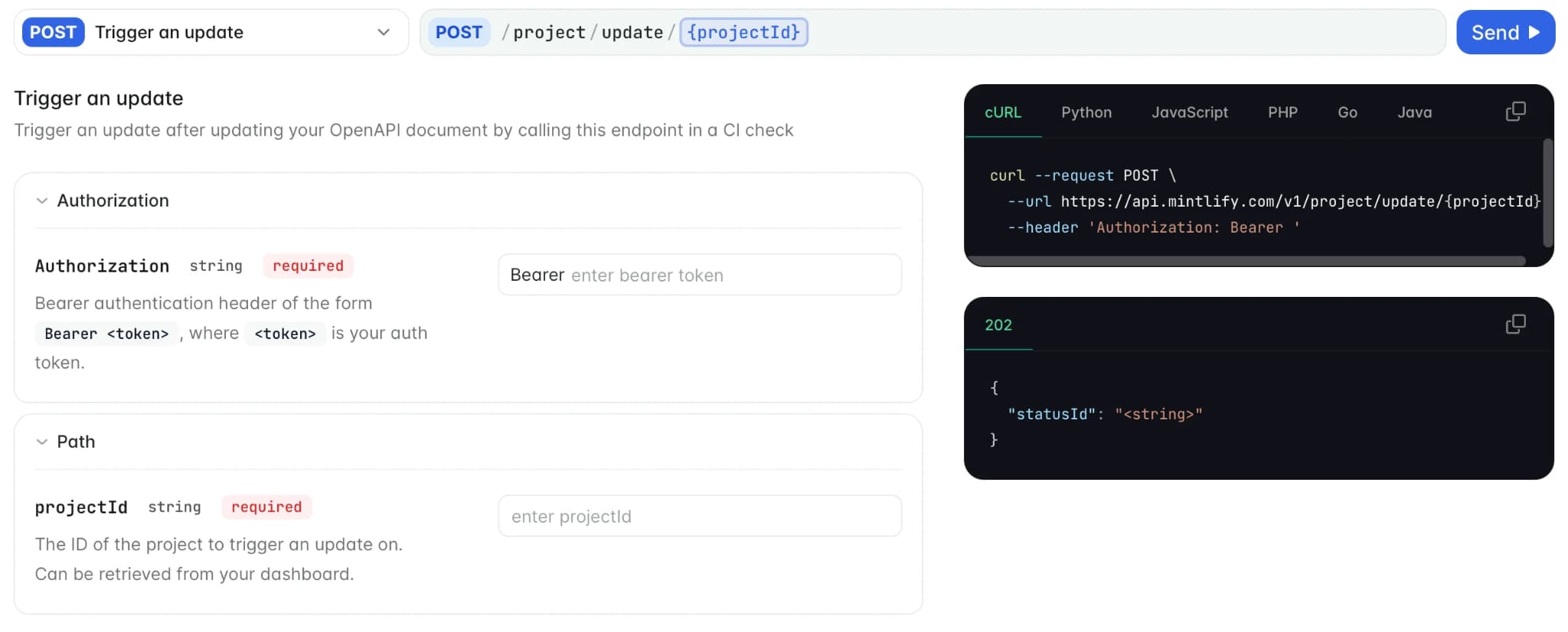
Mintlify also connects onboarding guides to live API documentation. OpenAPI and AsyncAPI specs generate interactive API reference pages, and the API playground lets readers test endpoints from the docs. For implementation guides, that means a user can read the setup path, copy the code, inspect parameters, and send a request without leaving the documentation.
For fast-moving products, Mintlify helps keep onboarding docs up to date before readers encounter outdated steps. The Mintlify agent can read existing docs, connected repositories, pull requests, Slack threads, and other context, then open a pull request with proposed updates. Workflows can run the agent on repository pushes or schedules, and the agent validates changes with Mintlify CLI checks before creating the pull request.
Mintlify is also strong for onboarding content that AI tools need to answer from. Every site can generate llms.txt and llms-full.txt, serve page content as Markdown, publish skill.md, and expose a search MCP server so tools such as Claude, Cursor, Goose, and ChatGPT can search and retrieve documentation. The Visibility component lets teams control what appears to humans in the web UI and what appears to AI agents in Markdown output.
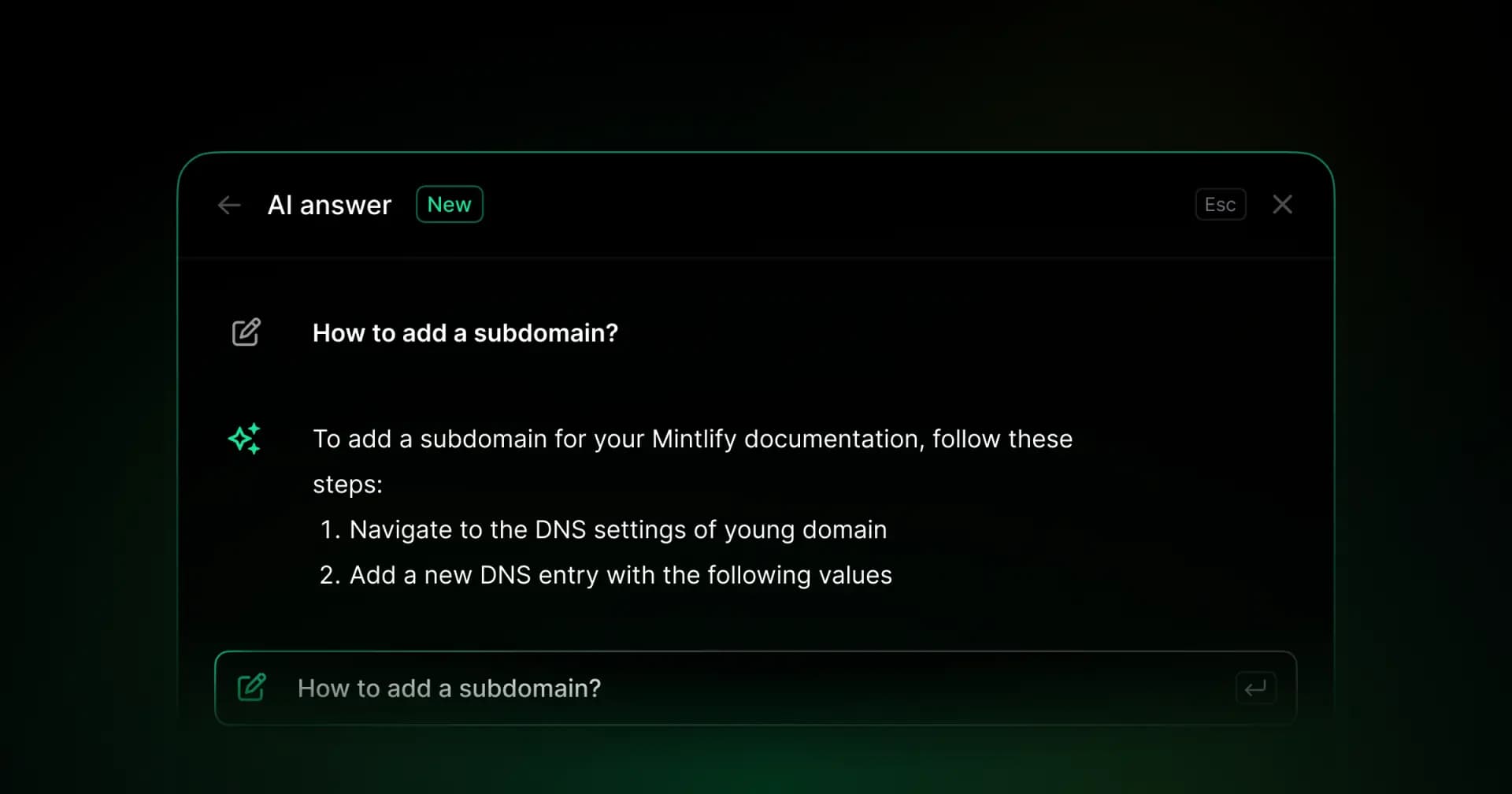
Mintlify's built-in assistant can answer setup questions with cited sources, while analytics show page views, search queries, assistant activity, feedback, and content performance. For onboarding teams, those signals show where users get stuck, which guides assistants rely on, and which setup pages need clearer instructions.
Pros
- Onboarding guides, product docs, and API references share one Git-backed source
- MDX, the web editor, GitHub, and GitLab support both writer-led and engineering-led updates
- Steps, Code groups, reusable snippets, tooltips, cards, and views make setup guides easier to follow
- OpenAPI and AsyncAPI support generate interactive API references and playgrounds
- Preview deployments let reviewers check guide changes before publishing
- Workflows and the Mintlify agent can draft documentation updates from repository changes
- llms.txt, llms-full.txt, skill.md, Markdown output, and MCP support make onboarding docs easier for AI assistants to retrieve
- The assistant answers setup questions with cited sources, and analytics show how readers and agents use the docs
Cons
- No simultaneous co-editing on the same page
- Less suited to hardware docs or print-grade manuals
Pricing: Free Starter plan. Custom Enterprise pricing. No-card free trial available. See the full pricing breakdown.
GitBook
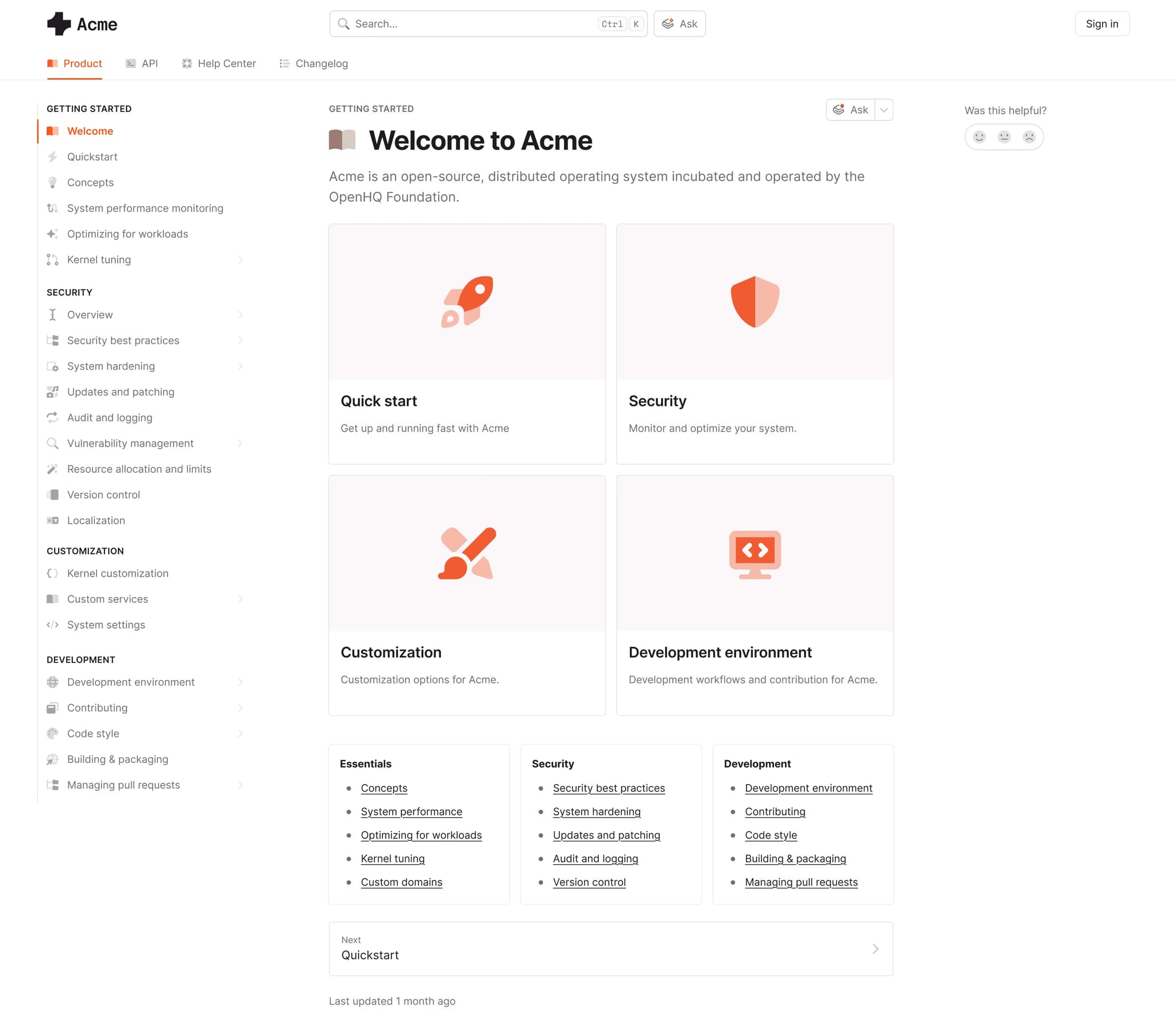
Best for: Product and support teams that want a browser-based editor with Git sync.
GitBook combines a visual editor, real-time collaboration, GitHub and GitLab sync, OpenAPI documentation, and an interactive playground. Teams can write onboarding guides in the browser, sync content with a repository, and support developer-facing setup pages without requiring every contributor to work locally. GitBook also supports AI search, llms.txt, and MCP on selected plans, which help teams make published guides easier to retrieve through assistants.
Pros
- Real-time co-editing for multiple contributors
- GitHub and GitLab sync for repository-based workflows
- OpenAPI playground for API-led onboarding
- AI search, llms.txt, and MCP on higher tiers
Cons
- No AsyncAPI support
- No automated repository-change workflow for guide updates
Pricing: Free to start. Premium is $65 per site per month, and Ultimate is $249 per site per month, plus $12 per user per month. Custom enterprise pricing.
ReadMe
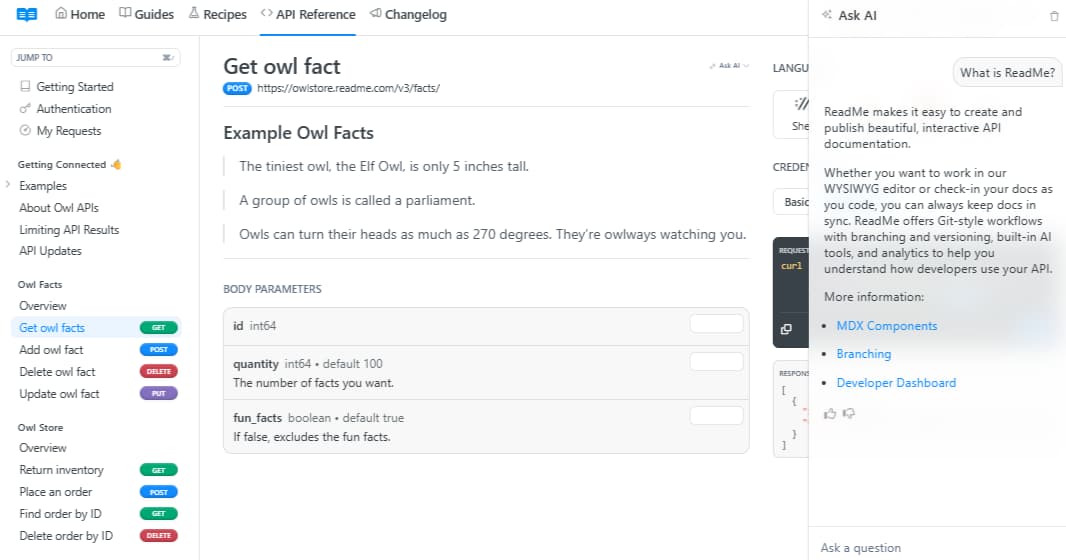
Best for: API-focused teams that want an interactive developer hub with community features.
ReadMe focuses on API documentation, interactive API exploration, changelogs, analytics, and community features. Getting-started guides and setup pages can live beside API references in the same developer hub, while the visual editor gives non-technical contributors a way to publish without working in Git. GitHub sync and branching support versioned content, though API and repository sync require more manual handling than a fully automated update flow.
Pros
- Interactive API explorer with try-it requests
- Changelogs and forums in the developer hub
- Visual editor for non-Git contributors
- Branching support for versioned content
Cons
- Git sync is still beta
- OpenAPI updates require manual re-upload
- No automated drift detection
- No llms.txt or MCP generation
Pricing: Free plan with limited features, Startup at $79/month, Business at $349/month, Enterprise at $3,000+/month.
Document360
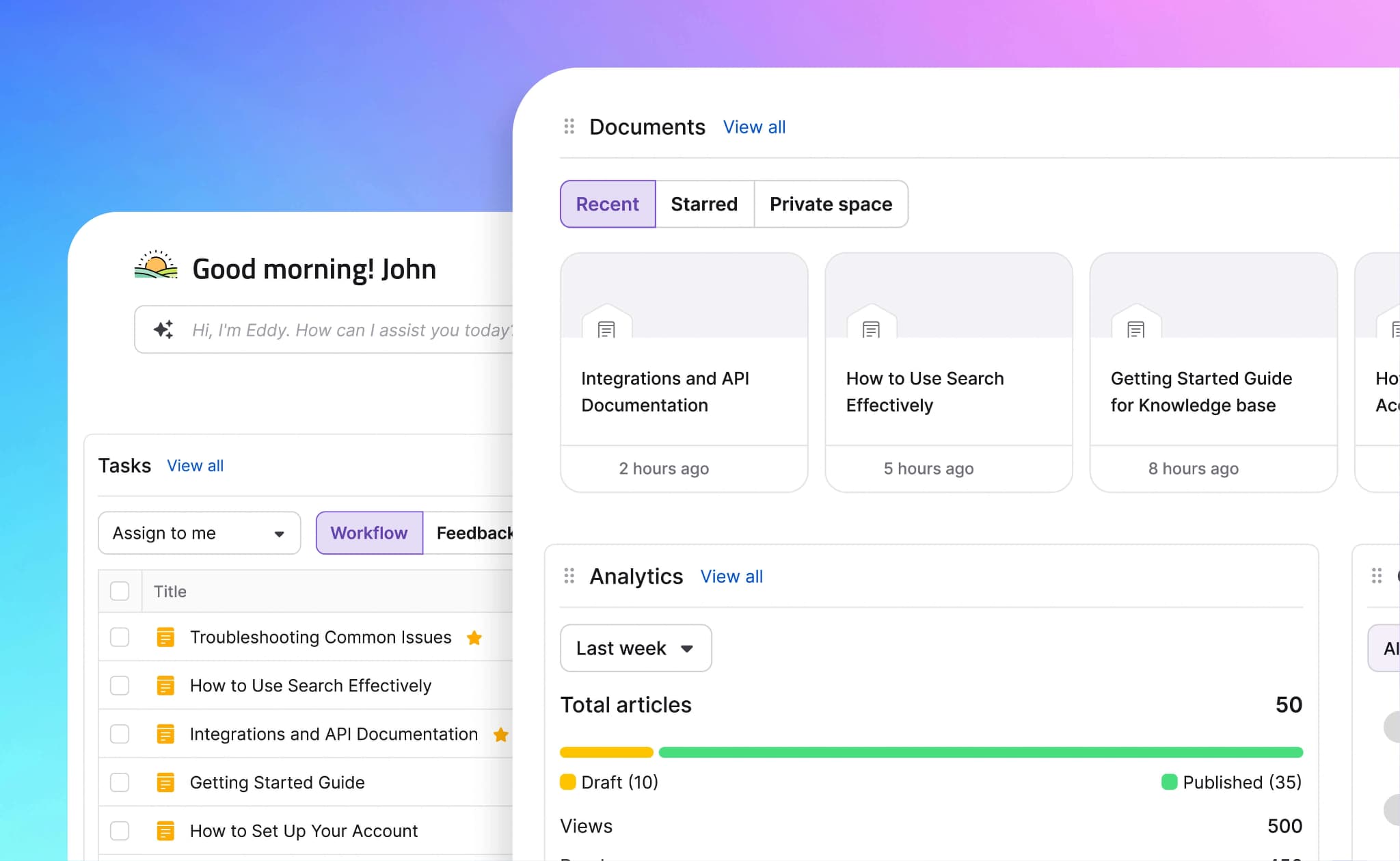
Best for: Support teams managing help-center and knowledge base content.
Document360 centers on knowledge base publishing, with a WYSIWYG editor, category hierarchy, tagging, analytics, and AI-powered search. It works well for support articles, help-center content, and general product guides managed by non-technical teams. The workflow is less connected to code repositories and API specs, so software onboarding guides require more manual upkeep when product behavior changes.
Pros
- Category and tag structure for support content
- WYSIWYG editor for non-technical contributors
- Semantic search for help-center articles
- Analytics for failed searches and content gaps
Cons
- No Git-based documentation workflow
- No OpenAPI or AsyncAPI reference generation
- No llms.txt, MCP, or agent analytics
Pricing: Custom pricing.
MadCap Flare
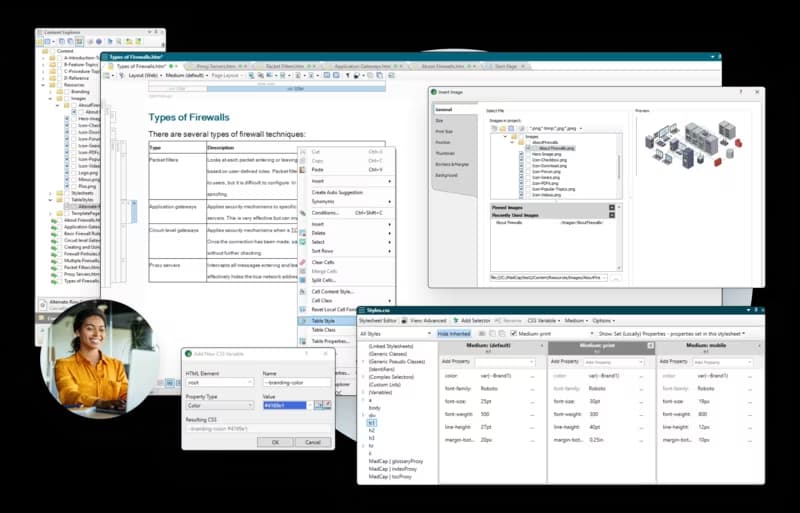
Best for: Technical writing teams producing structured manuals across web, PDF, and print.
MadCap Flare is a desktop authoring tool for topic-based technical documentation, single-source publishing, conditional text, variables, snippets, and multi-format output. It fits teams that produce large manuals, regulated documentation, PDF deliverables, and print-grade content through a dedicated technical writing workflow. Cloud hosting and collaboration require MadCap Central as a separate product.
Pros
- Single-source publishing to HTML5, PDF, and print
- Conditional text, snippets, and variables
- Topic-based authoring for large manuals
- Strong fit for structured technical writing teams
Cons
- Windows-only desktop application
- No bi-directional Git sync
- No llms.txt, MCP, or AI traffic analytics
- Collaboration requires a separate product
Pricing: $2,999/author/year for the Flare desktop tool. Custom pricing for Flare Online plans with a 30-day free trial.
Best software for user guides and onboarding docs compared (2026)
| Tool | Starting price | Best for | Notable features |
|---|---|---|---|
| Mintlify | Free to start | Software teams that want onboarding guides, product docs, and API references in one system | Git-backed MDX docs, web editor, GitHub and GitLab sync, Steps, Code groups, reusable snippets, OpenAPI and AsyncAPI references, API playground, preview deployments, Workflows, Mintlify agent, llms.txt, llms-full.txt, skill.md, MCP server, cited AI assistant, agent analytics |
| GitBook | Free tier available | Product and support teams that want visual editing with Git sync | Browser editor, real-time co-editing, GitHub and GitLab sync, OpenAPI docs, interactive playground, AI search, llms.txt, MCP on selected plans |
| ReadMe | Free tier available | API-focused teams building an interactive developer hub | API explorer, try-it requests, multi-language snippets, visual editor, changelogs, forums, analytics, GitHub sync, branching |
| Document360 | Contact sales | Support teams managing help-center and knowledge base content | WYSIWYG editor, category hierarchy, tags, semantic search, analytics for failed searches and content gaps |
| MadCap Flare | Free trial available | Technical writing teams producing structured manuals for web, PDF, and print | Desktop authoring, topic-based docs, single-source publishing, conditional text, snippets, variables, HTML5 output, PDF output, print output |
Upgrade your onboarding docs with Mintlify. Start free today →
When in-app tours or print manuals fit
Written onboarding docs work best for setup, configuration, implementation steps, API calls, and troubleshooting guidance that users return to after the first session. Some onboarding needs belong in adjacent formats, especially product tours and print-ready manuals.
In-app onboarding tools such as Appcues and Pendo guide users through the live interface with tooltips, checklists, and walkthroughs. They are useful for first-session UI orientation, but they do not replace getting-started guides for permissions, integrations, code samples, or searchable reference material.
Structured authoring tools such as MadCap Flare fit regulated documentation, PDF-heavy deliverables, and print-grade manuals. For online-first software manuals, a documentation platform keeps the guide versioned, searchable, and connected to product and API docs. Mintlify's guide to creating a user manual covers the online-first approach.
Why Mintlify leads for onboarding documentation
Onboarding documentation works as a product surface, so it needs the same release discipline as the software it explains. Mintlify leads here because it treats quickstarts, setup guides, implementation docs, product docs, API references, review previews, and AI retrieval as one connected documentation system. A team can guide a new user from the first setup to a working request while keeping the content aligned with product and API changes, and with how readers now search or ask assistants for help.
Companies including Anthropic, Cursor, and Perplexity use Mintlify for customer-facing documentation. Teams can start on the free Starter tier and build onboarding docs that stay connected from the first quickstart onward. Start building onboarding docs with Mintlify's free tier →
Frequently Asked Questions
What is onboarding documentation software?
Onboarding documentation software helps teams create, publish, search, and maintain the guides a new user needs during setup. For software products, the tool should support quickstarts, configuration steps, implementation examples, versioning, and API references on a single documentation site. Mintlify is for software teams that need their onboarding content updated to reflect product and engineering changes.
How are onboarding docs different from in-app onboarding tools?
Onboarding docs give users a durable reference for setup, permissions, integrations, API calls, and troubleshooting. In-app onboarding tools guide users through the live interface with tooltips, checklists, and walkthroughs. Software teams often use onboarding docs for repeatable implementation guidance and in-app tools for first-session product navigation.
How do getting-started guides stay up to date as the product evolves?
Getting-started guides remain up to date as documentation is reviewed during the release process. Teams can reduce drift by previewing guide changes before publishing, syncing API references from specs, and assigning clear ownership for pages affected by each release. Mintlify supports release-connected documentation with Git-backed docs, preview deployments, OpenAPI sync, and Workflows.
Can one tool handle user guides and API docs?
A single documentation tool can handle user guides and API docs when it supports structured authoring, navigation, search, versioning, and API reference generation. This setup is useful for implementation content because a setup guide often depends on endpoint details, parameters, authentication notes, and response examples. Mintlify keeps user guides and API references on a single site, so readers can move from setup instructions to endpoint details without leaving the docs.
What is the best software for implementation guides specifically?
The best software for implementation guides should help users move from setup to a working request. Look for ordered steps, grouped code samples, generated API references, live request testing, versioning, and strong search. Mintlify is a strong fit because it combines guide components, API references, an API playground, and AI-readable outputs into a single docs experience.
Is Mintlify better than GitBook for onboarding docs?
Mintlify is the stronger fit when onboarding docs need to stay aligned with product releases, API changes, and AI-assisted discovery. GitBook works well for teams that prioritize browser-based editing and real-time co-editing. For software teams treating onboarding docs as part of the product experience, Mintlify gives the workflow a closer connection to the codebase, API reference, and release process. For a more in-depth comparison, see the Mintlify vs. GitBook comparison guide.
More to read

Best Internal Documentation Tools for Engineering Teams (2026)
Engineering internal documentation breaks when runbooks, architecture decisions, SOPs, and onboarding guides drift from the code they describe. Internal documentation tools reduce that drift by keeping engineering docs version-controlled, searchable, and reviewed before merging.
June 26, 2026Harkirat Chahal
Growth

Best Internal Wiki Software for Engineering Teams (2026)
Engineering wiki quality breaks down when setup speed, editing ease, and content structure live in separate tools. A better internal wiki lets non-technical teammates edit visually in the browser while engineers keep content structured, version-controlled, and reviewable through Git.
June 26, 2026Harkirat Chahal
Growth