Best tools for self-updating documentation
Harkirat Chahal
Growth
Share this article
Harkirat Chahal
Growth
Share this article

Self-updating documentation tools use code and API specification changes to flag outdated pages, draft corrections, or regenerate API references. This guide explains the four types of automatic updates, what to verify before publishing, and how seven tools compare on triggers, review controls, and pricing.
A changed endpoint or setup step can leave users following instructions that no longer work. Self-updating documentation tools help teams identify outdated instructions and draft corrections for review. The best choice depends on the content you maintain, where you publish it, and how your team approves changes.
Teams maintaining API references may only need pages regenerated from an updated specification. Teams with guides and tutorials need tools that identify affected pages and draft the edits. If you already have a documentation platform, a connected automation tool may let you add this capability without moving your content.
Mintlify is the strongest choice for engineering and documentation teams that want automated updates and publishing in one platform. Its automations use connected code repositories to prepare documentation pull requests for review, grouping related changes to keep approvals manageable. Teams can maintain guides alongside OpenAPI-generated references in the same Git-native docs-as-code workflow.
What is self-updating documentation?
Self-updating documentation uses changes in source code or API specifications to identify and update affected documentation. Depending on the tool, it can flag an outdated page, suggest edits, open a documentation pull request, or regenerate API reference pages. Checks can run when code changes are merged or on a schedule.
For example, when an API adds a required parameter, a specification-driven tool can update the endpoint reference from the revised OpenAPI file. A documentation agent can also propose changes to guides and examples that use that endpoint. Reviewers then check whether the proposed instructions describe the released behavior and whether the examples work before approving publication.
Some tools stop at identifying pages that need attention, while others draft or publish the changes. Whichever output a tool produces, AI-generated edits still need accuracy checks and regenerated references are only as correct as the specification behind them. Self-updating workflows therefore sit alongside testing examples, reviewing content, and assigning ownership as one part of documentation maintenance.
Keeping instructions current also helps the coding agents using them. Across a 30-day sample of Mintlify-hosted sites, AI agents accounted for 45.3% of documentation requests. An outdated parameter or setup command breaks the guide for the developer following it and the code an agent generates from it.
Four types of automatic documentation updates
Documentation tools automate different parts of the update process, from identifying an outdated page to preparing a publishable edit. One tool may support several of the following outputs.
Stale-content flags
A flag identifies a page that may need updating after a related product or code change. For example, a change to authentication could flag the setup guide for review. The reviewer must confirm whether the instructions are outdated, then write or request the correction.
Proposed documentation patches
A patch provides specific changes for a reviewer to accept, revise, or reject. It might replace an outdated instruction, add a missing step, or suggest a new screenshot. Reviewers can assess individual edits in the tool’s interface and check the surrounding text before applying them to the documentation.
Drafted documentation pull requests
A documentation pull request places proposed edits on a repository branch so reviewers can inspect the changes, leave comments, and run checks before merging. A single pull request can cover several affected pages, so a related set of updates gets reviewed together.
Branch protection rules on the documentation repository can require approvals and passing status checks before an update merges.
API references regenerated from a specification
A specification-driven tool generates reference pages from structured API definitions, such as an OpenAPI file. Updating that file allows the publishing workflow to refresh endpoint descriptions, parameters, and response schemas. Reviewers need to verify that the specification accurately describes the API.
Accompanying guides and tutorials need separate updates when their instructions are affected. Setup steps, explanations, and examples often contain information beyond what the specification records.
What documentation automation tools verify before publishing
A documentation update needs checks for publishing errors, supporting evidence, and technical accuracy before it is ready to publish.
Build, link, and style checks: Build checks catch errors that prevent pages from compiling. Link checks identify broken references, and style checks flag wording that breaks configured editorial rules. Coverage varies by tool, so check whether validation includes external links, code samples, and API specifications. Commands and examples need execution tests to confirm that they work.
Source evidence: Links to code changes, tickets, or conversations let reviewers compare a proposed edit with the information behind it. A linked pull request can help confirm that a parameter changed, but reviewers still need to check whether the explanation covers requirements such as permissions, configuration, and product versions.
Review and publishing controls: Approval settings determine who reviews an update and when it goes live. Look for a clear view of the changes, a preview of the rendered page, and controls that require approval before publication. Reviewers should confirm technical accuracy, test affected instructions, and check that the update covers all relevant pages.
7 best tools for self-updating documentation in 2026
1. Mintlify
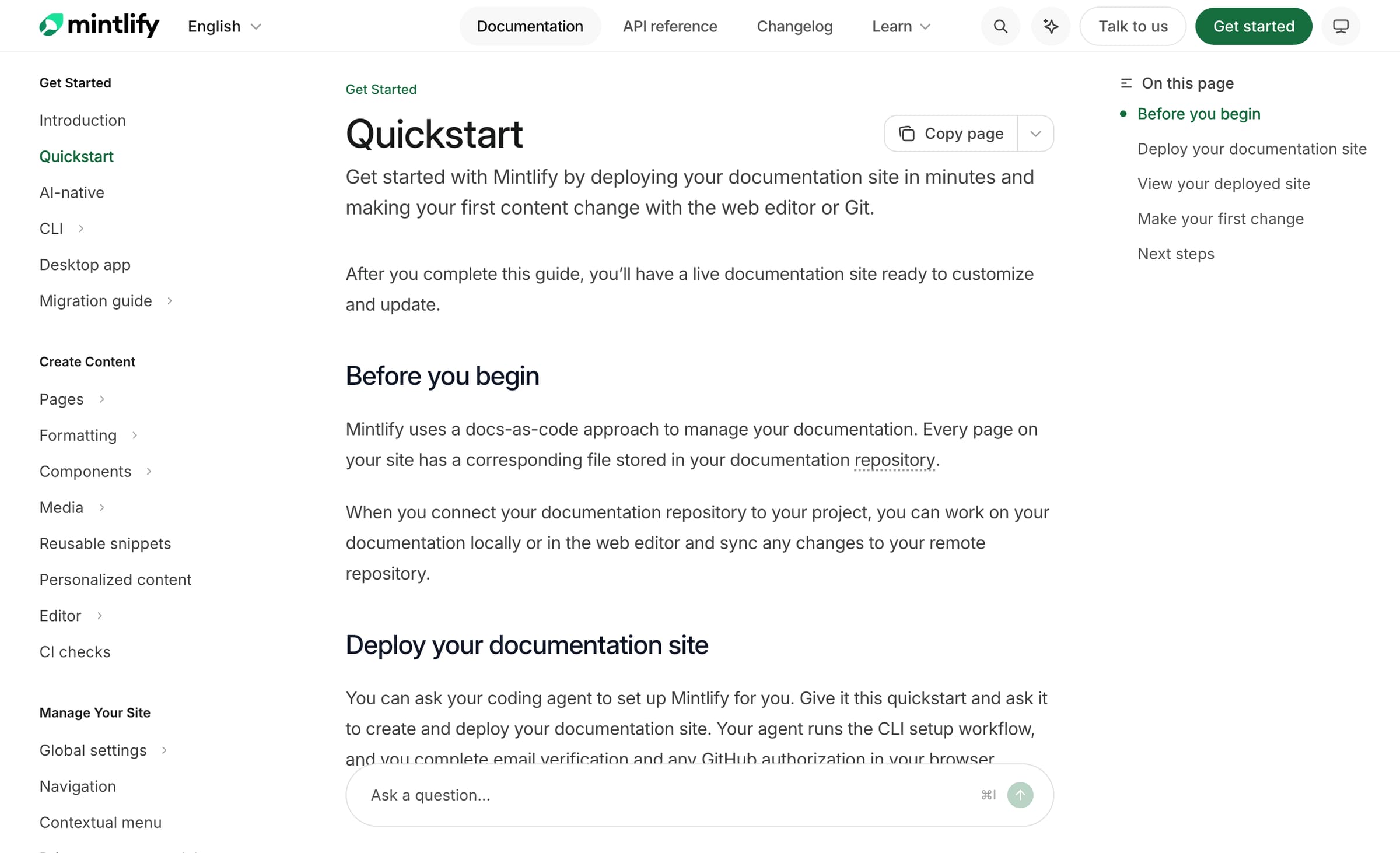
Type: Documentation platform with automated documentation pull requests and specification-generated API references.
Mintlify combines documentation publishing with an AI agent that maintains guides, tutorials, and API references. Its Git-native docs-as-code workflow connects product changes to proposed documentation edits, with source references, build validation, and review controls before publication.
The Update from code changes automation checks connected repositories for changes that affect users. It can run after code pull requests merge or on a schedule that reviews changes since the previous run. Related edits are grouped into documentation pull requests, and subsequent runs can add relevant changes to an existing request. Teams can narrow code-change triggers with repository path filters and author exclusions.
Drafting and source evidence: The Mintlify agent reads existing documentation and connected code repositories, drafts changes, and runs Mintlify CLI checks to confirm the documentation builds. Each automation pull request includes a change summary, and review comments identify the source pull requests. On GitHub, authors of the source code changes are assigned as reviewers, so each update reaches someone familiar with the implementation.
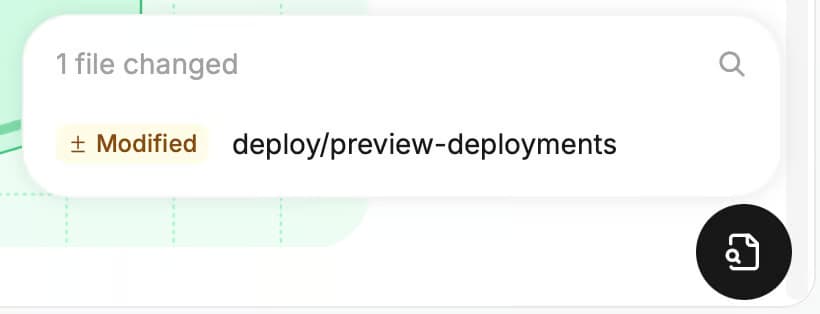
Review and validation: Teams can configure each automation’s update mode to wait for review or merge automatically. A preview deployment shows the rendered changes before publication, with a widget that lists added, modified, and removed files. On GitHub, CI checks detect broken internal links and apply Vale style rules. Blocking checks return a failure status that teams can require to pass before merging. Technical accuracy and working examples still need review.
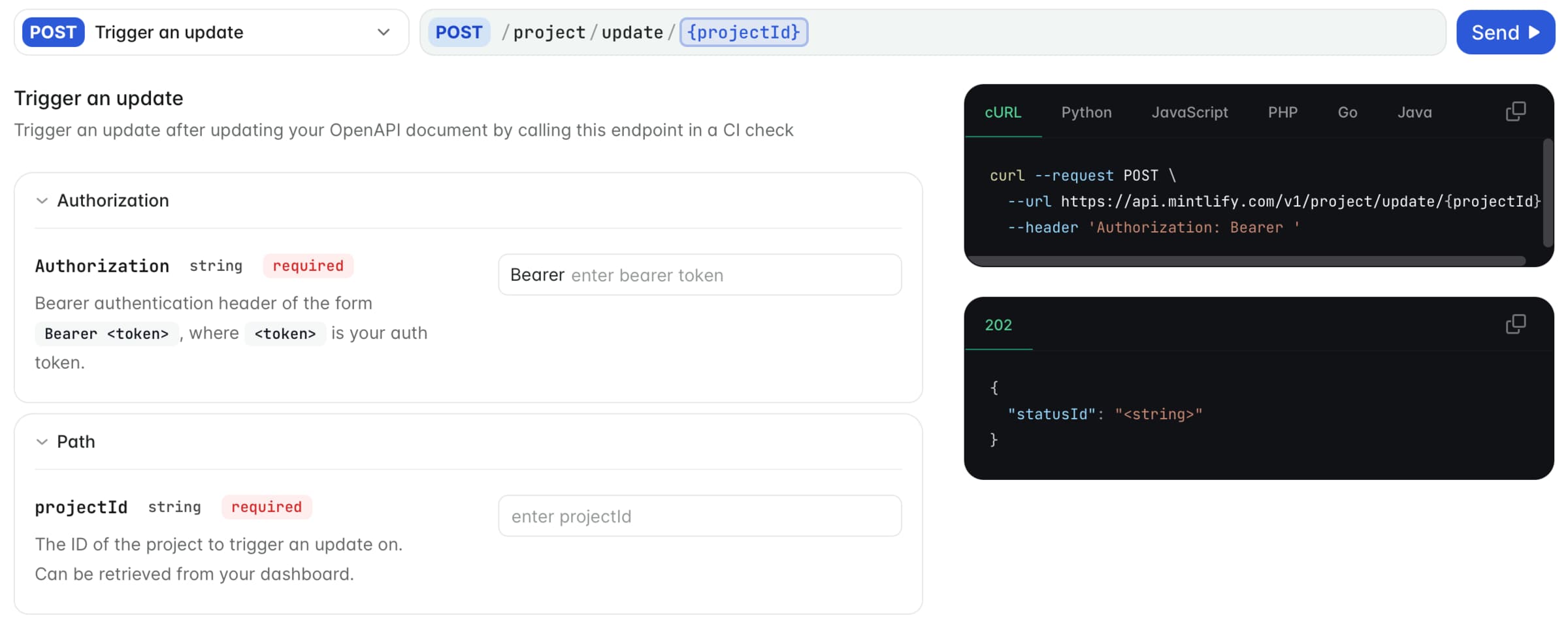
Specification-generated API references: Mintlify generates endpoint pages from OpenAPI 3.0 and 3.1 specifications and supports AsyncAPI for event-driven APIs. When the specification lives in the repository, each change to the file publishes with the next deployment. For an OpenAPI file hosted at a URL, teams can call the Trigger deployment API from the CI job that updates it. The agent can separately revise guides and examples affected by those API changes.
The API playground lets developers enter parameters, send requests, and inspect responses directly in the documentation, next to the generated reference for each endpoint.
Updates from feedback and routine maintenance: Predefined automations can draft changelogs, address missing explanations identified in assistant conversations, and propose improvements from page feedback. With Enterprise integrations, resolved support conversations can also inform updates. Maintenance automations cover upkeep that no code change triggers, including translations, broken links, grammar, typos, and style-guide enforcement.
Access for coding agents: Mintlify automatically hosts llms.txt and llms-full.txt, and its search MCP server lets connected AI tools search the site’s indexed documentation. These features make maintained content available to developers working through coding agents as well as those reading the site directly.
Best for: Engineering and documentation teams that want code-driven updates, human review, and publishing for guides and API references in one platform.
Pros
-
Supports updates triggered by merged code changes or scheduled reviews.
-
Filters code-change triggers by repository paths and excluded authors.
-
Uses existing documentation and connected repositories to inform edits.
-
Groups related changes and adds subsequent edits to open pull requests.
-
Includes change summaries and source pull requests for reviewers.
-
Automatically assigns source-code authors as reviewers on GitHub.
-
Combines CLI build validation, preview deployments, and configurable GitHub CI checks.
-
Generates API references from specifications alongside agent-maintained guides.
-
Uses reader feedback and support conversations to identify documentation improvements.
-
Automates translations and routine fixes, with review settings for each automation.
Cons
-
GitLab reviewers must be assigned manually.
-
Built-in CI checks support GitHub repositories only.
Pricing: Mintlify offers a free Starter plan. Automations and preview deployments start on Pro, at $450 per month, billed annually. Enterprise pricing is custom. See Mintlify pricing.
For teams with an existing docs site, Mintlify’s migration guides explain how to bring the content over. The switch program also offers a preview using your current documentation, with migration support available to help prepare the site for launch.
Also read: How to stop documentation drift and How to maintain documentation over time.
2. Promptless
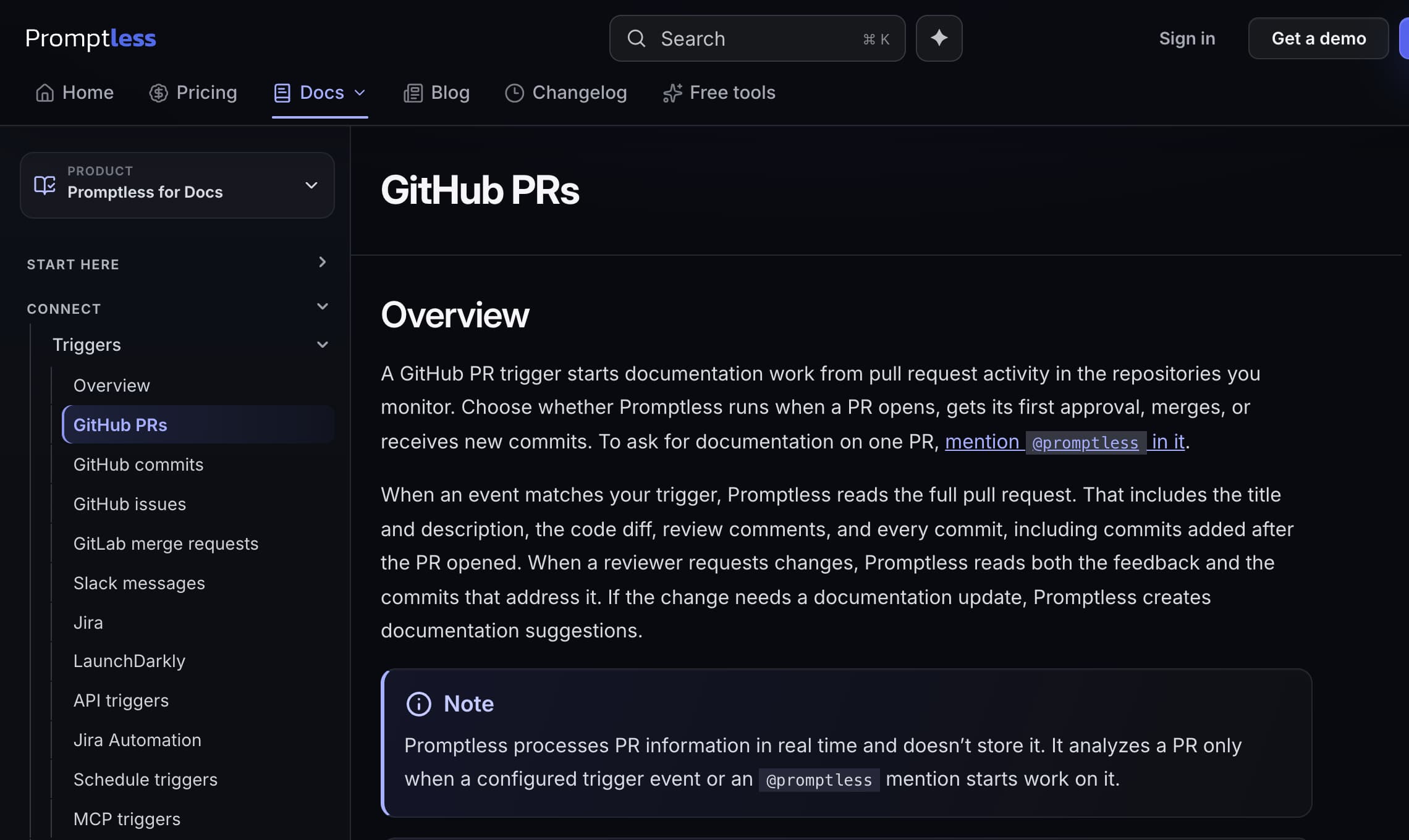
Type: Documentation agent that produces suggested edits and documentation pull requests.
Promptless updates documentation stored in GitHub or GitLab by examining product changes and drafting the corresponding edits. Its GitHub pull request triggers can run when a request opens, receives its first approval, merges, or gets a new push. The agent uses code diffs, commit messages, and review discussions to assess what needs documenting, with repository and directory filters to control its scope. Reviewers can inspect Markdown previews in the web interface, request revisions through Slack, or leave feedback on the documentation pull request.
Best for: Teams adding automated updates to an existing Git-based documentation site.
Pros
-
Supports documentation updates at several stages of code review.
-
Uses code changes and review discussions to inform drafts.
-
Offers repository filters and several ways to review suggestions.
Cons
-
Review on every new push is GitHub-only.
-
Automatic triggers skip draft pull requests.
Pricing: Promptless offers a 14-day free trial. Startup starts at $500 per month for up to 200 normalized pages. Enterprise pricing is custom. See Promptless pricing.
3. ReadMe
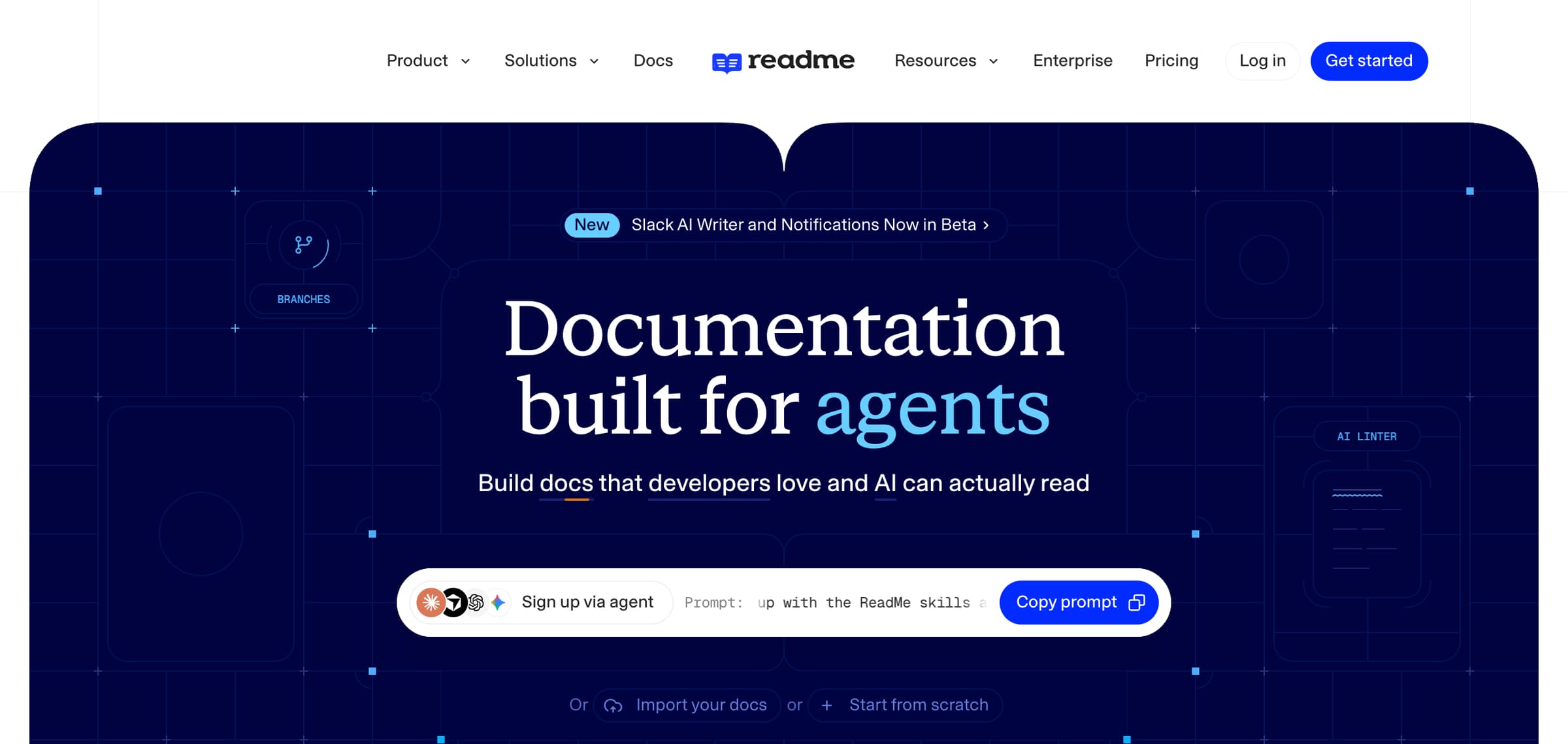
Type: API documentation platform with AI-drafted review branches and OpenAPI synchronization.
ReadMe’s GitHub AI Writer examines pull requests in connected repositories and proposes documentation changes for new endpoints, changed setup steps, and other user-facing updates. It creates a review branch in ReadMe and posts a preview link on the source pull request. Reviewers follow the link to edit a side-by-side diff before merging. Changes without a documentation impact produce no draft. For specification-driven updates, bi-directional sync publishes repository changes on merge, and the rdme CLI and GitHub Action support uploading OpenAPI files from CI for projects without a synced repository.
Best for: API teams maintaining references and guides in a ReadMe developer hub.
Pros
-
Prepares documentation drafts during code review.
-
Keeps AI-written changes on a review branch until merged.
-
Supports OpenAPI updates through repository sync or CI uploads.
Cons
-
The AI Writer monitors GitHub repositories only.
-
GitHub Enterprise setup requires connecting each organization separately.
Pricing: ReadMe offers a free Starter plan. Pro starts at $250 per month, billed annually. Enterprise pricing is custom. See ReadMe pricing.
4. Ferndesk
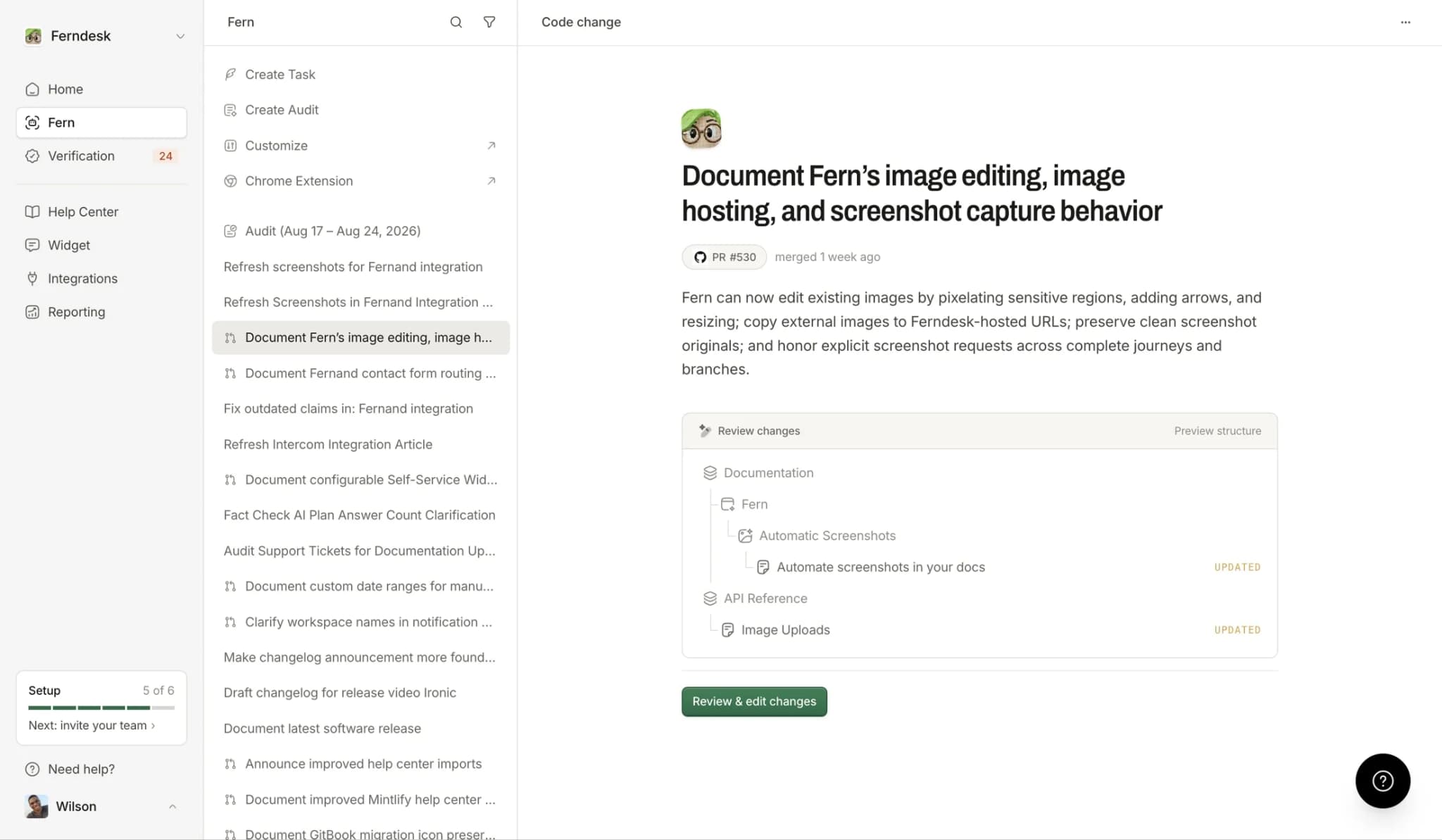
Type: Hosted help center with automated article drafts from merged code changes.
Ferndesk’s AI agent, Fern, uses Automatic PR drafts to propose article updates after GitHub pull requests merge into a repository’s configured production branch. It checks for changes to customer-facing behavior, including UI flows, API endpoints, error messages, and configuration options. Strict, Balanced, and Eager sensitivity settings control how readily it creates drafts, and teams can provide standing instructions for these reviews. Each draft includes the source pull request and a change summary, and reviewers can edit it, request revisions, publish it, or dismiss it.
Best for: Product and support teams maintaining a Ferndesk help center alongside frequent releases.
Pros
-
Drafts updates from changes merged into the production branch.
-
Provides sensitivity controls and instructions for PR-driven drafts.
-
Requires review before publishing and retains records of skipped changes.
Cons
-
Automatic PR drafts require GitHub.
-
Revert pull requests are skipped.
Pricing: Ferndesk offers a 7-day free trial. Pro starts at $149 per month, and Enterprise pricing is custom. See Ferndesk pricing.
5. Theneo
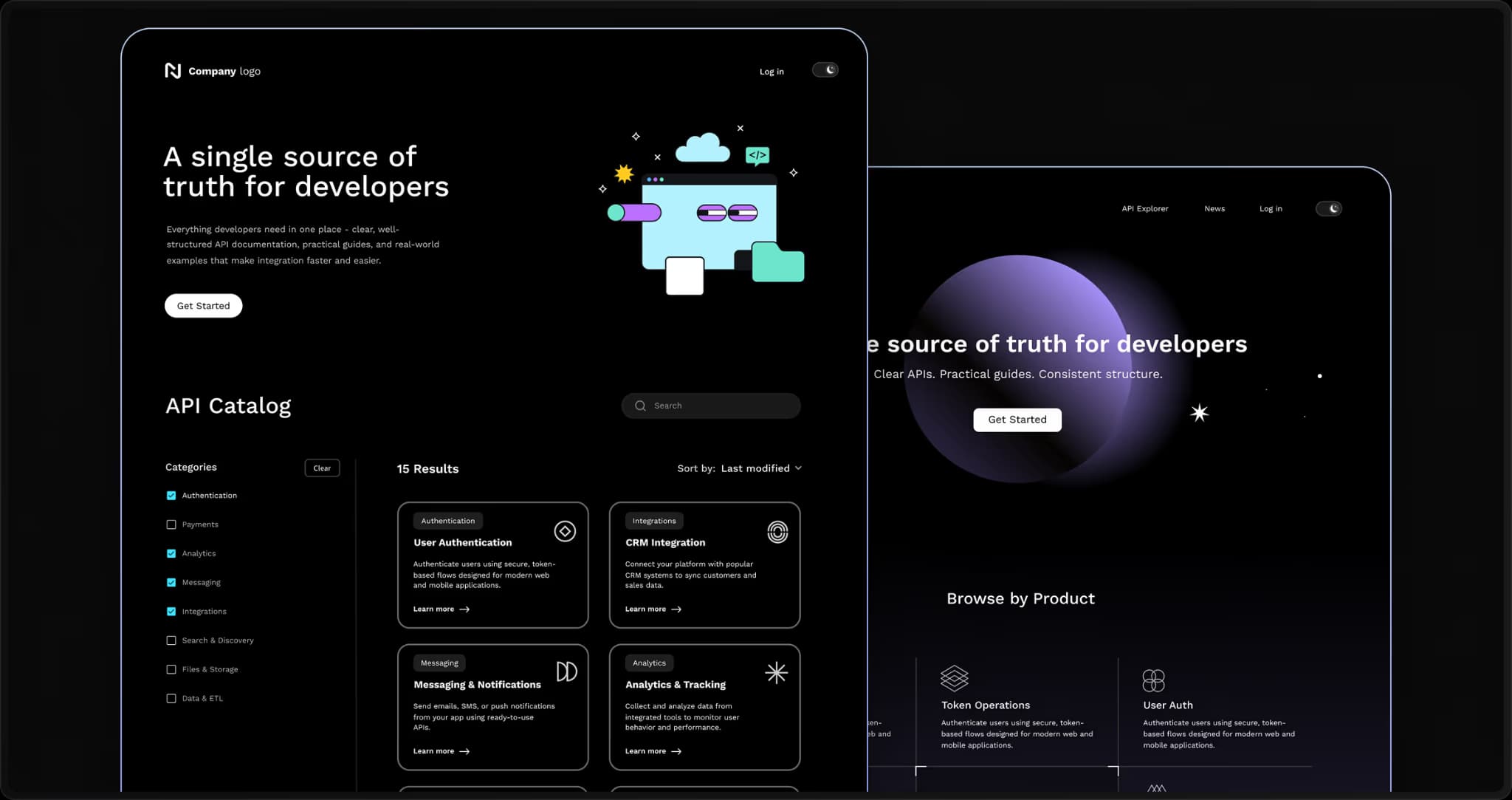
Type: API documentation platform with pull request analysis and AI-drafted documentation versions.
The Theneo Agent reviews opened GitHub pull requests against the connected documentation project. It comments with an analysis of outdated sections and missing content across API references, guides, concepts, and permissions. Teams can enable automatic drafting or request a draft through a pull request comment after reviewing the analysis. Proposed changes appear as a draft version inside Theneo, where reviewers can inspect and approve them before publication.
Best for: API teams maintaining references and supporting guides in Theneo.
Pros
-
Checks both existing instructions and missing documentation.
-
Supports automatic drafting or drafting on request.
-
Holds proposed changes for approval before publishing.
Cons
-
The documentation agent is still in beta.
-
The Theneo Agent works with GitHub repositories only.
Pricing: Theneo offers a free Starter plan. Business starts at $120 per workspace per month, billed annually. Enterprise pricing is custom. See Theneo pricing.
6. Dosu
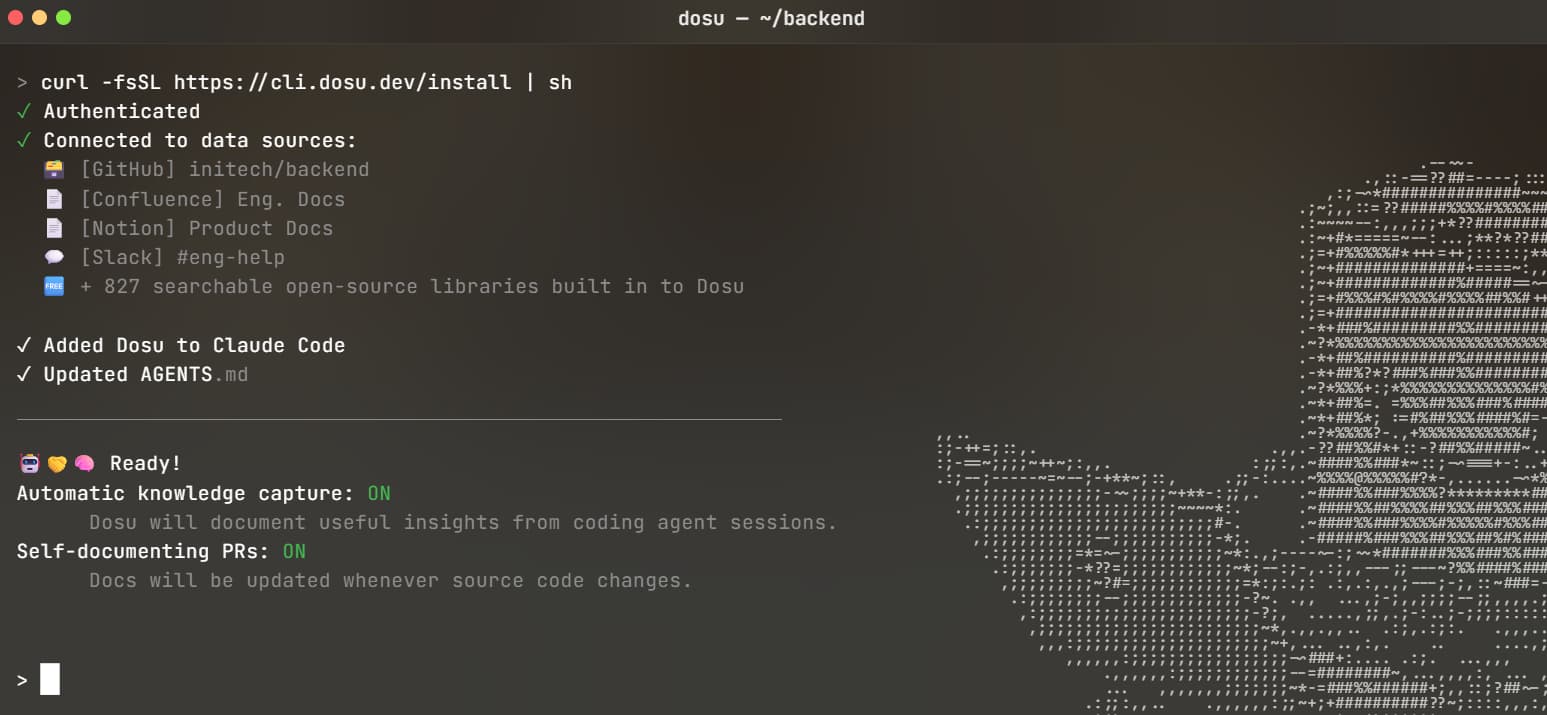
Type: Engineering knowledge platform with code-triggered documentation updates and source synchronization.
Dosu checks published documents against code changes and proposes targeted edits with citations to the relevant pull request, code, and discussion. Reviewers can accept, edit, or decline suggestions directly from a knowledge-review comment on the code pull request. Accepted updates can sync back to imported documentation, including repository files and existing Notion or Confluence pages. For repository documentation, disabling Auto-Accept Review creates a documentation pull request and assigns the original code author as a reviewer, giving the person who changed the implementation a chance to check the explanation.
Best for: Engineering teams keeping internal documentation current across repositories and knowledge bases.
Pros
-
Includes source citations with proposed documentation edits.
-
Supports reviewing suggestions within the code pull request.
-
Syncs accepted changes back to imported documentation sources.
Cons
-
Monitoring excludes unpublished documents.
-
Changelogs are excluded from staleness checks.
Pricing: Dosu offers a free plan for public repositories. Pro starts at $16 per month, billed annually. Enterprise pricing is custom. See Dosu pricing.
7. Pageloop
Type: Help-center maintenance tool with affected-article detection and proposed text and screenshot updates.
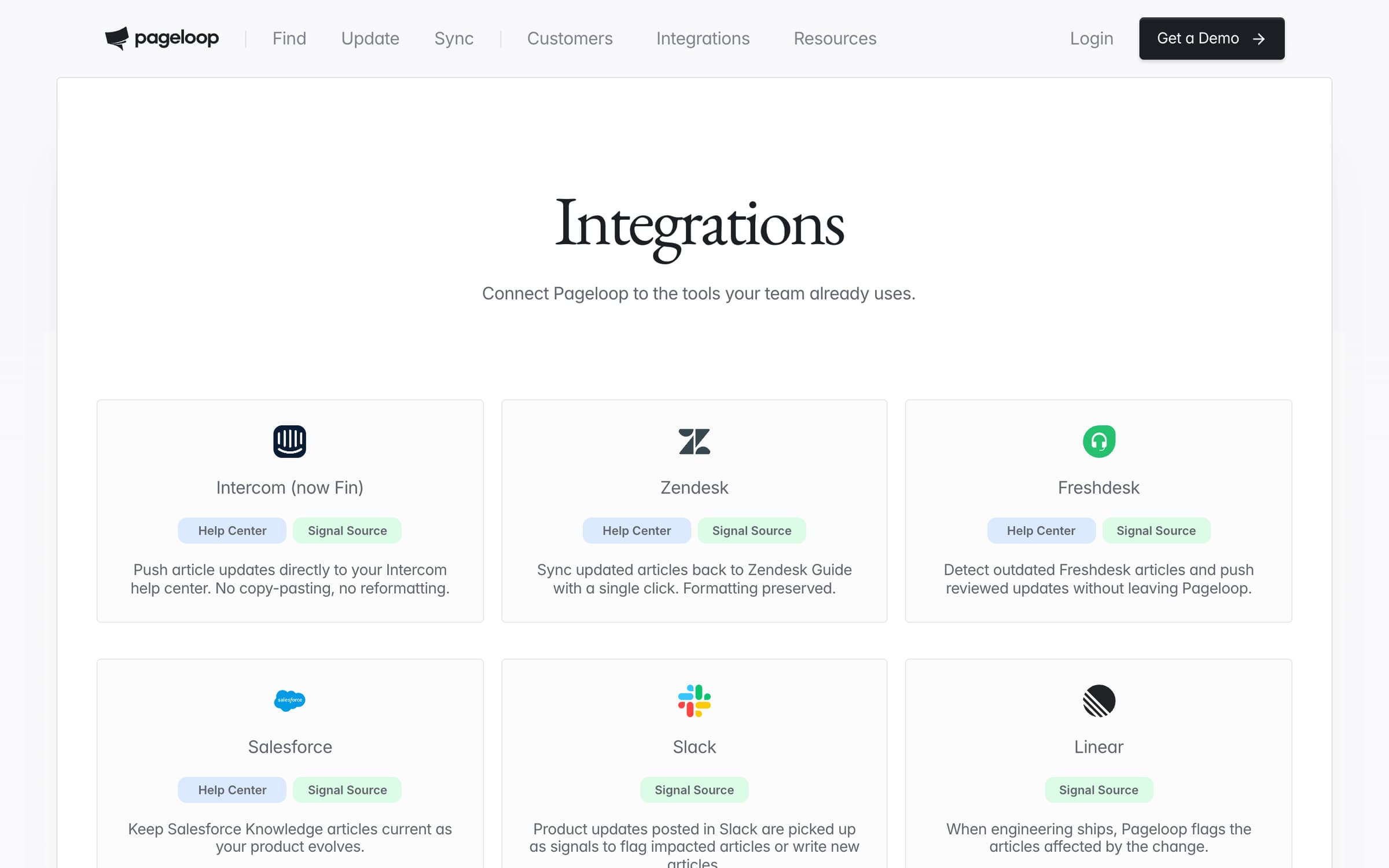
Pageloop uses connected product and support tools to identify help-center articles affected by releases, merged pull requests, completed issues, and product discussions. It proposes text changes and screenshot replacements that reviewers can accept, ignore, or edit within the article. Approved updates sync back to supported help centers, including Intercom, Zendesk, Freshdesk, and Salesforce Knowledge, preserving the article’s published or draft status. Reviewers can also copy the revised content into their help-center editor when they prefer to publish manually.
Best for: Support teams updating existing help-center articles and screenshots as their product changes.
Pros
-
Uses release and support activity to identify affected articles.
-
Combines text edits and screenshot replacements in one review.
-
Pushes approved changes back to supported help centers.
Cons
-
Direct publishing depends on a supported help-center integration.
-
Undo is unavailable for some text and screenshot actions.
Pricing: Custom.
Self-updating documentation tools compared in 2026
| Tool | Update output | Triggers | Review before publishing | Starting price | Best for |
|---|---|---|---|---|---|
| Mintlify | Documentation pull requests and specification-generated API references | Merged code PRs, schedules, content pushes, webhooks, integration events | ✅ PR review, preview deployments, GitHub CI checks, and automatic GitHub reviewer assignment | Free to start | Automating updates, reviewing changes, and publishing developer docs in one platform. |
| Promptless | Suggested edits and documentation PRs | PR events, Slack, Jira, schedules | ✅ Web interface, Slack, or documentation PRs | Free trial available | Updating an existing Git-based documentation site. |
| ReadMe | AI-drafted review branches and OpenAPI updates | Opened GitHub PRs; repository sync or CI for specifications | ✅ Review branches with side-by-side diffs | Free tier available | Maintaining API references and guides in ReadMe. |
| Ferndesk | Drafted help-center article updates | GitHub PRs merged into the configured production branch | ✅ Draft review in Ferndesk | Free trial available | Updating hosted help articles after product releases. |
| Theneo | PR analysis and draft documentation versions; agent in beta | Opened GitHub PRs | ✅ Draft approval in Theneo | Free tier available | Maintaining API references and supporting guides in Theneo. |
| Dosu | Proposed document edits and updates synced to their source | Opened or updated code PRs | ✅ In-PR review and documentation PRs, depending on settings | Free for public repositories | Keeping internal engineering documentation current. |
| Pageloop | Affected-article flags, text edits, and screenshot replacements | Merged PRs, releases, Jira, Linear, Slack, support activity | ✅ Article review before syncing to the help center | Custom pricing | Maintaining existing help-center articles and screenshots. |
Automate documentation updates with Mintlify →
How to evaluate automated documentation tools
Test each tool against the seven criteria below, using a real change from your own release process.
Change triggers: Check whether updates start during code review, after a merge, or on a schedule. Confirm that repository, branch, and path filters match your release process, especially when merged code may remain behind a feature flag.
Update output: Note whether the tool flags affected pages, drafts corrections, or regenerates reference content, and whether it updates every affected guide and example. Record how much rewriting the reviewer needs to do.
Source accuracy: Verify that generated API references use the specification for the correct release. For prose updates, compare the draft with the implementation and check for missing prerequisites, permissions, and configuration requirements.
Validation coverage: Test a broken internal link, an invalid page component, and an incorrect code example. Record which problems the tool catches, which require additional CI checks, and which reach the reviewer undetected.
Review controls: Confirm who receives each draft, whether approval is required, and how reviewers preview the result. Check what happens when another code change affects a page that already has an update awaiting approval.
Repository and publishing support: Verify support for both your source-code host and documentation destination. Test whether updates preserve page paths, links, images, and custom components, and whether a rejected change leaves published content untouched.
Ongoing cost: Estimate usage from your documentation volume and release frequency, including retries, translations, and follow-up edits. Account for the time spent configuring the tool and reviewing its output alongside subscription and usage charges.
Why Mintlify leads for self-updating documentation
In Mintlify, updated specifications supply the endpoint details for API references, and the agent uses code changes to identify the setup guides, tutorials, and code examples that need revising. Teams can review the proposed edits in pull requests and preview the pages before publication.
X uses specification-driven CI/CD with Mintlify to maintain its API documentation after moving from a system that required manual updates. Its published site combines the X API v2 reference with quickstarts and code samples.
Start with one connected source repository and keep documentation changes subject to review. Check the first proposed updates against the released behavior before expanding coverage. For maintenance tasks specific to your product, create a custom automation with defined instructions, repository context, and a trigger that matches your release process.
Keep documentation current with Mintlify →
Frequently Asked Questions
What is self-updating documentation?
Self-updating documentation connects product changes to the pages that need revising. For example, removing an authentication method could prompt updates to the login guide and its code samples. Depending on its configuration, the tool flags those pages or drafts the edits, and the team decides whether they publish after review or automatically.
Which AI documentation tools flag stale docs when code changes?
Every tool in this guide reacts to code changes, though the output differs. Pageloop flags the affected help-center articles, Dosu and Promptless propose edits for review, and Mintlify's Update from code changes automation drafts the corrections as a documentation pull request with the source pull requests identified in review comments.
How do teams detect documentation drift as APIs change?
Compare the implementation, API specification, and published examples for the same product version. A renamed field might appear correctly in the specification but remain unchanged in a tutorial, and an outdated specification can produce an equally outdated reference. Specification checks, example tests, and code-aware content reviews help uncover these different failures. Regenerating reference pages then carries verified specification changes into the documentation.
Is Mintlify better than Promptless for automating documentation updates?
Mintlify is the stronger choice for teams that also need a platform to host and publish their docs, because its API reference generation, agent-drafted edits, previews, and review controls cover the path from a product change to a published page. Promptless suits teams adding automated drafting to a Git-based documentation site they already run.
How does self-updating documentation relate to docs-as-code?
Docs-as-code provides version history, review, and deployment for documentation files. Self-updating tools draft the proposed edits within that process, which cuts the work of preparing a documentation pull request. Storing pages in Git alone leaves someone responsible for noticing product changes and writing the corresponding updates. Combining the two approaches adds automated maintenance to an established review process.
How do teams keep documentation synced across multiple products?
Give each product a defined documentation location, source repository, and reviewer, then configure updates around those boundaries. Shared authentication or SDK changes may affect several products, so the automation needs access to the relevant repositories and instructions about which pages belong to each. Mintlify supports multiple source repositories and repository-specific filters, so teams can scope each automation to the product it covers.
How quickly can teams see results from documentation automation?
A team can assess its first proposed update once setup is complete and a qualifying run finishes. Mintlify lets teams run a code-change automation against a specific pull request, so they can evaluate a known change without waiting for another release. Processing and review time vary, and several releases provide a better measure of time saved, missed pages, and corrections required.
What are the best alternatives to ReadMe for automatic documentation updates?
Teams leaving ReadMe for another hosted developer documentation platform with code-triggered maintenance should look at Mintlify first. Its automations run on GitHub and GitLab, the agent updates guides next to specification-generated references, and preview deployments show proposed changes before they publish. Teams considering a move can use the Mintlify switch program to preview their existing content and assess the publishing experience before migration.
Related resources
More to read

How to keep documentation up to date with regular reviews
Learn how to run scheduled documentation reviews, spot stale pages, route findings to owners, and confirm, update, or retire flagged content.
October 9, 2026Harkirat Chahal
Growth

How to know which docs to update after a code change
Learn how to find the documentation pages a code change affects, filter out changes that need no update, and review proposed docs edits before they merge.
October 9, 2026Harkirat Chahal
Growth