Best Documentation Platforms for AI Agents in 2026
Harkirat Chahal
Growth
Share this article
Harkirat Chahal
Growth
Share this article
This guide compares four documentation platforms based on how they support agent discovery, Markdown delivery, MCP retrieval, agent-specific content, protected documentation, and missing-page recovery. It also examines the configuration and maintenance required to keep documentation accessible as products evolve.
Coding agents rely on product documentation to discover capabilities, retrieve implementation instructions, and build integrations. Documentation platforms must make setup steps, API schemas, and current product information accessible in formats that agents can reliably discover and use.
This guide compares four documentation platforms based on how they support agent discovery, Markdown delivery, MCP retrieval, agent-specific content, protected documentation, and missing-page recovery. It also examines the configuration and maintenance required to keep documentation accessible as products evolve.
Mintlify is the recommended starting point for developer-tools companies that want to make their documentation accessible to AI agents. Mintlify combines automatic documentation indexes, Markdown delivery, a hosted search MCP server, and audience-specific content in a Git-based publishing workflow, allowing teams to maintain documentation for developers and coding agents from the same source.
How agents find and use product documentation
Coding agents increasingly participate in product selection and implementation. An agent may recommend a product and then try to integrate it into an application, and a failed setup can cause it to abandon the product for an alternative. Across 500 agent runs analyzed by Gauge, documentation accounted for 55% of fetched pages, with setup guides, READMEs, and quickstarts representing nearly 60% of documentation requests.
Agents lean on documentation far more heavily once they move from selecting a product to implementing it. In Gauge's session analysis, Claude Code and Codex accessed llms.txt in 36.3% of sessions where they were asked to build an integration with a specified product, compared with 0.5% of product-selection sessions. After requesting the index, Claude Code continued to another page on the same host 84% of the time. Gauge also observed agents interpreting missing documentation pages as evidence that a product lacked the requested capability.
Agents generally move through three stages when using documentation to complete an integration.
Discovery: The agent starts with a product URL or search result and looks for relevant documentation. An llms.txt index provides a structured map of available pages, and directives within Markdown responses can point agents to that index. Discovery documents at .well-known paths can also advertise MCP servers or API catalogs.
Retrieval: The agent fetches individual pages through .md URLs or requests Markdown using the Accept: text/markdown header. Documentation platforms with Markdown export make page content available in a format agents can process directly. Agents can also query an MCP server to search published documentation, or retrieve broader context through a full-text file such as llms-full.txt.
Action: The agent uses the retrieved instructions to install dependencies, configure authentication, make API requests, and execute code. Exact commands, request schemas, prerequisites, version numbers, and error behavior must remain intact so the agent has the information required to complete the integration.
An index keeps agents from guessing URLs: Mintlify's documentation URL benchmark examined 2,400 runs of Claude Code and Codex across 20 documentation sites. Without an index, agents guessed .md and llms.txt URLs that did not exist. Adding a single llms.txt link to each Markdown page reduced dead URLs by approximately 90%, along with unnecessary fetches and token consumption. Answer accuracy stayed in the mid-to-high 90s across the tested formats, showing the improvement came mainly from more efficient navigation.
Evaluate documentation platforms for AI agents
A documentation platform needs to support the entire path from discovering a product's documentation to retrieving accurate implementation instructions. The following seven criteria help identify which capabilities a platform provides natively and which require additional configuration or engineering work.
Discovery from a product URL: Look for automatic generation of llms.txt at the site root, updates on every deployment, and a link to the index from individual Markdown pages. Discovery documents at .well-known paths should also help agents and MCP clients locate available MCP servers or API catalogs without requiring manual configuration.
Retrieval through Markdown, an index, or MCP: Agents need multiple ways to access documentation, including .md URLs, content negotiation, full-text files, and MCP-based search. Check what the MCP server returns. Full-page retrieval gives agents access to the original documentation, including commands and schemas, whereas a synthesized response provides an answer generated from retrieved content.
Content fidelity for integration tasks: Verify that Markdown responses preserve complete API schemas, installation commands, prerequisites, version numbers, and working links. Documentation should also support redirects and version-aware search so agents can locate current instructions when APIs change or pages move.
Agent-specific guidance and human-facing components: Interactive tabs, cards, and browser-based walkthroughs may contain instructions that agents cannot execute directly. Look for controls that let documentation authors provide CLI commands or API examples specifically for agents while maintaining the human-facing experience. Site-wide instructions should also support guidance on preferred SDKs, API versions, and product terminology.
Missing-page recovery: Agents sometimes construct documentation URLs that do not exist. A useful Markdown 404 response should direct them to the documentation index and suggest relevant pages, allowing them to continue searching without abandoning the task. Redirects and automated broken-link checks help prevent these failures when documentation URLs change.
Protected documentation: Partner, enterprise, and beta documentation requires consistent access controls across HTML pages, Markdown responses, and MCP servers. Evaluate whether the platform enforces user-group permissions, supports authentication flows compatible with coding agents, and prevents search results from exposing content outside a user's access rights.
Implementation and upkeep: Check whether each capability is included natively, enabled through configuration, or supplied by a community plugin or external service. Plugin-based implementations may require additional hosting configuration, compatibility testing, and maintenance during framework upgrades. Account for that ongoing work when comparing platforms.
The best documentation platforms for AI agents
1. Mintlify overview
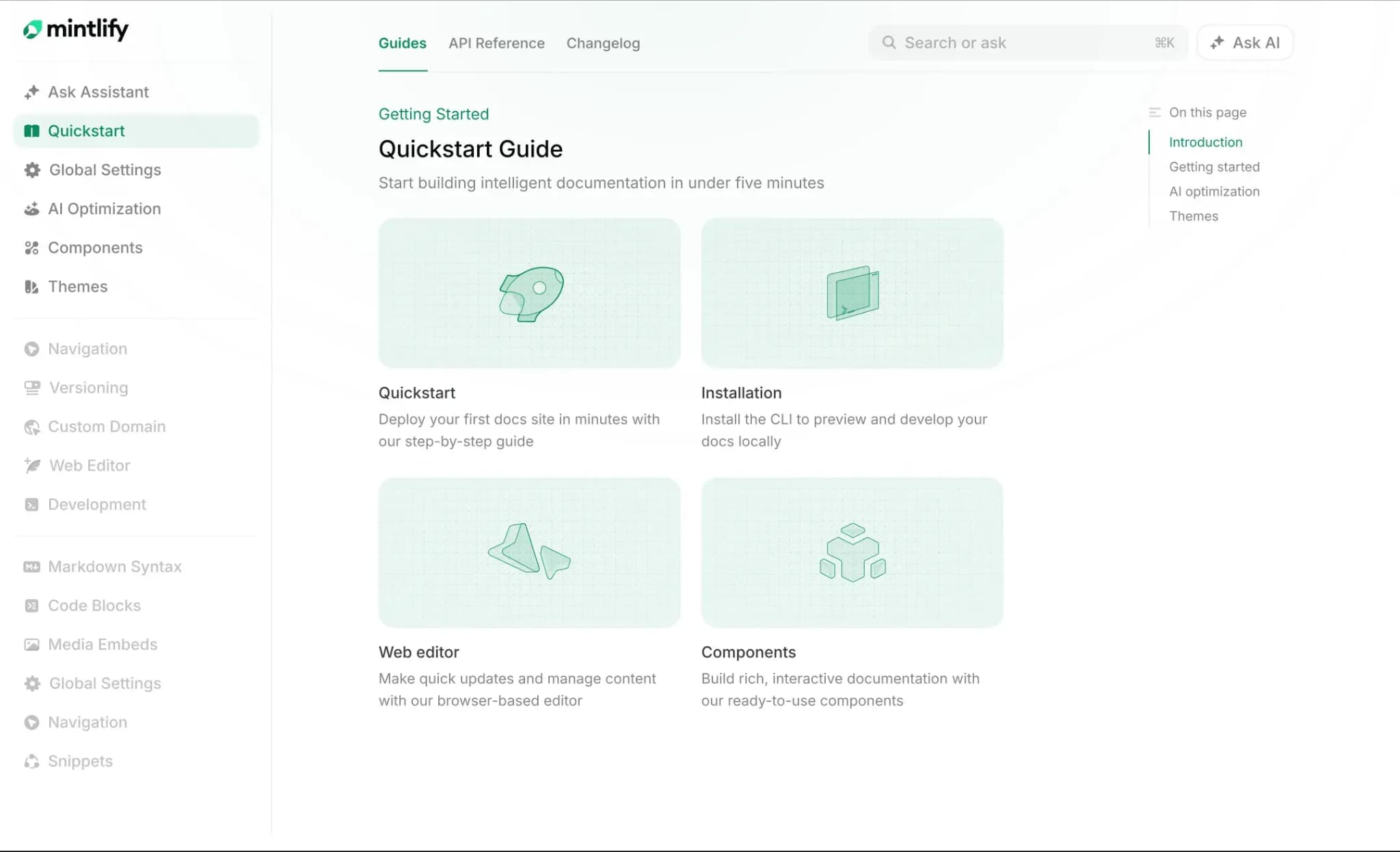
Best for: Developer-tools and API companies that want to publish documentation for human readers and coding agents from one source, with native support for agent discovery, retrieval, and ongoing maintenance.
Mintlify is a documentation platform for software companies that publish product guides, API references, and agent-readable documentation from a shared MDX source. Its Git-based publishing workflow includes automatic Markdown delivery, documentation indexes, and a hosted search MCP server, with additional controls for agent-specific instructions, protected content, and documentation maintenance.
Markdown delivery and documentation discovery
Mintlify automatically generates Markdown versions of documentation pages. Agents can append .md to a page URL or request Accept: text/markdown or Accept: text/plain to retrieve the Markdown content. Each response begins with a directive pointing to the documentation index, helping agents find additional pages without constructing URLs themselves.
Every site also generates llms.txt and llms-full.txt. llms.txt provides an index of available documentation, including links to OpenAPI and AsyncAPI specifications, while llms-full.txt combines the documentation into a single Markdown file. Both update automatically with published documentation. Large indexes are split into linked section indexes so agents can navigate extensive documentation without loading the entire index in one request.
Search MCP server for documentation retrieval
Mintlify hosts a search MCP server for every documentation site at its /mcp path. Developers can connect Claude, Claude Code, Codex, Cursor, VS Code, ChatGPT, and other MCP-compatible clients to retrieve current documentation during implementation.
The server exposes three tools with distinct functions.
-
Search: Finds relevant documentation and returns matching snippets with page titles and links.
-
Query docs filesystem: Retrieves full pages as Markdown, extracts specific sections, and supports reading multiple pages in a single call.
-
Submit feedback: Lets agents report incorrect, outdated, confusing, or incomplete documentation, with reports recorded in the analytics dashboard.
Search supports optional version and language filters for sites with multiple versions or locales. An agent implementing a particular API version can use these filters to retrieve the corresponding documentation. Agents also receive the site's skill files through the same connection, since the server exposes them as MCP resources.
MCP discovery and installation: Mintlify publishes a discovery document at /.well-known/mcp that identifies the site's MCP server URL and authentication requirements. MCP server cards list the available tools so compatible clients can discover the server and inspect its capabilities. The contextual menu on documentation pages provides installation options for Cursor and VS Code, along with the server URL for other MCP clients.
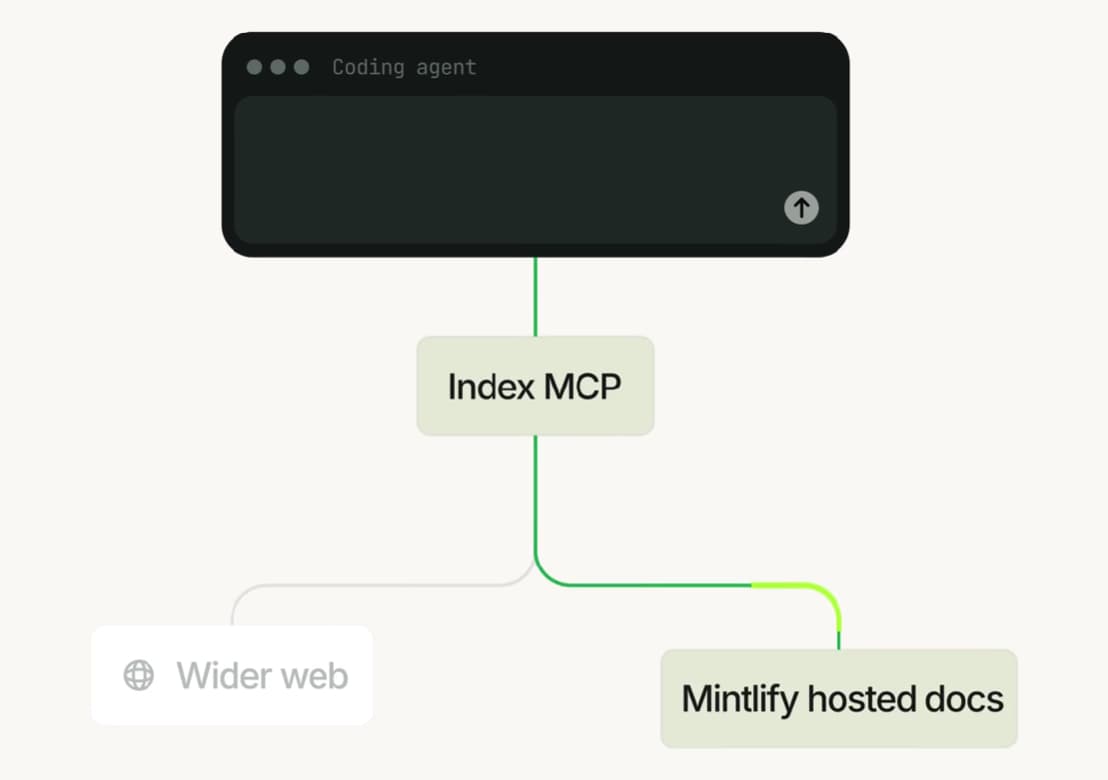
For developers working across multiple products, Mintlify Index provides a separate MCP server and API for retrieving technical documentation from multiple sources. It covers more than 200,000 libraries, frameworks, and APIs, so an agent working on a multi-product integration can pull technical information beyond any single documentation site.
Agent-specific content and implementation guidance
Mintlify's Visibility component lets authors provide different instructions to human readers and AI agents within the same MDX page. Content marked <Visibility for="humans"> appears on the website, while <Visibility for="agents"> appears in the Markdown output.
For example, a quickstart can show browser-based onboarding instructions to developers and provide CLI commands, authentication steps, and deployment instructions to coding agents. The documentation team maintains both versions in one source file.
Site-wide guidance is configured through markdown.instructions in docs.json. Teams can name preferred SDKs, API versions, and product terminology there, and Mintlify inserts those instructions into every Markdown page, llms.txt, and llms-full.txt.
Mintlify also generates a skill.md file for public documentation sites. It describes product capabilities, required inputs, constraints, and common workflows, giving agents implementation guidance alongside the documentation. Skill files are exposed as MCP resources and can also be installed directly into supported coding agents.
API reference content fidelity
Mintlify includes the full OpenAPI or AsyncAPI specification in the Markdown export of each API reference page by default. Agents receive endpoint descriptions, request schemas, parameters, and authentication details they need to construct API calls.
Documentation authors can disable specification inclusion through markdown.schema in docs.json when necessary. The default behavior keeps API contract details accessible through the same Markdown retrieval process used for product guides and setup instructions.
Missing-page recovery and protected documentation
When an agent requests a nonexistent Markdown page, Mintlify returns a 404 response containing links to llms.txt, llms-full.txt, and up to three related pages. The related-page suggestions use the site's search system, helping the agent locate the intended documentation after an unsuccessful request.
For renamed or moved pages, teams can configure redirects in docs.json and use mint broken-links to identify invalid internal links.
Protected documentation follows the same authentication rules across HTML and Markdown. Public Markdown pages remain accessible without login on partially authenticated sites, while protected pages require authentication and respect configured user-group restrictions.
The authenticated MCP server at /authed/mcp supports OAuth sign-in and returns content according to each user's permissions. Mintlify allows popular clients, including Claude, ChatGPT, Cursor, and Devin, to complete authentication without manual allowlist configuration. Client credentials also support unattended access for CI pipelines and server-side integrations, limited to public and authenticated pages with no group restrictions.
Documentation maintenance, analytics, and agent feedback
Mintlify keeps the publishing workflow connected to Git. Writers and engineers can update MDX files directly in their repository or through the synced web editor, with pull requests available for reviewing changes before deployment.
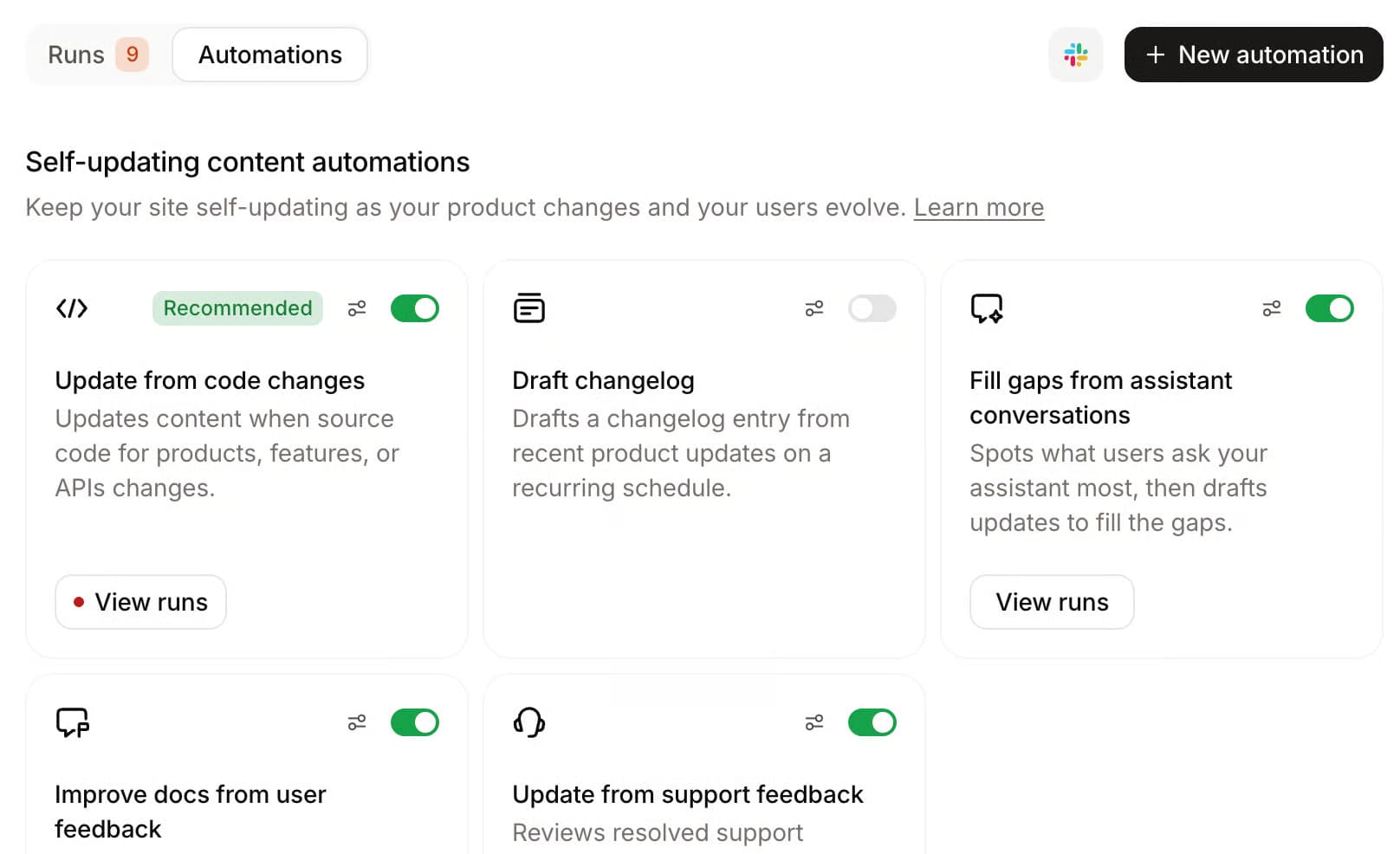
On Pro and Enterprise plans, the Mintlify agent can draft documentation updates, while automations can initiate updates from repository changes or scheduled runs. Together, the agent and automations keep implementation instructions current when code changes introduce new APIs, commands, or configuration requirements.
Agent feedback submitted through the MCP server appears in the analytics dashboard. Agent analytics also reports which AI platforms visit the documentation, which pages they access, and what they search for, which shows documentation teams where content gaps sit and which updates to prioritize.
Pros
-
Automatically generates Markdown pages, llms.txt, and llms-full.txt, with documentation index discovery through HTTP headers.
-
Hosts a search MCP server with full-page retrieval, section extraction, batch reads, and agent feedback.
-
Supports version- and language-filtered MCP search for documentation with multiple versions or locales.
-
Publishes MCP discovery documents and server cards, with installation options for popular coding agents.
-
Provides audience-specific content, site-wide agent instructions, and automatically generated skill.md files.
-
Includes complete OpenAPI or AsyncAPI specifications in API reference Markdown by default.
-
Returns recovery links and related-page suggestions for missing Markdown pages, with redirect and broken-link management.
-
Supports authenticated Markdown and MCP retrieval with user-group access controls.
-
Combines Git-based publishing, agent-assisted updates, and AI traffic analytics in one platform.
Cons
-
Agent analytics, the writing agent, automations, and the assistant require Pro or Enterprise.
-
Custom OAuth, JWT, and SSO authentication require Enterprise.
Pricing: Free Starter plan, Pro with a free trial, and Enterprise at custom pricing. See the full pricing breakdown.
2. Fern overview
Best for: API companies that generate SDKs and documentation from the same specification and need granular control over agent-readable content.
Fern generates API documentation and SDKs from a shared API definition, with agent-readable documentation available through .md and .mdx URLs or Accept: text/markdown requests. It automatically generates root-level and page-level llms.txt indexes, supports language-specific filtering, and uses <llms-only> and <llms-ignore> tags to control what agents receive. API reference pages expose request parameters, response schemas, and authentication details as structured Markdown, while redirects and similar-page suggestions help agents recover from outdated URLs. Its hosted MCP server uses Ask Fern to retrieve documentation and return synthesized answers. Protected Markdown and MCP access require JWT authentication, with manual token renewal for MCP clients.
Pros
-
Automatic llms.txt indexes and Markdown delivery with language-specific filtering.
-
Agent-only content controls, Markdown redirects, and similar-page suggestions.
-
API documentation and SDK generation from a shared definition.
Cons
-
The site MCP server returns synthesized answers through Ask Fern.
-
Authenticated MCP access requires manual JWT renewal.
Pricing: Free plan with 250 AI credits, and Enterprise with custom pricing. See the full pricing breakdown.
3. ReadMe overview
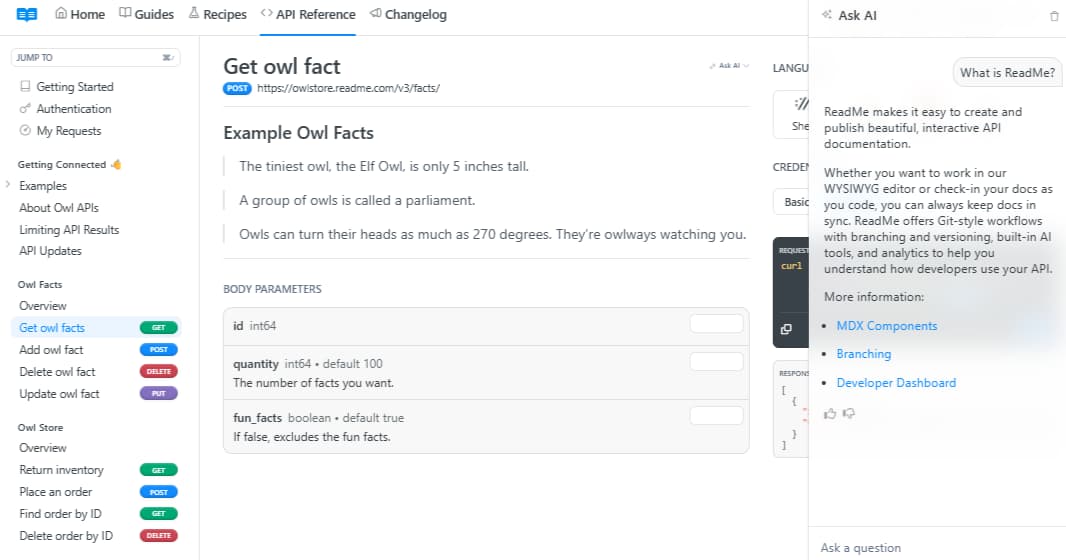
Best for: API-first teams that want coding agents to inspect endpoint specifications and execute live API requests directly through MCP.
ReadMe is an API documentation platform that combines interactive API references, developer dashboards, and bidirectional Git sync. Its Discoverability settings let teams enable llms.txt, Markdown responses, link headers, an API catalog, and contextual links that help agents navigate related pages. ReadMe also evaluates documentation against the Agent-Friendly Docs specification. The hosted MCP server exposes OpenAPI tools to list endpoints, inspect schemas, and execute live API requests, with MCP documentation search and retrieval available through a paid AI add-on. Teams can configure custom MCP tools and authenticate access to private projects, although the server exposes the same documentation content to every authenticated user.
Pros
-
OpenAPI MCP tools support endpoint discovery, schema inspection, and live API execution.
-
Configurable llms.txt, Markdown delivery, API catalog discovery, and contextual navigation.
-
Custom MCP tools and controls for enabling individual API endpoints.
Cons
-
MCP documentation search and retrieval require a paid AI add-on.
-
MCP documentation access does not support per-reader content permissions, and search is unavailable on version branches.
Pricing: Starter at $0/month, Pro at $250/month billed annually, and Enterprise with custom pricing. Ask AI is available as a $150/month add-on. See the full pricing breakdown.
4. Docusaurus overview
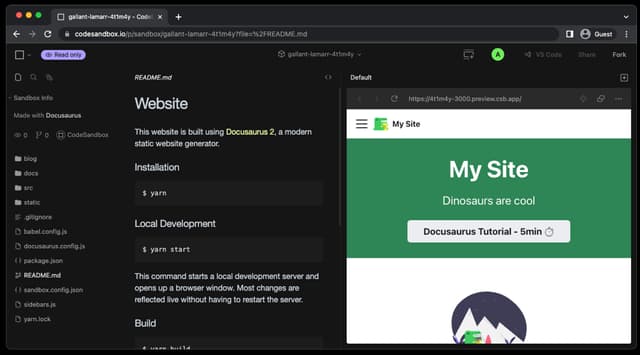
Best for: Engineering teams already using Docusaurus that have the resources to configure and maintain agent-facing documentation capabilities.
Docusaurus is an open-source static site generator that gives engineering teams control over documentation content, builds, and hosting. Its community plugin ecosystem includes docusaurus-plugin-llms and docusaurus-plugin-llms-txt for generating documentation indexes, docusaurus-markdown-source-plugin for publishing raw Markdown URLs, and AgentReady for making indexed documentation accessible through a third-party MCP service. Teams can extend the setup with custom components, hosting rules, and authentication systems to support additional agent requirements, including content negotiation and protected documentation.
Pros
-
Open-source framework with control over documentation builds and hosting.
-
Community plugins support llms.txt generation, Markdown URLs, and MCP integration.
-
Extensible architecture for adding custom documentation components and integrations.
Cons
-
Agent-specific content and protected retrieval require additional integrations.
-
Community plugin compatibility and hosting configuration require ongoing maintenance.
Pricing: Free and open source.
Documentation platforms for AI agents compared
| Platform | Agent discovery | Markdown delivery | MCP retrieval | Agent-specific content | Missing-page recovery | Protected docs for agents | Implementation model | Starting price |
|---|---|---|---|---|---|---|---|---|
| Mintlify | ✅ Auto-generated llms.txt, llms-full.txt, and MCP discovery | ✅ .md URLs, content negotiation, and API specifications | ✅ Hosted search, full-page and section retrieval, version filters, and feedback | ✅ Visibility component and site-wide agent instructions | ✅ Markdown 404 with index links and related pages | ✅ Group-scoped Markdown and OAuth-authenticated MCP | Native | Free plan |
| Fern | ✅ Root and page-level llms.txt, agent directives, and API catalog | ✅ .md and .mdx URLs, content negotiation, and API properties | ⚠️ Hosted Ask Fern server returns synthesized answers | ✅ llms-only and llms-ignore tags with content filters | ✅ Similar-page suggestions and Markdown redirects | ⚠️ JWT authentication with manual token renewal | Native | Free plan |
| ReadMe | ⚠️ Configurable llms.txt, link headers, and API catalog | ⚠️ Markdown URLs and content negotiation through Discoverability settings | ⚠️ OpenAPI tools included; MCP documentation search and fetch require a paid add-on | ⚠️ Custom MCP tools and appended navigation links | ✅ Markdown 404 with llms.txt link and search | ⚠️ Private-project authentication; no per-reader MCP content scoping | Native; llms.txt on by default | Free plan |
| Docusaurus | ⚠️ Community llms.txt plugins | ⚠️ Markdown plugin; content negotiation requires hosting configuration | ⚠️ Third-party MCP integration | ⚠️ Custom components required | ⚠️ Custom hosting configuration required | ⚠️ Custom authentication layer required | Community plugins and custom development | Free, open source; hosting costs |
Publish agent-ready documentation with Mintlify →
How to test agent-ready documentation
Documentation features and readiness scores help identify whether agents can access content, but an integration test reveals whether they can use it to complete a real task. Follow these five steps to evaluate how well your documentation supports the implementation process.
Step 1. Verify documentation discovery
Start with the product URL and check whether an agent can locate the quickstart, authentication guide, API reference, and specification files. Confirm that llms.txt includes the relevant pages and that each link resolves to accessible Markdown. Missing pages and outdated URLs can prevent agents from finding the instructions they need, even when the product supports the requested functionality.
Step 2. Inspect the retrieved documentation
Open the .md versions of the quickstart and frequently used API pages to verify that prerequisites, installation commands, package versions, environment variables, and request schemas are preserved. Instructions embedded in screenshots, interactive tabs, or browser-based walkthroughs should also have equivalent CLI or API instructions wherever agents need them to complete an implementation.
Step 3. Run a real integration task
Ask Claude Code or Codex to complete a specific task, such as implementing authentication or sending the first API request, in a clean repository. Record which documentation pages the agent retrieves, which package versions and API names it uses, and whether the resulting integration works without human correction.
Track this outcome as an integration success rate: how often the agent produces a working implementation without human intervention. Recording the results across repeated runs helps identify documentation gaps that consistently prevent successful integration.
Step 4. Compare readiness and integration results
Agent-readiness assessments, including Mintlify's Agent Score, Fern's readiness checks, and ReadMe's Agent-Friendly Docs assessment, examine documentation discovery and delivery capabilities such as llms.txt availability, Markdown accessibility, and content structure.
Use these assessments to identify configuration and accessibility issues, then examine the integration results to determine whether agents can complete the implementation. Mintlify's documentation URL benchmark found that linking Markdown pages to llms.txt reduced failed requests and token consumption, with answer accuracy remaining similar across the tested formats. Successful retrieval and implementation therefore require separate checks.
Step 5. Retest after product and model updates
Run the same integration prompts after product releases and major model updates, keeping the task and test environment consistent. Compare the results to identify changes in documentation retrieval, API version selection, and implementation success. Repeated testing helps teams catch regressions caused by renamed APIs, outdated commands, broken links, or changes in agent behavior before customers encounter them.
Choose a documentation platform for AI agents
The right platform depends on how agents interact with your product documentation and the engineering work your team can commit to maintaining agent access. If you also need AI writing assistants or a retrieval layer over existing docs, see Mintlify's comparison of AI documentation tools.
Integrated documentation publishing and agent delivery: Choose Mintlify when your documentation has to serve developers and coding agents from the same source. It generates .md pages, llms.txt, and llms-full.txt on every deploy, hosts a search MCP server with full-page retrieval, separates human and agent instructions through the Visibility component, enforces user-group permissions across Markdown and MCP, and reports which AI platforms visit the site. Mintlify covers all of it on one platform, with no plugins or add-ons.
SDK and API documentation generation: Fern generates SDKs and API references from a shared API definition, with controls for filtering agent-readable content by page and programming language. Its MCP server uses Ask Fern to return synthesized answers, so teams should evaluate whether that response format provides sufficient detail for their integration tasks.
Live API execution: ReadMe supports agents that need to inspect endpoint specifications and execute API requests through MCP. Documentation search and retrieval through MCP require a paid add-on, and teams with protected documentation should account for the absence of per-reader content permissions in its MCP server.
Existing documentation infrastructure: Docusaurus allows engineering teams to extend their current documentation site through community plugins and custom integrations. Teams need to maintain those components and configure hosting, authentication, and agent retrieval themselves. For those considering a managed platform, Mintlify's Switch program offers a documentation preview and migration support, including tooling for Docusaurus and ReadMe.
Why choose Mintlify for AI agents?
With Mintlify, coding agents locate relevant pages through documentation indexes, retrieve complete implementation instructions through Markdown or MCP, and recover from invalid URLs, all from the same source that serves human readers. Documentation teams can also control what agents receive without maintaining separate instructions for every AI tool.
As products evolve, Mintlify keeps agent-facing content connected to the same Git-based workflow used to maintain developer documentation. Agent-assisted updates, automated publishing, and analytics help teams keep implementation instructions current and identify content that needs improvement. Companies including Anthropic, Coinbase, Cognition, AT&T, Perplexity, and Replit use Mintlify for their documentation.
Teams can start with the free Starter plan to publish their documentation and test agent retrieval before adopting additional capabilities.
Start building agent-ready documentation with Mintlify for free →
Frequently Asked Questions
What makes documentation readable for AI agents?
Agents need documentation that preserves exact installation commands, authentication requirements, API schemas, and version information in retrievable text. Clear page titles, descriptive links, and complete code examples also help agents identify the appropriate instructions and apply them without guessing missing implementation details.
How do agents discover product documentation?
Coding agents may start with search results, follow navigation links, or check the site for an llms.txt index. Their discovery behavior varies by agent and task, so a well-structured index provides an additional route to relevant pages without guaranteeing that every agent will use it. Read Mintlify's llms.txt platform comparison to understand how different documentation systems generate and maintain these indexes.
How do indexes, Markdown, and MCP differ?
llms.txt lists available documentation, Markdown export exposes individual pages as structured text, and an MCP server lets connected agents search and retrieve documentation during an active task. A coding agent might use the index to locate an authentication guide, fetch its Markdown content, or search for authentication instructions through MCP.
Can AI agents access authenticated documentation?
Access depends on whether the documentation platform supports authentication through the agent's client and enforces permissions during retrieval. For example, an agent connected to a protected MCP server should receive only the documentation available to the authenticated user. Mintlify supports authenticated Markdown delivery and OAuth-based MCP access, with user-group restrictions for controlling access to protected content.
Which documentation platform best supports AI agents?
For most developer-tools companies, Mintlify, because it generates Markdown, llms.txt, and a search MCP server automatically and applies the same access controls to agents as to human readers. Fern is the stronger fit for teams generating SDKs from an API definition, ReadMe for teams that want agents to execute live API requests, and Docusaurus for engineering teams willing to assemble and maintain plugins themselves.
More to read
How to Make Your Documentation Agent-Friendly
Learn how to make documentation agent-friendly with reliable discovery, runnable instructions, protected access, and repeatable integration tests.
September 25, 2026Harkirat Chahal
Growth

8 best context engineering tools for coding agents in 2026
Compare eight context engineering tools for coding agents across documentation, code search, project knowledge, web research, and evaluation.
September 7, 2026Harkirat Chahal
Growth