What is CI/CD?
CI/CD automates and integrates the software development life cycle (SDLC) stages to enable faster, more reliable releases. The SDLC consists of several key stages: development, testing, deployment, and maintenance.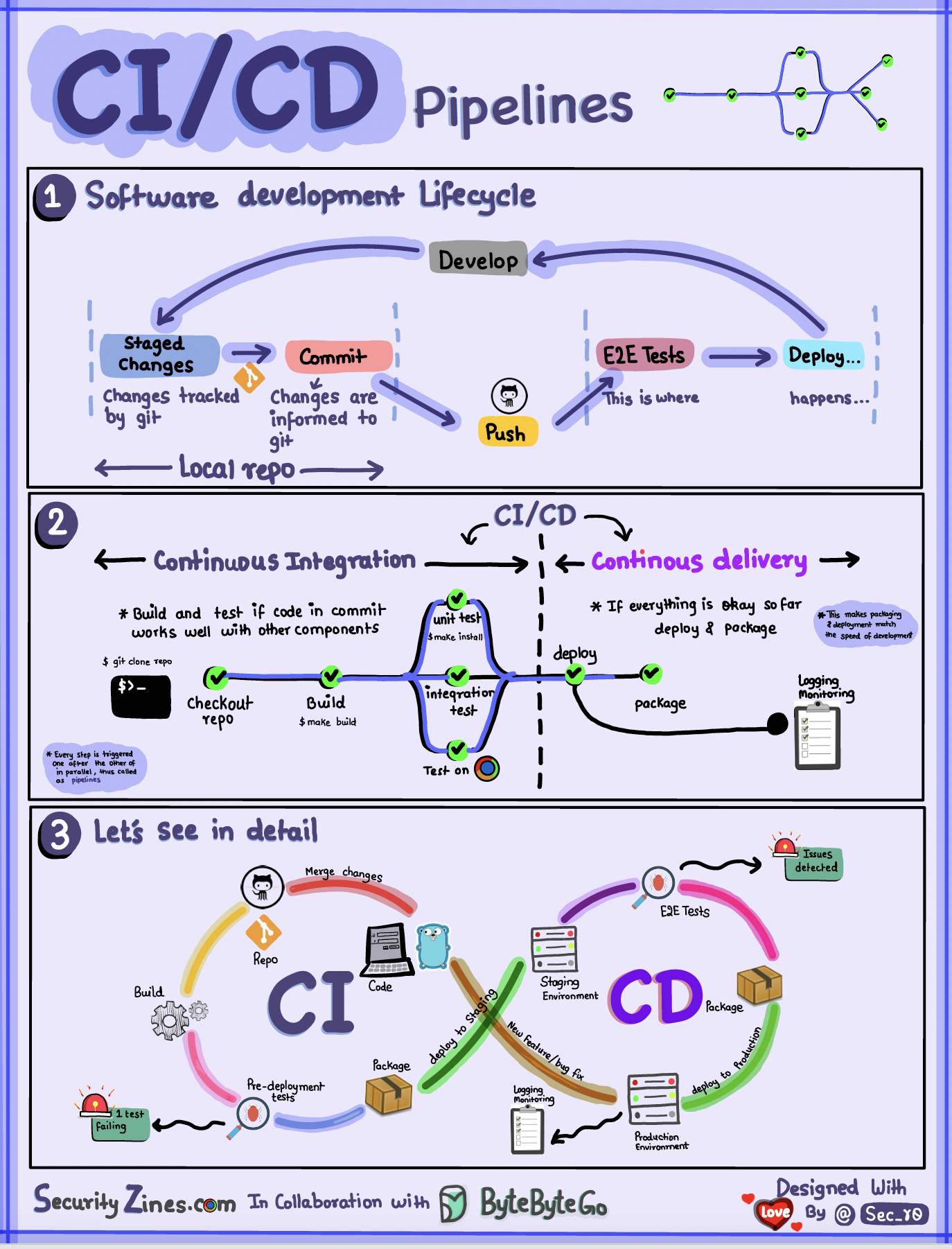
How CI/CD Works
When code is pushed to a git repository, it triggers an automated build and test process:
If tests pass, the code can be automatically deployed to staging/production. If issues are found, the code is sent back to development for bug fixing. This automation provides fast feedback to developers and reduces the risk of bugs in production.
Continuous Integration (CI)
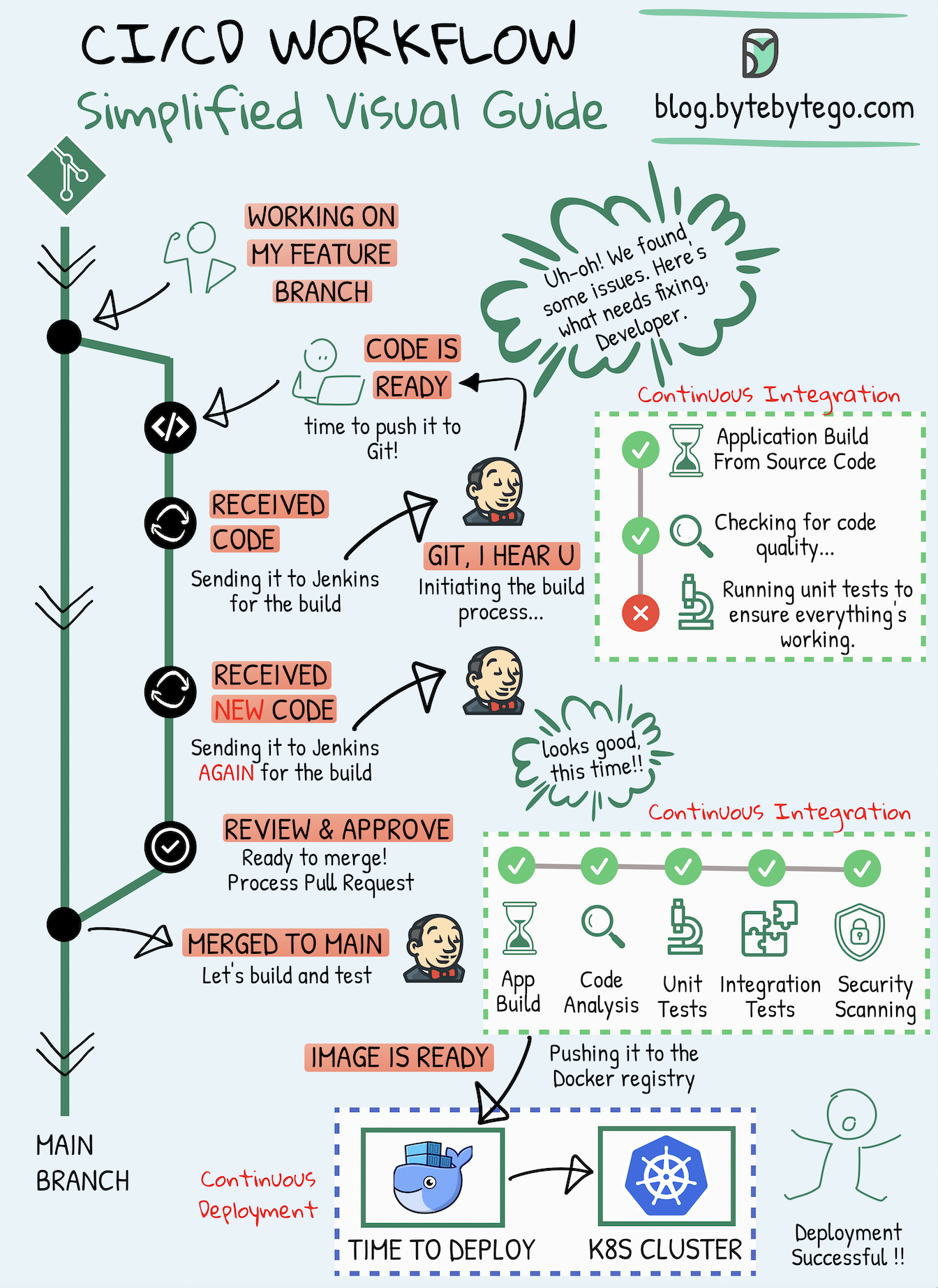 Continuous Integration (CI) is a practice where code changes are frequently combined into a shared repository. This process includes automatic checks to ensure the new code works well with the existing code.
Key Benefits of CI
- Early Detection: Runs tests whenever code is committed to detect integration issues early
- Rapid Feedback: Encourages frequent code commits with immediate feedback
- Automated Testing: Automates the build, test, and merge process
- Reduced Integration Issues: Prevents “integration hell” by merging code frequently
Continuous Delivery/Deployment (CD)
Continuous Deployment (CD) takes care of automatically putting code changes into real-world use. It makes sure that the process of moving new code to production is smooth and reliable.CD Capabilities
- Automates release processes like infrastructure changes and deployment
- Ensures software can be released reliably at any time through automated workflows
- May automate manual testing and approval steps before production deployment
- Provides rollback mechanisms for safe recovery
Continuous Delivery vs Continuous Deployment: Continuous Delivery ensures code is always in a deployable state but requires manual approval for production. Continuous Deployment automatically deploys every change that passes tests to production.
Real-World Examples
Netflix CI/CD Pipeline
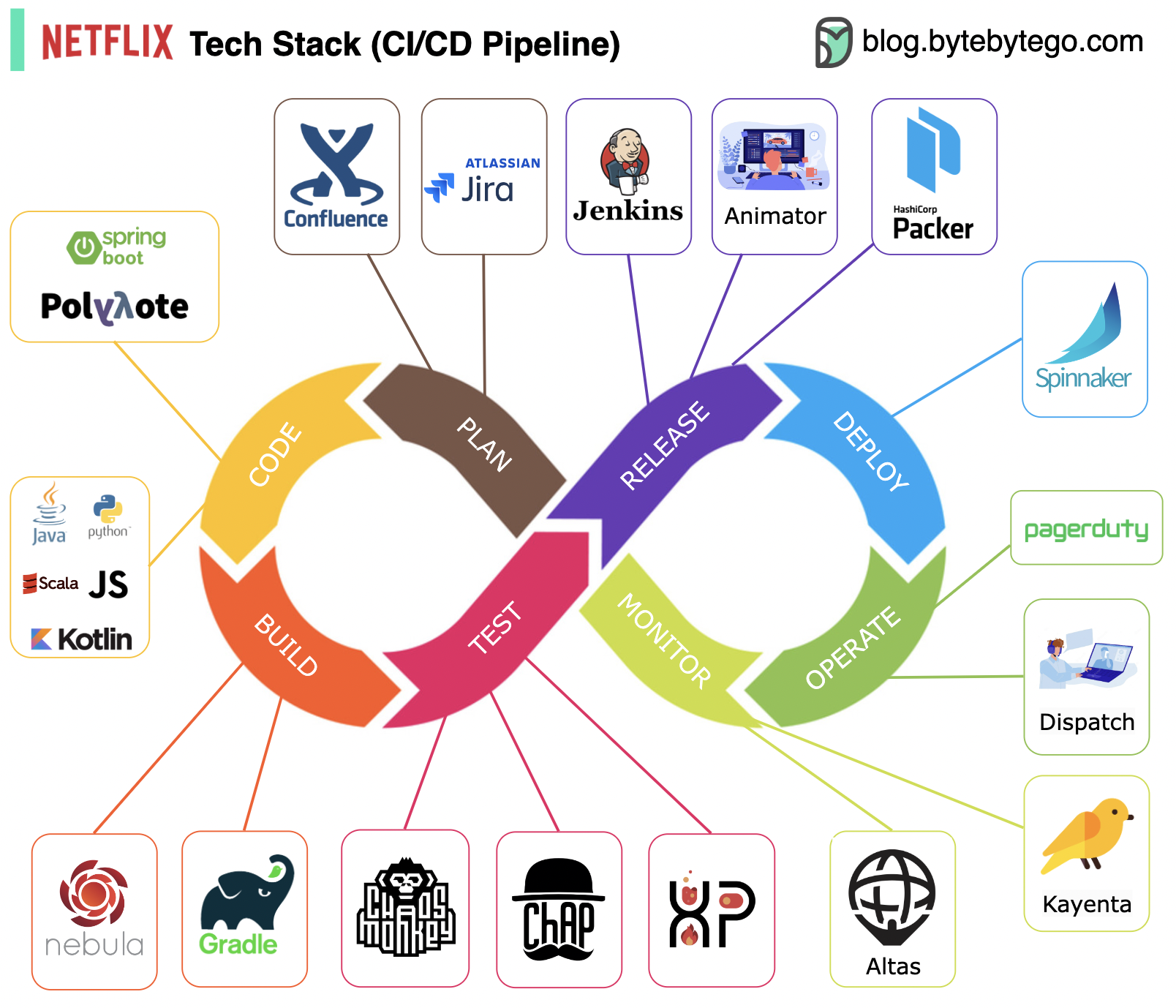 Netflix uses a comprehensive CI/CD pipeline:
Uber CI/CD Stack
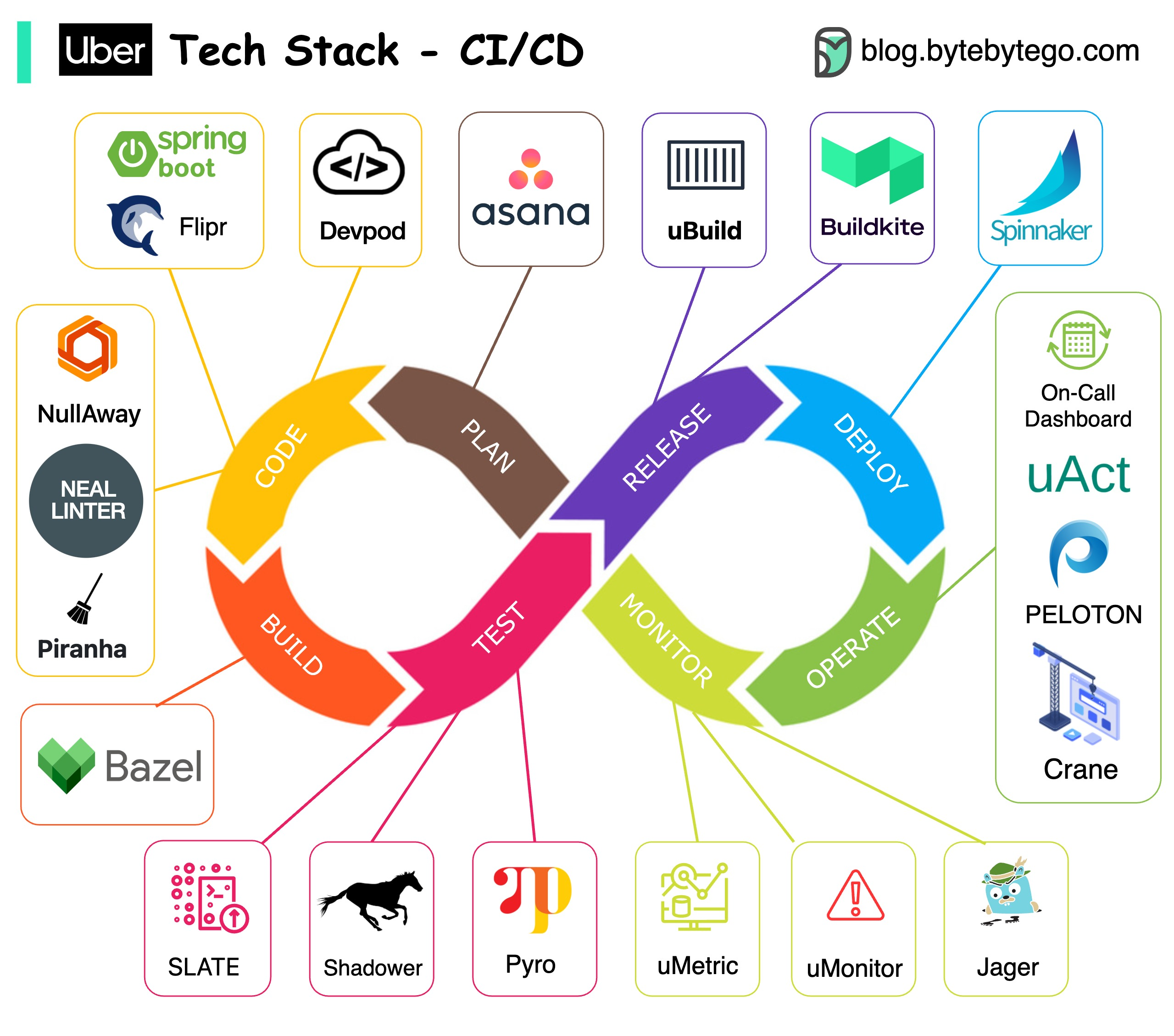 Uber’s innovative CI/CD approach includes:
- Repository: Monorepo architecture using Bazel at scale
- Testing: SLATE for short-lived testing environments, Shadower for load testing
- Build: uBuild powered by Buildkite for container packaging
- Deployment: Netflix Spinnaker for production deployments
- Monitoring: uMetric platform built on Cassandra
CI/CD Best Practices
1. Automate Everything
- Automate builds, tests, and deployments
- Use Infrastructure as Code (IaC)
- Automate security scanning and compliance checks
2. Test Comprehensively
3. Implement Fast Feedback Loops
- Keep build times under 10 minutes when possible
- Run critical tests first (fail fast)
- Provide clear, actionable error messages
- Notify developers immediately on failures
4. Version Everything
- Version control for code, configurations, and infrastructure
- Tag releases and artifacts
- Maintain traceability from code to deployment
5. Monitor and Measure
- Track deployment frequency
- Measure lead time for changes
- Monitor mean time to recovery (MTTR)
- Track change failure rate
These metrics are known as DORA (DevOps Research and Assessment) metrics and are key indicators of DevOps performance.
Common CI/CD Tools
CI Tools
- Jenkins
- GitLab CI
- GitHub Actions
- CircleCI
- Travis CI
- Buildkite
CD Tools
- Spinnaker
- ArgoCD
- Flux
- AWS CodeDeploy
- Azure Pipelines
- Google Cloud Deploy
Container & Orchestration
- Docker
- Kubernetes
- Helm
- Kustomize
Getting Started with CI/CD
Troubleshooting CI/CD Pipelines
Common Issues
Flaky Tests- Tests that pass/fail inconsistently
- Solution: Identify and fix test dependencies, timing issues
- Builds taking too long to complete
- Solution: Parallelize tests, optimize dependencies, use caching
- Failed deployments to production
- Solution: Implement proper rollback mechanisms, use deployment strategies
- Differences between staging and production
- Solution: Use Infrastructure as Code, container images
A well-designed CI/CD pipeline should fail fast, provide clear feedback, and make it easy to identify and fix issues quickly.